Disclosure
We built InviteDesk, one of the tools below. It won’t be the right choice for every sales team, so we’ve included alternatives and explained where they may serve you better.
If you’re comparing event lead capture software for your sales team, the best way to choose is to evaluate your options based on where your reps meet prospects.
Pricing, CRM integration, and capture methods are useful comparison points. But the event setting gives you a clearer basis for choosing because it determines what information you already have and what your team still needs to collect.
For instance, if registration for your customer or partner event already captures guests’ contact details, buying lead capture software primarily to scan those same details is unnecessary. You may get more value by buying a lead capture tool that connects their interests and attendance to the account manager responsible for follow-up.
The same goes for trade shows where your team has a stand. Software built around inviting known guests may be inappropriate when reps need to capture unfamiliar visitors’ details and qualify their interest.
To help you choose, we compared eight tools across company-hosted events, trade shows, and networking or field meetings. We explain how each supports your sales team, what users find useful, and which limitations to consider.
Event lead capture software for sales teams at a glance
Here are the sales workflows each software supports, along with the price and main limitation, to help you narrow your shortlist.
| Software | Starting price | Best fit | Key limitation |
|---|---|---|---|
| InviteDesk | Premium: €286/month, billed annually | Customer and partner events | Less suited to capturing unfamiliar leads at other organisers’ trade shows. |
| Bizzabo | $17,999/year; Klik priced separately | Conference contact exchange and qualification | Klik’s click-to-connect workflow requires its SmartBadges. |
| Cvent iCapture | Custom pricing | Consistent lead qualification across trade shows | Without organiser data access, reps may need to collect missing details themselves. |
| Popl | Custom pricing | Filling gaps in badge contact details | Enriched details may need to be checked before outreach. |
| Momencio | Engage: $7,800/year for five seats | Personalised content delivery and follow-up | CRM integrations and AI EdgeCapture cost extra. |
| Captello | Custom pricing | Qualifying leads through booth activities and meetings | Some shows release full badge data after the event, delaying follow-up. |
| Mobly | Custom pricing | Capturing contacts and conversation notes in the field | Failed enrichment can leave leads out of the CRM until the issue is corrected. |
| Zuant | Custom quote | Qualifying prospects during offline product presentations | CRM connections require a higher plan or an integration add-on. |
How I assessed each event lead capture software
I compared the tools below on five criteria that affect whether the information you capture is useful to your Sales team. Here’s what I considered:
- Useful sales details: I checked whether reps can capture contact details alongside what they discussed, including interests, needs, buying timing, notes, and agreed next steps.
- CRM handoff: I checked what moves into your CRM with the contact and whether notes, qualification answers, and event context are synced.
- Ownership and next action: I looked at how the tool helps you prioritise contacts, assign responsibility, and give the person following up enough context to act.
- Fit for your event: I checked which workflows depend on organiser data, special badges, hardware, or an internet connection, and which still work without them.
- Pricing: I compared the price of the plan or add-on needed for the workflow we discuss, which can help assess whether it’s a good fit budget-wise.
Event lead capture software evaluation scorecard
The scorecard uses a five-point scale. Five means the capability is a strong part of their workflow with few important conditions; three means it works but has a meaningful limitation or dependency.
| Software | Useful sales details | CRM handoff | Ownership & next action | Event flexibility |
|---|---|---|---|---|
| InviteDesk | 3/5Adds registration and attendance context for known guests, but isn’t built for capturing unfamiliar booth leads. | 4/5 | 5/5 | 3/5Best for invitation-led events, not exhibitor lead capture at external shows. |
| Bizzabo | 4/5 | 3/5CRM handoff depends on the event and exhibitor setup. | 4/5 | 3/5Best suited to conferences using Bizzabo’s event infrastructure, particularly Klik. |
| Cvent iCapture | 5/5 | 4/5 | 4/5 | 4/5 |
| Popl | 4/5 | 4/5 | 4/5 | 5/5 |
| momencio | 4/5 | 3/5Some CRM connections and capabilities cost extra or require setup. | 4/5 | 4/5 |
| Captello | 5/5 | 4/5 | 4/5 | 4/5 |
| Mobly | 4/5 | 3/5Enrichment failures can leave some records needing manual correction. | 4/5 | 5/5 |
| Zuant | 4/5 | 3/5CRM access depends on the plan, and records must be available in Zuant Cloud first. | 4/5 | 4/5 |
Best options for sales teams at company-hosted events
For company-hosted events, your sales team is usually starting with an existing contact list. The question is what Sales needs to do with the people already in your event system. If that describes your need:
- Choose InviteDesk to keep invitations, registration, and attendance tied to account managers and to alert them when your guests check in.
- Consider Bizzabo for on-site contact exchange and qualification through Klik SmartBadges for conference-style events.
Here’s how they work:
1. InviteDesk: keep sales & marketing aligned from invitation to follow-up

InviteDesk is a B2B event platform with lead capture capabilities for customer and partner events. It helps your sales team build on your existing contact details by collecting information about guests’ interests and attendance.
For example, you can create a registration form that collects details such as the guest’s product interest or what they’d like to discuss. These answers give your sales team the context they may need to prepare for those on-site conversations.
On event day, your team can use InviteDesk’s ScanApp to check guests in and record their attendance. And if you also scan tickets at workshop entrances, you can see which sessions each guest attended and use that context to personalise your follow-ups.
For teams running their own events, this connects the information collected during registration with what happened on the day. Sales can then use both when deciding how to improve the relationship after the event.
Here are some of the lead capture software features on InviteDesk and how you can use them:
Want to see how your team can check guests in, keep account managers informed, and follow up using actual attendance?
Key features of InviteDesk’s lead-capture software
1. Let sales invite the right guests while marketing manages the event
InviteDesk lets your marketing team set up the event, registration page, invitations, and reminders, while account managers choose the customers or prospects they want to invite. Everyone on the team gets visibility into registration details so you can keep track of registration statuses:

We also have an “On Behalf Of” flow that lets Marketing send messages on behalf of the account manager, so the guest hears from someone they know without every salesperson having to create and send their own event emails.
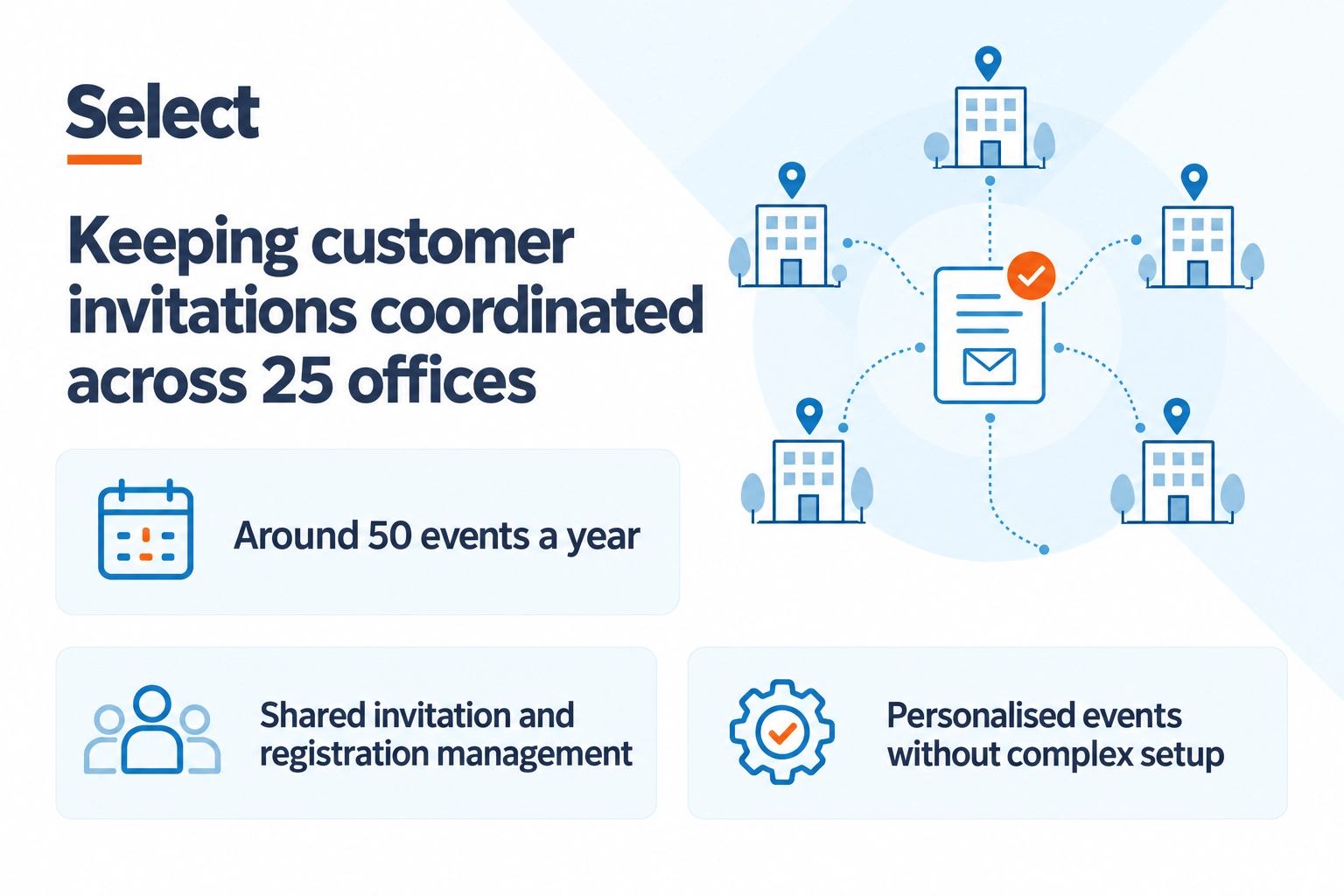
The HR company, Select, used this shared workflow across 25 offices and around 50 events a year. Instead of having each sales rep invite their guests, marketing does so, and everyone can see their guests’ registration status in InviteDesk and track the next steps.
Want to know how InviteDesk helps?
2. Give account managers useful information before they meet a guest
You can add custom questions to the registration process to collect information your team wants before the event, such as what a guest is interested in or wants to discuss. Those answers remain in the guest record rather than in a separate form or spreadsheet.
Your account manager can then see that information before the event and prepare for the conversation. They’re not meeting the guest with just a name and company; they already have some context from what the guest shared during registration.
3. See who attended and which parts of the event they joined
InviteDesk’s ScanApp records arrivals and helps you check guests in using your existing guest list. You can also create separate scan points for workshops or restricted areas, so you can record their activities during your event, as seen below:
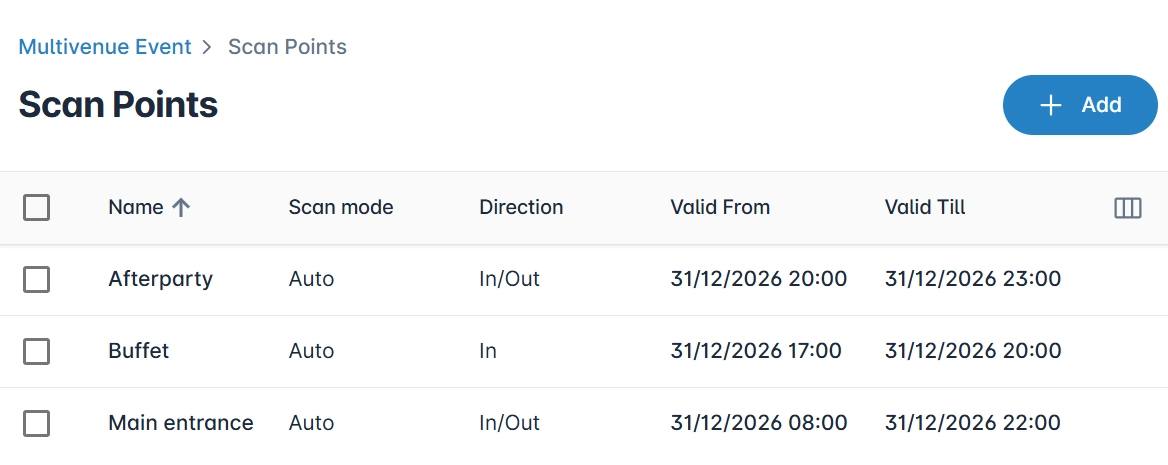
ScanApp also automatically alerts the guest’s account manager so they can welcome and engage the guest, depending on the event’s goals.
4. Bring registration and attendance into your existing sales systems
You can use the InviteDesk Connector to sync selected event data with your existing sales and marketing systems. That lets your team use registration and attendance alongside the customer information already held in your CRM.
Instead of waiting for Marketing to export and send the attendee spreadsheet, Sales can work from the event information available in the systems they already use. They can see what happened at the event, along with the rest of the customer record, before continuing the conversation.
InviteDesk Pros
- Sales and Marketing can work from the same guest records: Sales can choose who to invite, while Marketing manages the event and communications, reducing the need for separate lists and manual reconciliation.
- Send bulk invitations from the relationship owner: Messages can be sent on behalf of Sales, so guests hear from someone they know, without each rep having to manage their own campaign.
- Registration form can prepare reps for the conversation: You can ask custom questions to capture interests or requirements before the event, giving account managers useful context when they meet the guest.
- Attendance stays connected to the guest record: ScanApp records who attended your events, helping reps distinguish no-shows from guests they should follow up with.
- You can capture attendance across sessions: You can have separate scan points to record participation in workshops or restricted areas, giving Sales more context about what a guest engaged with.
- Sync event data to your CRM: InviteDesk helps you sync selected event data to your marketing or CRM systems, reducing manual exports and CRM updates before follow-up.
InviteDesk cons
- Less suited to teams that only exhibit at other companies’ events: If you mainly need to scan unfamiliar visitors at events you don’t organise, consider a dedicated exhibitor tool.
- Costs can increase as your event programme grows: Additional events and users affect the subscription price, so larger teams should confirm the full annual cost.
Pricing (billed annually)
- Plus starts at €232/mo: Includes event websites, registration forms, automated communications and real-time registration data.
- Premium starts at €286/mo: Adds more advanced registration options plus scanning and attendance tracking.
- Platinum starts at €424/mo: Provides pre-registration, paid events and guest-list segmentation.
- Single Event starts at €1,320, billed upfront: Includes the core invitation, event website and registration features with five seats, making it an option if you want to use InviteDesk for one event rather than take an annual subscription.
Why teams choose it: InviteDesk keeps guest ownership, invitations, registration and attendance connected, making it easier for marketing to run the event and for account managers to welcome and follow up with their guests.
2. Bizzabo: capture and qualify conference interactions with Klik SmartBadges
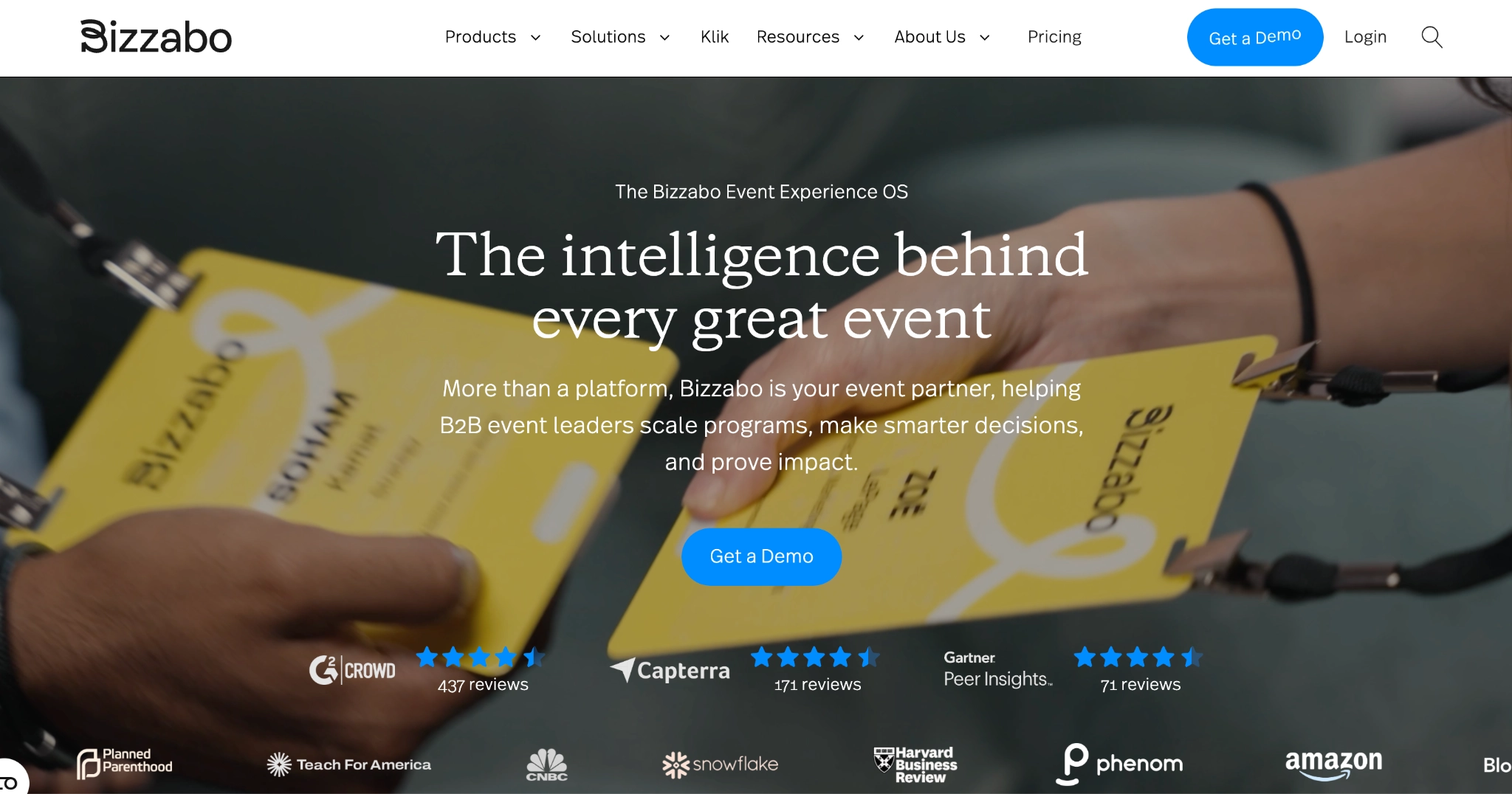
Bizzabo is an event management platform for conferences and event programmes. Its Klik SmartBadges allow attendees to exchange contact details, while booth reps can add notes, ratings and answers to custom qualification questions in the event app.
This means a rep can record why someone visited your stand, what they were interested in, and whether they asked for a follow-up. The shared dashboard brings those details together with each representative’s activity, so the sales manager can review the booth’s leads before exporting them to your CRM.
My thoughts: choose Bizzabo when you organise the conference and want lead capture as part of the networking experience.
Key features
- Klik SmartBadge contact exchange
- Custom qualification questions
- Lead ratings and rep notes
- Shared exhibitor lead dashboard
- Representative activity reporting
- Lead export for CRM use
What Bizzabo users say
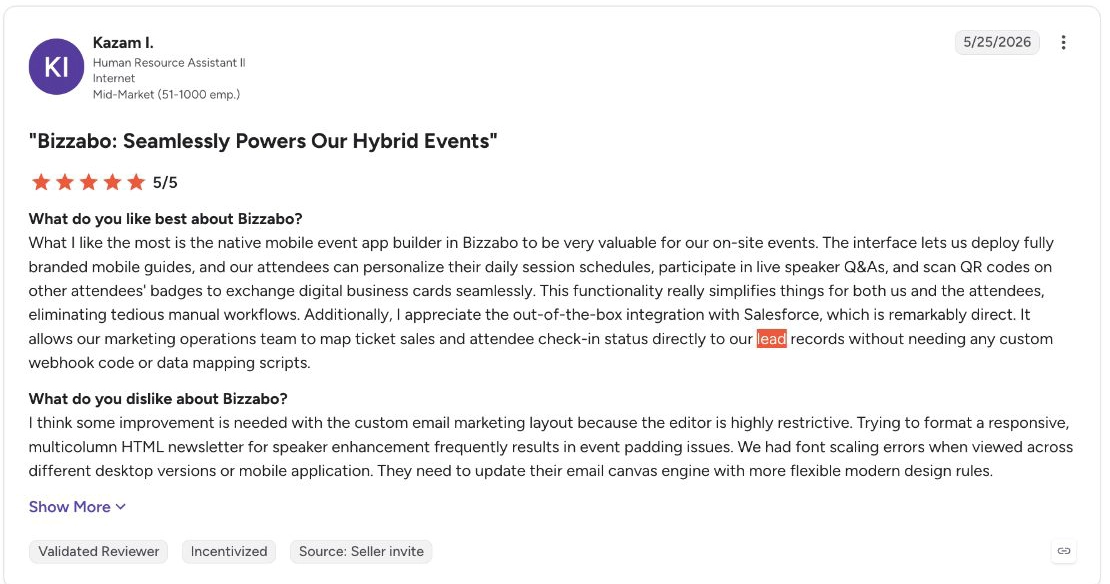
Kazam I. used Bizzabo for QR contact exchange and mapped ticket and attendance status into Salesforce. He says he loves that the team can keep event participation alongside its existing sales and marketing records, rather than managing it as a separate contact list.
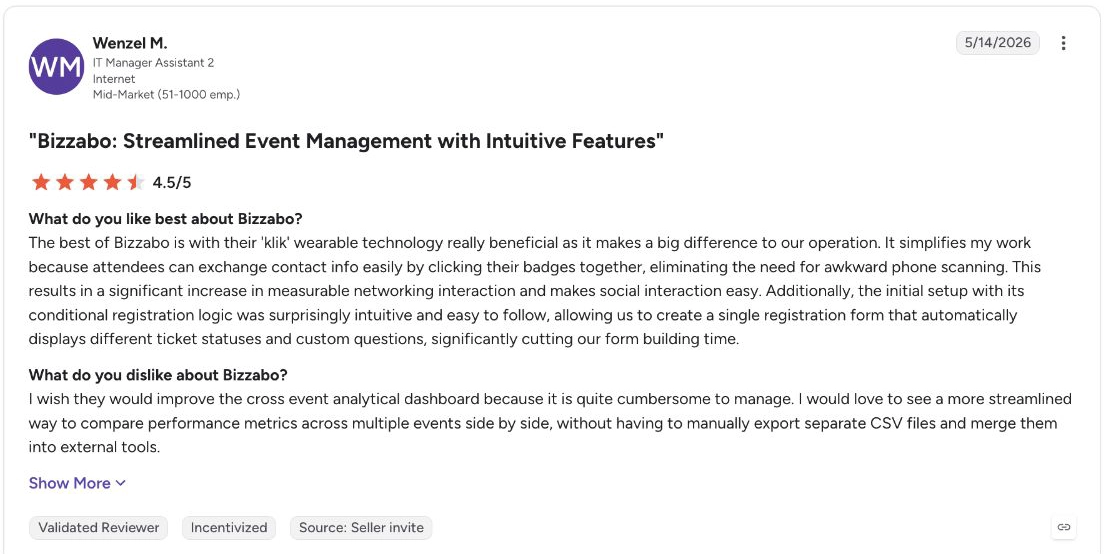
Wenzel M. also liked Klik networking but complained about having to export and merge CSV files to compare results across events. This means teams running a recurring conference programme may have extra reporting work when they want a combined view.
Pros
- Qualify contacts while the conversation is fresh: Reps can add notes and answers to the connection, rather than reconstruct the discussion after the conference.
- See the booth team’s activity together: Shared reporting lets sales managers review the leads and conversations captured by different representatives.
- Carry event information into follow-up: When you export captured leads, Bizzabo includes their ratings, notes and qualification answers, so your sales team can see how each person was qualified and what was discussed before following up.
Cons
- Klik’s click-to-connect feature depends on SmartBadges: If an event isn’t using Klik SmartBadges, you won’t get the tap-to-connect workflow, although Bizzabo also supports QR scanning.
- Klik adds a separate cost: SmartBadge lead capture has its own single- or multi-event pricing, so your total cost depends on whether you need it alongside Bizzabo’s other event tools.
- It may be overkill if you only need simple lead capture: Bizzabo also covers registration, on-site operations, attendee engagement, and broader event management, so teams that only need badge scanning and qualification may prefer a more focused tool.
Pricing
- Event Experience OS starts at $17,999/year, billed annually, with a three-user minimum.
- Klik SmartBadge has separate pricing for single-event and multi-event use: Lead retrieval, wearables and deployment need to be included in the quote.
Why teams choose it: Bizzabo combines conference contact exchange with lead notes, ratings and team reporting, making it easier for exhibitors to decide who to follow up with and what to discuss.
Comparing Bizzabo? See our full list of Bizzabo alternatives.
Best for sales teams exhibiting at external trade shows
If your sales team runs a stand at a trade show hosted by another company, that organiser controls the attendee registration data. The details your reps can retrieve by scanning a visitor’s badge depend on the show’s system and access arrangements.
For events like this:
- Consider Cvent iCapture for consistent qualification across shows or Popl to fill gaps in contact details.
- Choose Momencio because it connects conversations with requested content and follow-up, or Captello because it links booth activities with qualification.
Here’s how they work:
3. Cvent iCapture: use the same qualification process across trade shows
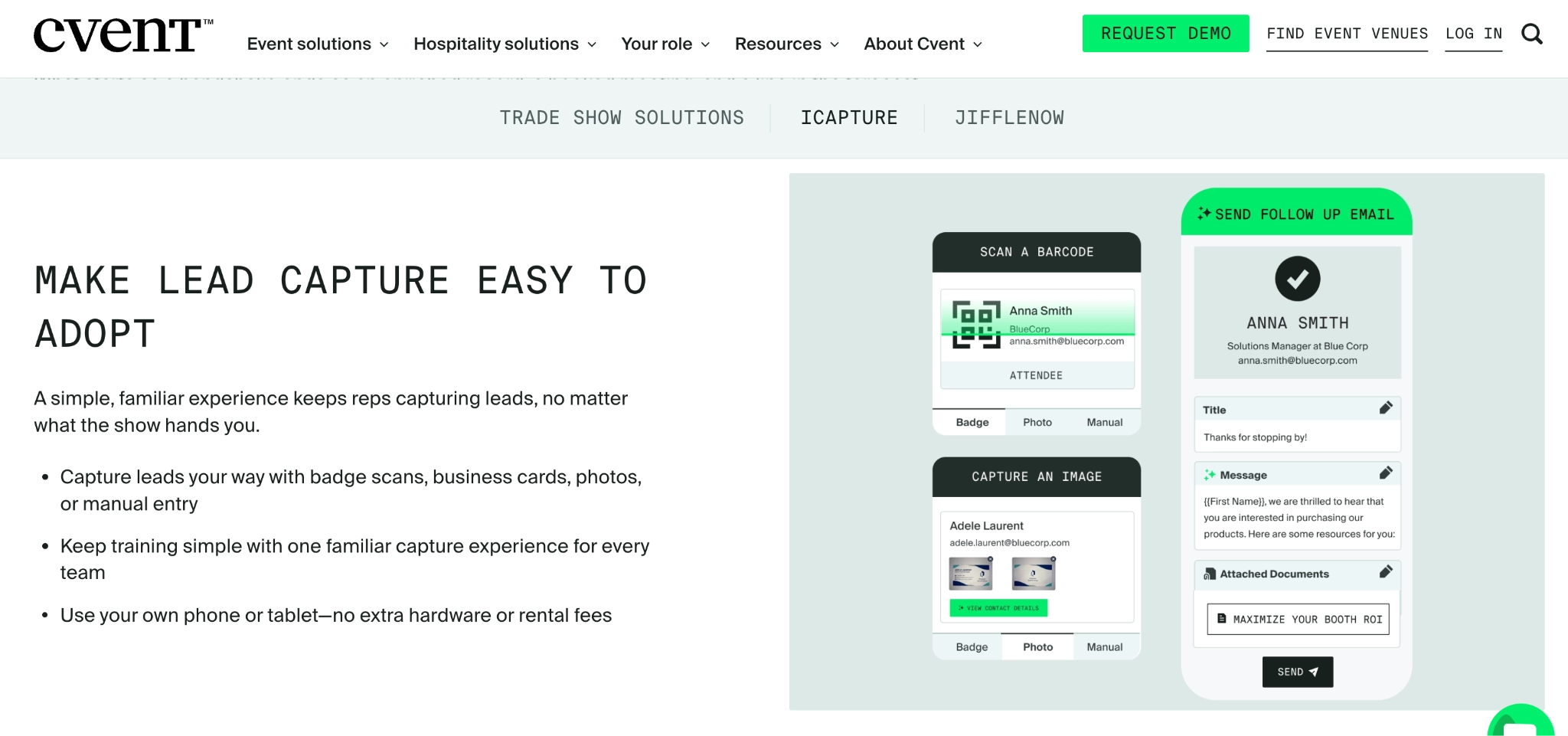
Cvent iCapture is a lead capture platform for teams exhibiting at multiple trade shows. What I love about it is that reps can scan supported badges, capture business cards or enter contacts manually, then use the same form to record product interest, urgency and other qualification answers.
This is useful when every show currently leaves marketing with a different spreadsheet. The contact details may come from different sources, but the questions stay consistent. Your team can then compare the answers and route qualified leads to the appropriate rep or marketing follow-up process.
You can also sync the information into your CRM, so it’s added to existing guest data. Reps can also park incomplete records and finish them later, rather than submitting a contact before they’ve added the information sales needs.
Key features
- Badge and business-card scanning
- Photo and manual contact capture
- Custom lead qualification forms
- Qualification-based lead routing
- Parked leads and incomplete-record review
- CRM and marketing-platform integrations
What users say
Jemima C., an events specialist using Salesforce and Marketo, praised iCapture’s lead importing and how easy it was to teach sales reps. That helped her team use a repeatable capture process without lengthy training before each event.
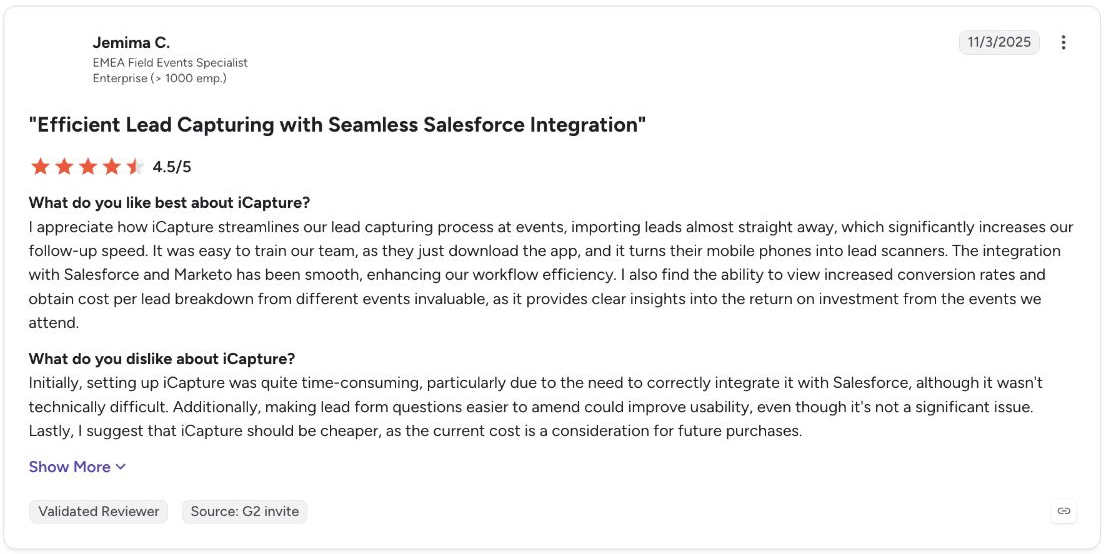
However, she also said the initial setup took time because the Salesforce integration had to be configured correctly, and she wanted lead-form questions to be easier to amend. This means customising Cvent for your workflow can take significant time, and you have to factor that in from the start.
Pros
- Collect consistent qualification answers across shows: A shared form gives marketing the same information to compare, even when reps capture contacts in different ways.
- Send leads to the appropriate follow-up process: Qualification answers can determine routing, rather than leaving someone to manually sort the event list.
- Finish records without holding up the next conversation: Reps can park an incomplete lead and return to its missing details later.
Cons
- Official badge data is not available at every show: Retrieval depends on the organiser’s provider and access arrangements.
- Incorrect field mappings can disrupt lead delivery: A reviewer mentioned needing on-site support to correct how event data was mapped.
- Initial setup can take time: Beyond learning the platform, configuring integrations and event-specific workflows can require additional setup before your team is ready to capture leads.
Pricing
- Custom pricing
Why teams choose it: iCapture gives reps a repeatable way to qualify contacts across trade shows, so marketing and sales receive comparable answers and can route leads consistently.
For more about how Cvent works, read our head-to-head analysis of Cvent vs InviteDesk.
4. Popl: enrich contact details printed on a lead’s badge
Popl is a contact-and-lead-capture platform that reads information printed on event badges and enriches it with business contact details. If a badge only provides your rep with a lead’s name and employer, Popl can help find the missing information needed for outreach.
This way, your rep only has to photograph the badge, review the result and add notes or qualification answers, such as product interest and lead priority. Admins can use Event Flows to decide what happens next, such as tagging the lead, syncing it to the CRM or sending a follow-up email, then make that workflow available to the team working the event.
That gives teams attending different shows a repeatable process without relying on each organiser’s QR code. Enrichment can still leave details missing, so reps may need to ask for an email during the conversation.
Key features
- Printed-badge and business-card capture
- Contact enrichment
- Custom qualifiers, tags and notes
- Event Flows
- CRM synchronisation
- Automated follow-up emails
What users say
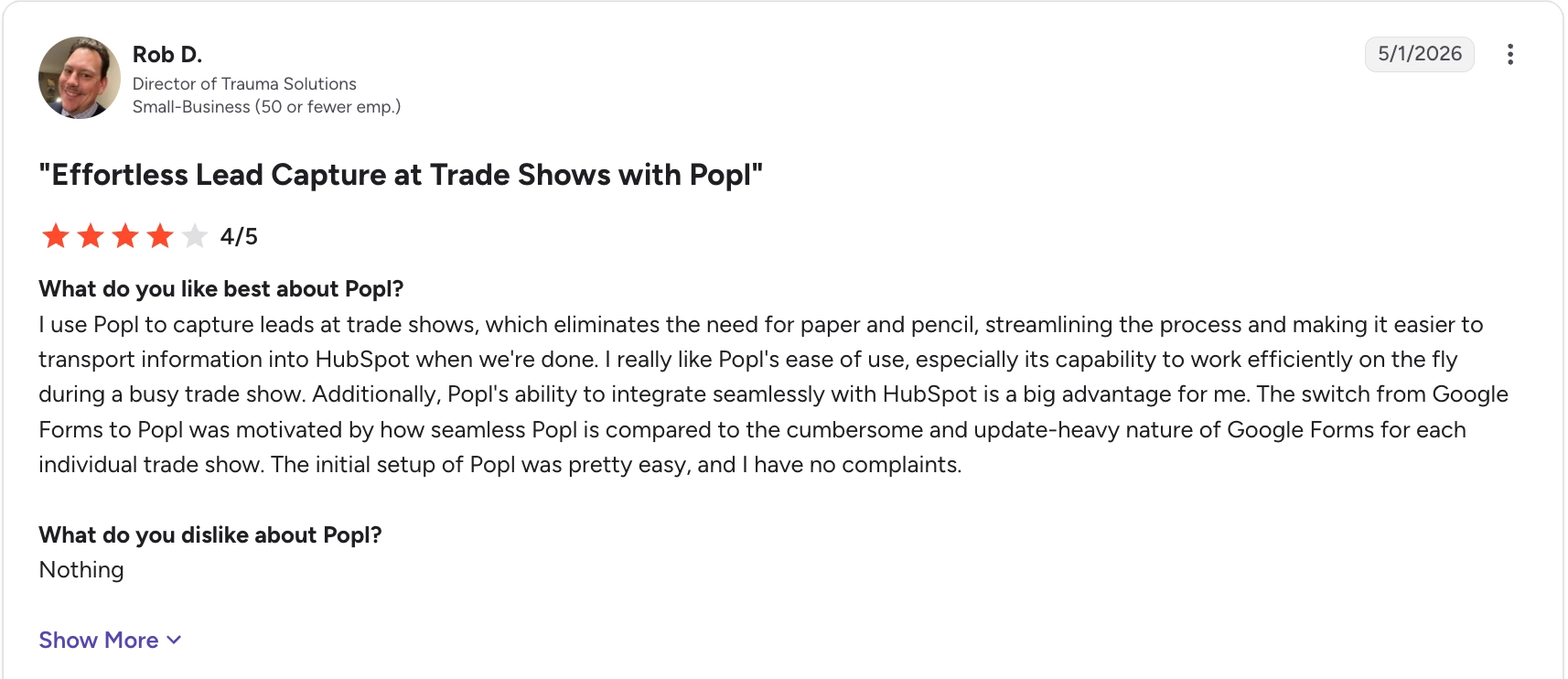
Rob D. used Popl to capture leads during busy trade shows and transfer their details into HubSpot. He found it easier than updating Google Forms for each event.
Jonathan S., an operations manager, also appreciated Popl’s automatic CRM syncing and having his team’s leads in one dashboard. He noted a slight learning curve when setting up custom fields and integrations, though, as well as occasional HubSpot sync delays, which he described as “minor overall”, but that suggests CRM syncing may not always be automatic and immediate.

Pros
- Capture leads without relying on each organiser’s scanning system: Photographing printed badges lets your reps use Popl across different shows even when their badge systems differ.
- Automate what happens after capture: Event Flows can tag contacts, sync them to your CRM and send follow-up emails through a process you configure before the event.
- Keep sales context with each contact: Custom qualifiers and notes preserve what the prospect was interested in alongside their enriched contact details.
Cons
- Enrichment can still leave gaps: Reps may need to confirm an email address or correct company information before the contact is ready for outreach.
- Badge photos can’t retrieve organiser-only registration data: Popl can read and enrich the information on the badge, but answers stored only in the organiser’s registration system require separate access.
Pricing
- Custom pricing
Why teams choose it: Popl fills gaps in badge contact details and connects the resulting record to qualification and follow-up, reducing the work between meeting a prospect and contacting them again.
5. momencio: Send the material a prospect asked for and track engagement

momencio is a lead-capture and follow-up platform for sales teams that share product materials during event conversations. What I like about it is that reps can capture the contact, add Smart Notes or qualification answers and select the brochures, specifications or other content the person asked for.
A LiveMicrosite (which is like an AI brain for follow-ups) puts the selected material on a personalised page that the rep can send in a follow-up email. Afterwards, engagement tracking shows which content the prospect opened or revisited. The rep can then use that activity alongside their notes when deciding what to discuss next.
I like this approach because it gives you extra context about the lead and helps you avoid adding every lead to the same email sequence. You also get a CRM integration that carries contact details and notes into your CRM, so the conversation remains available beyond the event app.
Key features
- Badge, business-card and manual capture
- Smart Notes and qualification surveys
- Quick Tags and lead-quality ratings
- Personalised LiveMicrosites
- Content engagement tracking
- CRM and marketing-platform integrations
What users say
Vasilis S., a sales manager, used momencio to send tailored materials after trade show conversations and to see which contacts clicked on them. He could follow up around the content the prospect actually engaged with, rather than sending the same message to everyone.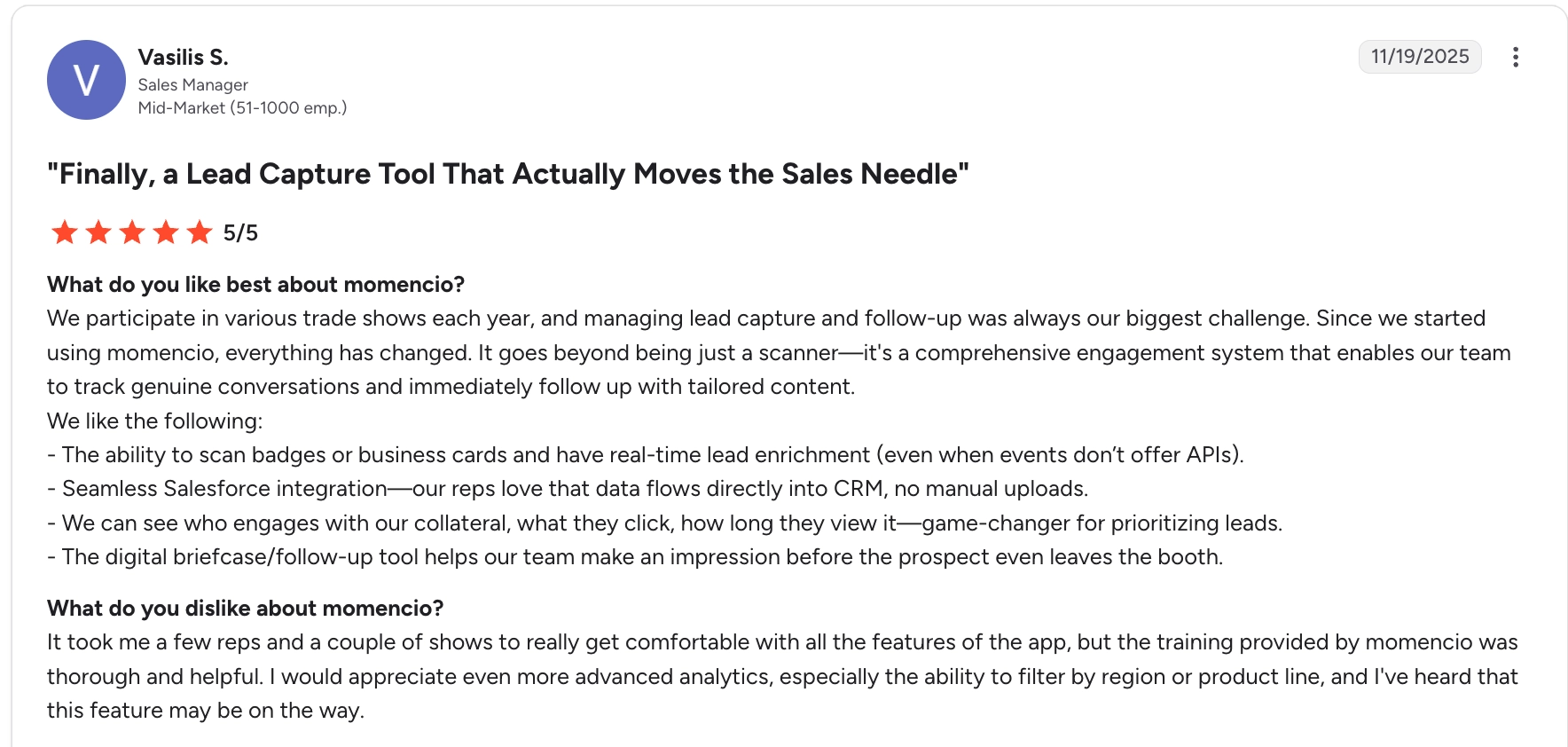
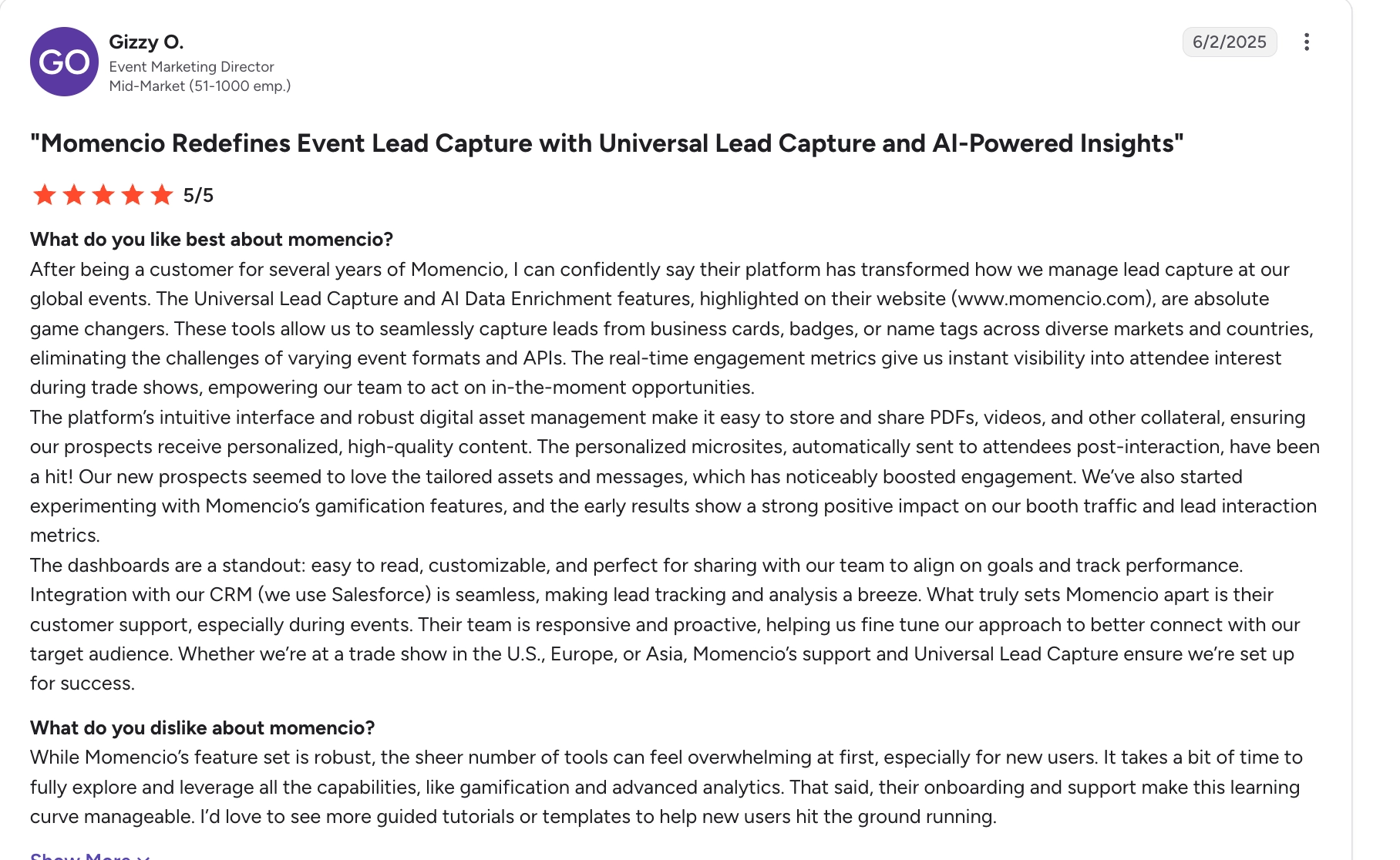
Gizzy O., an event marketing director, praised momencio’s lead capture, engagement tracking and Salesforce integration. However, she said the number of features can feel overwhelming at first, so new users may need extra onboarding time before they can make full use of the platform.
Pros
- Send requested content while the conversation is fresh: Reps can select and send relevant material while the event is still running.
- Give follow-up a specific starting point: Content engagement shows which topics a prospect returned to or spent time on.
- Keep requested materials together: A personalised page gives the prospect one place to access the content discussed with your rep.
Cons
- Enrichment can struggle with ambiguous details: personal email addresses, misspellings, and complex company structures may require corrections to the contact record.
- New users may need more onboarding time: According to user reviews, the number of features can feel overwhelming at first, particularly when learning more advanced capabilities.
Pricing
- Capture costs $100/seat/month, billed annually, with a five-seat minimum: $6,000/year.
- Engage costs $130/seat/month, billed annually, or $7,800/year for five seats, and includes LiveMicrosite.
- CRM/MAP integrations and AI EdgeCapture are add-ons; organiser API access may also carry a separate charge.
Why teams choose it: momencio connects the booth conversation with personalised content and engagement tracking, so reps can send what they promised and follow up around the prospect’s interests.
6. Captello: qualify leads from booth activities and meetings
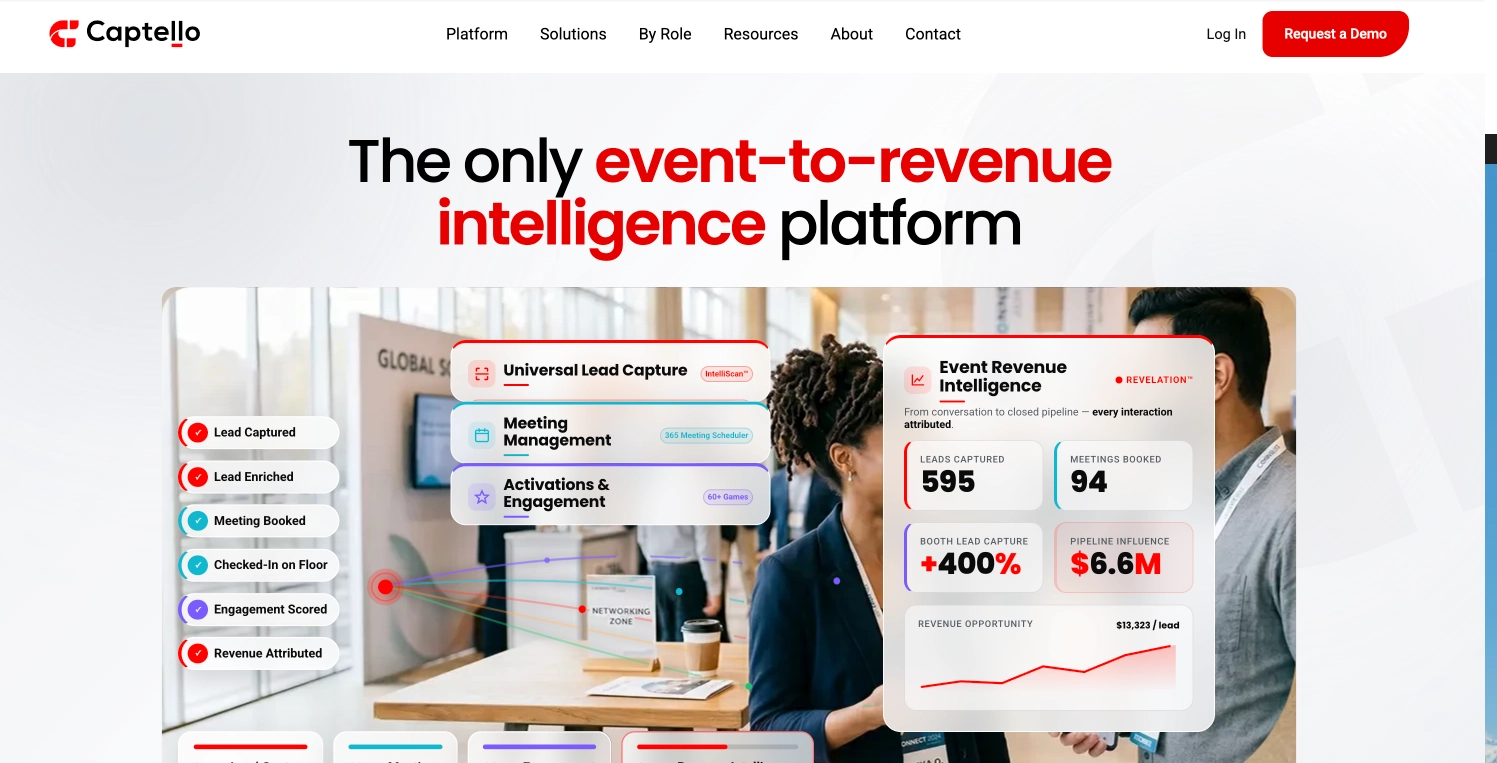
Captello is an event lead capture platform with tools for meetings and interactive booth activities. It’s a good fit for exhibitors who want to collect useful sales information while visitors participate in a product demo, game, or scheduled appointment.
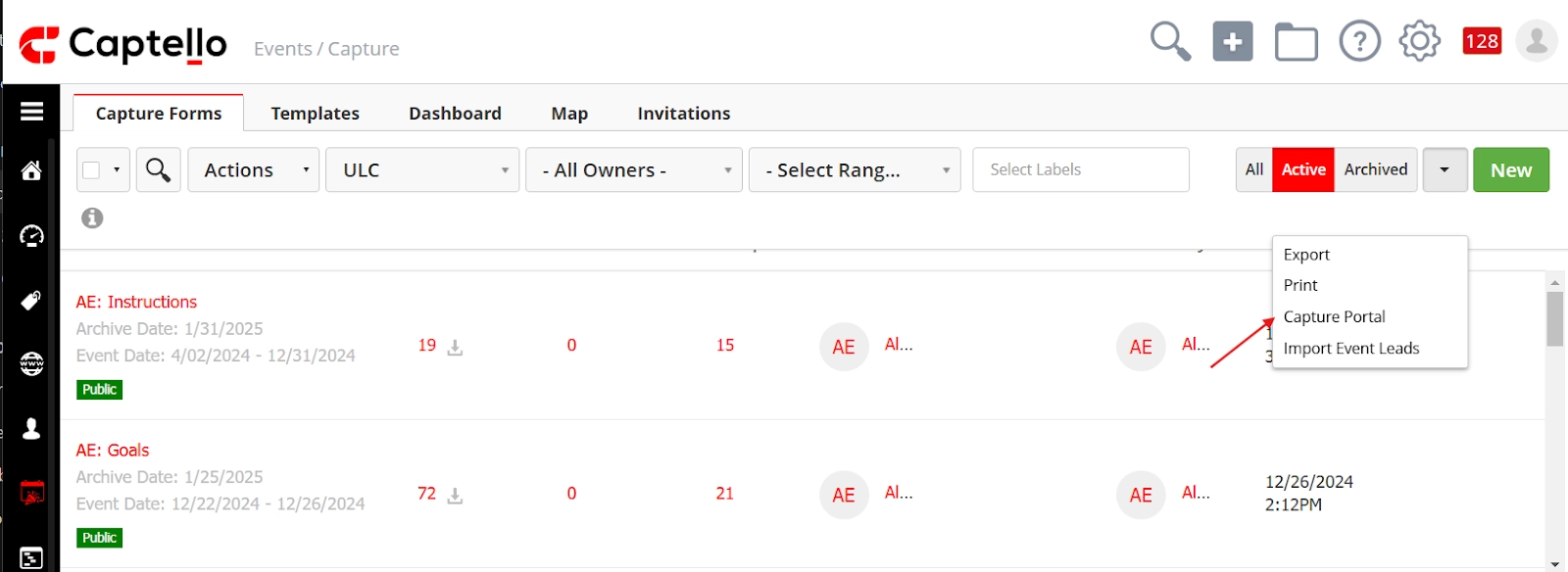
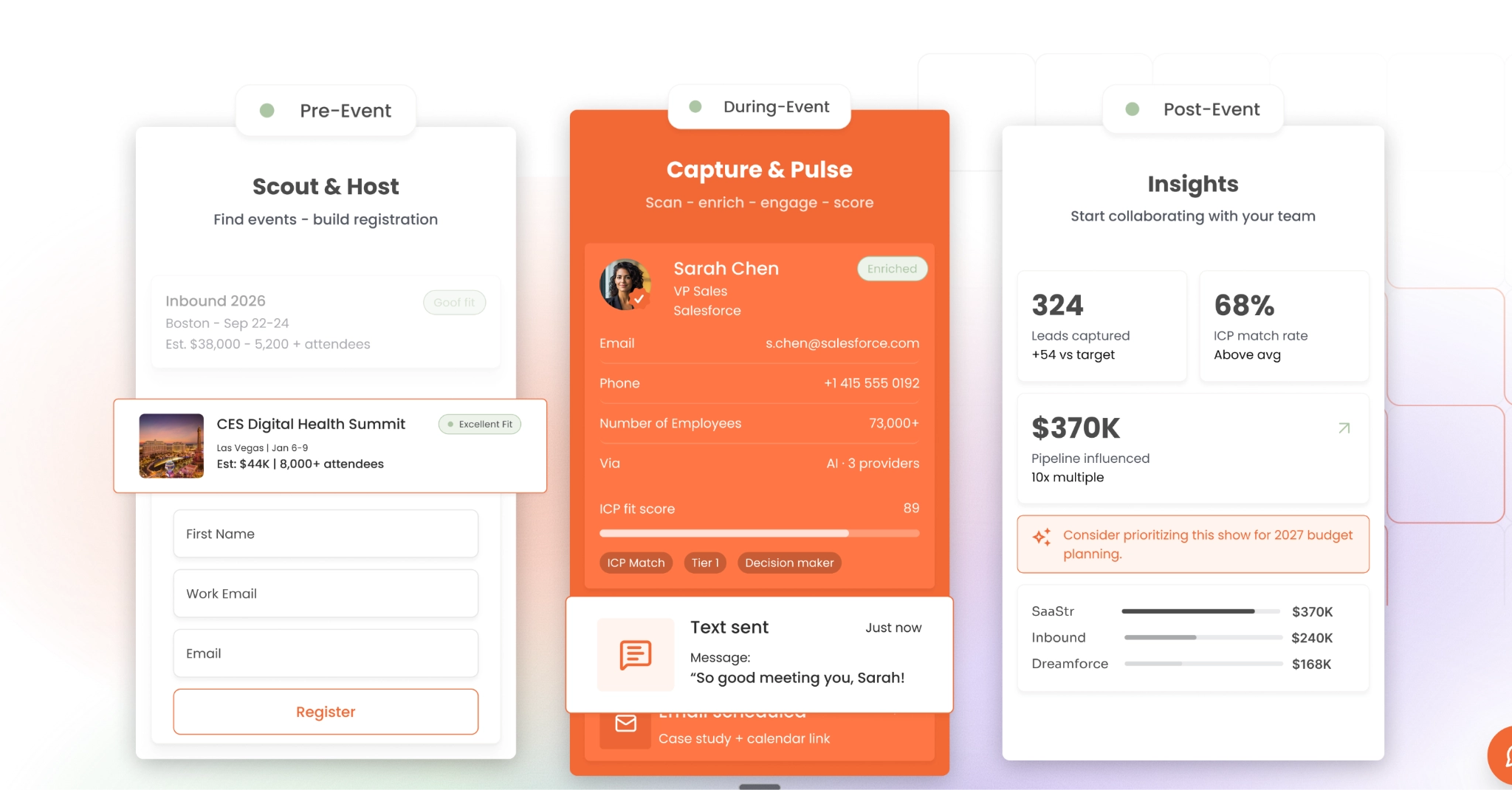
I love that reps can capture a person’s details via a badge scan, QR/NFC exchange, badge photo, or manual entry. It also provides custom forms that can then change the questions based on previous answers, so a visitor interested in one product doesn’t have to answer questions about your entire range, which can look like this:
You can pass contact and qualification data to the connected CRM or marketing platform for follow-up. That gives sales a more useful starting point than an activity’s participant list: they can see what interested the visitor and what the next conversation should address.
Key features
- Badge, QR and NFC scanning
- IntelliScan badge-photo enrichment
- Conditional qualification forms
- Meeting management
- Interactive booth activities
- CRM and marketing-platform integrations
What users say
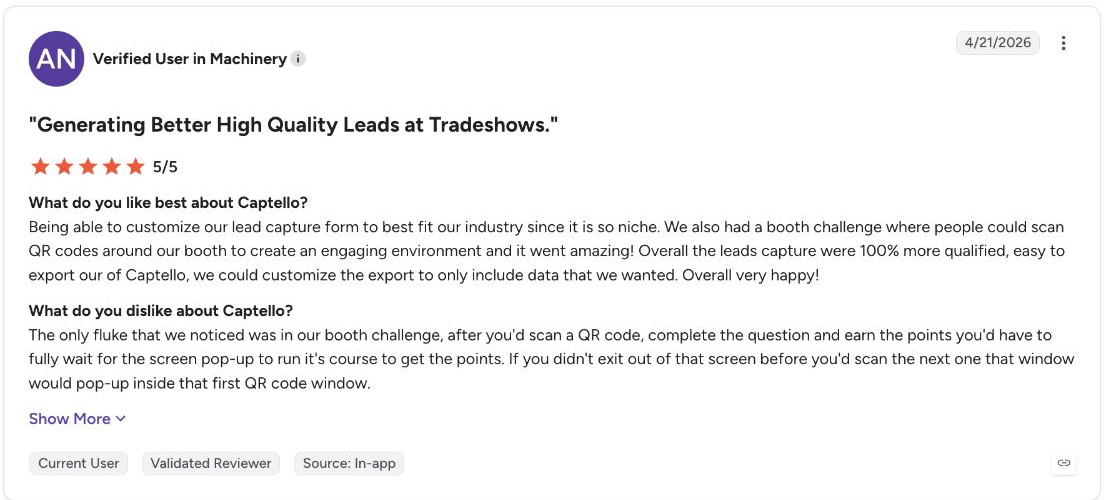
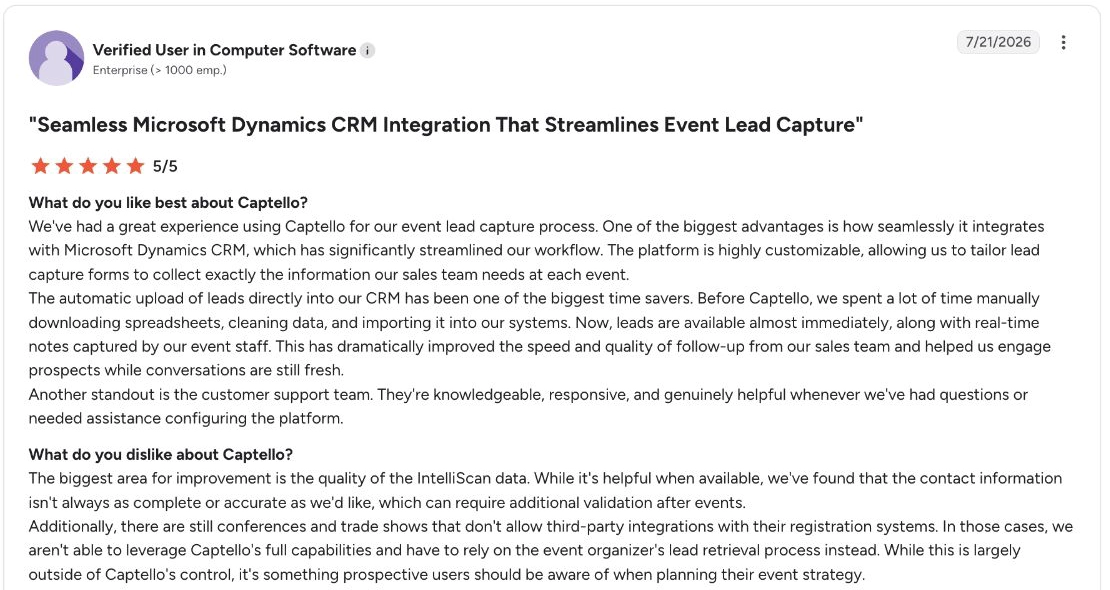
G2 reviewers highlight Captello’s lead qualification and CRM integration. One reviewer found custom forms and QR challenges useful for engaging visitors and collecting details specific to their niche.
Another reviewer praised fast lead delivery into Microsoft Dynamics but reported inaccurate IntelliScan results and restrictions on badge-data access at some shows. Captello could suit teams that want qualified leads sent quickly to their CRM, provided they check captured details and confirm access before each event.
Pros
- Make booth engagement useful for sales: Qualifying questions capture product interest or requirements alongside participation in activities.
- Adapt qualification to each visitor: Conditional questions let reps collect relevant details without asking everyone the same set of questions.
- Keep qualification with the lead: CRM integrations send captured answers and notes into your sales system instead of leaving them in separate activity records.
Cons
- Some shows can delay the completion of contact records: with post-show reconciliation, your team must wait for the organiser’s file before badge IDs become full contact records.
- IntelliScan results may need checking: Some reviewers say some enriched contact details are incomplete or inaccurate, requiring validation after the event.
Pricing
- Custom pricing
Why teams choose it: Captello connects booth activities and meetings with qualifying questions, giving sales a reason to follow up with each visitor beyond their participation in the event.
Best options for sales teams networking and meeting prospects in the field
If your reps meet prospects at networking events and other field settings, they need to capture the contact and what was discussed without relying on an organiser’s registration system. Mobly is better for saving conversation notes, next steps, and contact details, while Zuant is better suited to reps who need to qualify prospects and present sales materials during meetings. Here’s how they compare:
7. Mobly: keep contact details and conversation notes together
Mobly is a mobile lead capture app for reps meeting prospects at events and in the field. Reps can photograph a badge or business card, upload an image or enter the contact manually, then add a description and qualification tags while the discussion is still fresh.
Those tags can record product interest, decision-making role, priority and the next step. I like that you can add some context behind each answer, such as why the prospect wants a demo. Mobly also enriches the contact and maps its details, tags, description and event attribution into Salesforce or HubSpot.
If the rep hasn’t finished the record, the Hub helps find leads missing tags or descriptions and complete or correct the information, with changes that sync to the CRM.
Key features
- Badge and business-card photo capture
- Image uploads and manual entry
- Contact enrichment
- Qualification tags and descriptions
- Incomplete-lead review in the Hub
- Salesforce and HubSpot integrations
What users say
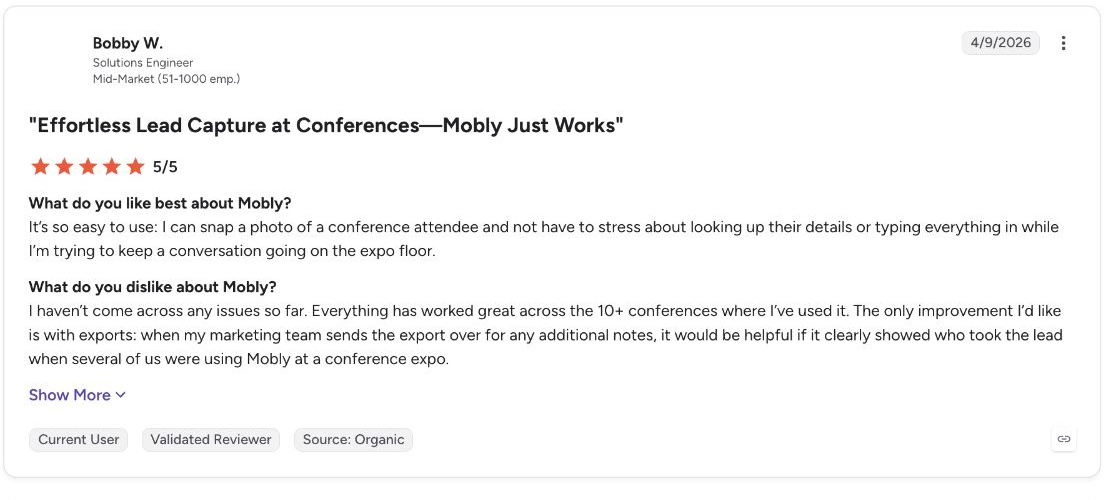
Bobby W., a solutions engineer who had used Mobly at 10+ conferences, liked being able to photograph an attendee rather than stopping the conversation to search for or type in their details.
Abby O., an event marketing specialist, also wrote that badge scanning, enrichment and Salesforce sync made follow-up much faster. However, when enrichment failed, some contacts remained in Mobly instead of being sent to Salesforce, leaving her to manually locate and add those records.

Pros
- Keep the reason for follow-up with the contact: Notes and tags show what was discussed and what the prospect needs, so the rep following up doesn’t have to reconstruct the conversation.
- Find records that still need more detail: The Hub groups leads missing tags or descriptions, helping reps complete the information before Sales acts on them.
- Use your existing CRM follow-up rules: Mapped qualification tags can trigger assignment, segmentation, and outreach without someone having to manually sort the event leads first.
Cons
- A captured contact may still miss the CRM: If enrichment fails, someone may need to correct the record manually before it reaches Salesforce.
- No direct Salesforce Opportunity sync: Mobly doesn’t create or update Opportunities. Teams that need event leads converted into Opportunities must handle that downstream in Salesforce, for example with Salesforce Flow.
Pricing
- Custom pricing.
Why teams choose it: Mobly keeps contact details, interests, and next steps in one place, so reps don’t have to reconstruct a conversation before following up.
8. Zuant: qualify prospects while showing them relevant products
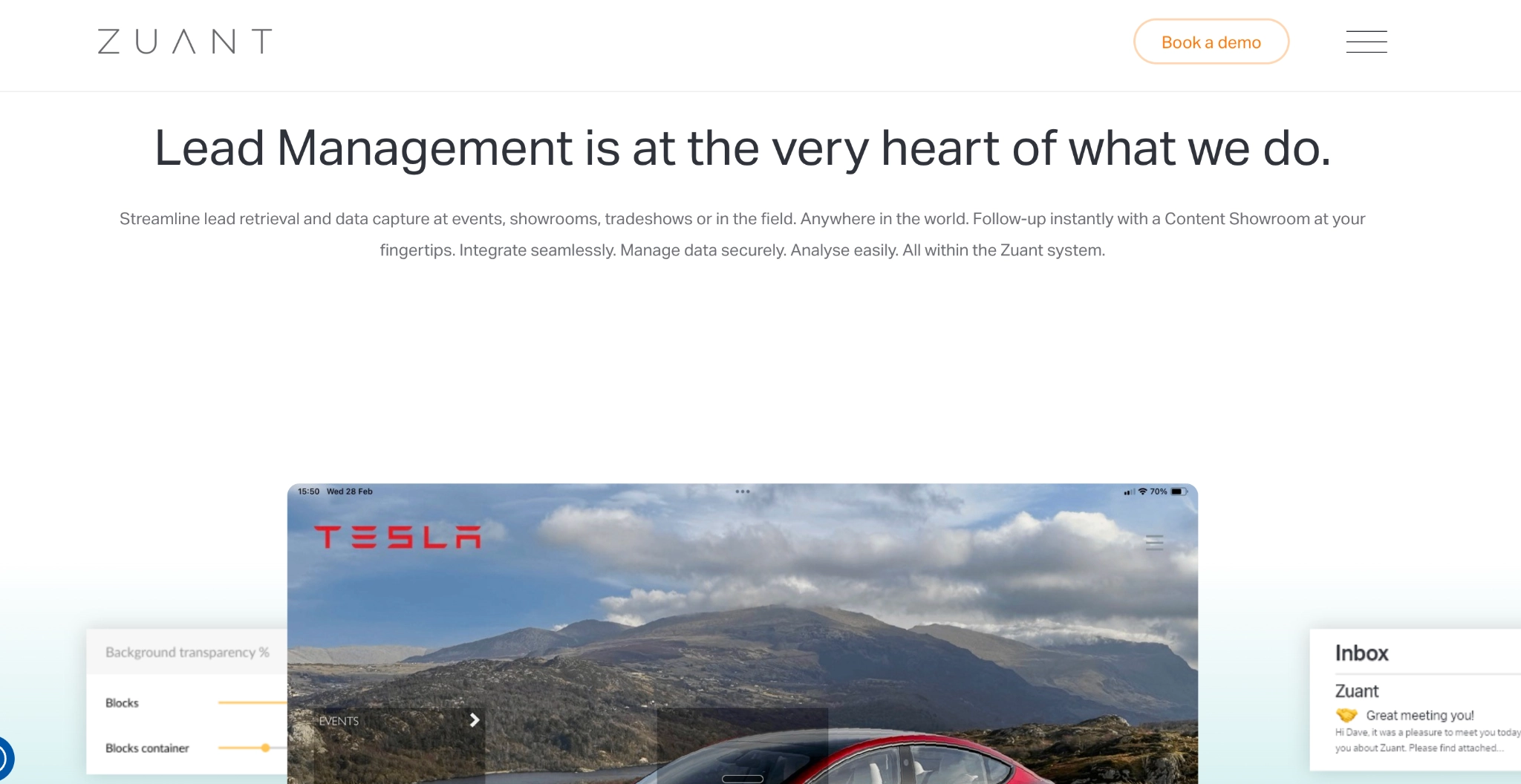
Zuant is a lead capture platform for sales conversations that combine a product presentation with qualification questions. Reps can show brochures, specifications, and videos from Showroom, then record the prospect’s requirements in the same app, whether at a booth or during a customer visit.
Its reusable forms support predefined answers and weighted scores. For example, a technical sales team can consistently record the prospect’s application, requirements, and purchase timing. If the conversation ends before the record is complete, the rep can pause it and return to it later.
Sales materials remain available offline. Once records reach Zuant Cloud, the team can review them before releasing them to the CRM or configure automatic transfer, with hot-lead emails helping flag conversations that need prompt attention.
Key features
- Badge and business-card capture
- Reusable qualification forms
- Weighted lead scoring
- Parked leads
- Offline Showroom presentations
- Hot-lead emails
- Manual or automatic CRM release
What users say
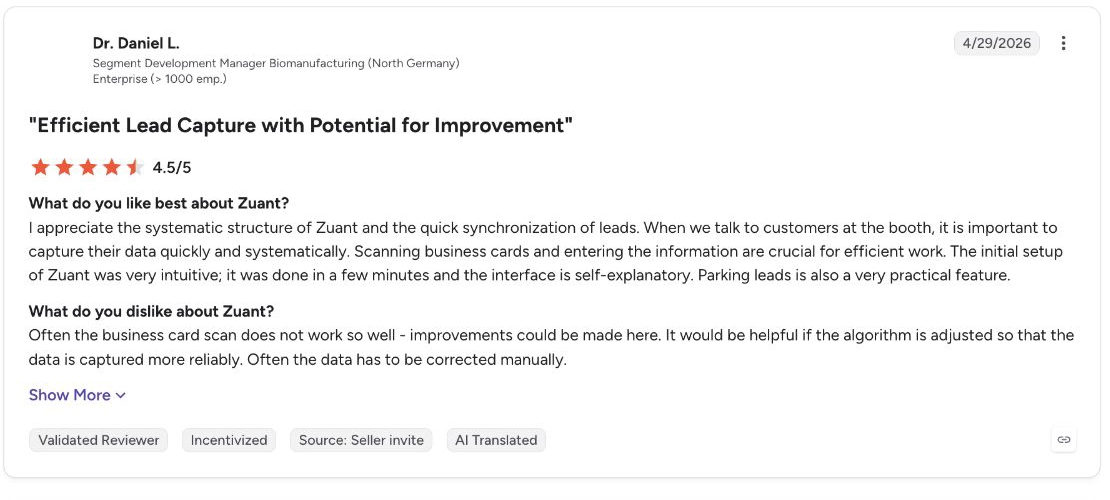
Dr Daniel L. liked Zuant’s systematic collection and synchronisation, including the option to park a lead. He could return to an unfinished record and add the missing information before completing it.
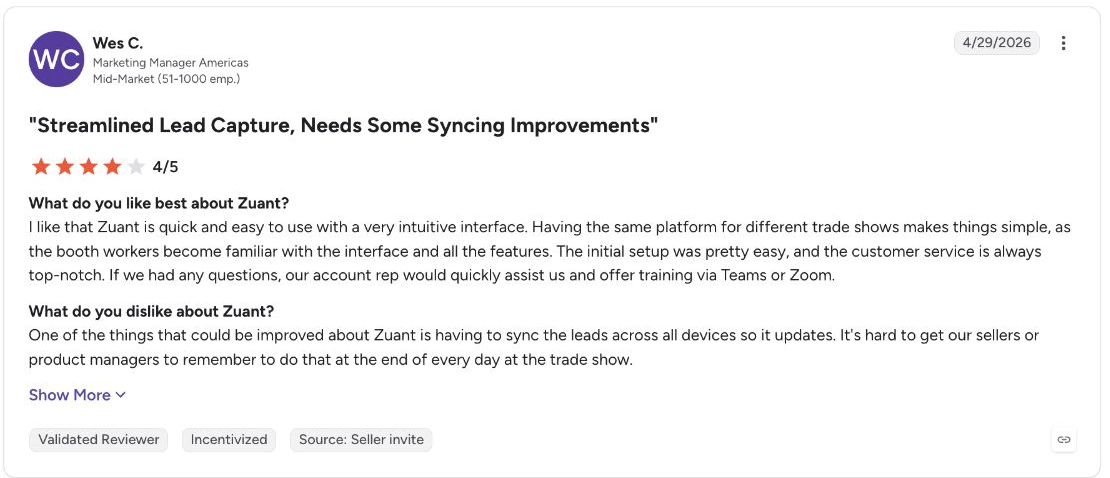
Wes C., a marketing manager, highlighted the need for staff to remember to sync their devices at the end of the day. Until that happens, the contacts collected on-site may still be unavailable to colleagues working in Zuant cloud or the CRM.
Pros
- Keep presentations and qualification together, even offline: Reps can show relevant sales materials and record the prospect’s requirements in the same app without an internet connection.
- Review leads before they reach the CRM: Your team can correct or complete records in Zuant Cloud before releasing them, or configure automatic transfer when review isn’t needed.
- Prioritise opportunities consistently: Weighted qualification answers let you score prospects using the same criteria across different reps.
Cons
- AI-generated email details may need checking: Luca T., for example, said Zuant’s AI wizard could be slow and wasn’t always precise when guessing email addresses.
- Badge scanning needs show-specific setup: Official badge scanning requires a Developer’s Kit from that event’s lead-retrieval provider, so availability, setup and cost can vary from show to show.
Pricing
- Custom pricing
- Salesforce, HubSpot and Pardot integrations are available on Pro and Enterprise; Classic customers need an integration add-on.
Why teams choose it: Zuant keeps product presentations, qualification questions, and follow-up in a single process, so reps can collect consistent information wherever they meet prospects.
How to choose event lead capture software for your sales team
Once you’ve shortlisted tools for your event setting, check how each would work for your reps before committing.
1. Confirm how you’ll access contact details
If you’re exhibiting, ask whether badge scanning requires access to the organiser’s registration system and whether that costs extra. Without that access, check how reps can collect the details they need through badge photos, business cards or manual entry.
2. Try the capture process your reps will use
During a demo, capture a contact, add qualification answers, and include a next step. If your team needs offline access, check which functions work without an internet connection and what happens when the internet connection is restored.
3. Check what is synced with your CRM
Test an existing contact and a new prospect to see whether the tool updates records correctly or creates duplicates. Confirm that qualification answers reach the salesperson responsible for follow-up, and check what happens when contact details are incomplete.
4. Price the complete setup
Ask for a quote covering your team size and planned events, including the CRM connection and any badge-access fees. That gives you a useful comparison between tools whose starting prices may cover different parts of the workflow.
What’s the difference between lead capture, retrieval, and management?
Lead capture records contact details and conversation information. Tools like Mobly, Popl, and Momencio can help here. Lead retrieval, on the other hand, is when you pull attendee information from an event organiser’s registration system, usually via a badge or another identifier, which is where iCapture, Captello, and Zuant are worth considering.
If your focus is on capturing qualified leads and automatically routing or following up with them, you need lead management tools, which is where InviteDesk can help. You already have the guest record, so the priority is to keep invitations, registration, and attendance linked to the account manager who needs to follow up.
Frequently asked questions
Can one app work across events with different badge systems?
Yes. Apps can read printed badge details, scan business cards or accept manual entries across different events. Retrieving the organiser’s registration data is a separate capability and requires access to that show’s badge system.
What happens to leads captured without internet access?
Apps with offline capture store records on the device until an internet connection is available. Enrichment, shared reporting and CRM transfer may happen later, so staff need to complete sync before the wider team can use those contacts.
Will scans update existing contacts or create duplicates?
That depends on the app’s CRM integration and matching rules. An email match may update an existing contact, while a different email address can create a new record. Include both scenarios when testing the connection, and verify that notes and event activity are delivered to the intended recipient.
Do small hosted events need a full event platform?
Not always. If your existing tools already connect invitations, registrations and account ownership, you may not need another platform. A shared event system becomes more useful when several people invite guests, manage reminders and need the same attendance information afterwards.