Event check-in · ScanApp
Event check-in software for the guests you invited
ScanApp is the event check-in software in InviteDesk. Scan QR tickets with any phone or tablet, control access per zone and see who's in, in real time.
- 4.7 on Capterra
- ISO/IEC 27001:2022
- EU hosting, GDPR by design
Trusted by event teams at







Invites, registrations and check-ins in one list
Every scan updates the guest list automatically. When the last guest leaves, your attendance report is ready, and can sync to your CRM.
-
No extra hardware
Scan with the phones, tablets and laptops you already have.
-
One guest list
Invitations, registrations and check-ins update the same list.
-
Access per zone
Scan points for the entrance, workshops and VIP lounge.
-
Who really attended
Attendance data per guest, ready for follow-up.
How event check-in software works in InviteDesk
-
Before the event
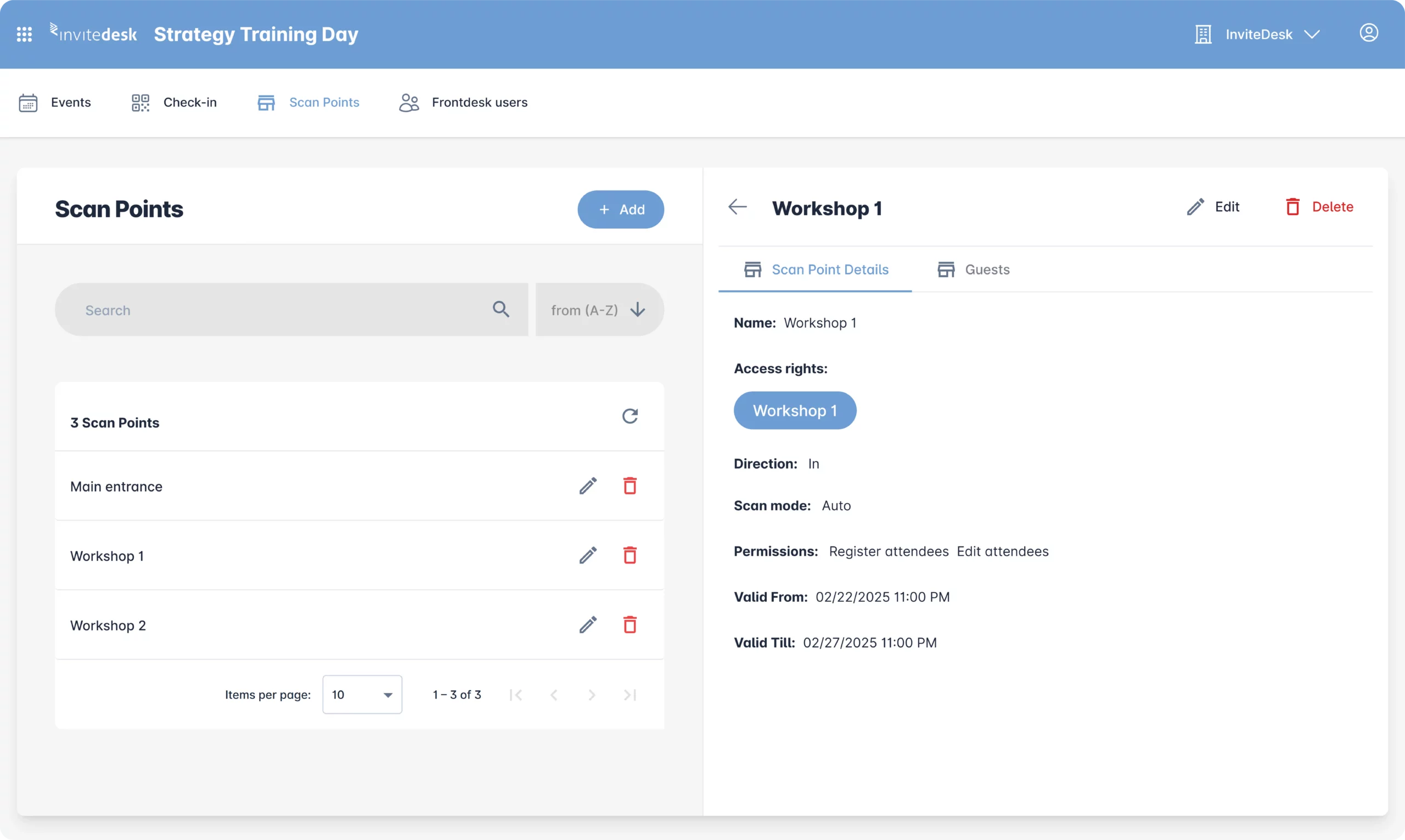
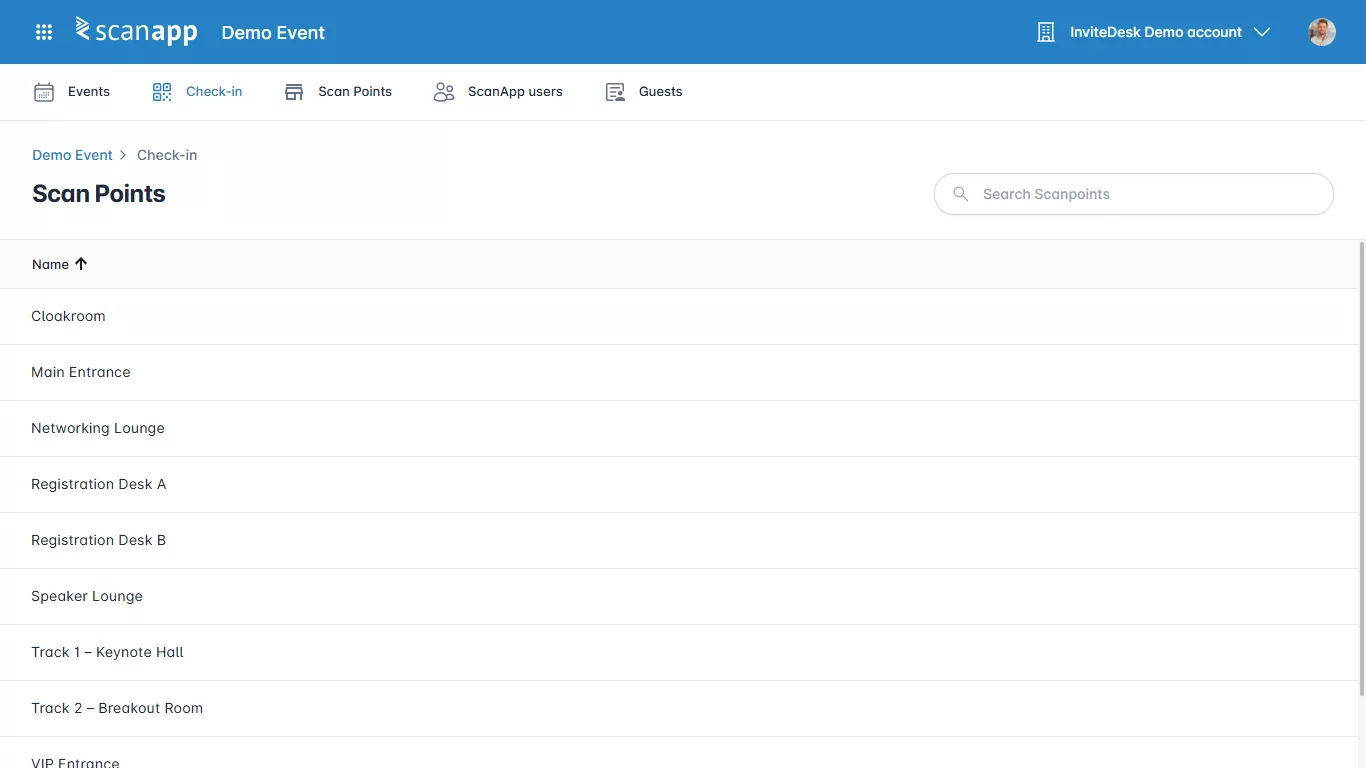
Set up your scan points
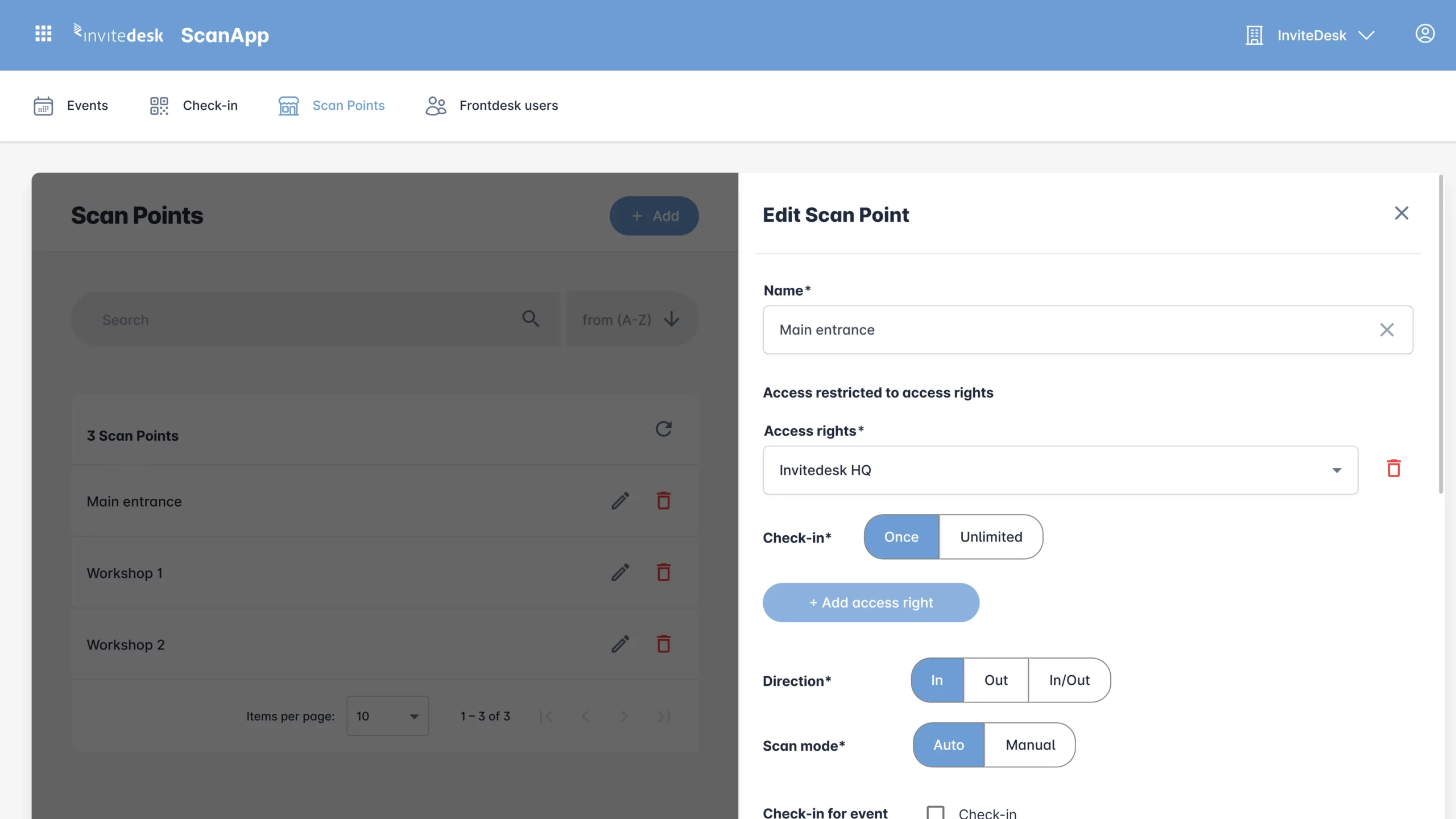
Add a scan point per entrance or area. Choose check-in, check-out or both.
-
On the day
Scan, approve, welcome
Staff scan the QR ticket with a phone or tablet. Approve each guest by hand, or automatically.

-
After the event
Know who was there
Every guest shows as checked in, checked out or no-show. Export the scan report or sync it to your CRM.
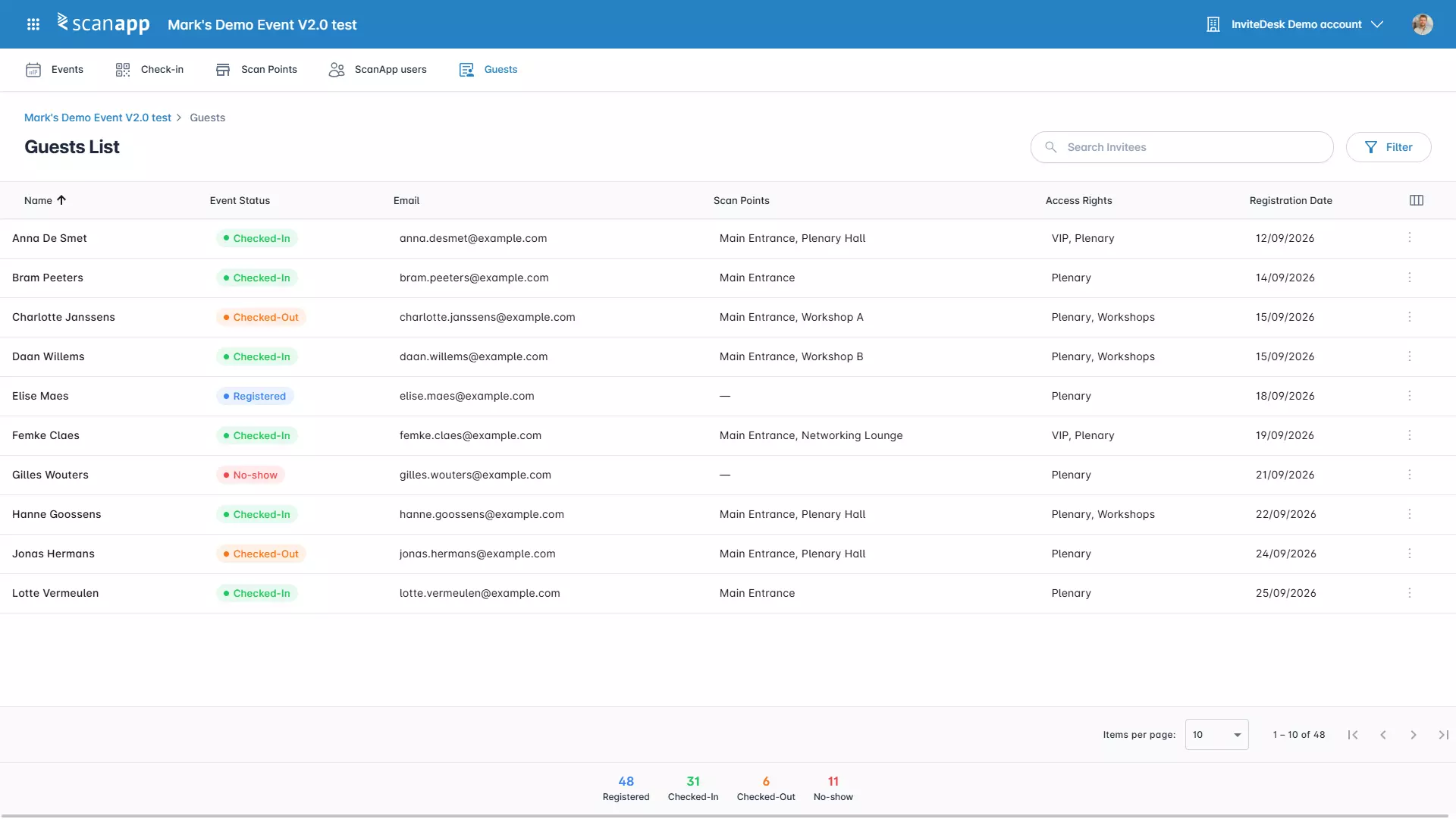
See scan points, access rights and walk-ins working together.
Event access control for every door and workshop
A ticket can carry access rights for a workshop, a VIP area or session.
- Check-in, check-out or both per scan point
- Single entry or in-and-out as often as you like
- Automatic or manual approval per scan point
Handle the exceptions without a second list
The guest without a ticket, the plus-one, the colleague who never registered: your staff handle them on the same screen.
- Check in a guest and their extra guests at once
- Search by name when a QR code is missing
- Add walk-ins, even after registration has closed
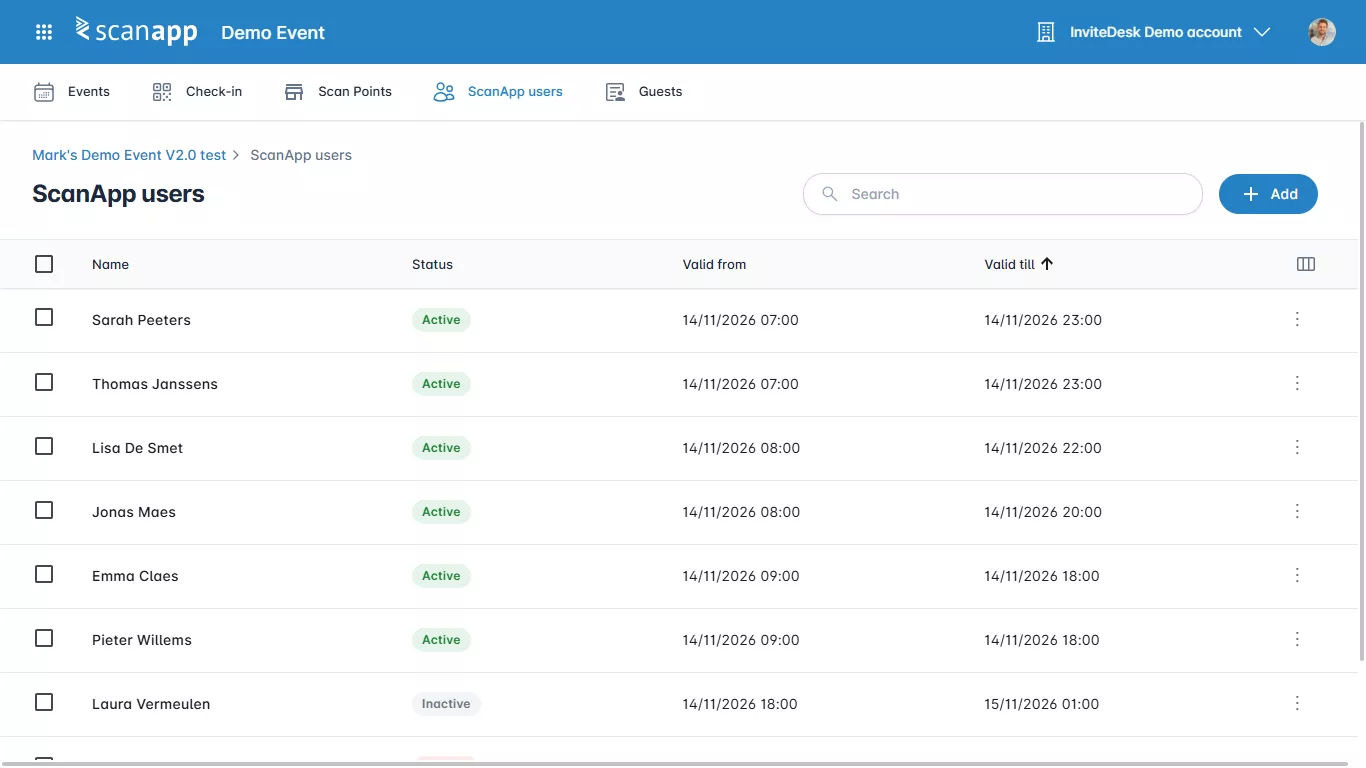
External staff scans without access to your guest list
Hosts and agency staff get an access code instead of an account. They scan at the points you choose, for the dates you choose and for the event you choose.
- Log in with an access code or a QR code
- No access to settings or users
- You decide whether they can add or edit guests
Entrance scanning that feeds your follow-up
ScanApp logs every arrival and departure. Account managers see which of their guests attended before they pick up the phone.
- Scan history per guest, with arrival and departure times
- Export scan reports for every ticket typeYou only need a computer and printer to print badges on site.
- Sync attendance to Salesforce, HubSpot, Dynamics 365 or Marketo
See scan points, access rights and walk-ins working together.
How ABN AMRO Private Banking professionalised its client events
- Private banking
- Seminars and client events
“Thanks to InviteDesk, our events are much more professionalised …”
Works with the CRM you already use
Link your CRM in minutes, not hours. Everything else connects through our Open API.
 Salesforce
 HubSpot
 Dynamics 365
 Marketo
- Open API
-
ISO/IEC 27001:2022Independently audited against 100+ security controls.
-
GDPR by designOpt-in tracking and automatic deletion of sensitive data.
-
EU hostingAll data stays in the European Union.
Frequently asked questions
What is event check-in software?
Event check-in software records which guests arrive at your event, usually by scanning the QR code on their ticket. In InviteDesk that's ScanApp. It checks guests in against your invite list, so registrations, tickets and attendance stay in one place. Every scan updates the guest list in real time.
Do we need scanners or other hardware?
No. ScanApp uses the camera of a smartphone or tablet, or a laptop's webcam, so your team scans with devices they already have.
Do staff or guests need to download an app?
No. ScanApp opens in the browser at scanapp.invitedesk.com. Your colleagues log in with their InviteDesk account, extra scanning staff use access codes. Guests show the QR ticket from their email, on their phone or printed.
How does QR code check-in work?
Switch on tickets for your event in InviteDesk. InviteDesk creates a QR ticket for every registered guest. It goes out with the confirmation email. At the door, staff scan the code. ScanApp shows the guest and their access rights, and their status changes to checked in.
Can we control access to workshops or VIP areas?
Yes. Add an access right to the ticket, for a workshop, the afterparty or the VIP lounge. It can follow from a registration answer or be given by hand. Then create a scan point for that area. It only accepts tickets with that right.
What if a guest forgets their QR code, or never registered?
Staff search for the guest by name and check them in by hand. Guests who didn't register can be added as walk-ins, even after the registration page has closed, if the scan point allows it. They land on the same guest list, so your attendance report stays complete.
Can temporary hosts check guests in?
Yes. Add them as external ScanApp users. You choose their scan points and how long their access code stays valid. External users can't change settings, add users or see the full guest list. Whether they can add or edit guests depends on the scan point's settings.
Can we print badges as guests check in?
Yes. Design badges with your own size, languages and a QR code or barcode, then assign them to attendees.
Turn on badge printing at a scan point, and the badge prints as soon as the guest is scanned. This works from a computer with a connected printer.
How does attendance get into our CRM?
Through InviteDesk's connectors for Salesforce, HubSpot, Microsoft Dynamics 365 and Marketo, or the Open API. Attendance syncs to the guest's record, so sales see who attended before they follow up.
You can also export the scan report per ticket.
Still have a question? Ask it in a free 30-minute demo.