Key takeaways
- The core difference between the two platforms is that Eventbrite focuses on helping B2B brands sell as many B2B event tickets as possible by expanding your reach. InviteDesk focuses on helping you get the right people to attend your event for the purpose of closing new business.
- Choose Eventbrite if you’re running public-facing B2B events; such as community meetups, paid workshops, open conferences. The platform’s 90 million monthly users ensures the right target audience discover and register for your event.
- Choose InviteDesk if you’re running curated B2B events where your goal is to win new customers and grow existing accounts. That includes client hospitality events, executive seminars, dealer briefings, private roundtables. The platform’s sales-marketing collaboration tools and personalised communication workflows mean the right people receive invitations from the right person, show up, and get followed up before the relationship momentum fades.
Below, I explain how both tools compare across the event management stages that matter most to B2B event teams: guest management, sales collaboration, communication workflow, CRM integration, and pricing.
Want to know how B2B teams reduce no-shows and fill events with the right accounts.
Eventbrite vs InviteDesk: Overview
| Feature | Eventbrite | InviteDesk |
|---|---|---|
| Best for | Public-facing B2B events with open registration. | Curated invitation-based B2B events; client hospitality, VIP seminars, dealer events, and relationship-driven programmes. |
| Standout feature | 90M monthly marketplace users for organic event discovery. | Personalised and automated B2B event invitation workflow that cut event no-show rates by 40%. |
| Pros | Free for free events, huge reach, fast setup, and strong check-in tools. | Stronger event cost ROI through an invitation-based approach that prioritises guests most likely to influence business goals. Plus: real-time CRM sync, native sales team collaboration, and automated waitlist management. |
| Cons | No B2B sales team access, limited private event controls, and manual CRM export. | Not suitable for public events with open discovery or large conference logistics. |
| Pricing | Free for free events; 3.7% + $1.79 per ticket + 2.9% processing for paid events. | Subscription from €232/month (annual). |
| CRM integration | Manual post-event export. | Real-time sync throughout the event lifecycle. |
Who Eventbrite Is Best For
- Public event organisers running community meetups, paid workshops, or open conferences where audience discovery is part of the strategy
- Consumer-facing brands who want a marketplace audience to find and register for their events
- Small teams who need a fast, low-cost setup for straightforward ticketed events with no sales team involvement
Are you evaluating other tools in this space, see our Eventbrite alternatives guide for a broader comparis.
Who InviteDesk Is Best For

- B2B event managers running 5–20 curated events where the goal is to win new customers and grow existing accounts.
- Marketing teams in financial services, automotive, professional services, or industrial sectors who coordinate event invitations with their sales or account management teams
- Organisations running client hospitality, VIP seminars, or executive roundtables where attendance quality carries commercial weight and every no-show has a relationship cost
- Teams who need CRM-connected event data — not a post-event spreadsheet, but real-time pipeline visibility tied to specific accounts
Guest List & Invitation Control
Eventbrite
- Publishes a public registration page by default — guests self-select by finding and clicking through
- Private events are possible, but controlling access in practice requires workarounds: there’s no native way to ensure only your invited contacts can register or to prevent duplicates
- One G2 reviewer flagged this directly: “difficulty limiting or validating who can access and purchase tickets” for private events — that’s the product working as designed for a different use case
- Waitlist management is manual — you release spots yourself when someone cancels
InviteDesk
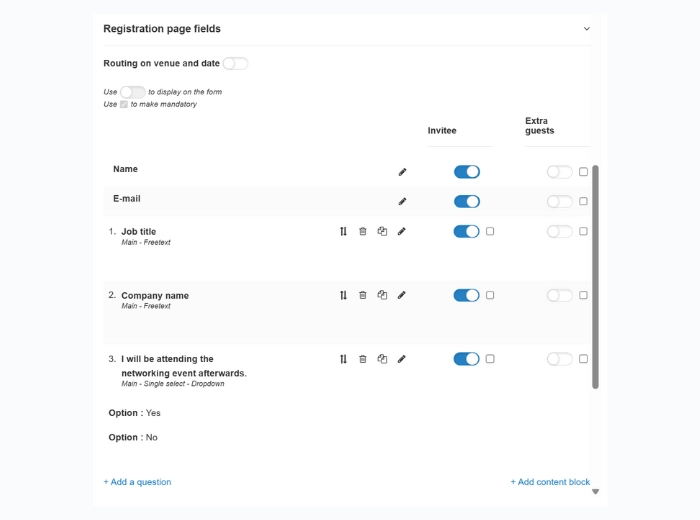
- Your contact list — imported from your CRM or built in the platform — is the starting point, not an output of registration
- Invitations go to named individuals only; you control who receives them, when, and in what sequence
- When a guest declines, the platform automatically triggers an invitation to the next prioritised contact on your waitlist — no manual follow-up required
- On-site, your team uses the ScanApp for mobile check-in; when a VIP arrives, their account manager receives a real-time notification
Verdict: If every seat has a name attached to it, Eventbrite’s open registration model creates friction at every stage of the process. InviteDesk’s invitation-first architecture is built for exactly this.
Sales & Marketing Collaboration
Eventbrite
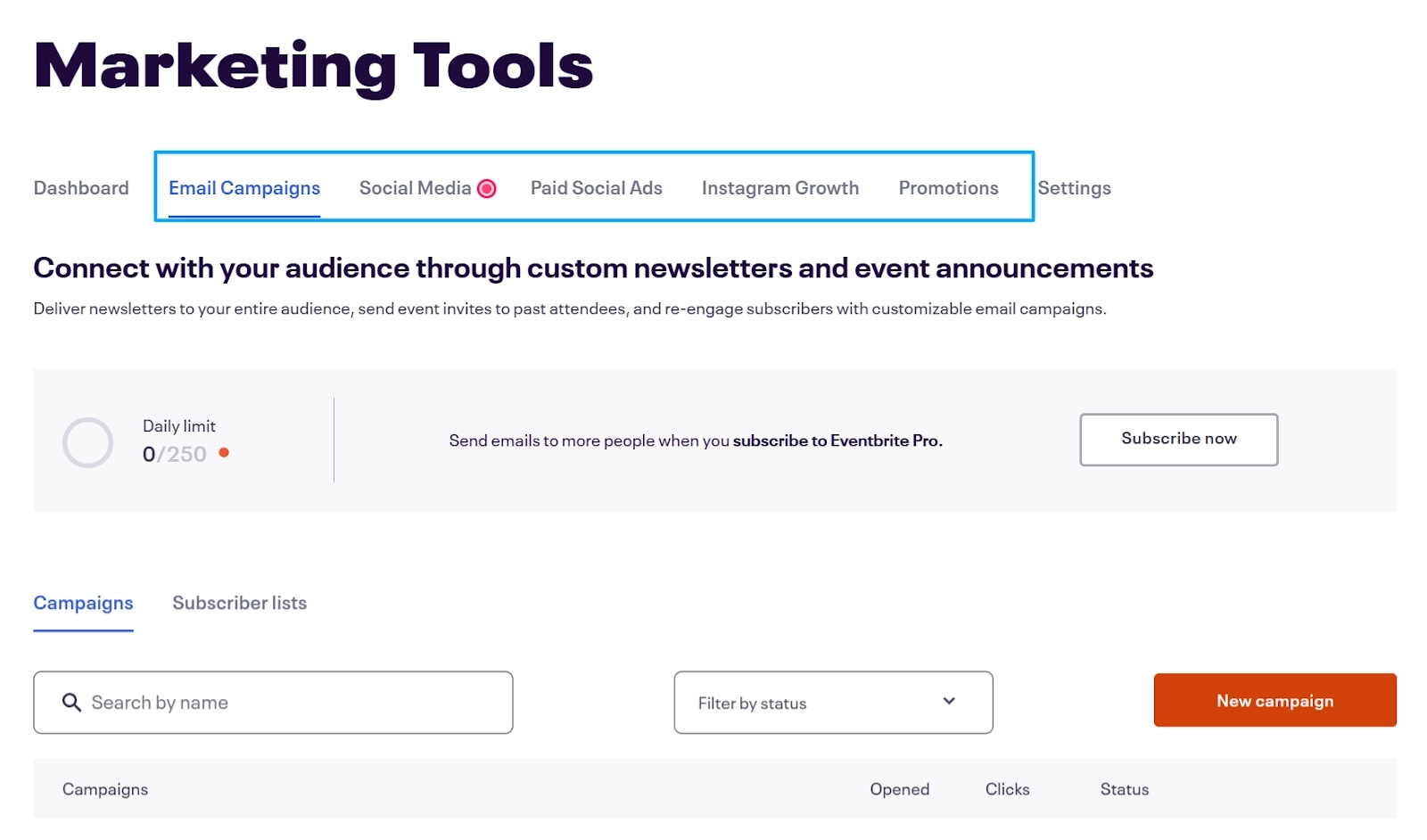
- No concept of a sales team — no quota management, no account manager ownership, no rep-level guest visibility
- If a salesperson invites a contact verbally or via personal email, that guest doesn’t exist in the system — no automated reminders, no logistics, no follow-up sequence
- Event managers have no reliable picture of who’s actually coming until registration closes — and even then, they can’t see which account manager owns which guest
InviteDesk

- Marketing builds the guest list and configures the communication flow; sales gets a dedicated mobile view of their specific guests — RSVP status, attendance confirmation, real-time check-in alerts
- Marketing allocates ticket quotas per rep or department, so high-value inventory (VIP seats, limited seminar places) is managed by the people who own the relationships
- For a hospitality event with 40 client seats across eight account managers, each manager works their own list within their allocation — no overlap, no confusion, no chasing the event manager for updates
Verdict: The no-show problem at B2B events is almost always a coordination failure, not a logistics one. Invitedesk solves this by a tool where Sales is inside the process, not operating parallel to it.
Communication Workflow
Eventbrite
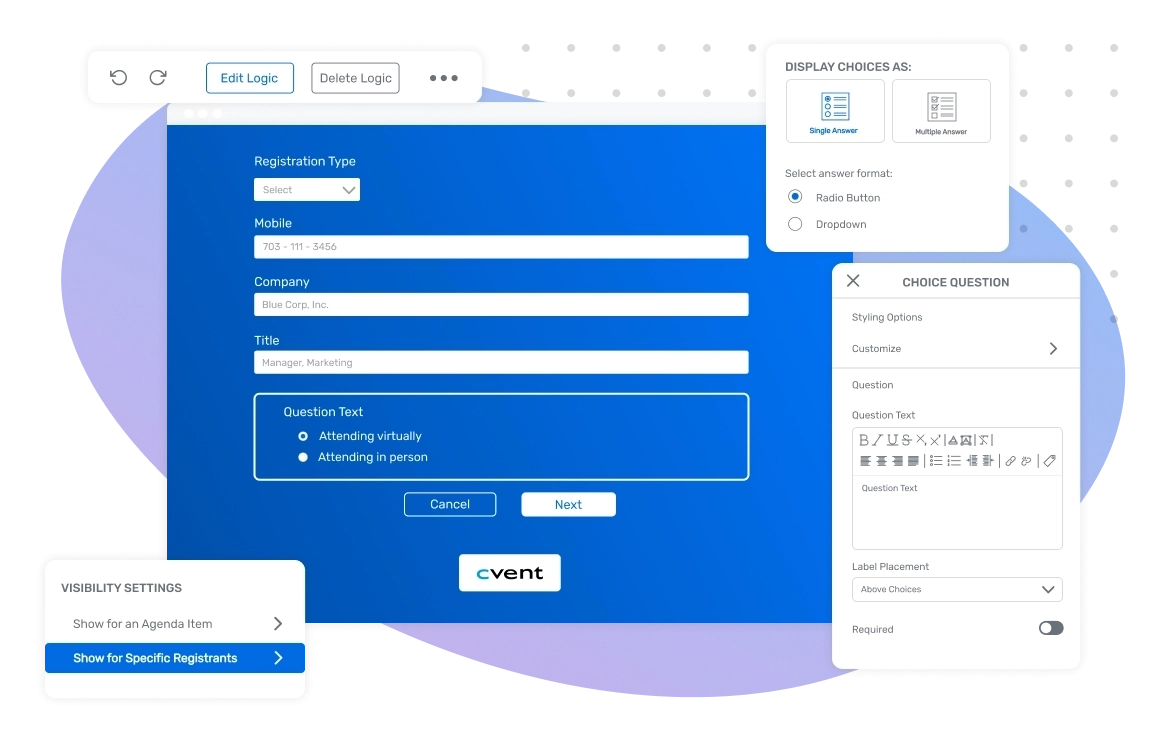
- Sends transactional confirmations and reminders triggered by registration — sent from a platform alias, not from your organisation
- For public events, this is the right approach: guests registered because they wanted to attend; a confirmation from “Eventbrite” is sufficient
- For B2B relationship events, a Save the Date from “Events Team via Eventbrite” and one from the account manager who manages the relationship carry meaningfully different weight with the guest
InviteDesk
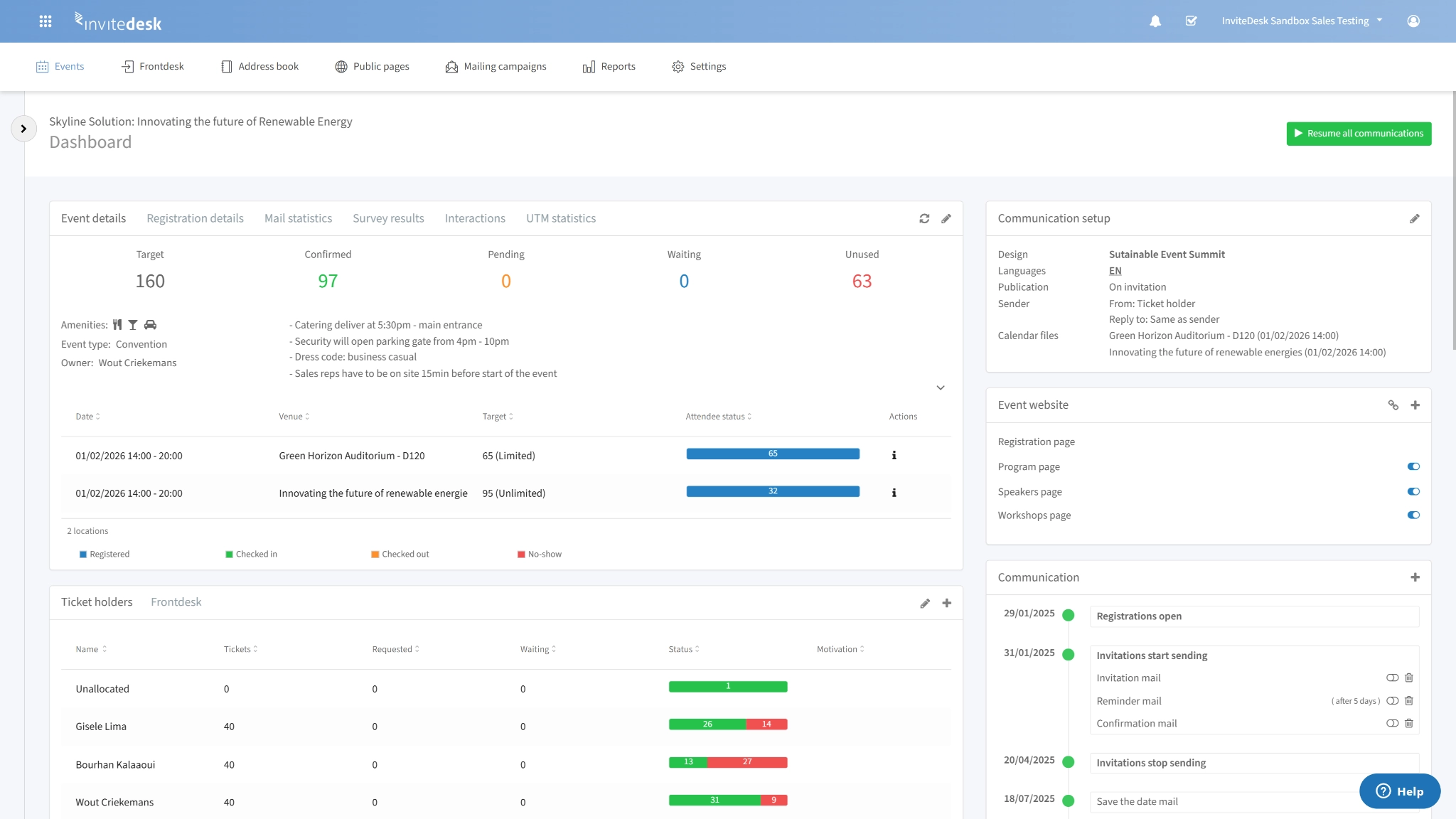
- Marketing configures the full communication sequence once: Save the Date, Invitation, Reminder, Day-of details, Thank You
- Every message goes out under the account manager’s actual name and email address — not a marketing alias, not a platform sender — with no Salesforce integration, no Marketo workflow, no RevOps involvement required
- For a financial services team managing 12 relationship managers and 200 contacts, this means 200 personalised invitation sequences — each appearing to come from the right person — running from a single configured flow
- Multilingual events are handled within a single setup: Dutch and French speakers each receive communications in their own language automatically
Verdict: Open rates and attendance rates for B2B events are directly affected by who the invitation appears to come from. A communication workflow that preserves relationship context — rather than replacing it with a platform alias — is doing a different job.
Post-Event Data & CRM Integration
Eventbrite
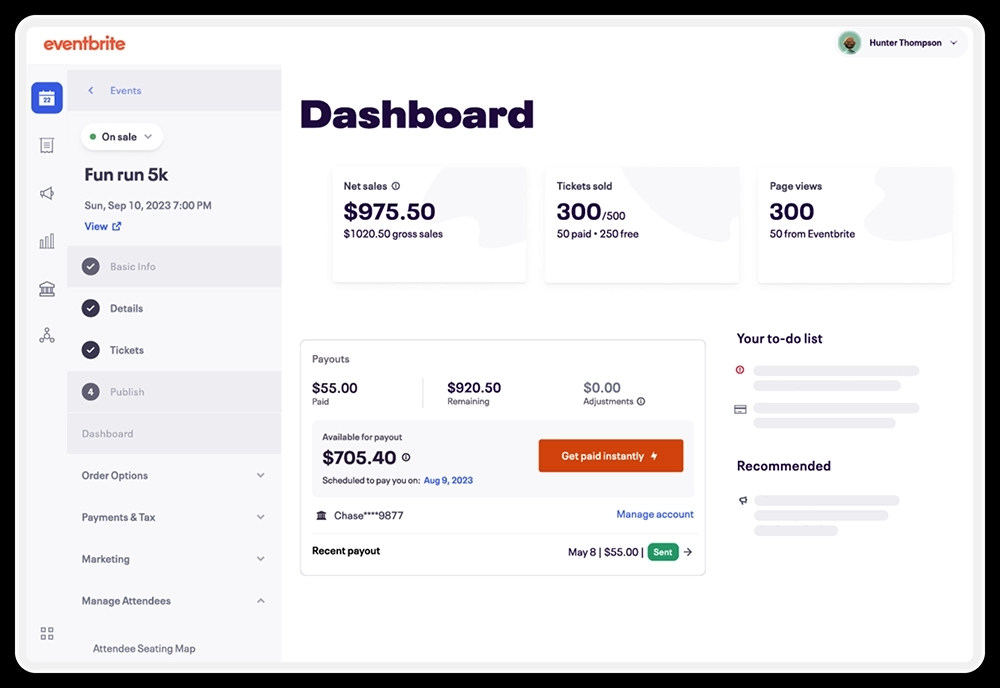
- Captures attendance data — who registered, who checked in, basic order information — but doesn’t connect it to your commercial relationships in real time
- One G2 reviewer described it directly: “It feels like the platform was built in a way that makes it exhausting to combine their data with outside data”
- Export is manual and post-event. By the time your sales team has a list of who attended, the 24–48 hour window where follow-up lands as timely — rather than generic — has often already closed
InviteDesk
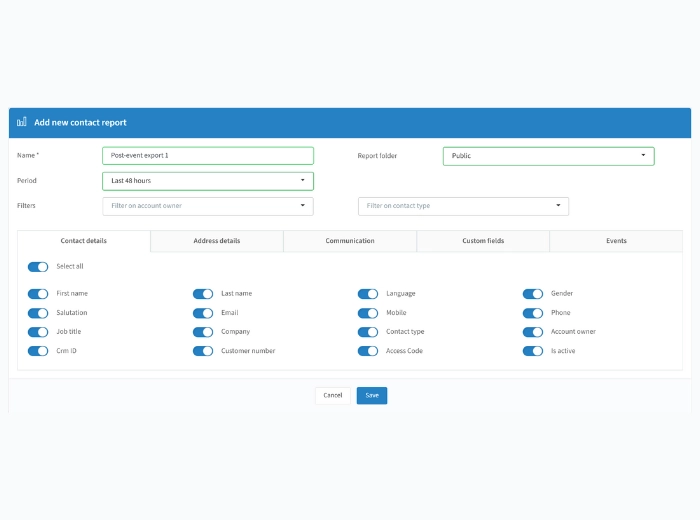
- CRM integration runs throughout the event lifecycle, not just at the end — invitation status, RSVP responses, check-in confirmations, and account manager ownership all sync in real time
- Sales can see who attended, who declined, and who no-showed without waiting for an export or asking the event manager for a report
- The platform tracks funnel development: how specific events moved specific prospects closer to a deal — the difference between “847 people attended” and “these six events generated pipeline involvement for 34 accounts currently in active sales cycles”
- ABN AMRO Private Banking uses InviteDesk to manage guest lists and track attendance across their relationship event programme, replacing a manual export process with real-time account-level data that sales teams can act on the same day (confirm characterisation before publishing)
Verdict: When event data doesn’t reach the CRM until after a manual export, follow-up quality drops and event ROI becomes invisible at budget time. Real-time integration turns event attendance into pipeline data.
Pricing
Eventbrite and InviteDesk price differently. Here’s what that means in practice.
Eventbrite
- Free for free events — full access to event creation, registration, reminders, and check-in tools
- For paid events: 3.7% + $1.79 service fee per ticket, plus 2.9% payment processing per order. On a 100-person event at £50/ticket with absorbed fees: roughly £370 in service fees + £145 in processing before any add-ons. At 10 events per year, that’s a meaningful budget variable
- Fees are paid by ticket buyers by default — but for B2B events where you absorb them to protect the VIP experience, those costs land on your budget
- Users consistently praise the free tier; the per-ticket model makes sense when the marketplace is earning its fees through audience reach
InviteDesk
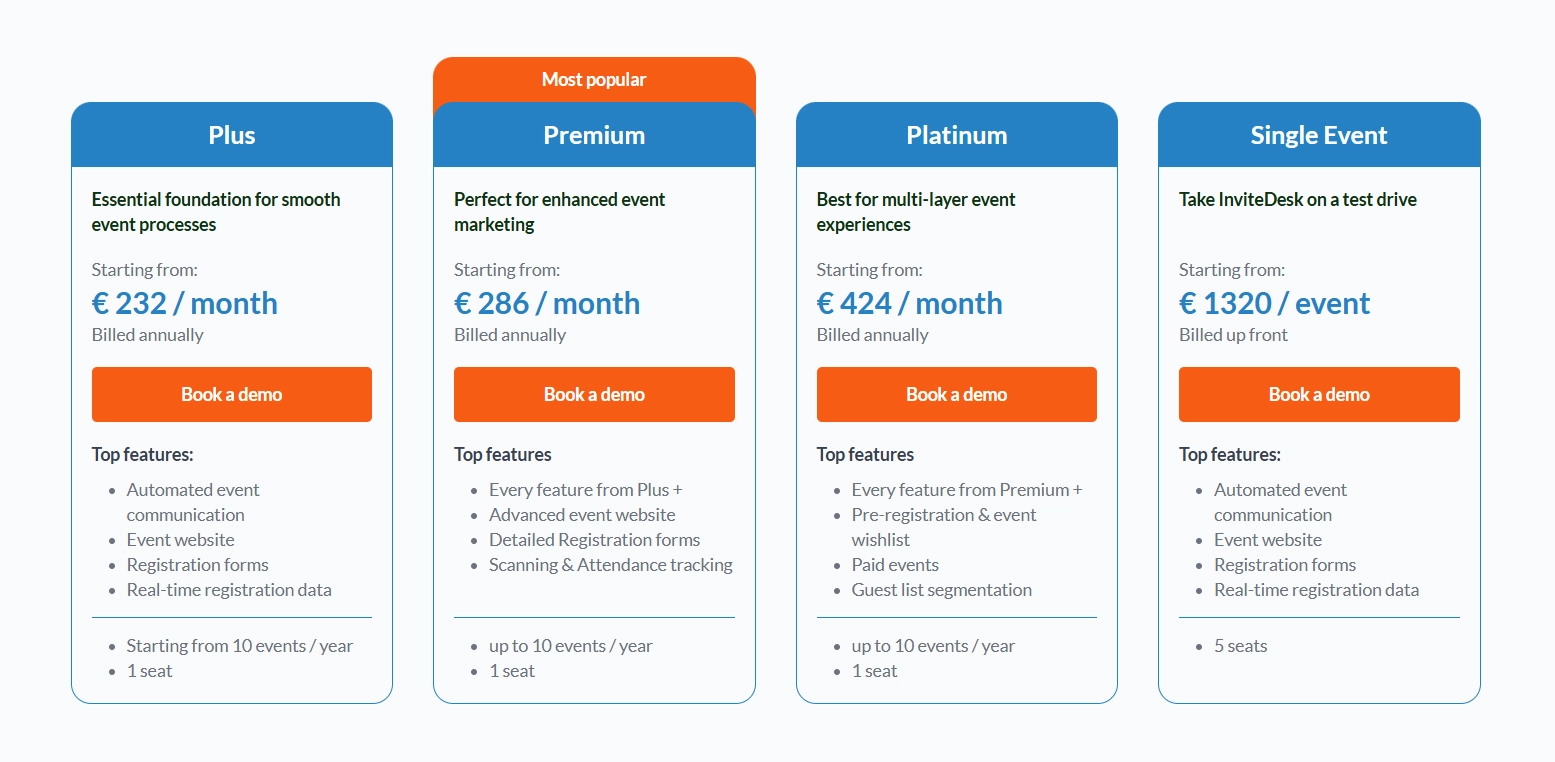
- Subscription model from €211/month on an annual plan; €1,200 for a single event
- Costs are predictable, don’t scale with ticket volume, and don’t create per-ticket friction with guests
- For invitation-only B2B events where the Eventbrite marketplace adds no distribution value, you’re paying per-ticket fees for infrastructure that isn’t serving your use case
Verdict: For public events where Eventbrite’s discovery audience does real work, per-ticket fees are justified. For closed, invitation-only events running on a fixed programme, InviteDesk’s flat subscription is more predictable and better aligned to how B2B event budgets are managed.
How to Choose
Is your guest list known before registration opens?
Eventbrite’s architecture assumes the guest list is an output of registration. InviteDesk assumes it’s an input. If you start with a set of named contacts — imported from your CRM, built inside the platform — and the event is the reason to reach them, you need the invitation-first model.
Does your sales team need to be inside the process?
If sales managers are verbally inviting contacts, forwarding personal emails, or chasing the event manager for attendee lists — you have a coordination problem that no communication tool solves. InviteDesk puts sales inside the event workflow: quota management, mobile guest view, real-time check-in alerts. If your events exist to move commercial relationships forward, that layer needs to be native, not bolted on.
Do you need event data to reach your CRM the same day?
The 24–48 hour follow-up window after a B2B event is when attendance translates into action. If your process requires a manual export, that window closes before the data arrives. InviteDesk’s real-time CRM sync means sales can act on who attended — and who didn’t — while the event is still relevant.
InviteDesk is The Eventbrite Alternative Built for B2B Relationship Events
Eventbrite does what it was built to do well. So does InviteDesk. The difference is that their design objectives are fundamentally different — and for B2B teams running curated, relationship-driven events, only one of them was built for that job.
InviteDesk is the only event management platform purpose-built for the full invitation-to-CRM workflow of B2B relationship events — without the enterprise complexity of Cvent or the public-ticketing constraints of Eventbrite.
Key capabilities
- Invitation-first guest management — Your workflow starts with a known contact list. Contacts are imported from your CRM or built in the platform. Invitations go to named individuals on a controlled, prioritised basis. When someone declines, the next contact on your waitlist is triggered automatically.
- Personalised communication sequences — Marketing configures the full communication flow once. Every message — Save the Date through Thank You — goes out under the account manager’s actual name and email address. No Salesforce workflow, no Marketo setup, no RevOps involvement required.
- Sales team visibility and quota management — Sales gets a dedicated mobile view of their specific guest lists: RSVP status, attendance confirmation, real-time check-in alerts when a VIP arrives on-site. Marketing allocates ticket quotas per rep or department.
- Real-time CRM integration — Invitation status, RSVPs, check-ins, and account manager ownership sync to your CRM throughout the event lifecycle — not as a post-event export.
Where InviteDesk shines
- Curated, invitation-only events where every attendee is a named commercial relationship
- Multi-rep event programmes where sales team coordination would otherwise happen outside the platform
- Financial services, automotive, and professional services teams with compliance and data requirements
Where InviteDesk falls short
- Not built for open discovery or public-facing events
- Doesn’t support speaker management, exhibitor management, or large multi-track conference logistics — platforms like Cvent or Bizzabo are built for that scope
What customers say
Invitedesk replaces Excel chaos with unified event control
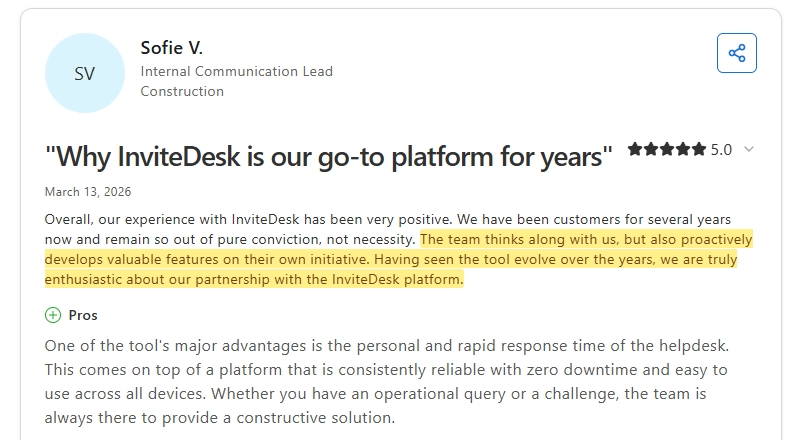
Birgit H. had been managing event invitations and attendee follow-up across multiple Excel files shared between marketing and sales — a process that cost time across every team member involved.
After two-plus years on InviteDesk, the entire campaign runs from a single tool: automated reminders, follow-up on registration details, and mobile check-in on the day.
Supportive, on-time, and proactive customer support
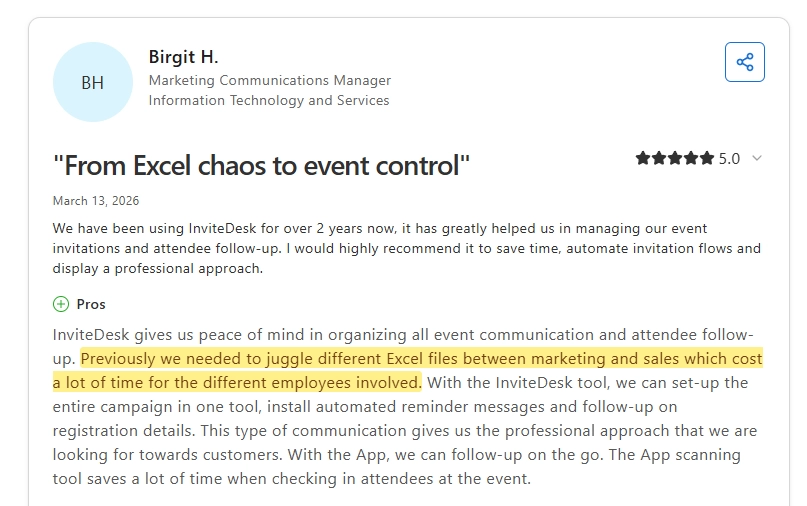
Sofie V., Internal Communication Lead at a construction firm, has been a customer for several years. Her team remains on InviteDesk out of conviction — not because switching is difficult. She highlights zero downtime, cross-device reliability, and a support team that responds personally and quickly to operational queries.
Clearer event data, faster decisions
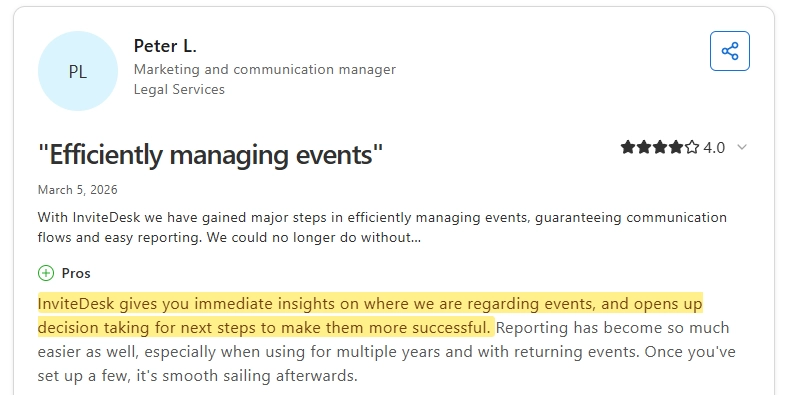
Peter L., Marketing and Communications Manager at a legal services firm, chose InviteDesk over HubSpot Marketing Hub specifically for its event management focus and straightforward implementation. The outcome: immediate visibility into event status, easier reporting across multiple years and returning events, and a setup that runs smoothly once it’s configured.
Want to see how it works?
FAQs
Can you use Eventbrite for private, invitation-only B2B events?
Eventbrite allows private events, but controlling who can access and register — ensuring only invited contacts can sign up, preventing duplicate registrations, and managing a prioritised waitlist — requires workarounds rather than native functionality.
One G2 reviewer specifically flagged “difficulty limiting or validating who can access and purchase tickets” for private events.
InviteDesk’s entire architecture is built around controlled, invitation-only access as the default.
Does InviteDesk integrate with CRM platforms?
InviteDesk integrates with major CRM platforms including Salesforce and HubSpot, syncing invitation status, RSVP data, check-in confirmations, and account manager ownership in real time throughout the event lifecycle — not just as a post-event export.
See the HubSpot integration and Salesforce integration pages for details.
Is Eventbrite suitable for financial services or regulated industries?
InviteDesk is built with these requirements in mind and has a specific track record in financial services event management.
What types of events is InviteDesk not suitable for?
It’s not designed for venue sourcing, speaker management, multi-track conference logistics, exhibitor management, or virtual event platforms.
If your events need those capabilities, platforms like Cvent or Bizzabo are built for that scope.
For a full comparison of event management options, see our Eventbrite alternatives guide.