Key takeaways
- Private corporate events have different requirements from conferences and public events. Guest quality, sales involvement, and CRM visibility often matter more than registration volume.
- InviteDesk is built for invitation-led events where marketing and sales need to work from the same guest list and track outcomes beyond the RSVP. It’s a poor fit for 5k seat conferences or B2B teams running fewer than five events a year.
- Cvent, Bizzabo, Whova, Eventbrite, and RSVPify are all strong options, but each is designed for a different type of event. The right choice depends on your audience, reporting needs, and whether guest management or event scale is the bigger priority.
If you run private hospitality events and client seminars, you’re probably trying to leave the manual setup behind. Guest lists sit in spreadsheets. Sales reps invite clients from their own inboxes, while RSVP updates stay with marketing, and attendance data reaches the CRM too late to be useful for sales.
But most “best event management software” comparisons still treat registration volume as the main problem. For B2B corporate events, the harder job is knowing who should be invited, who accepted, cancelled, or showed up, and whether sales can act on that data in time.
That is why the useful comparison is not “which tool has the most features for events?” It is “which tool was built for the event you are running?”
If you run private hospitality events, client seminars, roadshows or client dinners, and need the right guests in the room with data that syncs with your CRM, here’s the shortlist:
- InviteDesk: best for curated, sales-led client events where guest quality, sales involvement and CRM-sync are important for ROI.
- Cvent: large enterprise conferences that need venue sourcing and registration infrastructure + has a dedicated operations team.
- Bizzabo: branded conferences where pipeline attribution and event marketing are the main goals.
- Whova: conferences where attendee networking and app-based engagement matter most.
- Eventbrite: public, open-registration events with fast setup.
- RSVPify: small, formal seated events that need clean RSVPs and simple guest management.
This article compares all six against the criteria that matter for B2B corporate events so you can walk away with one tool for your events.
See how InviteDesk gets the right people in the room
What to look for in corporate event management software
Check each criterion against the events you run.
- Guest-list curation you control: If anyone with a link can register, you are no longer managing a corporate guest list. You need a platform that starts with named invitees, controls who can accept, and closes registration when your seat count is full.
- Sales-marketing collaboration as a workflow: Sales knows the guests to invite, but marketing usually owns the event process. When both teams work from different inboxes or spreadsheet versions, names get mixed up and no one is quite sure when or how to follow up. The right tool lets sales manage their accounts while marketing controls the event workflow.
- Two-way CRM sync without a developer: If your RevOps team treats event sync as a low-priority project, they’ll sync the attendance details to your CRM when it’s too late to send a strong follow-up and SDRs have moved on. You need every RSVP, check-in, and no-show written back to the contact record automatically.
- Invitation personalisation at scale: A client is more likely to notice an invitation from the account manager they know than one from a generic events address. The platform should let marketing configure the campaign once, while each invitation goes out under the right sales rep’s name.
- No-show control through managed lists and waitlists: When a guest declines, their spot shouldn’t stay unfilled because you couldn’t invite another shortlisted guest. The right tool should invite the next priority contact from the waitlist automatically, while still keeping marketing in control of capacity.
- Real-time RSVP visibility for sales: Sales should not need a spreadsheet export to know which clients accepted. Reps need live RSVP and check-in visibility, so they know who to follow up before the event and who to meet on the day.
If these are the problems your team is trying to solve, book a demo and use InviteDesk for you next B2B corporate event.
The six event management platforms at a glance
Here is an executive overview of all the event management platforms for a B2B corporate event:
| Tool | Best For | Key Limitation for a Corporate Event Team | Pricing |
|---|---|---|---|
| InviteDesk | Curated, sales-led corporate events | No venue sourcing, speaker management, or multi-track conference logistics | From €232/month, billed annually |
| Cvent | Large-scale conferences and venue sourcing | Cost and setup are hard to justify for events under 500 people | Custom quote; $19,550/year median (Vendr) |
| Bizzabo | Branded conferences with pipeline attribution | $17,999/year floor and three-user minimum rule out smaller programmes | From $499/user/month; $17,999/year minimum |
| Whova | Conferences built around attendee networking | App download plus sign-in; conference-first and light on curation | Custom quote, plus 3% + $0.99 per paid ticket |
| Eventbrite | Open, public registration and fast setup | No guest curation or sales workflow; data stays in Eventbrite | Free to publish; 3.7% + $1.79 + 2.9% per paid ticket |
| RSVPify | Formal seated and invitation-led events | Lighter on sales-marketing collaboration and CRM depth | Starts at $39/month |
Start with what your events demand. The differences come down to what each tool was built to do.
1. InviteDesk: best for curated, sales-led B2B corporate events

InviteDesk is an event management software for B2B teams who already have the guest list and need the right named people in the room. It lets marketing run the entire invitation-to-CRM workflow while each sales rep keeps the client relationship. You get that without the enterprise setup of a Cvent or the open registration of a public ticketing tool.
One of the core values of InviteDesk is the On behalf Of Workflow: marketing sets up the entire communication sequence once, but each invitation goes out from the individual sales rep’s email address. So a VIP client receives what reads like a personal note (and invite) from their account manager’s name and email, even though marketing sent it.
This mechanism handles the whole flow from save-the-date through post-event follow-up automatically.
What the InviteDesk workflow does in practice
1. Sales manages their guest lists without adding work for marketing
Each rep gets an allocated ticket quota for their accounts. They add and manage guests from the InviteDesk mobile app and can see RSVP status in real time. A push notification fires when one of their guests checks in on event day. This way, the conversation that matters then happens in the room, while the guest is still there.

2. Every declined seat triggers an invite to another guest automatically
When a confirmed guest cancels, InviteDesk invites the next contact on the list automatically, with no marketing involvement. The open seat at a company dinner goes to the client you wanted there. Combined with quota management, it closes the two failure modes of manual event lists: over-inviting and under-attendance.
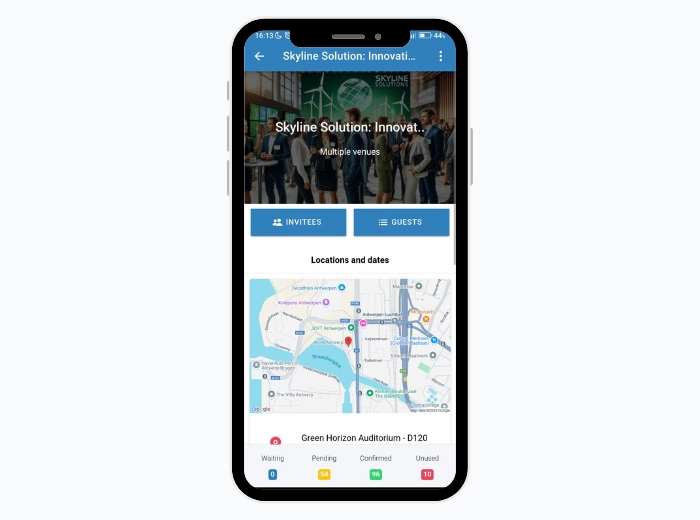
3. Every RSVP, check-in, and no-show reaches your CRM without a developer
InviteDesk’s Connector module syncs your data to Salesforce, HubSpot, Microsoft Dynamics 365, and Marketo in real time. You control which fields sync and where. The pre-built connectors and an open API do the work, so there’s no RevOps project required.
This is how ABN AMRO Private Banking professionalised its client events and tightened sales-marketing collaboration after moving to InviteDesk. Bank Nagelmackers, Belgium’s oldest bank, also runs more than 200 events a year with InviteDesk, from invitation to NPS phase.
Other key features of InviteDesk
- One-click event cloning: You can duplicate last year’s event, change the date, venue, and guest list, and the full communication flow carries over.
- FrontDesk and ScanApp: Register walk-ins at the door and scan tickets from a phone. Every check-in logs to the live dashboard, no extra hardware needed.
- Multilingual events: You can configure InviteDesk to send invitations, registration pages, and reminders in each guest’s own language.
- Post-event evaluation: You can send NPS surveys and thank-you emails on a schedule you set once. Responses return alongside attendance data, so your next guest list reflects who engaged and who scored you low.
- Integrate with LineUpr event app: InviteDesk handles invitation and registration; LineUpr adds a branded app for the day with live agenda, polls, and attendee networking. Both are part of the same suite, so there’s no second vendor relationship to manage.
- ISO 27001 and EU data hosting: When procurement at a bank or insurer asks for security credentials, this is what you send: InviteDesk is ISO 27001 certified, EU-hosted, with event data deleted automatically 30 days after the event.
Pros
- It helps you send every invitation under the account manager’s own name, without enterprise setup.
- Bidirectional CRM sync closes the loop from invitation to pipeline, with no developer or manual export.
- Sales check their own clients’ status in the live dashboard, ending the weekly “who’s confirmed?” chase.
Cons
- It runs paid events but not full invoicing, so accounting-grade billing stays in your finance system.
- Built for relationship events of tens to a few hundred guests; for 5,000-seat conferences, an enterprise suite fits better.
- In-app analytics is lighter than an enterprise platform’s; the deeper numbers come once attendance lands in your CRM.
Pricing
- Starts at Plus: €232 a month (for 10 events a year, billed annually).
- Premium: €286 a month, adding scanning and attendance tracking.
- Platinum: €424 a month, adding pre-registration, paid events, and guest-list segmentation.
- Single-event pricing from €1,320.
If you run five to 20 relationship-driven events a year where the right guests matter more than headcount, book a 30-minute InviteDesk demo and try it for your next event.
2. Cvent: for large-scale conferences and venue sourcing
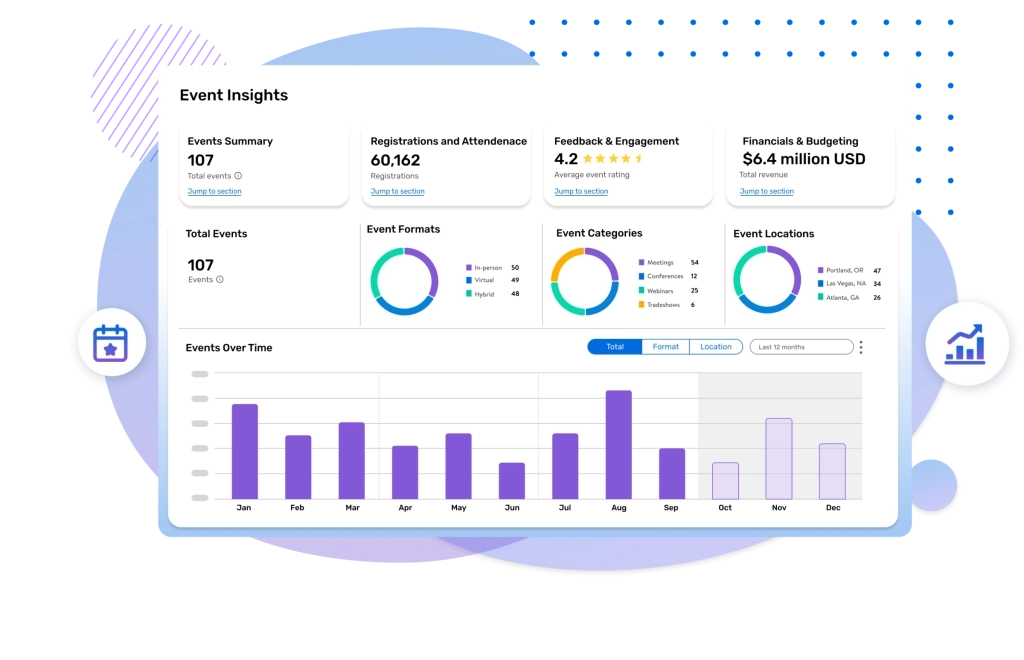
Cvent is the enterprise standard for large conferences and trade shows. Its depth is real, from venue sourcing across a 300,000-property network to multi-track conference logistics and CRM attribution. For a 3,000-delegate annual conference with a dedicated operations team, nothing on this list comes close.
For a B2B corporate team running curated client events, the issue is the fit. Configuring Cvent for a 40-person breakfast seminar carries much of the setup overhead of the 3,000-person conference. And sending invitations under each rep’s name needs extra Salesforce or Marketo integration beyond the core licence. Aside from this, there’s a steep learning curve, with clunky menus, which makes it better for larger organisations with deep pockets, because they have a dedicated ops team.
Read more about Cvetn and who it’s for.
Key features
- Venue sourcing and RFP management across 300,000+ properties via the Cvent Supplier Network
- Multi-path registration with conditional logic, multiple admission types, and approval workflows
- Multi-track session management, exhibitor and sponsor tools, and speaker management
- On-site badge printing, check-in hardware, and lead retrieval
- Native Salesforce and Marketo integrations with 100+ standard reports
- Attendee Hub mobile app for branded event experience and engagement
Pros
- The broadest conference lifecycle coverage from venue sourcing to post-event attribution.
- Enterprise CRM integrations with native Salesforce and Marketo.
- Established for 25+ years; so most event vendors and contractors already know how it works.
Cons
- Configuration overhead for a 30-person seminar is the same as for a 5,000-person conference, so mid-market teams pay for capabilities they never use.
- Sending invitations under each rep’s name needs technical setup beyond the core licence.
- Reviewers consistently flag a steep learning curve and an implementation that spans months.
- Cvent is also expensive and has some complexity in its setup.
Pricing
- Custom annual contracts.
- According to Vendr, the median annual contract is around $19,550 and can scale up to $94,417/year.
3. Bizzabo: for branded conferences with pipeline attribution
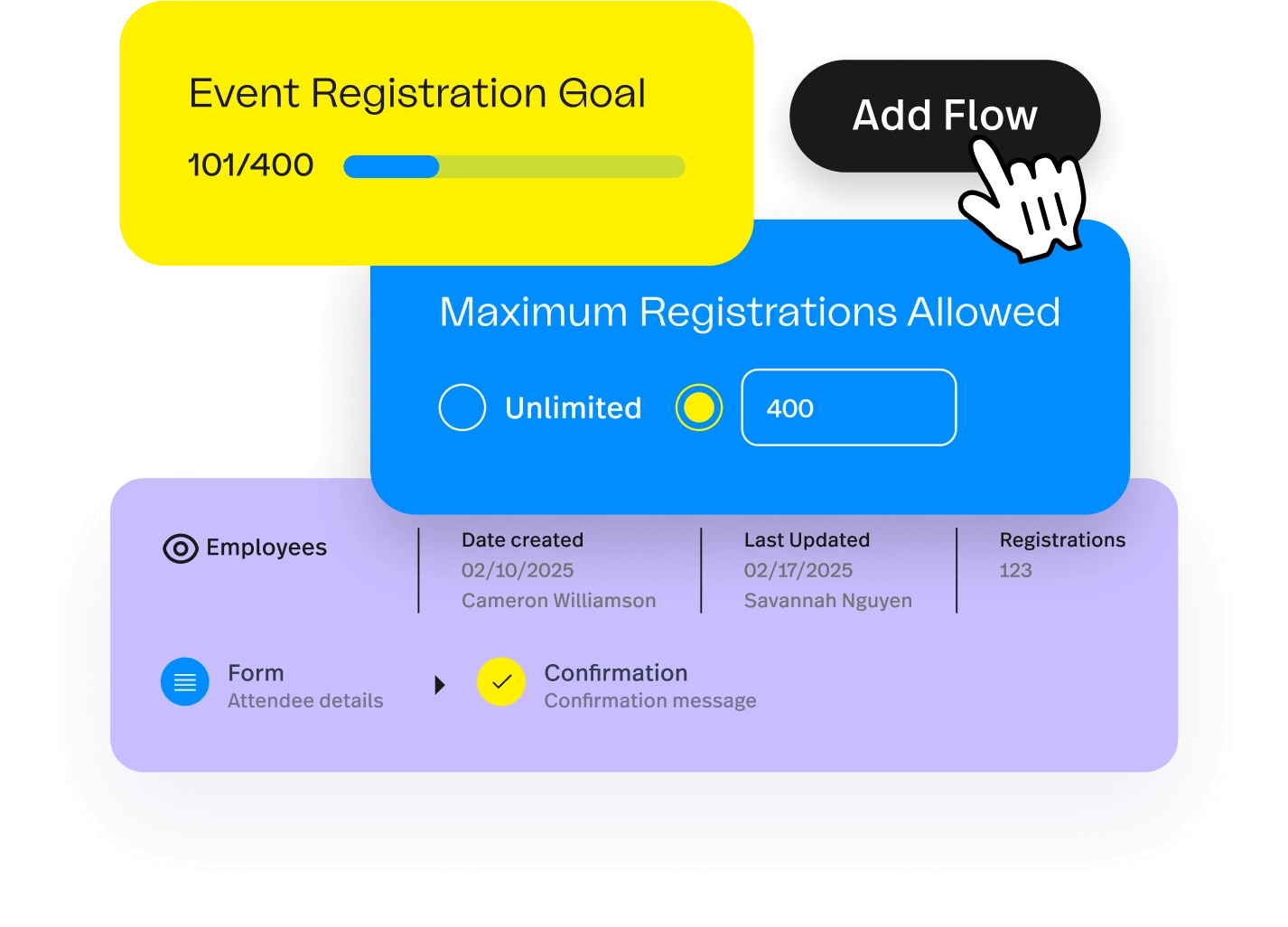
Bizzabo is an event management platform for marketing teams running branded conferences. It’s a relevant event management software when you’re looking for a branded event website, on-site SmartBadges that capture session and exhibitor data, and analytics that tie attendee behaviour to HubSpot, Marketo, and Salesforce. For a marketing-led flagship conference, it is a strong, modern platform.
The constraint for a curated client programme is pricing and fit. Bizzabo’s entry runs to roughly $17,999 a year and $499/user/mo. That floor rules out most teams running a handful of relationship events.
Bizzabo is also organised around the marketing-led conference model. The rep-owned invitation workflow, where each account manager sends invites from their name and manages their seat allocation, is not what Bizzabo is designed for. If Bizzabo is on your list, see our list of Bizzabo alternatives roundup for more fitting event management software for smaller-programmes.
Key features
- Branded registration pages and event websites with a no-code builder
- Klik SmartBadge wearable technology: automatic capture of session attendance and exhibitor interactions
- CRM integrations with Salesforce, HubSpot, Marketo, and Dynamics 365
- ROI analytics connecting attendee behaviour to pipeline attribution
- Branded mobile attendee app with agenda, networking, and live updates
- AI-powered attendee matchmaking and networking recommendations
Pros
- Strong attendee-facing experience with flexible branding controls.
- Engagement tracking extends beyond registration into session and exhibitor behaviour.
- Native CRM integrations across major platforms without middleware.
Cons
- The $17,999/year base pricing rules out most mid-market B2B programmes.
- Rep-owned invitation workflows are not the centre of the product.
- Customer support varies by plan tier, according to user reviews.
- If you’re a B2B event manager, Bizzabo is also more platform than the job needs, at a price that assumes you run large scale events regularly.
Pricing
- Starts at $17,999/year (or $499/user/mo, billed annually).
- Includes add-ons with separate pricing.
4. Whova: for conferences built around attendee networking
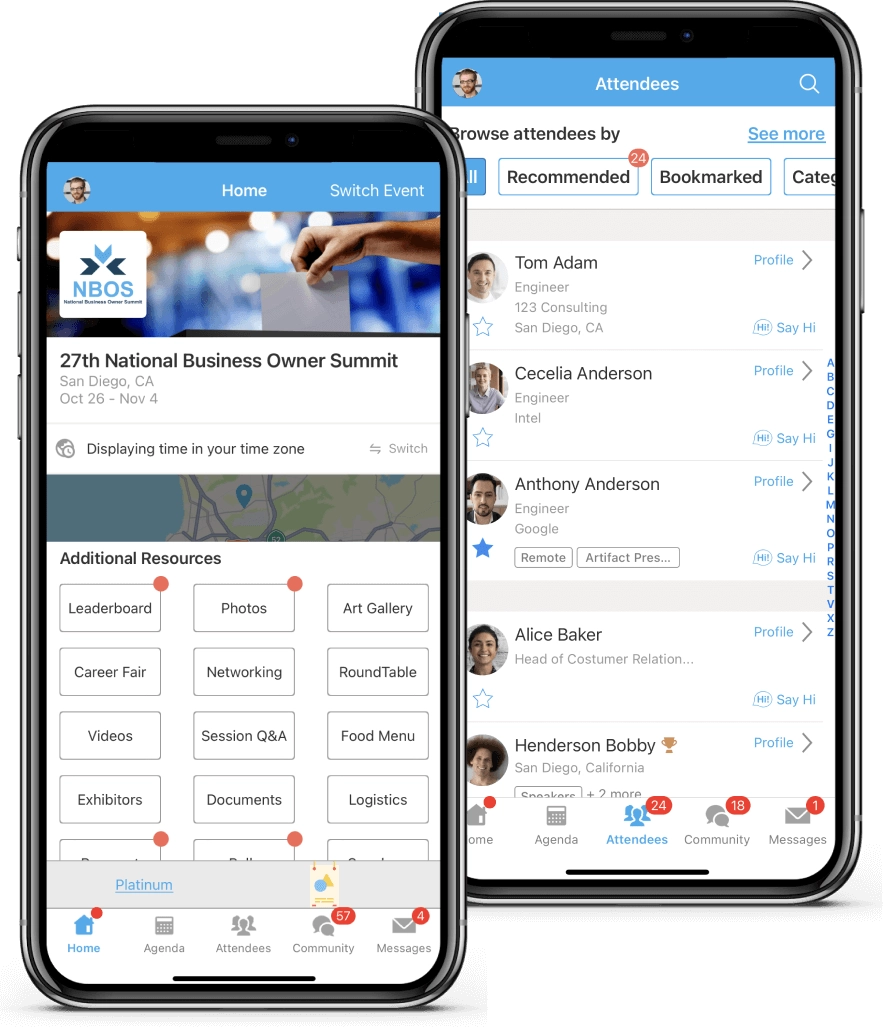
Whova is an all-in-one conference platform best known for its attendee networking. For a 1,000-attendee conference where people should leave with new contacts, the networking features are genuinely differentiated and hard to match.
Two things matter for a curated corporate event. First, Whova is app-first. Attendees must download it and sign in with the email they registered with. On company-managed devices, where third-party app downloads need IT approval, that may be a disadvantage.
Second, guest-list curation and the sales-rep workflow are not its base approach. It is built to maximise engagement among registered participants, not to control who you invited. Regardless, Whova is a powerful tool for conferences and might be an overkill for curated B2B corporate events.
Key features
- Attendee networking: suggested connections, community boards, and in-app messaging.
- Session Q&A with upvoting, live polls, and gamification.
- 1:1 meeting scheduling between attendees.
- Registration, check-in, and badge printing.
- Real-time push notifications and live schedule updates.
- Sponsor and exhibitor tools with analytics and lead retrieval.
Pros
- The strongest attendee networking feature set for large conferences where connection-building is the stated goal.
- Consistently strong mobile engagement at 500-plus-attendee conferences.
- Covers end-to-end conference needs from registration through post-event analytics.
Cons
- App-first access adds friction for attendees on corporate-managed devices where the IT team controls app installation.
- Guest-list curation and sales-rep invitation workflows are not central to the product.
- US-hosted; a consideration for European teams with data-residency requirements.
- The networking feature that justifies the platform goes largely unused at events where the guests already know each other.
Pricing
- Pricing requires a sales call, + 3% + $0.99 per paid ticket if you use Whova’s registration.
- Pricing can be up to $2,000
5. Eventbrite: for open, public registration
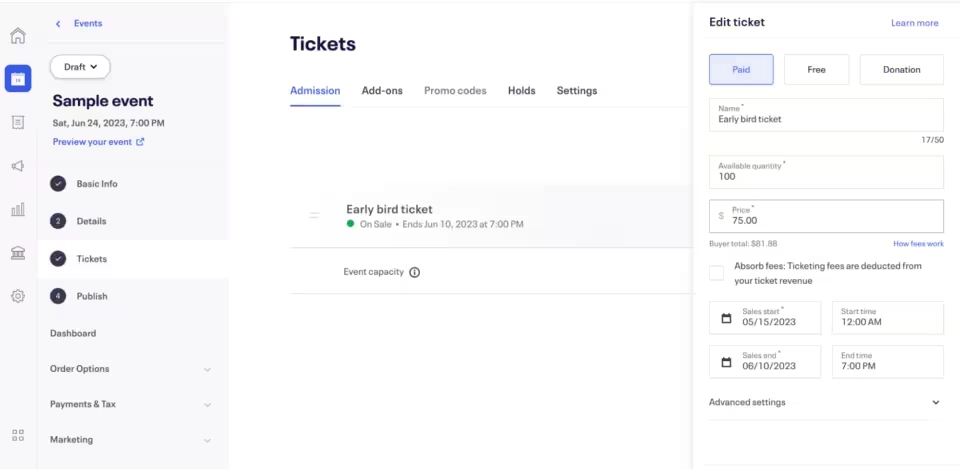
Eventbrite is a public ticketing and registration marketplace. Anyone can publish a registration page in minutes, and attendees discover and book on the platform. That makes it a strong fit for open, public events: fast setup, built-in discovery, in-platform card payments, and a check-in app.
That same design is the constraint for a B2B programme. Eventbrite was built to help strangers find and buy tickets, so it has no concept of a curated guest list or sales ownership. A public registration page cannot be restricted to a named, invitation-only list, and event data lives inside Eventbrite rather than your pipeline.
For B2B teams weighing Eventbrite, read our head-to-head InviteDesk vs Eventbrite comparison to see where either is a good fit for B2B event management.
Key features
- Public event registration page with marketplace discovery and SEO
- Multiple ticket type management and built-in payment processing
- Mobile check-in app and basic attendee management
- Email marketing tools (Eventbrite Pro)
- Basic integrations via Zapier and API
Pros
- The fastest way to publish a public event and reach a new audience through marketplace discovery.
- Free for free events; no monthly subscription fee.
- Familiar to attendees; reduces friction for public sign-up.
Cons
- No concept of a curated guest list or sales-owned invitation workflow.
- Event data stays inside Eventbrite rather than writing back to your CRM automatically.
- The honest read: a consumer marketplace pointed at the opposite job.
Pricing
- Free for free events.
- Paid tickets: 3.7% + $1.79 service fee + 2.9% payment processing per ticket.
6. RSVPify: for formal seated and invitation-led events
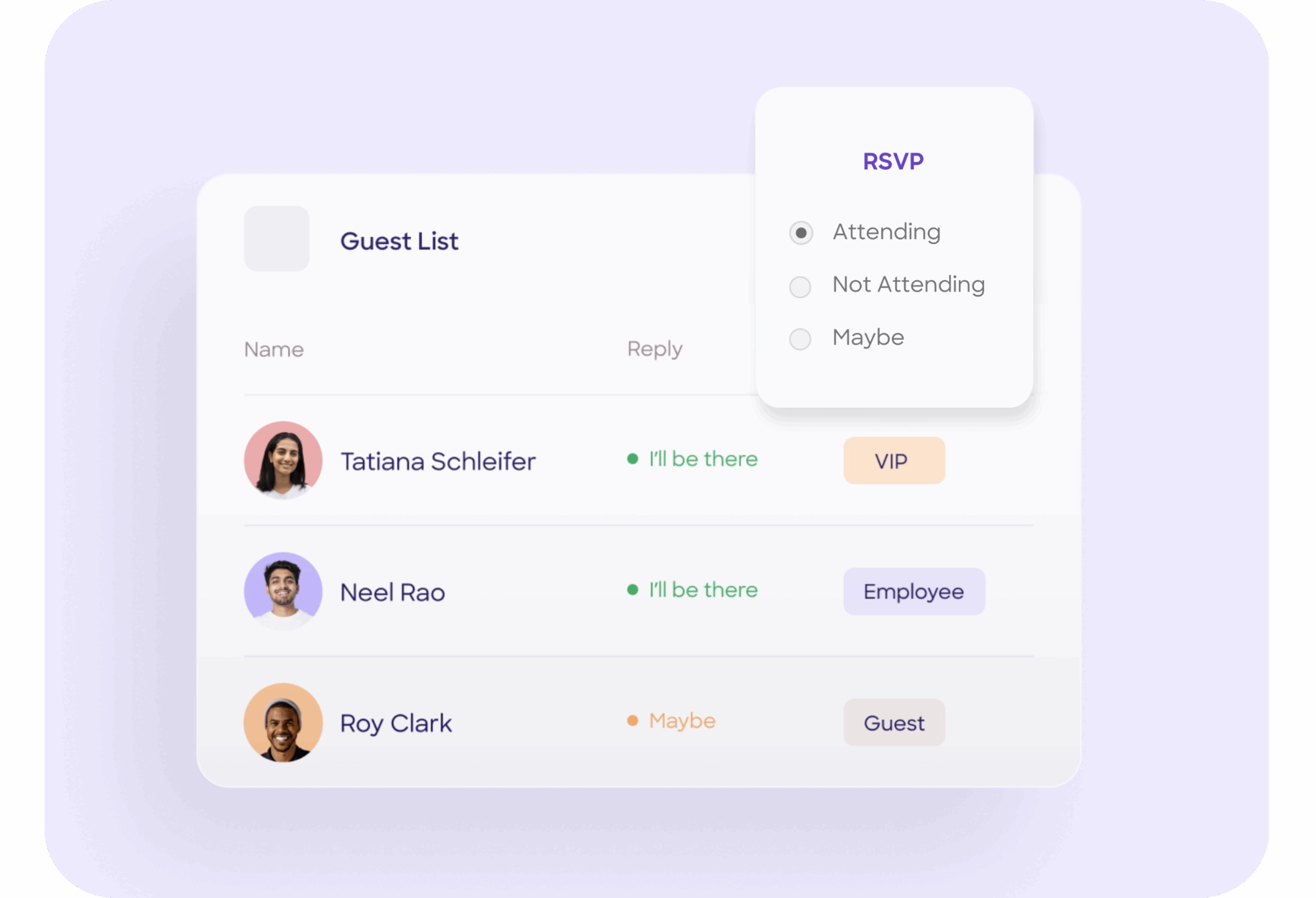
RSVPify is an online RSVP and registration tool built for invitation-led events. It handles that job well: branded RSVP forms, a drag-and-drop seating chart tied to the guest list, and QR-code check-in. Its free tier covers events up to 100 guests, which makes it a fit for elegant RSVP management without onboarding calls.
However, it lacks collaboration and CRM depth. RSVPify has no way for sales reps to manage their own guest lists or send invitations under their name. Event data on RSVPify doesn’t sync automatically to your CRM, which means your data cannot spillover until you manually transfer it.
Regardless, it is a good fit for small, invitation-only events such as galas and award dinners, where clean RSVP management and seating logistics are the priority.
Key features
- Branded online invitations and RSVP forms with conditional questions
- Drag-and-drop seating chart builder tied directly to the RSVP list
- Guest-list management with capacity caps and sub-event tracking
- QR-code check-in on event day
- Automated reminder emails and follow-up sequences
- Native Salesforce integration on Professional plan
Pros
- One of the cleanest RSVP experiences on the market, with a free tier for small events.
- Drag-and-drop seating chart is directly linked to the registration list.
- Easy to use, with a no-code setup.
Cons
- It provides no way for sales reps to send invitations under their own name or manage their own guest allocations.
- No bidirectional CRM sync for no-shows, check-ins, and post-event follow-up.
- Salesforce integration only available on the Professional plan ($299/month billed annually).
- The biggest downside is that you’ll outgrow it the moment you need sales collaboration and pipeline reporting.
Pricing
- $24/month (Starter),
- $89/month (Plus),
- $299/month (Professional).
- Ticketed events: 1.95% + $0.90 per ticket.
How to choose the right software for your corporate events
The right tool depends on the scale of your event and what you’d love to be able to do:
- Choose InviteDesk if you run five to 20 relationship-driven events a year and sales owns the client relationships, and every RSVP record needs to sync with your CRM. It is a poor fit for large multi-track conferences.
- Choose Cvent if you run large, complex conferences and need venue sourcing and enterprise registration infrastructure. It is a poor fit for 30 to 200-person client gatherings, where the cost and setup outweigh the benefit.
- Choose Bizzabo if you run branded conferences and measure success by pipeline attribution. The $17,999 per year floor makes it a poor fit for smaller programmes.
- Choose Whova if attendee networking at a large conference is your primary outcome. It is a poor fit when your attendees are on managed devices that block the app, or when curation matters more than networking.
- Choose Eventbrite if you sell tickets to public events and need an event management software with fast setup time. It is a poor fit for private, curated events where you control the guest list.
- Choose RSVPify if you run formal seated events and need clean RSVPs and a seating chart. It is a poor fit once sales collaboration and CRM sync become the deciding criteria.
For B2B corporate events where guest quality and sales involvement decide the return, book a demo with InviteDesk and use it for your next event to see how it works.
Match the event management software to the event you run
For B2B corporate events, the “best event management software” is one that is built for the type of event you run. If yours are curated, sales-led, and judged on who was in the event and whether the event data syncs with your CRM, the registration-volume platforms will keep feeling like a near miss. A platform built for guest quality and sales collaboration like InviteDesk will not.
See whether your event programme fits: book a 30-minute InviteDesk demo.
See wether your event programme fits.
Frequently asked questions about corporate event software
What is the best event management software for B2B corporate events?
For curated, relationship-driven corporate events, InviteDesk is the best fit. It controls the guest list and keeps sales and marketing on one workflow, with every RSVP syncing to your CRM. For large multi-track conferences with a dedicated operations team, Cvent or Whova is the stronger choice. The deciding question is whether you need specific guests in the room or large-event logistics.
What is B2B event management?
B2B event management covers planning, inviting, running, and measuring events designed to build business relationships and generate pipeline. It includes building a curated guest list, sending invitations, managing check-ins, and reporting attendance back to your CRM for sales follow-up. The defining characteristic is that you already know who you want at the event before planning begins.
What is the best app for managing corporate events?
The best app depends on the type of event you’re running. InviteDesk is best for invitation-led client events involving sales teams, Cvent works well for large enterprise conferences, Whova excels at attendee networking, and Eventbrite is built for public ticketing. For mid-market teams running client dinners, roadshows, and seminars, an invitation-first platform like InviteDesk is usually a better fit than conference or ticketing software.
Which software is commonly used for event management?
Cvent, Bizzabo, Whova, Eventbrite, and RSVPify are among the most widely used event management platforms, each serving a different event type. For B2B corporate events specifically, InviteDesk is purpose-built for curated, sales-led programmes.