Whova is popular all-in-one event management platform known for its comprehensive attendee engagement features and mobile event apps. But B2B event managers running relationship-driven events often run into limitations that make them seek alternatives.
- Pricing opacity limitations: Whova’s quote-based pricing with undisclosed add-on costs makes it nearly impossible to budget confidently for annual event programs running 15+ events.
- CRM Integration gap: without plug-and-play CRM integrations (for SalesForce, Hubspot, Dynamics), B2B event teams can’t automatically track event attendance’s influence on sales pipeline, forcing them back to manual CSV exports and Excel chaos.
- Conference-focused desing: Whova’s open-registration model and discovery networking features are built for large conferences, not curated guest list managemùent and sales-marketing collaboration that B2B relationship events demand.
These limitations lead many B2B event managers to explore Whova alternatives that better fit their specific needs.
In this article, we’ll evaluate 7 event management platforms purpose-built for different B2B use cases. We’ve organised them by their unique strengths from pre-event CRM integration to transparent pricing to high-volume operations so you can quickly identitify which alternatives best matches your event program’s priorities.
What are people (and I) using instead of Whova?
Here are the Whova competitors covered in this guide:
- InviteDesk: best for B2B teams running relationship-driven events
- Cvent: best for enterprise-scale events with complex requirements
- Bizzabo: best for data-driven event marketers prioritising analytics
- Swoogo: best for flexible workflows and modern design at mid-market prices
- Eventbrite: best for simple, budget-friendly registration and ticketing
- Hopin: best for virtual-first and hybrid events needing built-in streaming
InviteDesk, Best for B2B Relationship-Driven Events

InviteDesk is purpose-built for B2B event teams running relationship-driven events, where the objective isn’t mass attendance but getting the right customers, prospects, or partners in the room. It is built around controlled invitations, segmented lists, collaboration between marketing and sales , and offers predictable subscription pricing.
The platform offers teams only what they really need:
- invitation and registration management
- Build-in CRM integrations
- Live Check-ins
- Optional engagement features such as live polls, audience Q&A, real-time updates and networking functionalities via LineUpr
For B2B teams managing 10–25+ annual events, the platform delivers predictable costs, fewer manual tasks, and clear ROI attribution.
Experience event success built on trust, transparency and collaboration in a live demo.
Why B2B teams choose InviteDesk as a great Whova alternative
Run B2B Events That Drive Pipeline, Not Just Attendance
Whova treats registrations as the main success metric, but you know that in B2B events the real value comes from who attends, not how many people sign up. An open-registration model brings the wrong guests, creates unnecessary follow-up work for sales, and does not move your pipeline forward. Wrong attendees don’t help your ROI, and they certainly don’t help your event generate measurable business results.
InviteDesk helps you focus on business outcomes, not generic attendee numbers. You can:
- Build automated invitation workflows so the right guests receive the right message at the right time
- Send personalised messaging & event communication with sales reps as the sender
- Allocate invite quotas to sales users so sales stay involved and guest allocation stays balanced
- Use capacity controls and VIP prioritisation
- Create CRM-segmented guest lists to target accounts that matter most
Whova’s open-registration model works well for conferences, but it is not designed for curated account-based B2B events where getting more Tier-A prospects in the room directly drives strong commercial outcomes.
Cut Manual Admin Across Recurring Events
Teams running 10 – 25+ events such as trainings, partner sessions, and customer briefings per year often deal with repetitive setup work, manual communication tasks, and workflows with numerous spreadsheets that slow everything down. InviteDesk solves those challenges with features designed for recurring B2B event programs:
- 1-click event cloning
- Automated invitation, reminder, and thank-you sequences
- Multi-language support
- Capacity limits, quotas, conditional forms
- On-brand communication templates
These features help teams save up to 50% time in event admin by doing repetitive tasks for them. Enabling teams to focus on delivering a great event experience instead of fixing mistakes or doing the same work over and over again.
Align Sales & Marketing on Guest Selection and Follow-Up
Whova keeps invitation control centralised with the event organiser, leaving sales teams blind to guest engagement. This limits collaboration between the teams. InviteDesk fixes this issue by giving both teams access and visibility through:
- Separate admin and sales profiles and user roles
- Sales reps can add and update their invitees
- Real-time RSVP visibility for both teams
- Single source of truth for event data
- Follow-up lists enriched with attendance data
- CRM syncing for attribution
When both teams work together from the same data, marketing no longer has to chase sales for guest updates, and sales always know who has responded or who needs to be followed up on. With everyone working from the same list, invitations go out faster, follow-up improves, and the event delivers a stronger business impact, ultimately accelerating pipeline growth.
Deliver a Professional Guest Experience From Invite to Check-In
Guests expect a polished, branded experience from the first invite to check-in at the event itself, something generic event management platforms rarely deliver. InviteDesk makes this easy with standard features that help elevate every touchpoint:
- Branded invitations & event pages
- QR-code tickets and fast check-in with ScanApp
- VIP arrival alerts
- Mobile access for sales reps
- Optional LineUpr event app for engagement during my events.
These features make every step feel consistent. Guests receive good-looking, professional invites, enter the venue quickly, and feel welcome when they arrive. That level of care improves how people experience the event and strengthens their connection to your brand.
Pros
- Predictable, transparent pricing, no hidden add-ons
- Built for curated B2B events where guest quality matters more than quantity
- Plug-and-play CRM integrations reduce manual exports
- Modular flexibility (InviteDesk only, or InviteDesk + LineUpr)
- Strong automation reduces repetitive admin across recurring events
Cons
- Overkill for small, one-off community events
- Not designed for public ticketing or entertainment events
- Requires sales team involvement, not ideal for event programs where marketing owns the entire attendee funnel
InviteDesk Pricing
| Pricing | Plus | Premium | Platinum |
|---|---|---|---|
| Single event | €1.200 | €1.500 | €2.280 |
| Yearly subscription Price example for 1 user and 10 events |
starting from €211/month | starting from €265/month | starting from €392/month |
Related: InviteDesk pricing page
InviteDesk vs. Whova: Head-to-Head Comparison
| InviteDesk | Whova | |
|---|---|---|
| Capterra rating | 4.8 / 5 | 4.8 / 5 |
| Pricing | Published, predictable | Quote-based, add-on heavy |
| Standout feature | Sales & marketing collaboration, automated invitation workflows | Attendee app and networking |
| Support | Fast, personalised | Mixed reviews about responsiveness |
Experience event success built on trust, transparency and collaboration in a live demo.
Dreamcast: Best for Enterprise-Scale events with 50K-1L+ Attendees
Dreamcast is a leading event technology provider with comprehensive enterprise-grade systems in the market. Designed for large-scale events, multi-day programs, and events with 1L+ attendees. It includes event registration platforms, event ticketing systems, support for in-person/hybrid/virtual events, mobile event apps, and event check-in and badge-printing services. This makes Dreamcast a powerful Whova alternative for enterprise events that need streamlined workflow, scalable event technology, and flexible customization options while still being practical and accessible for mid-market B2B teams.
Why Dreamcast is a great Whova alternative
For organizers hosting complex, mega-scale events, Dreamcast overcomes several of Whova’s shortcomings. Its enterprise-grade white-labelling solutions and customization capabilities overcome a major gap in Whova’s platform, allowing teams to personalize their event’s branding and platforms, and increase their brand awareness. Event organizers use Dreamcast when Whova’s customization and onsite check-in capabilities feel too limited for large-scale corporate events, expos, or events requiring high visibility.
Dreamcast also stands out in offering AI-first event solutions, with the tech stack containing platforms such as Snipin, Picbot, Event GPT, Mindmixer, and WA Bot software that Whova lacks. Its customizable event analytics offer 100+ reports across 5+ integrated data sources, enabling deeper real-time insights for enterprise-grade event data.
However, for very small events, it may not be the right fit, as its best value comes with larger and more complex events.
But for organizers needing end-to-end systems and flexible customization alongside scalable platforms, it provides stronger capabilities than Whova. For example, Dreamcast successfully managed the large-scale Indus Food Expo, showcasing its capability to handle complex enterprise events with high attendee volumes, seamless registration, and efficient onsite operations.
Key features
- Event registration and ticketing
- WhatsApp automation and gamification
- In-person, hybrid, and virtual platforms
- Live streaming and webinar services
- Mobile event app for attendees
- On-site check-in, badge-printing, and facial recognition
Pros
- Highly customizable platform
- Supports hybrid, virtual, and in-person events
- Scalable for large events
- Strong attendee engagement features
Cons
- Needs onboarding for advanced features
- Set up may need planning for large events
- Some training may be required
- Pricing varies by features and scale
Pricing
Dreamcast’s pricing can vary depending on the event size and the client’s requirements.
Dreamcast and Whova: head-to-head comparison
| Dreamcast | Whova | |
|---|---|---|
| Capterra Reviews | 4.6 / 5 | 4.8 / 5 |
| Standout Features | End-to-end event management, hybrid event support, white-label customization, check-in, and badge printing. | Attendee app, networking feeds, conference engagement. |
| Pricing | Depends on event size and the client’s requirements. | Quote-based; add-on fees can increase the total price. |
| Support | Strong enterprise support, especially during peak times. | Mixed reviews on responsiveness. |
Cvent: Best for Enterprise-Scale events with complex requirements

Cvent is one of the most comprehensive enterprise event-management systems on the market, designed for large conferences, multi-day programs, and events with 5,000+ attendees. It includes venue sourcing, advanced registration flows, AI-assisted seating diagrams, hybrid attendee hubs, and deep analytics. This makes Cvent a strong Whova alternative for enterprise teams that need sophisticated workflows and have the IT resources to support implementation but its pricing and learning curve make it impractical for mid-market B2B teams. If you’re exploring Cvent in more depth, we’ve also published a full guide on how Cvent matches up against 10 other tools.
Related: Cvent Alternatives
Why Cvent is a great Whova alternative
For organisations running complex, large-scale events, Cvent solves several of Whova’s limitations. Its enterprise-grade Salesforce and HubSpot integrations address a major gap in Whova’s offer, allowing teams to automatically sync registrations, session attendance, and lead data back into CRM systems. Event teams use Cvent when Whova’s workflow flexibility and customisation feel too limited for multi-track conferences, regulated training programs, or events requiring detailed reporting.
Cvent also excels in venue management, offering AI-driven 3D diagrams, seating arrangements, and space configuration tools that Whova lacks. Its analytics suite includes 100+ customisable reports, making it far more robust for enterprises needing granular data.
However, the trade-offs are clear: Cvent’s complexity requires onboarding, training, and sometimes internal IT support. Pricing is quote-based and often cited as expensive, users report ~$10,000 per event in some cases, with additional modules adding to the cost. For high-volume B2B programs, this can be prohibitive.
Key features
- Venue diagramming & 3D layouts
- Customisable registration flows
- Attendee hub with agenda, chat, Q&A and gamification
- CRM integrations (Salesforce, HubSpot)
- Deep reporting with 100+ reports
- Session attendance & credit tracking
Pros
- Highly scalable for large conferences
- Deeply configurable
- Strong CRM integrations
- Excellent support for hybrid events
Cons
- Steep learning curve
- Expensive + upselling common
- Some inconsistent UI elements
- Requires training and internal IT support
Pricing
Cvent provides quote-based enterprise pricing. Reviews mention costs of approximately $10,000 per event, depending on modules.
Cvent and Whova: head-to-head comparison
| Cvent | Whova | |
|---|---|---|
| Capterra Reviews | 4.3 / 5 | 4.8 / 5 |
| Standout Features | Enterprise workflows, venue sourcing, deep reporting and advanced registration | Attendee app, networking feeds, conference engagement |
| Pricing | Quote-based; often high cost (~$10k per event) | Quote-based; add-on fees can increase the total price |
| Support | Strong enterprise support, though slower during peak times | Mixed reviews on responsiveness |
Bizzaboo: Best for Data-Driven Event Marketers Prioritising Analytics

Bizzabo positions itself as an “Event Experience OS,” combining registration, engagement, analytics, and virtual-event production in a single platform. With an intuitive modern design, strong engagement features, and hybrid/virtual capabilities, Bizzabo is a solid Whova alternative for marketing teams that need deeper analytics and multi-event visibility. Its pricing sits between Whova and Cvent, making it attractive to mid-size teams running multiple events per year, though some users report limitations in CRM integrations and reporting depth.
Why Bizzabo is a great Whova alternative
Teams choose Bizzabo when Whova’s analytics and reporting feel too limited. Bizzabo offers a centralised command center to track registrations, engagement metrics, session data, and marketing performance across multiple events, something Whova only partially supports.
Its UI is consistently praised as more intuitive and visually appealing than Whova’s “cluttered interface,” a recurring criticism cited in reviews. Bizzabo’s built-in streaming tools also offer more flexibility for hybrid and virtual formats, reducing the need for external video platforms.
Where Bizzabo falls short is CRM integration depth. While Whova lacks plug-and-play CRM connectors entirely, Bizzabo’s integrations can also feel limited compared with some other tools on this list. Organisers sometimes also report that advanced reporting is clunky or missing granular filters.
Still, for B2B teams seeking a modern interface, stronger engagement tools, and multi-event insights without jumping to enterprise pricing, Bizzabo offers significant advantages over Whova.
Key features
- Event command center for performance tracking
- AI-powered matchmaking for networking
- Built-in streaming & virtual event capabilities
- Customisable mobile apps & event websites
- SmartBadge RFID system for tracking
- Strong engagement features (polls, Q&A, social tools)
Pros
- Modern, intuitive UI
- Excellent customer support
- Strong marketing & engagement tools
- Reliable for hybrid & virtual formats
Cons
- Reporting can feel limited
- Learning curve for complex events
- CRM integrations have gaps
- Website builder has limited flexibility
Pricing
Starts at $499 per user per month (minimum 3 users). Unlimited events included; advanced features require custom quotes. Thanks to this, it positions itself nicely between InviteDesk and CVENT prices.
Bizzabo vs. Whova: head-to-head comparison
| Bizzabo | Whova | |
|---|---|---|
| Capterra Reviews | 4.5 / 5 | 4.8 / 5 |
| Standout Features | Modern UI, strong engagement tools, hybrid/virtual production, multi-event analytics | Attendee app, networking feeds, conference engagement |
| Pricing | Starts at $499 per user per month; advanced features require custom quotes | Quote-based; add-on fees can increase the total price |
| Support | Excellent customer support, hands-on onboarding | Mixed reviews on responsiveness |
Swoogo: best for Flexible workflows and Moder Design at Mid-Market Prices

Swoogo is a modern event-management platform known for flexible registration flows, customisable event websites, and unlimited events under a user-based subscription. It appeals to marketing teams that want more freedom than Whova’s rigid workflows allow, but without the enterprise complexity (and cost) of tools like Cvent. Reviewers consistently highlight Swoogo’s ease of use, strong automation, and fast setup, especially for teams running 5–15 events per year. While it’s more powerful than Whova for registration and branding, it has fewer integrations and accessibility features compared to larger enterprise platforms.
Why Swoogo is a great Whova Alternative
Swoogo solves several of Whova’s pain points. First, its flexible registration builder lets organisers customise forms, add conditional logic, support group registration, and integrate payments — addressing Whova’s commonly cited limitations around rigid forms and restricted document uploads. For marketers who need branded, SEO-friendly microsites, Swoogo’s event-website builder offers far more design control compared to Whova’s more limited templates.
Swoogo also eliminates Whova’s pricing uncertainty. Instead of quote-only packages with feature add-on costs, Swoogo offers transparent annual pricing with unlimited events. This model is cost-effective for teams running frequent workshops, trainings, or customer events.
Automation is another area where Swoogo stands out. Users praise how it streamlines registration, reminders, and scheduling, reducing manual effort that Whova users often report, especially when running multiple recurring events.
The main trade-off? Swoogo is not as deep as Cvent for enterprise workflows, has fewer integrations, and offers limited accessibility features. But for mid-market teams seeking flexibility without complexity, it’s a compelling Whova alternative.
Key Features
- Drag-and-drop registration builder
- Branded event websites with custom themes
- Automated email notifications & reminders
- Attendee management + badge printing
- Mobile check-in support
- Analytics for registrations & session behavior
- Unlimited events under each plan
Pros
- Very flexible registration workflows
- Strong automation saves hours
- Customisable event websites
- Unlimited events under transparent pricing
Cons
- Pricing can feel high for small teams
- Limited accessibility features
- Occasional bugs
- Smaller integration ecosystem than enterprise platforms.
Pricing
Annual subscription with user-based tiers, ranging from $7,800/year (1 full user + 1 reporting user) to $24,000/year (8 users). All plans include unlimited events and registrations.
Swoogo vs Whova: head-to-head comparison
| Swoogo | Whova | |
|---|---|---|
| Capterra Reviews | 4.8 / 5 | 4.8 / 5 |
| Standout Features | Flexible registration forms, custom event sites, unlimited events, strong automation | Attendee app, networking feeds, conference engagement |
| Pricing | Transparent annual subscription; user-based tiers with unlimited events | Quote-based; add-on fees can increase total price |
| Support | Strong support and quick onboarding | Mixed reviews on responsiveness |
EventBrite: Best for simple, public-facing registration without B2B complexity
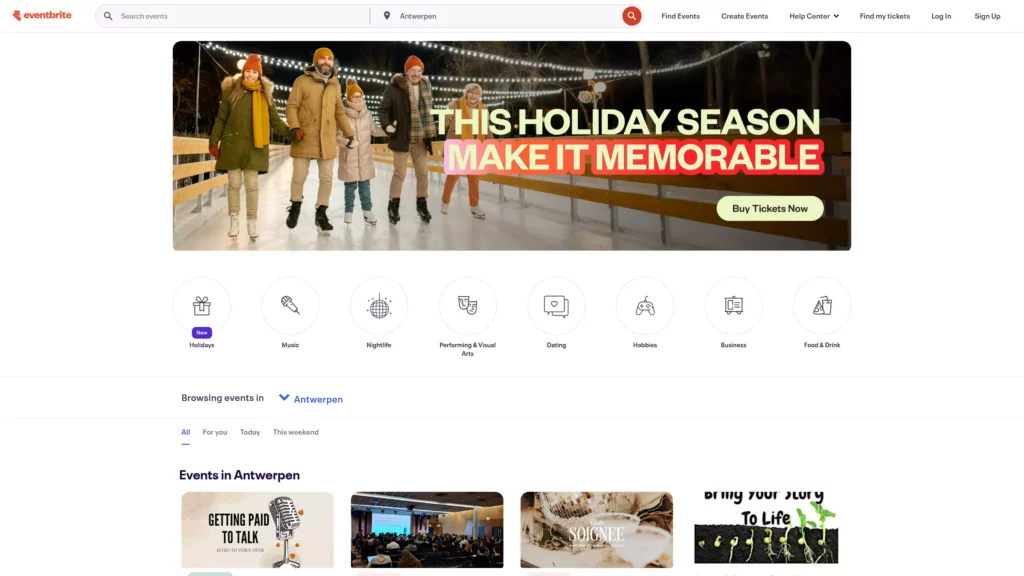
Eventbrite is commonly used for concerts, workshops, community gatherings, and other public events. Teams choose it when they need fast, simple registration without the engagement features, agendas, or networking tools that Whova specializes in. Because Eventbrite is built around public-facing events, it’s easy for attendees to find and register, and organisers can launch pages quickly.
However, it’s not a fit for B2B teams who need controlled guest lists, CRM workflows, predictable budgeting, or curated attendance. High per-ticket fees, unexpected charges like automatically enabled “Boost” ads, and payout delays make it impractical for corporate event programs. If you’re exploring Eventbrite in more depth, we’ve also published a full guide on how Eventbrite matches up against 5 other tools.
Related: EventBrite Alternatives
Why EventBrite is a great Whova alternative
Eventbrite is an interesting Whova alternative because it sits at the opposite end of the spectrum. While Whova is built for multi-track conferences with attendee apps and networking features, Eventbrite offers a lightweight, public registration flow for small, simple events where speed matters more than data depth or funnel control.
Teams move to Eventbrite when Whova feels too heavy for a straightforward event: for example, a community training session, a small paid workshop, or a public seminar where marketing wants to maximise visibility rather than curate a guest list. Eventbrite’s interface makes it easy to publish an event page, sell tickets, and connect basic integrations like Zoom or Mailchimp.
Still, its limitations are significant for B2B use cases. Eventbrite’s fee structure of 3.7% + €1.79 per ticket plus payment processing becomes expensive very quickly, and organisers frequently report unexpected budget hits from automatically enabled “Boost” ads. Combined with slow payouts and limited support, it’s not suited for account-based events, VIP programs, or anything requiring CRM-driven follow-up.
But for simple, public-facing events with minimal requirements, it remains a practical alternative to Whova’s all-in-one conference platform.
Key features:
- Simple event page builder
- Ticket sales with conditional forms
- Payment processing with early payout options (varies from region)
- Integrations with Zoom, Mailchimp, HubSpot, SurveyMonkey
- Mobile organiser app
- Automated email reminders
Pros
- Very fast to publish and promote public events
- Intuitive for both organisers and attendees
- Strong integration ecosystem for simple automation
- Familiar platform attendees already recognise
Cons
- Per-ticket fees and unexpected add-ons like Boost adsµ
- Limited reporting across recurring events
- No event app or engagement tools
- Not suitable for controlled, curated B2B events
Pricing
Eventbrite uses a per-ticket pricing model rather than a subscription. For paid events, organizers pay 3.7% + €1.79 per ticket, plus a 2.9% payment processing fee. Free events with up to 25 tickets remain free. Additional promotional tools like Boost ads can activate automatically and add extra cost. Pro plans are available for teams running frequent recurring events.
- Free for events ≤25 tickets
- Per-ticket fees: 3.7% + €1.79 per ticket + 2.9% processing
- Boost ads may activate automatically and add cost
- Pro plans available for recurring events
Eventbrite vs. Whova: head-to-head comparison
| Feature | Eventbrite | Whova |
|---|---|---|
| Capterra Reviews | 4.6 / 5 | 4.8 / 5 |
| Standout Features | Fast public registration, ticketing, payment processing, strong integrations | Attendee app, networking feeds, conference engagement |
| Pricing | Free ≤25 tickets; 3.7% + €1.79 per ticket + 2.9% processing; Boost ads may add cost | Quote-based; add-on fees can increase total price |
| Support | Mostly self-serve; slow payouts and limited support reported | Mixed reviews on responsiveness |
Hopin: Best for Virtual-First and Hybrid events
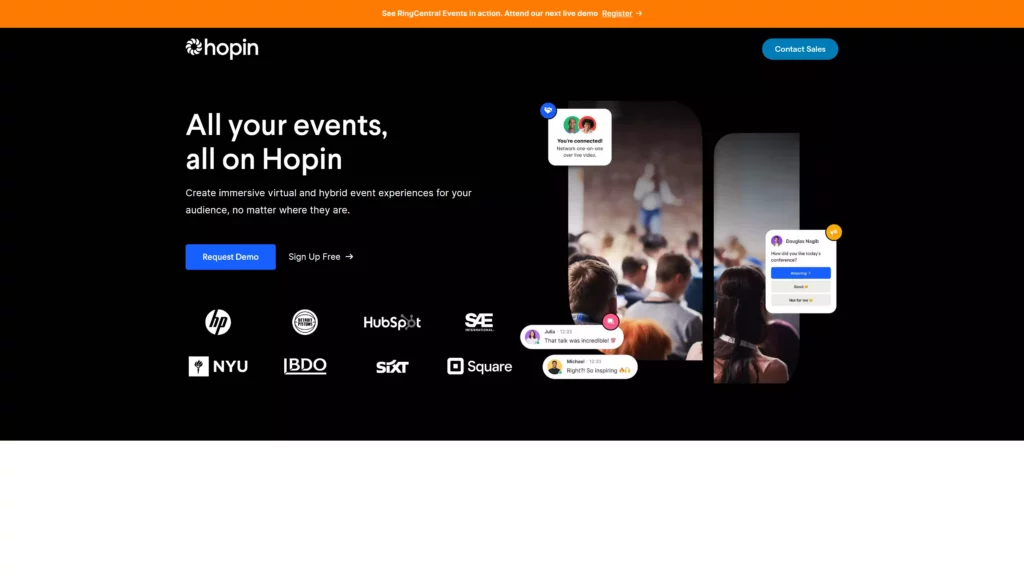
Hopin is a virtual and hybrid event platform built to replicate the energy of in-person events online. With strong networking, chat, breakout rooms, and built-in streaming, Hopin became one of the leading virtual event tools. It’s a strong Whova alternative for teams focused on digital-first engagement or hybrid formats where high-quality broadcasting matters. While Hopin is affordable at a small scale, its pricing increases sharply for large events, and some users report navigation complexity and occasional technical glitches.
Why Hopin is a great Whova alternative
Hopin addresses several Whova limitations, especially for virtual and hybrid events. Its built-in streaming studio removes the need for Zoom or third-party video tools, providing a more immersive experience for remote attendees. This makes Hopin significantly more flexible than Whova for virtual-first events, where engagement and broadcast quality are essential.
Hopin’s networking features: video one-on-ones, breakout rooms, and expo booths help recreate aspects of in-person events digitally, something Whova users frequently wish was more seamless.
Hopin also offers a free plan (up to 100 registrants), making it more accessible than Whova’s quote-based model. However, reviewers note that while Hopin is intuitive overall, the interface can feel clunky when switching between sessions, and high-quality streaming demands strong internet connections.
For organisations running in-person-only events, Hopin is not the right fit. But for virtual-first programs, hybrid trainings, or digital conferences, it provides stronger capabilities than Whova.
Key features
- Built-in streaming tools
- Breakout rooms & networking
- Virtual booths + sponsor areas
- Registration + ticketing
- Analytics + CRM integrations
- Multi-session event support
Pros
- Affordable for small virtual events
- Strong visual engagement tools
- Intuitive for most users
- Integrates with Salesforce, Hubspot, Zoom
Cons
- Interface can feel clunky
- Bandwidth requirements cause issues
- Pricing escalates for larger events
- Some users report low attendee adoption
Pricing
Hopin offers a free plan for small virtual events with up to 100 registrants and a 2-hour event limit. The Starter plan is priced at approximately $99 per month, giving access to more customization and integrations. For larger hybrid or virtual programs, the Business plan starts at around $6,000 per quarter, which includes advanced analytics and deeper integration options.
- Free plan (≤100 registrants, 2-hour events)
- Starter plan ~$99/month
- Business plan ~$6,000 per quarter
Hopin vs. Whova: head-to-head comparison
| Feature | Hopin | Whova |
|---|---|---|
| Capterra Reviews | 4.5 / 5 | 4.8 / 5 |
| Standout Features | Built-in streaming, virtual networking, breakout rooms, hybrid event tools | Attendee app, networking feeds, conference engagement |
| Pricing | Free ≤100 registrants; Starter ~$99/month; Business ~$6,000/quarter | Quote-based; add-on fees can increase total price |
| Support | Mixed reviews; some highlight helpful community and ease of use | Mixed reviews on responsiveness |
How to choose the right Whova alternative for your events
Here’s how I recommend thinking about choosing the best Whova Alternative:
- Diagnose your pain: what’s your #1 frustration with Whova? Pricing, CRM integrations, complexity?
- Match to event type: big conferences, intimate B2B dinners or recurring training programs?
- Calculate true cost: do the math for your event volume. Per-event pricing vs. subscription models tell different stories at scale.
- Test the experience: create a mock event, go through registraion as both an organiser and a guest. You’ll spot friction easily.
- Think long-term: as your event program grows, can this platform scale with you?
Conclusion
The best Whova alternative depends entirely on your event program’s priorities and how you measure event success.
If you’re running curated B2B events where getting the right attendees matters more than driving high registration numbers, InviteDesk offers the clearest alignment, especially with its automated invitation workflows, CRM integrations, and predictable pricing.
- If you’re managing large-scale enterprise conferences, Cvent remains the strongest option, with deep reporting and complex workflow support.
- For mid-market teams seeking flexibility without enterprise overhead, Swoogo and Bizzabo offer modern interfaces, customizable workflows, and stronger analytics than Whova.
- For simple or public-facing events where fast, lightweight registration matters more than data or control, Eventbrite remains a practical option.
- And for virtual-first or hybrid programs, Hopin delivers richer digital engagement.
Ultimately, Whova is a strong conference tool, but many B2B event teams outgrow its limitations around pricing, CRM integration, and curated guest management. InviteDesk fills this gap with a workflow designed for relationship-driven events, where ROI is determined by who attends, not how many.
See how InviteDesk supports your event program in a live demo.
FAQs
What is the Whova app used for?
Whova is used for conference-style event management, including agendas, atendee networking, sponsor listings and mobile app engagement.
Can I log into Whova on my computer?
Yes. Whova offers a web-based organiser dashboard and web app for attendess.
How much does Whova cost?
Whova uses quote-based pricing. User reviews frequently mention unpredictable add-ons and non-transparent pricing.
Who are Whova’s competitors
Top alternatives include InviteDesk, Cvent, Bizzabo, Swoogo, EventBrite and Hopin.
Does Whova offer instant payouts?
Whova does not offer the instant payout options EventBrite provides. Payment timelines depend on the connected payment processor.