Key takeaways
- The core difference is that Cvent focuses on helping you manage multi-track conferences and trade shows, from venue sourcing through to on-site operations. InviteDesk focuses on helping you get the right people to attend your event (think client dinners and executive seminars) for the purpose of closing new business.
- Choose Cvent if you run large conferences, trade shows, or association events with hundreds of sessions, exhibitors, and a full-time event-operations team. Its venue sourcing and Salesforce depth are built for that scale.
- Choose InviteDesk if you run invite-only client events such as client dinners, executive seminars, and dealer briefings. It gets decision-makers in the room, lets each rep invite with their guests, and syncs the attendance to your CRM in real-time.
With Cvent, your reps can only invite and track guests if they live in Salesforce. With InviteDesk, every rep works their own guest list from their phone — RSVPs, check-ins, arrival alerts — on whatever CRM you run; cutting no-shows by around 40% and adding roughly 25% more senior decision-makers in the room.
See how InviteDesk gets the right people in the room.
Cvent vs InviteDesk: a Two Minutes Overview
| Feature | Cvent | InviteDesk |
|---|---|---|
| Best for | Large conferences, trade shows, and multi-track or association events with complex logistics. | Invite-only B2B events with pre-approved guest lists, typically 5–20 events per year. |
| Standout feature | Venue sourcing and complex multi-track registration management. | The “On Behalf Of” workflow, allowing any team member to send invitations under an account manager’s name without requiring Salesforce. |
| Pros | Runs the full logistics of large conferences and trade shows, from venue sourcing to on-site operations.
Plus: deep Salesforce integration and robust cross-event reporting. |
Delivers stronger event ROI through an invite-only approach that prioritises guests most likely to generate business outcomes.
Plus: real-time CRM sync, native sales team collaboration, and automated waitlist management. |
| Cons | Expect 3–6 months of onboarding and a five-figure contract. Sales features require Salesforce, and HubSpot integration is limited. | Not suitable for large conference logistics, venue sourcing, exhibitor programmes, or multi-track agendas. |
| Pricing | Reported by third-party sources to cost up to $100,000 per event. | Flat subscription from €232/month (annual) or €1,320 for a single event. |
| CRM integration | Deep Salesforce integration via an admin-configured app; limited HubSpot support. | Real-time two-way sync with Salesforce, HubSpot, and Microsoft Dynamics 365. |
Who Cvent Is Best For

- You run large conferences, trade shows, or association programmes with multi-track agendas, exhibitors, and a full-time event-operations team.
- Salesforce is your primary CRM, and you have the people to configure and maintain a deep two-way integration.
- You have an event-technology budget near the $19,550/year median and can afford a 3 to 6 month onboarding.
- Your events need enterprise on-site infrastructure like RFID session tracking, multi-station badge printing, and on-site Cvent staffing.
To see what else in on the market beyond Cvent, we compared 10 Cvent alternatives.
Who InviteDesk Is Best For

- You run 5 to 20 invite-only client events a year, where every attendee is a named contact and a no-show costs you a relationship.
- Marketing builds the event and sales owns the guest list, in financial services, automotive, professional services, or construction.
- You use HubSpot, Salesforce, or Microsoft Dynamics and want attendance in the CRM the same day (and without manual export).
- You looked at Cvent and found the Salesforce dependency, the onboarding, or the contract is too expensive for the events you run.
For the first time we can actually see the ROI of our events. The insight InviteDesk gives us has completely changed how we plan.

Guest List & Invitation Control
Cvent
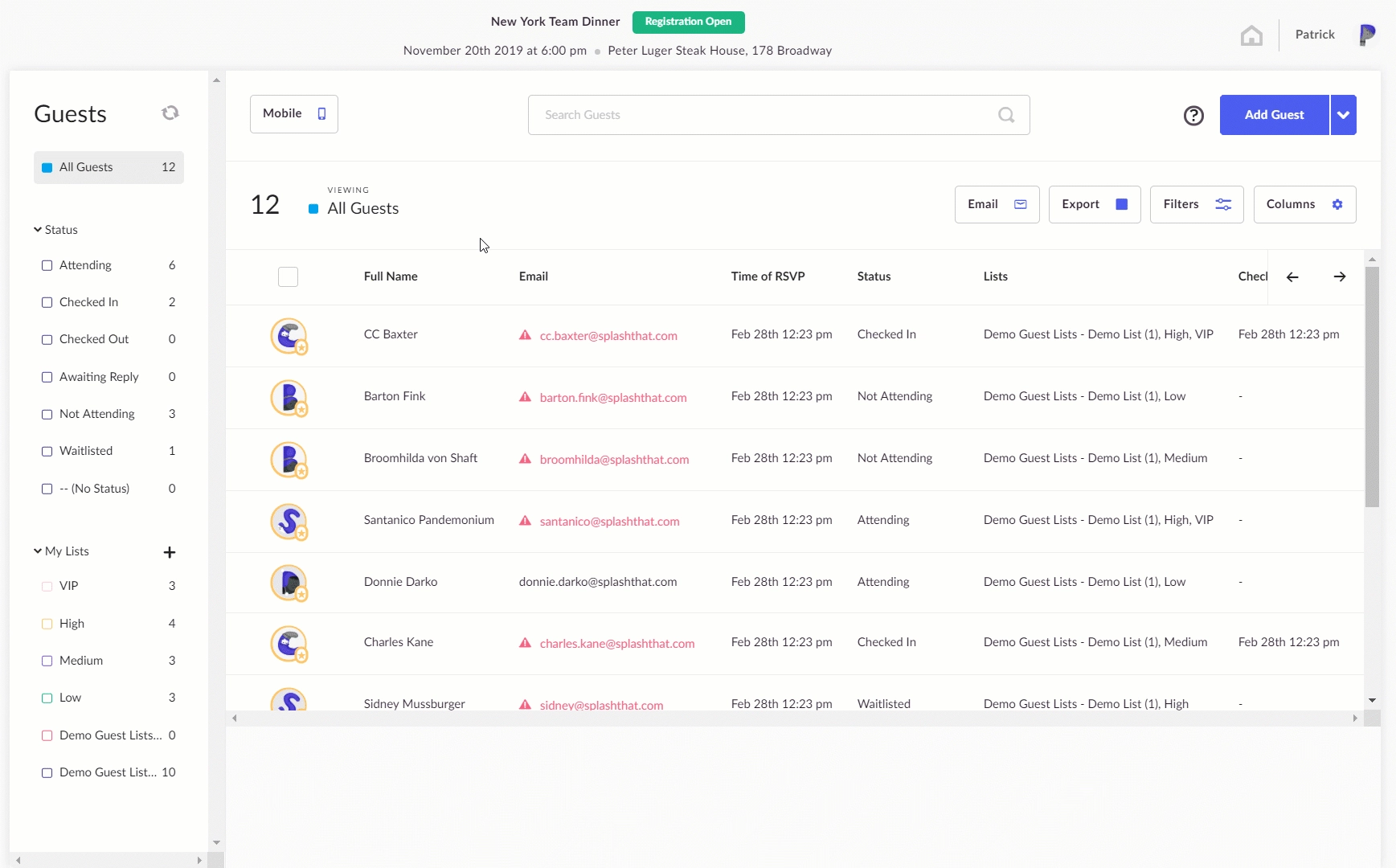
Cvent handles open and invite-only registration, with sales-led invitations running through Salesforce.
- Sales reps invite guests only from inside Salesforce. The Salesforce App lets them add contacts to lists, submit nominations for approval, and register leads.
- Reps who don’t use Salesforce can’t invite or track their guests.
- You set who can register with a “Registration is open to” control, built for public and gated events alike.
- When someone cancels, you release the next waitlist spot by hand. The system does not promote the next guest for you.
- Another downside is that the native sync with Hubspot runs every 15 minutes. If a VIP checks into your event right after a sync (say 11:01 AM), their data will sit in the queue in Cvent until 11:15 AM. Hubspot’s background job also takes 5-15 minutes to ingest the batch payload and update your sales on HubSpot. If sales wanted to give a tour to the VIP, they’d likely already be sitting somewhere before sales is notified of their arrival.
InviteDesk
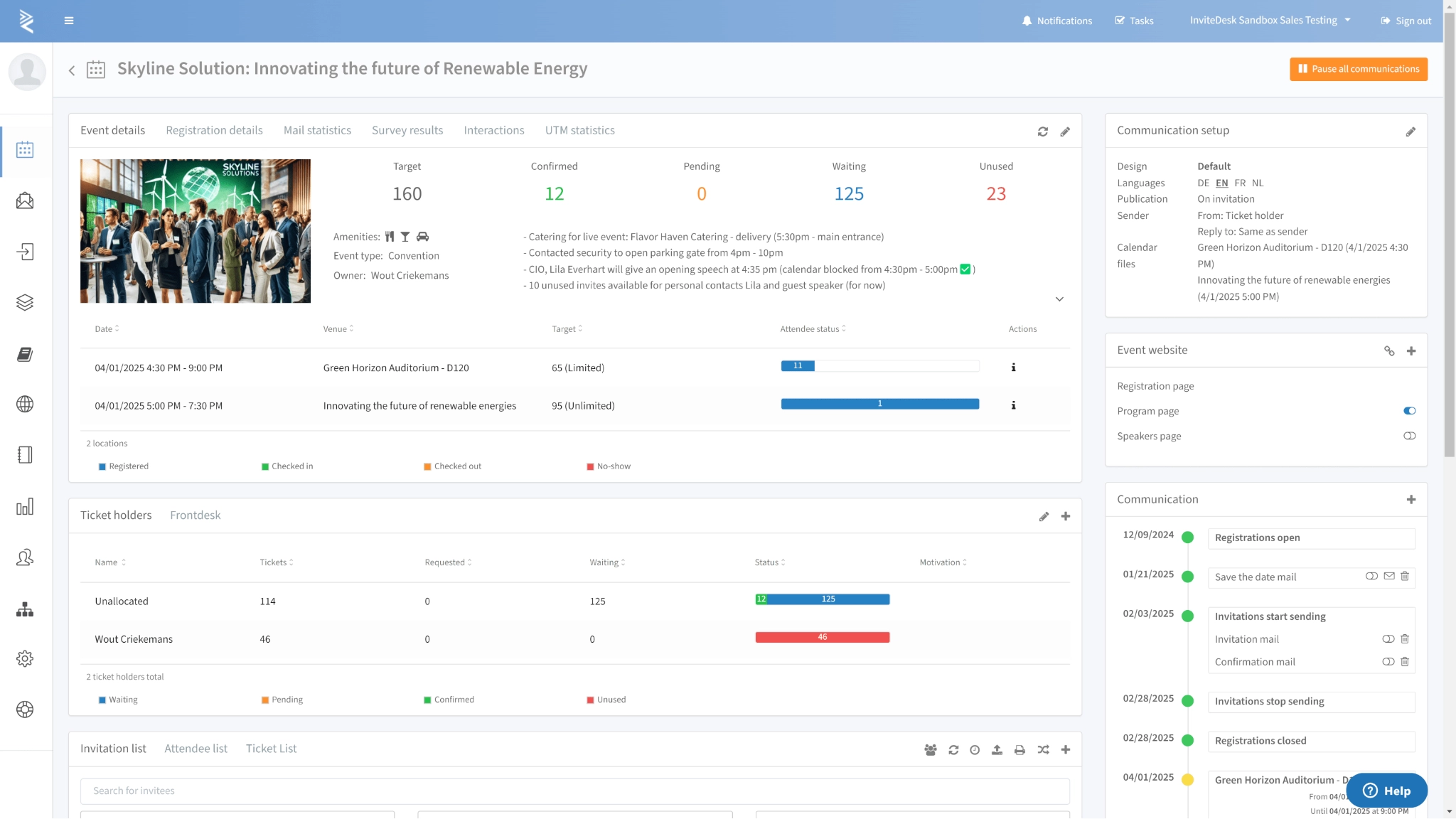
Your CRM contact list is the starting point (so you don’t need people to register for your events).
- You start from your contact list, imported from your CRM or built in the platform, and invite those people in the order you choose.
- When a guest declines, InviteDesk invites the next person on your waitlist automatically. You don’t have to track a cancellation queue and invite the next person on your shortlist.
- Marketing can give each rep or department a fixed invite quota, so your best seats go to the people who own those client relationships (and clients with high potential for more deals).
- When a VIP checks in on the ScanApp, their account manager gets an arrival alert immediately on their phone.
Verdict: For relationship events, where there is a guest list before registration, Cvent assumes more complexity than the job needs. InviteDesk’s invitation-first model matches how B2B relationship events work.
Sales Team Collaboration
Cvent
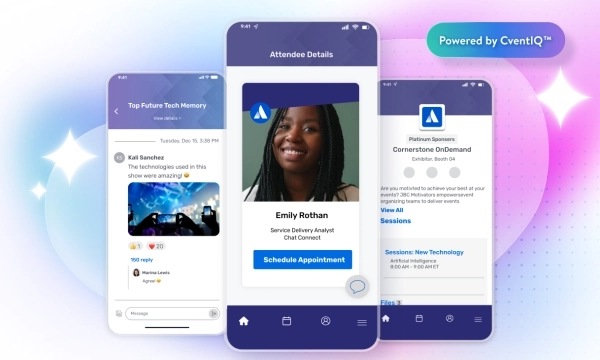
The Cvent Salesforce App gives sales a dedicated permission set, all inside Salesforce.
- Reps view events, add contacts to invitation lists, send invitations, and submit nominations for approval.
- Strong fit where Salesforce is the system of record and sales works in it each day.
- One of the downsides is that there’s no equivalent workflow for teams on HubSpot or another CRM.
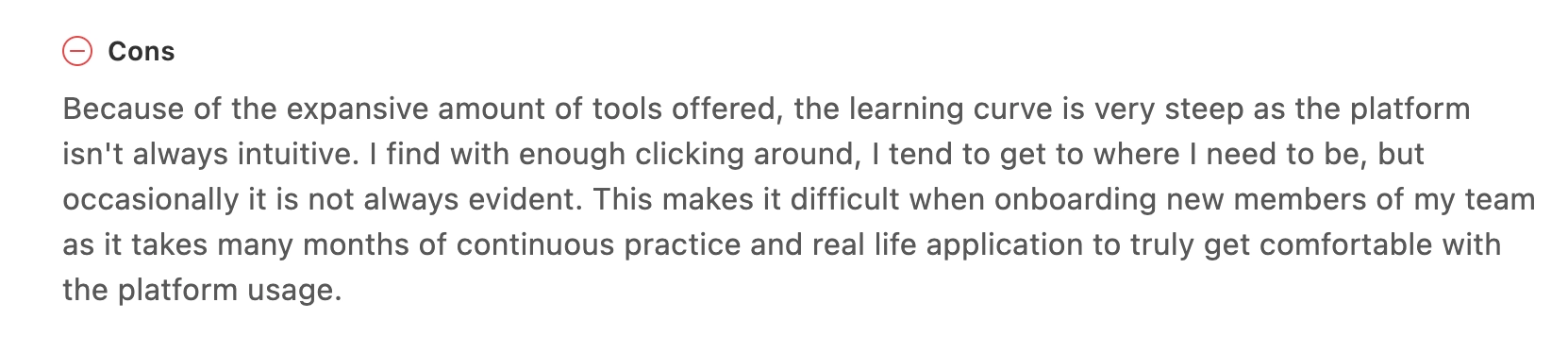
- A reviewer also noted that new team members require “many months of continuous practice” meaning the sales team’s ability to use the platform depends on investing in training the team that not every organisation can sustain.
InviteDesk
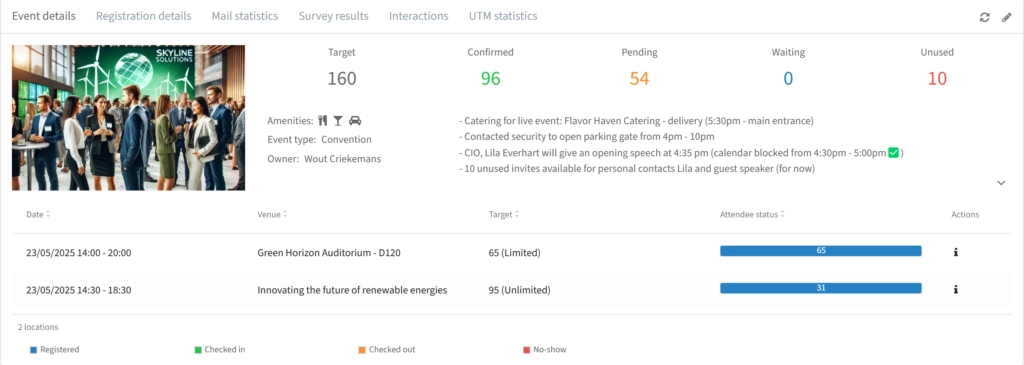
Sales collaboration is a native layer of the platform, and it works whichever CRM you use.
- Each account manager gets a mobile view of their own guest list: RSVP status, attendance, and check-in alerts when a VIP arrives
- Reps can invite contacts and see who attended or no-showed, without sending a report request to the event team
- No login to the event platform, no Salesforce dependency
Verdict: Cvent puts sales inside the event, but only if sales already use Salesforce. InviteDesk gives every rep their own guest view on whatever CRM you use, so they work their list without logging in and out of Salesforce.
Communication & Personalisation
Cvent
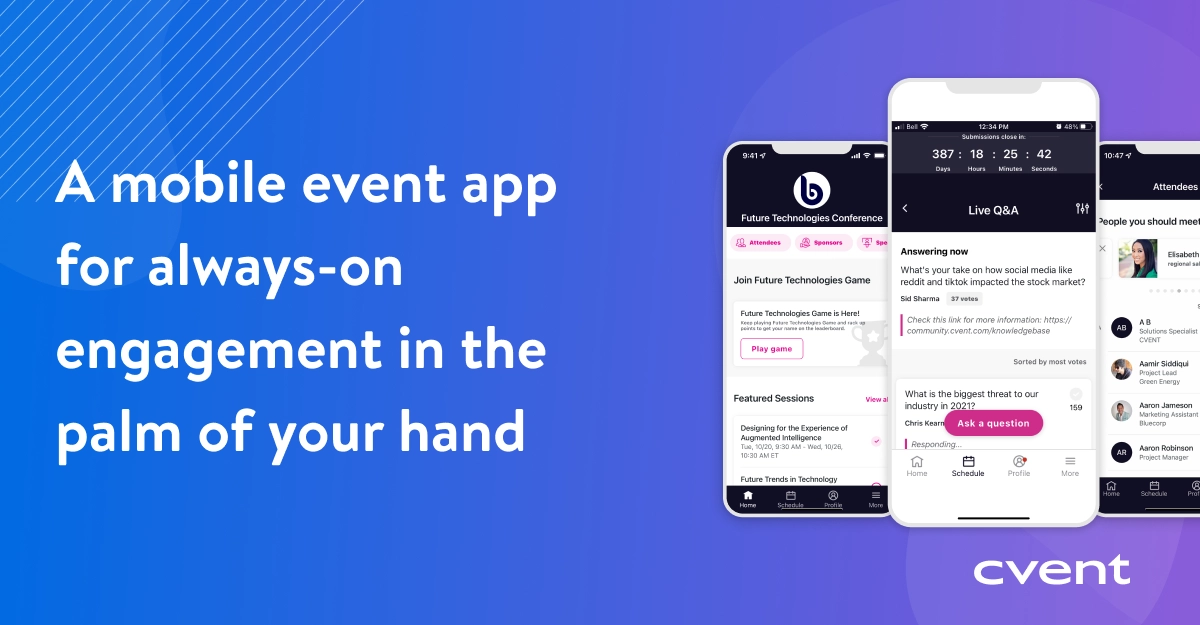
Cvent’s email tools are deep, and personalised sending runs through the Salesforce App.
- Merge fields, A/B testing, audience segmentation, automated sequences, and multi-language support
- The sender shows as the account manager’s name through the Salesforce App, which maps contact fields to sender name and email
- Without Salesforce, invitations go from a platform alias, which may affect open and registration rate
- Cloning an existing event for repeat use takes manual reconfiguration.
InviteDesk

Marketing configures the full communication sequence once, from Save the Date through to the Thank You email.
- Every message goes out under the account manager’s name and email address, not a platform alias
- No Salesforce, Marketo, or RevOps support required
- One flow covers many reps: 12 relationship managers and 200 contacts run 200 personalised sequences from a single setup
- InviteDesk supports Multilingual events from one setup, so Dutch and French guests each receive emails in their language
Verdict: Cvent can send personalised invitations from rep’s name, but only after your configure Salesforce. InviteDesk makes this the default workflow for any CRM. For teams where personal invitation quality directly affects senior executive attendance, that helps in RSVP rates.
CRM Integration & Post-Event Data
Cvent
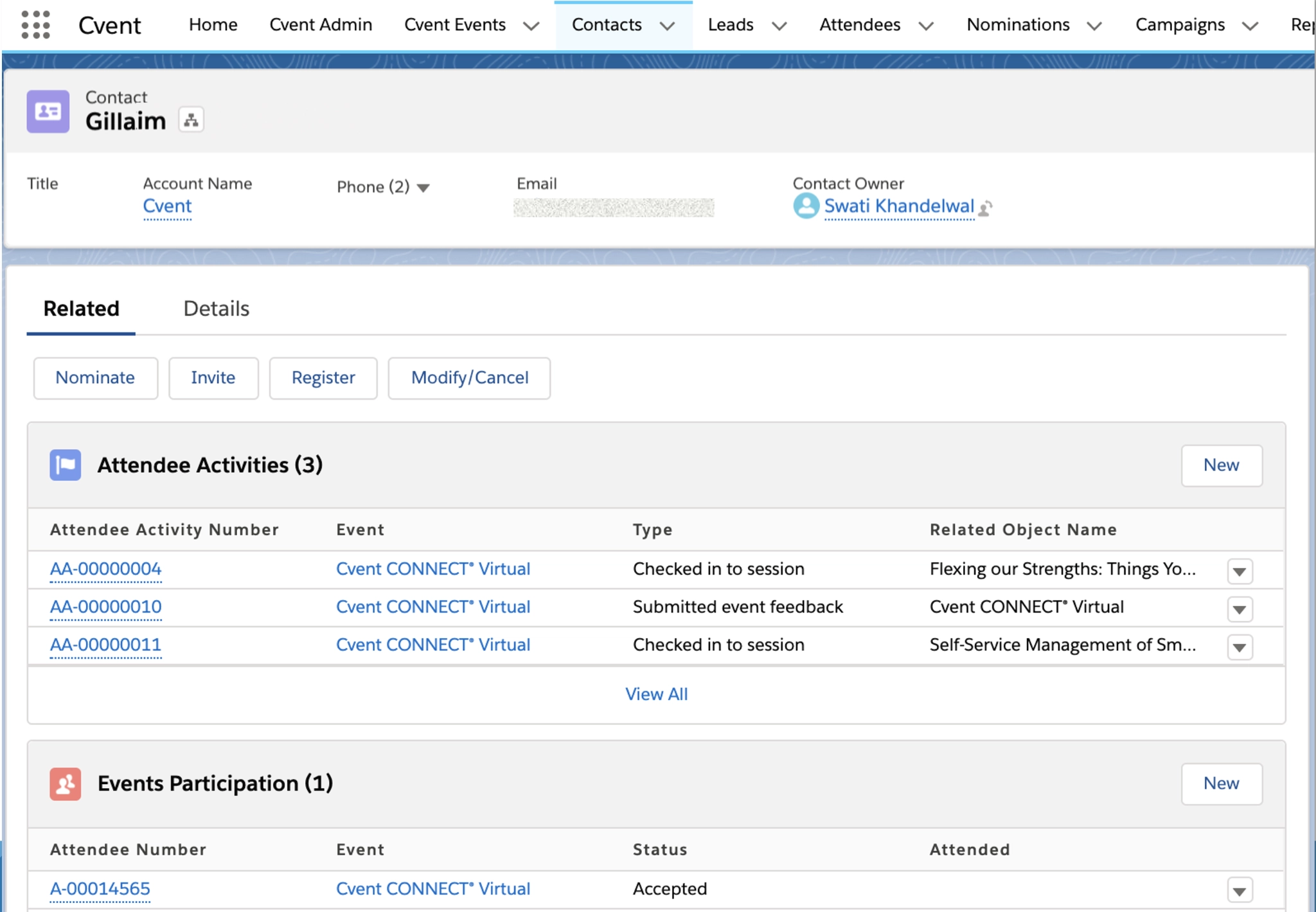
Cvent’s Salesforce integration is the strongest in its class for large programmes. It
- Covers events, attendees, registrations, email statuses, and engagement scoring
- Campaign member statuses update on sync, events connect to Opportunities, and dashboards show Closed Won pipeline by event
- Admin-configured, not automatic. A Salesforce admin and a Cvent admin has to define field mappings, record-matching rules, and refresh frequency before any data flows
- Limited features for HubSpot as Cvent fields map only to HubSpot contact properties
- Also, events existing in your Hubspot before you switch the Cvent integration need a manual sync, one at a time and each is triggered after 15 minutes. In total, attendee data may take 10–30 minute delay
- For non-Salesforce teams, post-event export is manual, and by the time sales get the data, the 24–48 hour follow-up window has often closed
InviteDesk
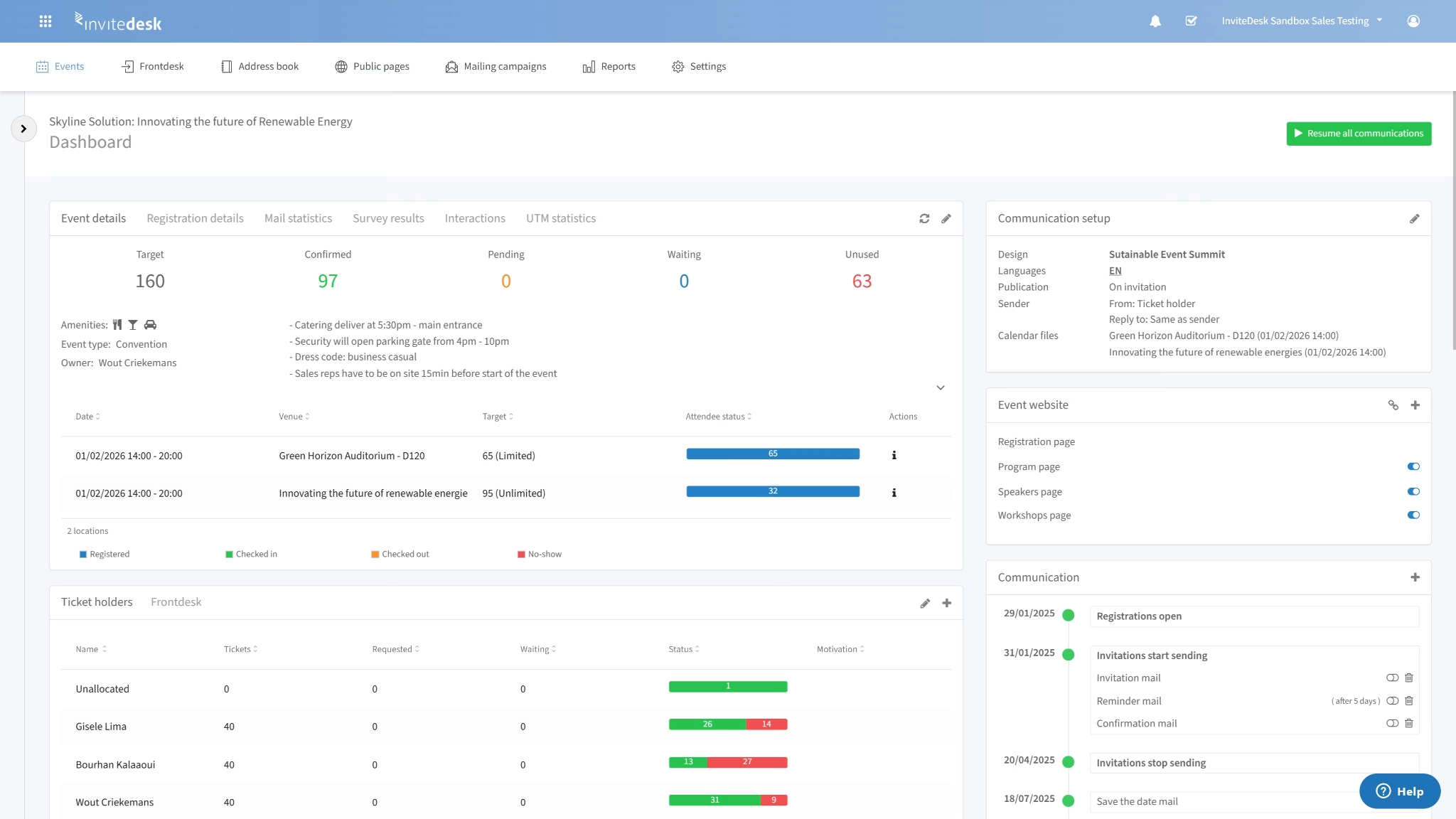
Two-way CRM integration runs throughout the event.
- Invitation status, RSVPs, check-in confirmations, and account manager ownership sync to Salesforce, HubSpot, and Microsoft Dynamics in real time
- No programming required, and setup takes hours
- Sales sees who attended, who declined, and who no-showed during the event without an export
- The platform tracks which events moved which prospects closer to a deal, so marketing reports pipeline involvement, not headcount
ABN AMRO Private Banking uses InviteDesk to professionalise its client events and give sales and marketing live visibility into who is invited and who showed up. Instead of a manual post-event export.
Verdict: For teams on HubSpot (or any other) that needs the sales team to access event data before the follow-up window closes, InviteDesk’s real-time two-way sync is the more reliable path. It works across all major CRMs out of the box.
Implementation & Time to Value
Cvent
Multiple reviews from G2 show that it takes 3-6 months of onboarding to implement.
- Because Cvent allows for heavy customisation, building our initial registration workflows, testing logic loops and mapping contacts to a CRM, the interface is complex.
- “The learning curve is very steep as the platform isn’t always intuitive. I find with enough clicking around, I tend to get to where I need to be,” One event manager in financial services writes. “This makes it difficult when onboarding new members of my team as it takes many months of continuous practice”
- Advanced configuration also needs deep training or consultant support
For a dedicated event-technology team, that investment pays off in 19 months. For a marketing manager who is also the event manager, the ramp time is a real cost.
InviteDesk
InviteDesk is for teams without a dedicated event-technology function, and needs events app up in days.
- The interface follows the event workflow: invitation list, communication sequence, sales visibility, check-in, CRM sync
- Most teams run their first event within a week of setup
- The sales team’s mobile view needs no training, since it shows only their own guest list
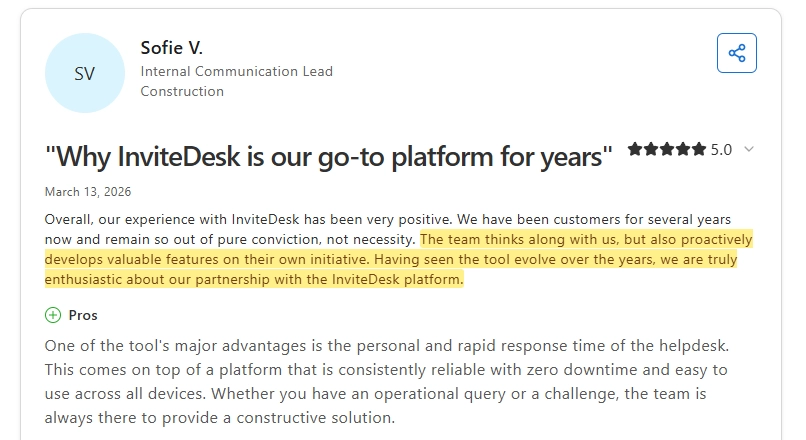
This is why Sofie V., an internal communication lead, writes that she has used InviteDesk for years because of “pure conviction”, the “valuable features”, and the zero downtime and fast support their team gets.
Verdict: If your team has the headcount, Salesforce infrastructure, and budget to absorb Cvent’s onboarding, it has significant ROI on large, multi-track programmes. For mid-market teams that need to run events within weeks, InviteDesk’s overhead is a fraction of Cvent’s.
Pricing
Cvent and InviteDesk price differently. Cvent uses a module-based annual contract while InviteDesk uses a flat subscription model.
Cvent
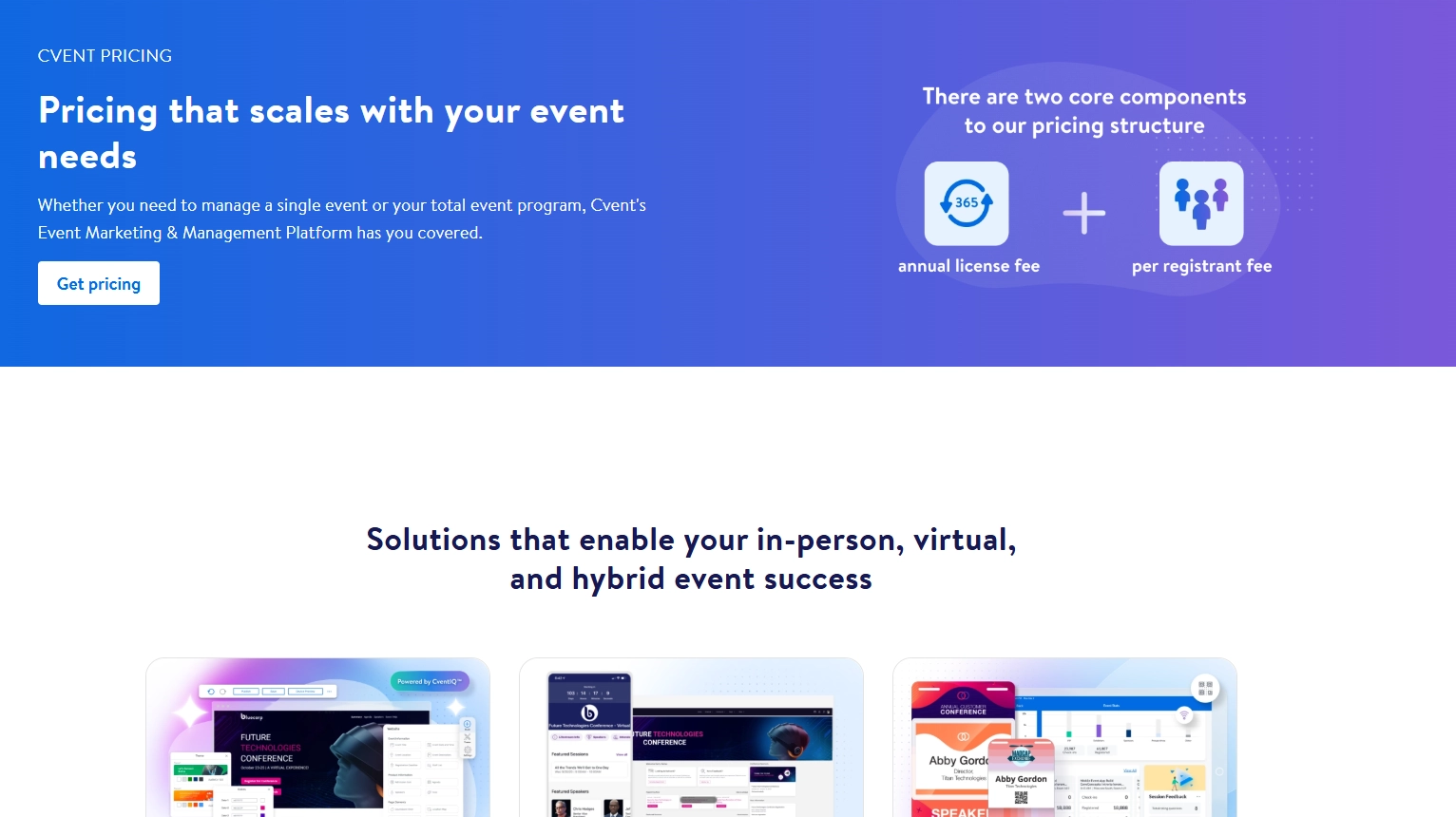
- Module-based and quote-required, with no public pricing
- Vendr’s data puts the median contract near $19,550/year, in a range of $6,005–$94,417
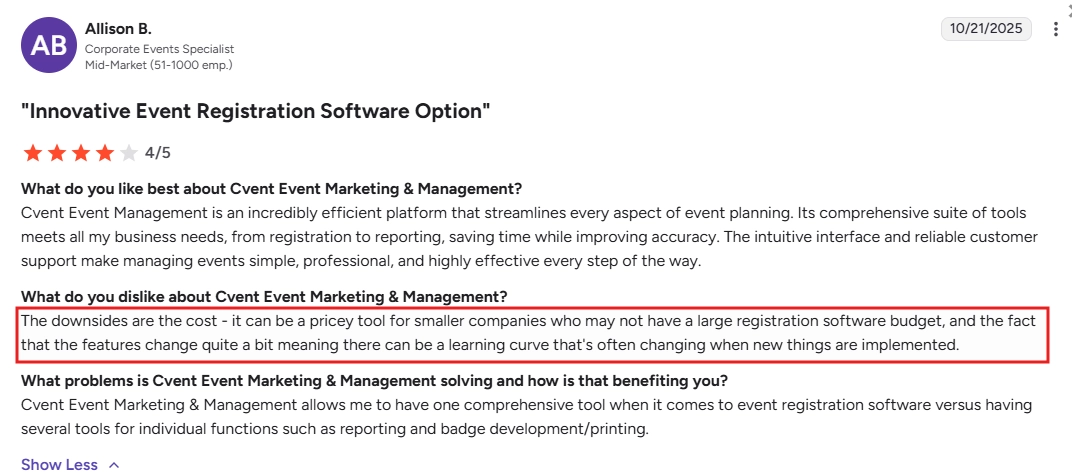
- Users report a ~9% annual price uplift and a 90-day window to opt out of auto-renewal, worth confirming in your own contract, since Cvent doesn’t publish these terms
- Prices add up with add-ons on features like professional services, the premium Salesforce integration tier, on-site staffing (OnArrival 360). It’s why Allison B., a Corporate Events Specialist writes that the platform “can also get pricey depending on the features you need.”
InviteDesk
Essential foundation for smooth event processes
- Automated event communication
- Event website
- Registration forms
- Real-time registration data
Best for multi-layer event experiences
- Every feature from Premium +
- Pre-registration & event wishlist
- Paid events
- Guest list segmentation
Take InviteDesk on a test drive
- Automated event communication
- Event website
- Registration forms
- Real-time registration data
- Starts at €232/month on the Plus plan (annual billing); €286 on Premium; €424 on Platinum
- A one-off single event runs €1,320
- Costs are predictable, with no scaling by attendee count and no auto-uplift clause
- Sales collaboration, the communication workflow, CRM integration, and check-in are all included, with no module stack to assemble
Verdict: For a mid-market team running 10 relationship events a year, Cvent’s pricing is a heavy commitment for a product surface that exceeds the use case. InviteDesk’s flat subscription is sized for the actual programme.
How to Choose
Do you have Salesforce as your primary CRM and a team to configure it?
Cvent’s relationship-event capabilities are real and well built, and they run through the Salesforce App. That needs specialist configuration and a team to maintain it. If you have an enterprise RevOps function built around Salesforce, it pays off. But if you’re on Salesforce without that infrastructure, or on HubSpot or Microsoft Dynamics, InviteDesk’s bidirectional Connector syncs the same data out of the box, with setup in hours.
Do you need your sales team inside the process — without training?
The no-show problem at B2B relationship events traces back to a coordination failure. Sales invited contacts in personal emails, marketing doesn’t know who’s coming, and the follow-up happens too late. InviteDesk gives each rep their own guest view and live check-in alerts, with no platform arc to learn. Cvent does the same, but only through Salesforce.
Is your programme big enough for enterprise tooling?
Cvent is for programmes that justify a 3–6 month onboarding, a five-figure annual contract, and a full-time administrator. If you run 5–20 relationship events a year with a lean team that also handles marketing and sales coordination, Cvent’s scale is a cost without proportional return. InviteDesk is the best fit for a programme that size.
InviteDesk: Cvent Competitor Built for B2B Relationship Events
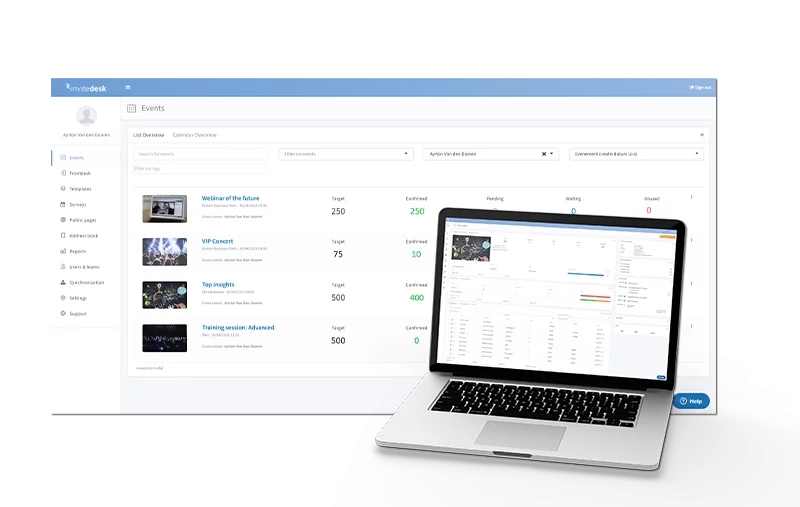
InviteDesk is the only B2B event management platform that runs the full invitation-to-CRM workflow as the default. It works out of the box, with no configuration project and no Salesforce dependency. It sits between Eventbrite’s simplicity and Cvent’s complexity, for the mid-market team running relationship-driven events where guest quality matters more than headcount.
Key capabilities
- Invitation-first guest management. Your workflow starts with a known CRM contact list. Invitations go to named individuals on a controlled, prioritised basis. When someone declines, the next contact on your waitlist gets the invitation, with no step from you.
- “On Behalf Of” communication. Marketing configures the full sequence once, from Save the Date through Thank You. Every message goes out under the account manager’s own name and email address. One setup, personalised across the whole list.
- Native sales visibility. Each account manager gets a mobile view of their own guest list: RSVP status and check-in alerts when a VIP arrives. No platform training, no Salesforce login.
- Real-time CRM sync. Invitation status, RSVPs, and check-in confirmations sync to Salesforce, HubSpot, and Microsoft Dynamics throughout the event. Sales acts on who attended before the room clears.
Where InviteDesk shines
- Invite-only events where every attendee is a named commercial relationship
- Multi-rep programmes where sales coordination would otherwise live in personal emails and verbal confirmations
- Financial services, automotive, and professional services teams with GDPR and ISO 27001 requirements, both included as infrastructure rather than an add-on
Where InviteDesk is the wrong tool
- Venue sourcing, speaker management, exhibitor management, or multi-track conference logistics
- Events past 750 attendees, where large-scale on-site management needs enterprise infrastructure
For that scope, Cvent is the right platform.
What customers say
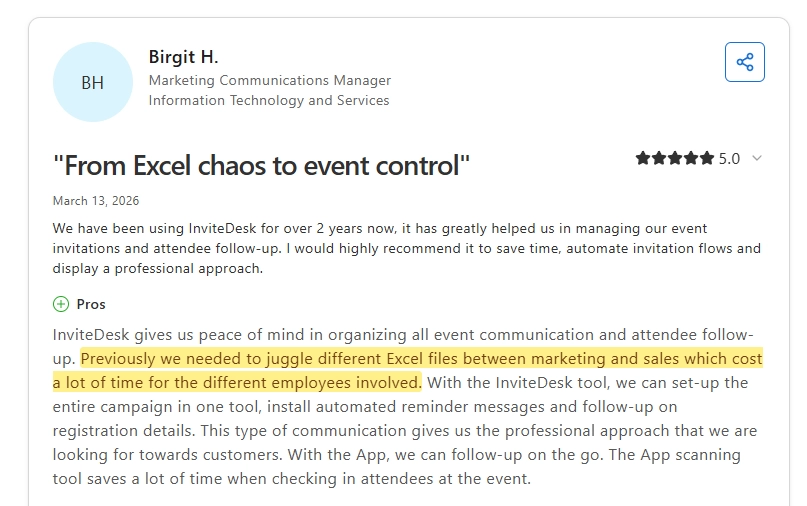
Invitedesk replaces Excel chaos with unified event control
Birgit H. had been managing event invitations across separate Excel files shared between marketing and sales, a process that cost time across every person involved.
After two-plus years on InviteDesk, the whole campaign runs from one tool: automated reminders, registration follow-up, and mobile check-in on the day.
Supportive, on-time, and proactive customer support
Sofie V., Internal Communication Lead at a construction firm, has been a customer for years. Her team stays on InviteDesk out of conviction, not because switching is difficult. She points to zero downtime, cross-device reliability, and a support team that responds in person, fast.
Clearer event data, faster decisions
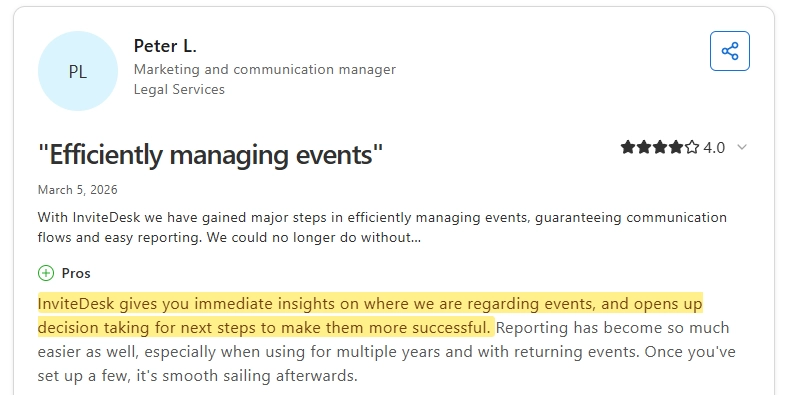
Peter L., Marketing and Communications Manager at a legal services firm, chose InviteDesk over HubSpot Marketing Hub for its event management focus and straightforward setup. In return, they get immediate visibility into event status and easier reporting across multiple years of returning events.
Want to see how it works?
FAQs
What’s the key difference between Cvent and InviteDesk?
Cvent is an enterprise platform built for large conferences, trade shows, and multi-track programmes. InviteDesk is designed for invitation-only client events, where success depends on getting the right people in the room and connecting attendance to pipeline outcomes. For most mid-market teams, the decision comes down to three factors:
- Cvent requires Salesforce for its sales-focused workflows.
- Cvent typically takes 3–6 months to implement.
- Cvent costs roughly $19,550 per year based on available market data.
InviteDesk works with major CRM platforms, can be configured in days, and starts at €232 per month.
What does Cvent cost vs InviteDesk?
Cvent sells its modules through annual contracts and does not publish pricing publicly. Based on 185 purchases tracked by Vendr, the median annual spend is approximately $19,550, with reported contracts ranging from $6,005 to $94,417. Buyers typically save around 20% through negotiation. InviteDesk uses a flat subscription model starting at €232 per month on an annual plan, without separate module charges for core functionality.
Can you manage attendees without a complete event management platform?
No. Cvent’s personalised sender functionality is tied to its Salesforce App, allowing invitations to appear from the assigned sales representative. Without Salesforce, invitations are typically sent from a platform-managed address. InviteDesk’s On Behalf Of workflow allows invitations to be sent from the account manager’s name by default, regardless of CRM platform, with setup handled centrally by marketing.
Does InviteDesk replace Cvent for large conferences?
No. InviteDesk is not designed for multi-track agendas, venue sourcing, speaker management, exhibitor programmes, or large-scale on-site operations. For those requirements, Cvent or a similar enterprise event platform is the better fit. InviteDesk is built for relationship-driven client events, typically ranging from 15 to 750 guests.
What CRM platforms does InviteDesk integrate with?
InviteDesk provides real-time integrations with Salesforce, HubSpot, and Microsoft Dynamics 365. Invitation status, RSVPs, attendance records, and check-in data remain synchronised throughout the event lifecycle rather than being exported after the event. See the HubSpot integration and Salesforce integration pages for more detail.