Key takeaways
- Registration software splits three ways: public ticketing, enterprise conference, and invitation-first. Match the tool based on your event type and guest list.
- For a curated, sales-owned guest list, two things decide fit: who invites the guest, and whether attendance syncs to your CRM automatically.
- InviteDesk is the purpose-built option that sits between Eventbrite and Cvent. Best for mid-market teams who already know their guests and need attendance data syncing back to their CRM so they can send follow-up emails easily.
Event registration software splits into three categories, and most buyer confusion comes from comparing tools across the lines instead of within them:
- Open-registration platforms (Eventbrite, RegFox) publish a public page and let anyone register and pay for a spot.
- Enterprise conference systems (Cvent, Bizzabo, Whova, Swoogo, Splash) run large, multi-track programmes with exhibitor halls and badge printing for thousands of delegates.
- Invitation-first software (InviteDesk) starts from a guest list you already have and runs the loop from the personalised invitation through to attendance landing in your CRM.
In this guide, we’re focusing on event registration software for B2B event managers; typically those running curated relationship events: client seminars, executive dinners, dealer launch nights, partner roadshows, corporate hospitality.
Let’s begin with the key capabilities you should consider in these tools:
What to look for in a registration tool for curated events
A generic “best registration software” checklist (cheap, easy, good-looking forms) does not separate these tools for a B2B buyer. The six criteria below do:
- Invitation workflow control: Can sales send invitations under their own name, or does everything go out from one marketing address? Can marketing keep brand control while sales keeps the relationship?
- CRM integration depth: Does attendance sync back into Salesforce or HubSpot automatically, or does someone export a CSV after every event?
- Guest-list curation: Can you set per-rep invite quotas, waitlists, and priority tiers, instead of processing first-come sign-ups?
- On-site operations: QR check-in, badge printing, and a real-time alert to the account manager when their VIP walks in.
- No-show reduction: Automated reminder sequences, waitlist backfill, and pre-event communication that does not need manual chasing.
- Compliance and hosting: ISO 27001, GDPR, and EU data residency, which decide whether procurement at a bank or insurer will sign at all.
Running five to 30 relationship-driven events a year and tired of chasing sales for guest-list updates? See how InviteDesk reduces no-shows by up to 40% and keeps the data in your CRM.
The Eight Best Event Registration Software
Here’s an executive overview of how the eight platforms compare on abilities, CRM integration and what it costs to start.
Now, the details on each of the event registration software for your curated B2B corporate events:
1. InviteDesk: Best for invitation-first corporate events with a sales-owned guest list

InviteDesk is a B2B invitation-first event registration platform for teams running curated events to deepen customer relationships and grow pipeline. Registration runs off the guest list you already have, and every confirmation and no-show writes back to your CRM.
The logic is simple. Marketing builds the whole invitation-to-thank-you sequence once. Every message then goes out under the relevant account manager’s own name and email address, at scale — without a Salesforce project or a RevOps resource behind it.
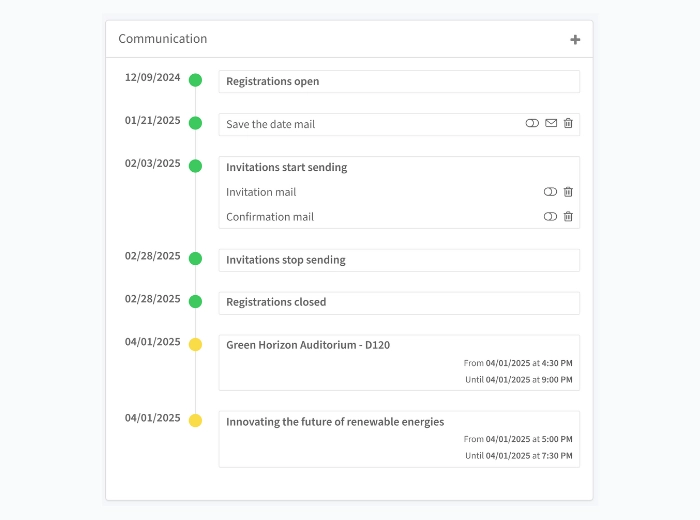
That way, your guest hears from someone they actually know, and marketing never loses brand control. Each rep is given an invite quota for the VIPs and target accounts they’re responsible for, and they track declines and check-ins from the mobile app. Reps are also notified when a VIP checks into the event, so the rep can be standing at the door when their client arrives.
Marketing does the hard work behind the scenes. Sales does the relationship-building that moves revenue. Neither steps on the other.
Key features
InviteDesk covers the full lifecycle of a relationship-driven event across five stages:
- Event planning: Build the event site, registration form, branding, and email sequence with no code. Clone a previous event’s entire setup in one click, and run a multi-language event inside a single instance — each guest gets the language set on their CRM record.
- Invitation management: The “On Behalf Of” workflow where marketing sends personalised invitations from each account manager. Marketing sets invite quotas per rep so the top-tier seats are protected. Invitations from a name the guest recognises are part of why InviteDesk reduces no-shows by up to 40% and attendance from top-tier guests increases by 25%.
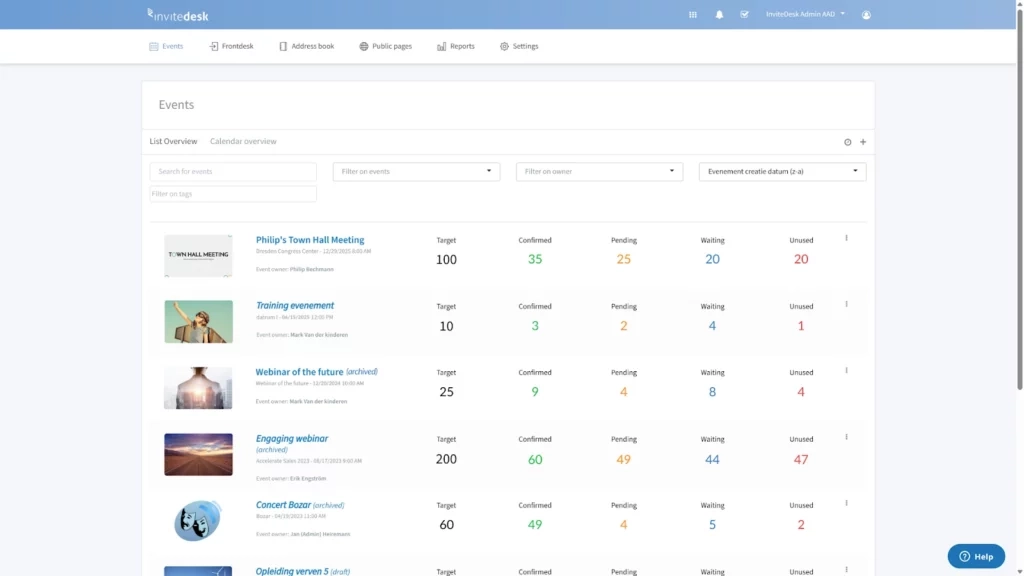
- Attendee management: A live dashboard shows who is invited, registered, declined, or pending, and once a guest declines, InviteDesk automatically invites the next guest on the waitlists. Sales can see their own clients’ status without asking marketing for a report, which is how InviteDesk helps cut admin time in half.
- Event check-in: Staff check guests in by QR code on the ScanApp, and the relevant account manager gets an instant notification when their VIP arrives. The Frontdesk feature handles walk-ins and last-minute changes on the day.

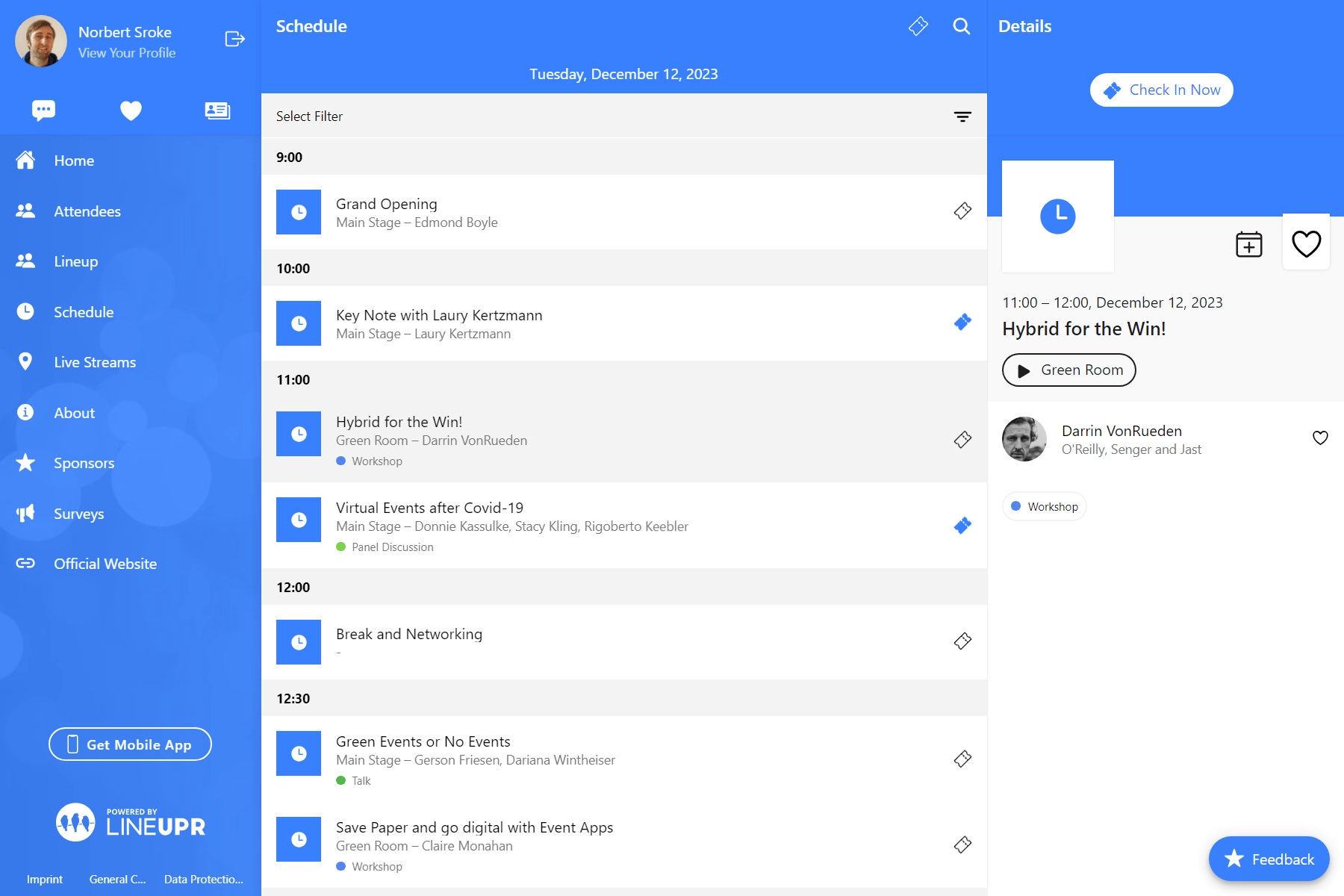
- Evaluate: A thank-you email and NPS survey go out automatically after the event, and funnel reporting connects who opened, registered, and attended to what happened next in the CRM. You can also use LineUpr event app to create live agendas, polls, Q&A, and networking for the in-room experience.
- Reporting and analytics: InviteDesk’s Connector module syncs bidirectionally with Salesforce, HubSpot, and Microsoft Dynamics 365, with no programming required and setup measured in hours. RSVP status, attendance, and post-event survey responses write back into contact and opportunity records on their own. Most registration tools stop at a one-way export or a Zapier bridge; InviteDesk is built to write the data back where your reps already work.
InviteDesk is how the HR company, Select, runs around 50 hospitality events a year on, including matchdays in its Royal Antwerp FC box. Personalised invitations go out across the whole programme, which makes the experience unique for guests.
ABN AMRO Private Banking also professionalised its selective client events and reduced no-shows with InviteDesk. Across InviteDesk clients, curated invitations and quotas lift top-tier attendance by 25%. All these show that for curated events, InviteDesk is the right event registration software to make marketing-sales collaboration easy and also personalise your guests’ experience.
Pros
- Registration begins with a named invitation carrying the account manager’s identity, so each guest signs up through someone they know.
- Registration and attendance data write back to Salesforce, HubSpot, or Dynamics automatically, where most registration tools stop at a CSV export or a Zapier patch.
- Per-rep invite quotas fill the list with the named accounts you chose, so your highest-value seats are protected.
- Guest data stays on EU servers with ISO 27001 certification, so security reviews at regulated buyers pass instead of stalling.
- Sales can check their own clients’ status in the live dashboard, removing the weekly “who’s confirmed?” back-and-forth with marketing.
- InviteDesk is ISO 27001 certified, EU-hosted, and GDPR compliant for procurement at regulated buyers.
Cons
- CRM write-back is delivered by the Connector module, which is licensed separately from the core plans.
- It is the wrong fit for public ticketed events, virtual-only events, or teams without a CRM in their stack.
Pricing
- €232 a month for the Plus plan (10 events a year, one seat, billed annually).
- Premium (€286) adds scanning and attendance tracking.
- Platinum (€424) adds pre-registration, paid events, and guest-list segmentation.
- Single-event pricing starts at €1,320.
Want to see the “On Behalf Of” workflow and CRM sync in action?
2. Cvent: for large, complex enterprise conferences
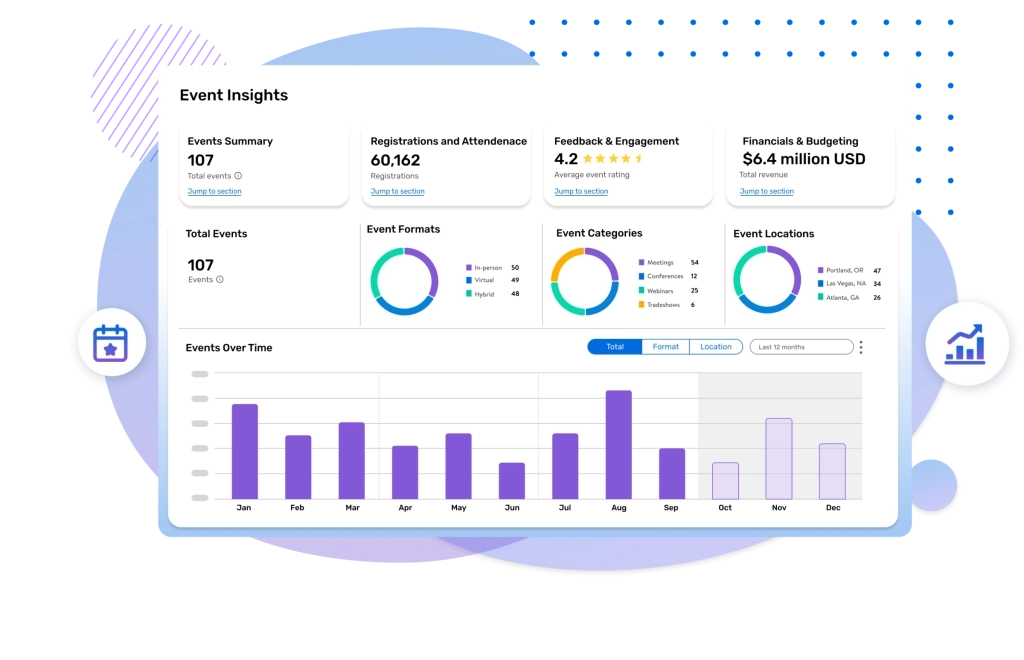
Cvent is the enterprise standard for organisations running events as a core business function. That means multi-day conferences, venue sourcing, exhibitor management, and deep attendee analytics. For a 5,000-delegate annual summit with a dedicated event-operations team, the depth is hard to match.
Key features of Cvent
- Full registration suite with multi-session sign-up and conditional logic forms
- Venue sourcing, exhibitor and speaker management, badge printing
- Native Salesforce app and marketing-automation connectors
- Onsite hardware, lead retrieval, and detailed reporting
- The full-suite you would need for large scale conferences with all logistics covered.
Pros
- The broadest feature set in the category for genuinely large, complex programmes.
- Mature CRM and marketing-automation integrations once configured.
- All-in-one ecosystem: it bundles registration, sourcing, marketing, and check-in tools into a single, comprehensive dashboard
Cons
- The platform requires expensive, multi-year enterprise contracts and charges complex per-registration fees that strain smaller budgets.
- Hidden Add-on Costs: Essential features like custom mobile apps, premium integrations, and extra support tiers often require expensive upsells.
- The configuration overhead for a 30-person seminar is the same as for a 5,000-person conference. Most mid-market teams pay for capabilities they never use.
- Slow Setup Time: Building events and configuring registration pathways takes significant time due to the dense, multi-layered settings.
Pricing
- Custom annual contracts.
- According to Vendr, median Cvent contract is around $19,550 a year, and can go as high as $65,000 to $90,000 range.
3. Bizzabo: for enterprise conference programmes
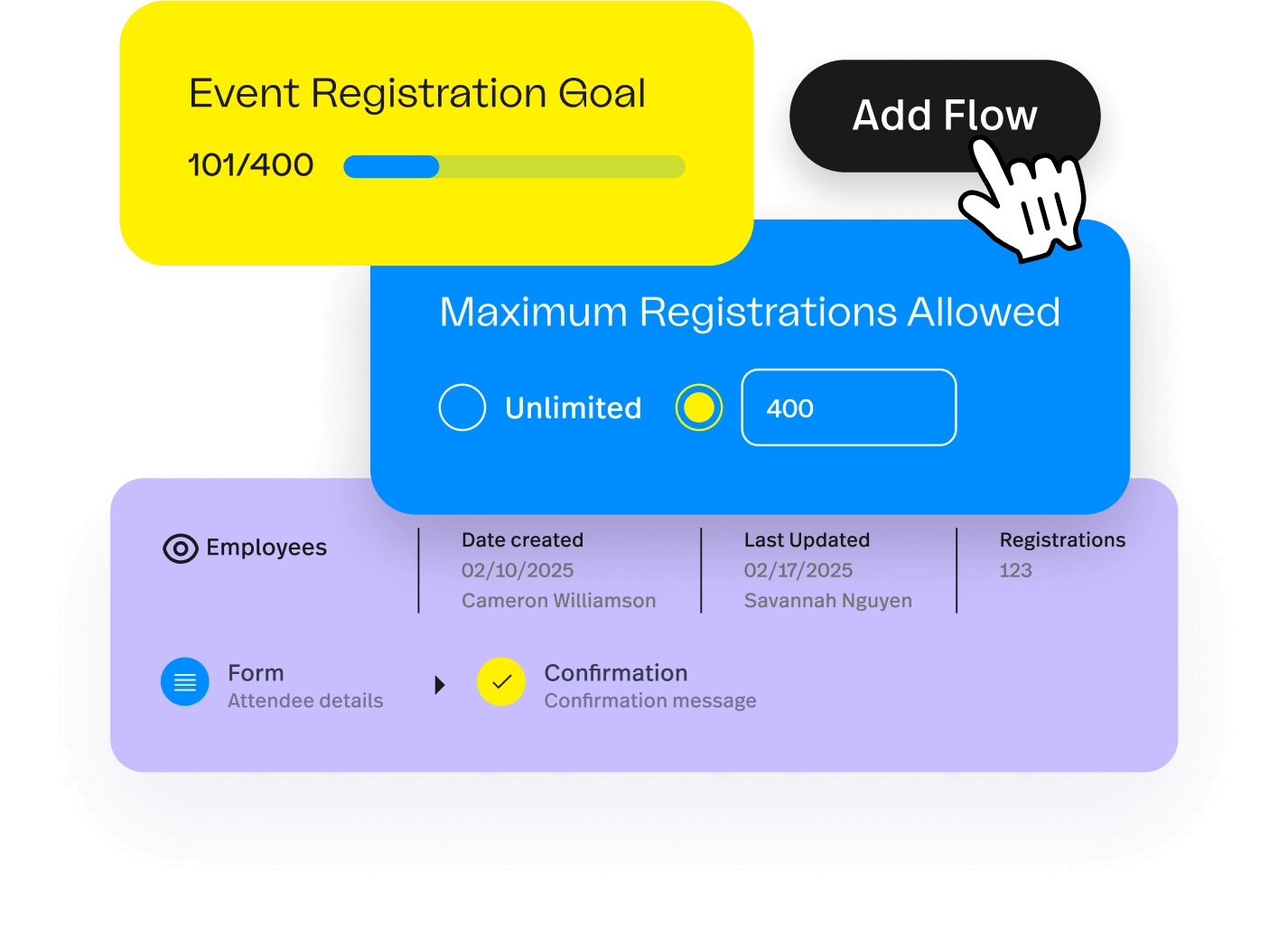
Bizzabo is an enterprise event experience platform for mid-to-large B2B conferences. It focuses on polished attendee-facing experiences, branded event websites, and email automation. It has leaned into “intimate events” messaging recently, but the base price still makes it relatively expensive.
Key features
- Branded event websites and registration with deep customisation.
- Agenda, networking, and Klik SmartBadge wearables for engagement tracking.
- Marketing and CRM integrations, analytics, and sponsor tools.
- Onsite check-in, badge printing, and lead retrieval mobile apps.
- Virtual and hybrid event broadcasting with built-in production studios.
Pros
- The Klik smart badges make tracking physical attendee engagement effortlessly automatic.
- Strong, polished attendee experience for multi-event conference programmes.
- All-in-one management functionality seamlessly blends virtual, hybrid, and in-person tools.
- The built-in community feature keeps your attendees connected long after events end.
- Flexible ticketing options allow marketing teams to create diverse promotional promo codes.
Cons
- Built around conference logistics, so it is heavier than a curated-invitation team needs and lighter on sales-owned guest-list workflows.
- Premium onsite hardware options like Klik wearables significantly inflate overall event budgets.
- Native integration options sometimes require complex troubleshooting to sync custom CRM fields.
- The reporting tools can feel slightly superficial compared to legacy enterprise platforms.
- High mid-market pricing structures push the platform out of reach for small nonprofits.
Pricing
- Starts at $17,999 a year (or $499/user/mo).
4. Swoogo: for mid-market conference registration

Swoogo is a registration-first platform with a strong reputation for flexible, well-designed registration flows and session selection. It is a favourite of conference and field-marketing teams who want control over the registration experience without Cvent’s weight.
It is the strongest mid-market registration builder here, with flexible multi-track forms and an unlimited-registration licence. It’s a good fit for teams where marketing owns the funnel rather than sales.
Key features
- Registration forms with unlimited conditional logic and 15-plus question types, so different attendee types see different fields.
- Drag-and-drop event-website builder with per-event theming, no developer required.
- Granular data management tools to control attendee logic and distinct registration types.
- Automated transactional emails and personalized communication flows for attendee segments.
- Integrations with Salesforce, HubSpot, and Marketo, plus payment and webinar tools
- Check-in, custom domains, automated email, and reporting; the enterprise tier adds SSO and ISO 27001
Pros
- Has flexible registration builders for multi-track and multi-audience events.
- Customer support teams are responsive, technically proficient, and praised by event organizers.
- Deep field-level integration allows for seamless data syncing with major marketing tools.
- The drag-and-drop website builder lets non-technical staff launch custom branded landing pages quickly.
- Total administrative autonomy eliminates the need for expensive, platform-certified professional services.
Cons
- No native mobile app is built into the platform, requiring third-party integrations for attendee engagement.
- CRM depth and sales-owned invitation workflows are lighter than a relationship-driven team needs; it assumes marketing runs the funnel.
- Pricing starts at a level that suits an established conference programme, not occasional events.
Pricing
- Starts at $11,800/yr (Professional)
- Enterprise pricing requires a sales call
5. Splash: for brand-led event marketing at scale
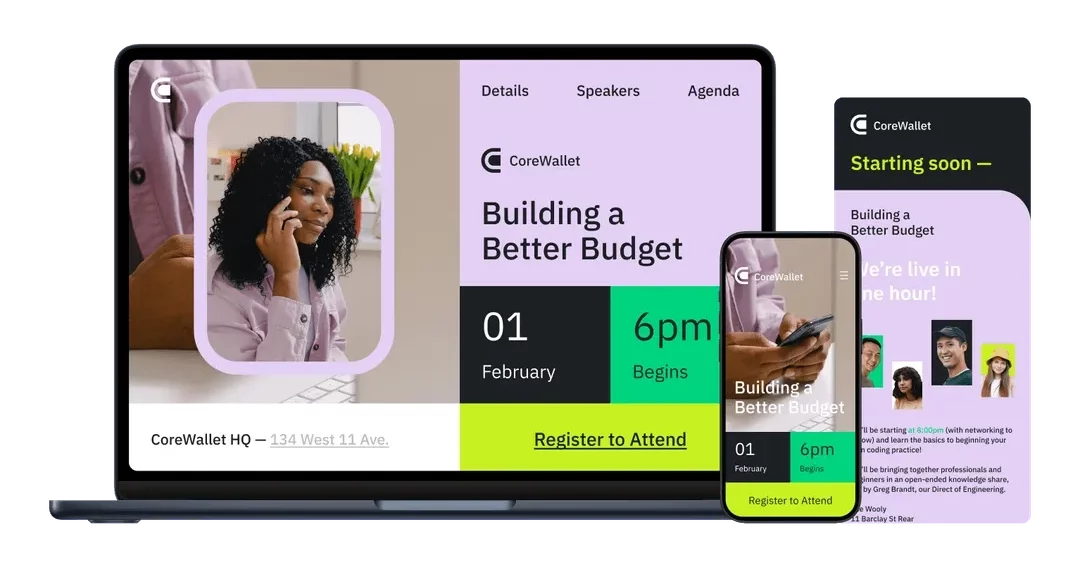
Splash is a design-led event marketing platform built for teams that care how their event pages look and run them at volume. Its real strength is brand control: a flexible page editor, reusable templates, and approval workflows that let a head office keep regional teams on brand across dozens of events.
It connects to the major CRM and email-marketing tools, so registration data and sales follow-up aren’t trapped in the platform. That mix of branding and CRM alignment makes it the closest marketing-led tool here to the invitation-first model.
Key features
- Highly branded, design-led registration and event pages
- Onsite check-in capabilities via a streamlined, mobile-friendly guest list application.
- Virtual and hybrid hosting structures including custom digital venue viewing environments.
- Email and marketing-automation integrations, attendee tracking
- Approval flows and multi-event management on higher tiers
Pros
- The strongest branding and design control of any tool here for marketing-owned programmes.
- Native CRM integrations instantly push attendee actions directly into active sales pipelines.
- Automated waitlist management takes the manual labor out of handling high-demand corporate events.
- A good fit for high-volume field marketing and webinar registration.
Cons
- CRM integration and sales-rep ownership of invitations are tiered and lighter than the deep, default sync a relationship team needs.
- Deep multi-session agenda tracking is limited compared to heavy conference-focused management tools.
- The reporting tools can feel too high-level for data analysts who need granular tracking matrices.
- Add-on feature pricing can quickly escalate the total cost of ownership for growing marketing teams.
Pricing
- Custom pricing
- According to Vendr, average contract value is $27,000, and can get as high as $62,955.
- There is a 2.9% + $0.30 transaction fee and a 2% + $1 service fee per ticket.
- Implementation and onboarding fees are billed separately.
6. Whova: best for conferences built on attendee networking
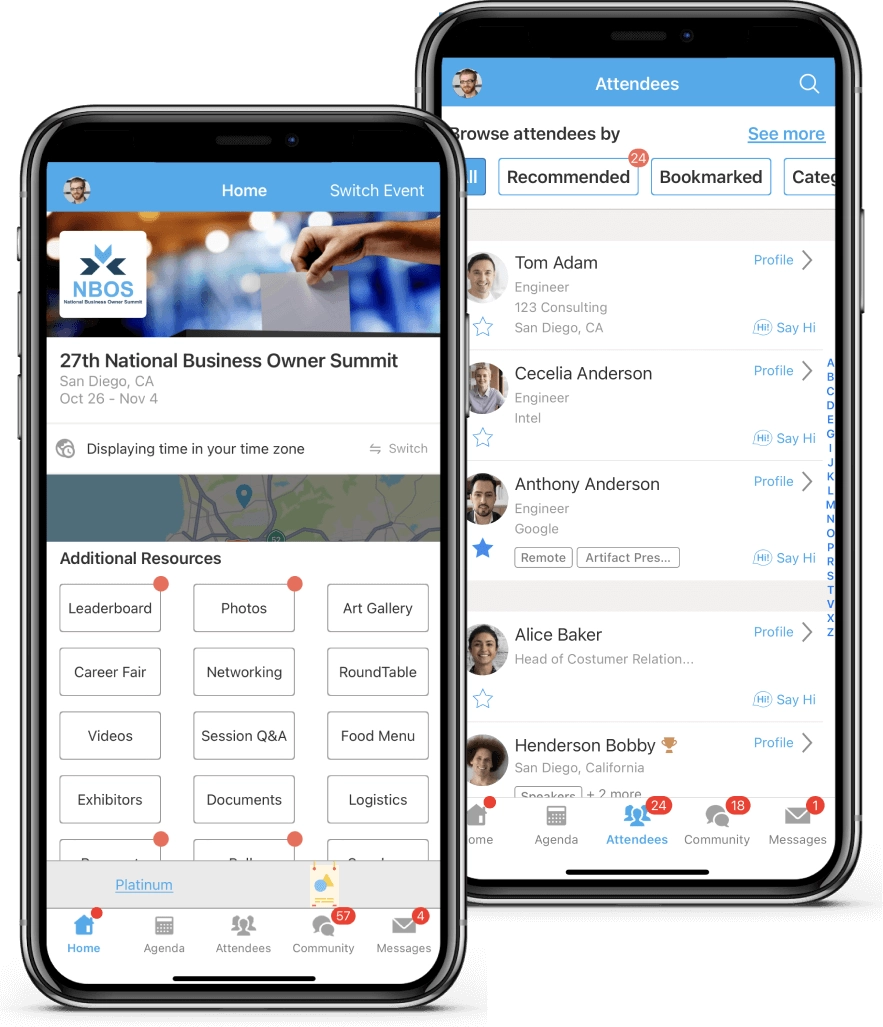
Whova is an app-first conference platform built around the attendee experience inside a mobile event app. Its strongest feature is networking: an attendee can see who else is coming, get meet-up suggestions based on profile and interests, join topic-based community boards, and book one-to-one meetings without leaving the app.
Whova also provides visibility to session agendas, live polls, Q&A, and gamification to keep a multi-track programme moving on event day.
Some of the major downsides are that registration, badge printing, and lead retrieval come as add-ons rather than the core of the product. For large conferences where the goal is new connections, that depth is a real differentiator.
Key features
- All-in-one mobile event app built specifically for attendee navigation and networking.
- Attendee networking, community boards, and 1:1 meeting scheduling
- Comprehensive community boards featuring user-generated discussion topics, meetups, and icebreakers.
- Sponsor and exhibitor showcases offering virtual booths, lead retrieval, and promotional banners.
- Session Q&A, live polls, and gamification
- Registration, badge printing, and lead retrieval add-ons
Pros
- The strongest networking features in this list for events where meeting new people is the point.
- Strong mobile engagement at multi-hundred-attendee conferences.
- Offline functionality ensures attendees can still access their schedules and profiles without steady Wi-Fi.
Cons
- Attendees download an app and create an account, adding friction on corporate-managed devices where IT controls app installation.
- The networking depth goes unused at events where attendees already know each other.
- Quote-only pricing makes early budgeting difficult, and registration carries a per-ticket fee.
Pricing
- Custom pricing (requires a sales call)
- A registration processing fee of 3.0% + $0.99 per paid ticket if using Whova’s registration tools
- Add-on costs for features like unlimited document uploads can get very expensive
Read more about Whova pricing here.
7. Eventbrite: for public, ticketed events
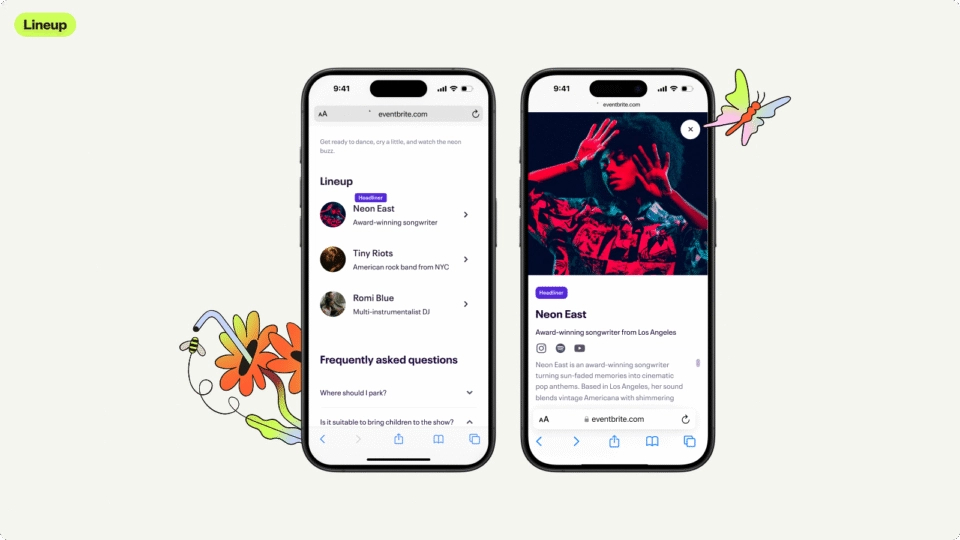
Eventbrite is the default for public events that grow through discovery: workshops, classes, public seminars, and paid community events. Its real advantage is the marketplace, where millions of people browse and search for things to do, so a listing can reach an audience you do not already have.
It has a fast self-serve setup process, with built-in payment processing. It also has a strong mobile check-in app and promotion tools to push an event out to social and email. All these make it a good fit for a public, ticketed event where the job is filling seats with people who have not heard of you.
Key features
- Fast, public registration and ticketing with marketplace discovery
- Built-in payment processing and a strong mobile check-in app
- Onsite check-in application optimized for rapid barcode scanning and gate-door ticket sales.
- Email tools (Eventbrite Pro) and basic integrations
- Self-service dashboard providing instant access to real-time sales revenue and registration tracking.
Pros
- The quickest way to publish a public, ticketed event and reach new attendees.
- Can launch an event app in minutes.
- Free for free events, with no platform fee, only a percentage of tickets sold.
Cons
- Per-ticket registration fees quickly become prohibitively expensive for high-volume or premium-ticket programs.
- There is no concept of a sales-owned guest list or who invited whom; the invitation comes from “Eventbrite” rather than your account manager.
- The public registration model also makes it impossible to securely restrict access to a closed, VIP-only guest list
- Event data leaves through export or a Zapier layer rather than syncing back to your CRM in real time.
Pricing
- Free; charges per paid ticket (3.7% + $1.79 per ticket plus 2.9% payment processing)
- Eventbrite Pro email starts at $15/month.
8. RegFox: best for budget-friendly open registration
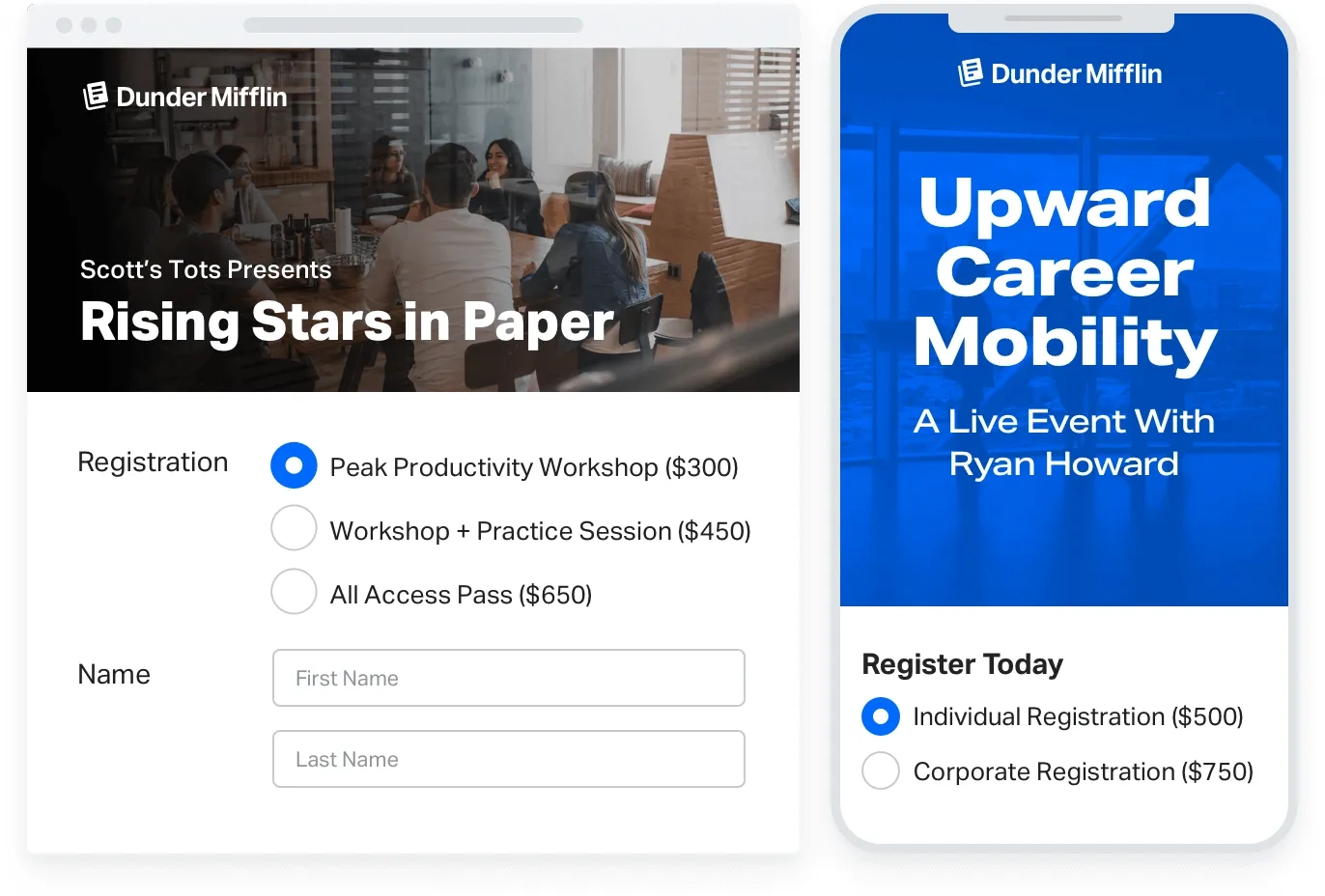
RegFox is a self-serve registration tool for open, public sign-ups: classes, camps, conferences, fundraisers, and community events. You can build a branded registration page with a drag-and-drop editor and add conditional fields that change by the registrant’s answer. You can also set up discount codes and multiple ticket types, and take payment directly through the page.
It does the standard registration job well, with real-time reporting and data export through its API and integrations. RegFox is a part of the Webconnex family, and is built for organisers who want a capable, self-managed registration page without enterprise overhead. For high-volume public events, the capped per-registrant fee also keeps the running cost low.
Key features
- Custom registration pages with conditional logic.
- Flexible deposit and payment plans allowing attendees to pay for registration over time.
- Transparent, capped per-registrant pricing.
- Onsite check-in application optimized for fast QR code scanning and instant badge printing.
- API and integrations for data export
Pros
- One of the lowest effective costs in the category, with the per-registrant fee capped.
- Conditional formatting options offer unparalleled flexibility for building highly complex, responsive forms.
- Flexible form building for the price.
Cons
- Built for open public registration, so there is no sales-owned invitation workflow or native bidirectional CRM sync.
- No native mobile app exists for attendee networking, agenda planning, or community interaction.
- No built-in virtual broadcasting tools are included; requires external streaming setups for hybrid events.
- Reporting and relationship management are thin for a curated B2B programme.
Pricing
- Standard — $0/month: $0.99 + 1% per registrant, capped at $4.99. Free events $0.99/registrant.
- Premium — $0/month: $1.99 + 1% per registrant, capped at $5.99. Free events $1.99/registrant.
- Professional — $499/month (billed annually): $1.99 + 1% per registrant, capped at $5.99. Free events $0.99/registrant.
How to choose the right tool for your events
The decision comes down to what your guest list looks like before the invitations go out.
- Choose InviteDesk if you run five or more relationship-driven events a year and sales owns the guest list. Attendance data must flow back into Salesforce, HubSpot, or Dynamics automatically.
- Choose an open-registration tool (Eventbrite, RegFox) if the audience is public or semi-public and you are filling seats through discovery.
- Choose an enterprise conference platform (Cvent, Bizzabo, Swoogo, or Whova) if you run large, multi-track conferences with exhibitor halls and a dedicated operations team. Each requires a five-figure annual contract. Whova is the standout when attendee networking is the primary outcome.
- Choose Splash if the priority is brand-led design and high-volume field marketing, and marketing owns the funnel end to end.
Almost every tool here is good at what they’re designed for. The mistake is buying a public-ticketing tool for an event that is really about 30 getting named guests on event day. That event needs the attendance data in Salesforce as it happens. The tools built for public discovery were never designed to deliver that. InviteDesk was.
See how InviteDesk keeps sales, marketing, and your CRM working from one guest list.
FAQs
What is the best event registration software for B2B corporate events?
It depends on your guest list. InviteDesk is best for curated, invitation-only events where sales owns the relationships and attendance data needs to sync to your CRM in real time. For large multi-track conferences, Cvent or Bizzabo is typically a better fit. For public ticketed events, Eventbrite remains a popular choice.
What is the difference between event registration software and event management software?
Registration software handles sign-ups, ticketing, and attendee data collection. Event management software expands on this by adding invitations, communication workflows, on-site check-in, CRM synchronization, and reporting. For B2B teams, this management layer is where curated guest lists and pipeline tracking happen. A registration-only platform often leaves those processes to spreadsheets and manual work.
Does InviteDesk integrate with Salesforce and HubSpot?
Yes. The Connector module provides bidirectional synchronization with Salesforce, HubSpot, and Microsoft Dynamics 365 without requiring any custom programming. RSVP status, attendance records, and post-event survey responses automatically write back to contact and opportunity records, ensuring event activity is visible in the CRM without manual exports.
How much does event registration software cost?
Pricing varies significantly by platform and event type. InviteDesk starts at approximately €232/month when billed annually, depending on the plan. Open-registration tools often charge per attendee or ticket sold, such as Eventbrite at 3.7% + $1.79 per ticket and RegFox at $0.99 + 1%. Mid-market and enterprise platforms can range from roughly $11,800 per year for Swoogo to reported starting costs of around $17,999 for Bizzabo and a median cost of approximately $19,550 for Cvent.