Key takeaways
- Choose InviteDesk if marketing and account managers must work together on who gets invited, who attends, and who follows up.
- Choose Cvent, Stova or Bizzabo if you run large conferences with complex registration, onsite logistics or mixed formats.
- Choose Swapcard, Whova, Eventtia or PheedLoop if virtual delivery, attendee networking, deep customisation or modular budgets drive the decision.
Disclosure and methodology
This guide is published by InviteDesk. We included InviteDesk alongside seven other vFairs alternatives and evaluated each option on public product information, official pricing pages where available, and verified user reviews on G2 and Capterra, as checked on 15 October 2026.
InviteDesk was assessed by the same criteria as every other platform: the event job it serves, setup and organiser control, attendee experience, sales and marketing collaboration, integrations, pricing model and honest limitations. If another tool fits your events better, this guide should help you spot that early.
vFairs is one of the best all-in-one event management platforms. On one platform, teams build registration forms, personalised agendas, exhibitor booths, and branded mobile apps. That way, it makes it easy for organisers to run an online fair and the on-site check-in desk without switching tools (vFairs).
However, it is mainly focused on virtual events, and several reviews on G2 still find its functionality hard to navigate. If you’re searching for vFairs alternatives, your event requirements may have shifted beyond virtual events, or you simply want a tool that makes it easy to make routine changes without waiting on a vendor.
Below, we compare eight alternatives by the event requirements they serve, their relevant capabilities, pricing, and scope boundaries.
Overview of the 8 vFairs alternatives and how they stand out
1. InviteDesk: Best for B2B events that require sales and marketing alignment
InviteDesk is B2B event management built around sales and marketing alignment. Marketing runs the event process, from registration page and invitations to check-in and the post-event survey. Sales and relationship managers choose which of their contacts deserve a seat; invites are in their name but sending is handled by marketing, and see who has replied and who has arrived.
vFairs runs B2B events too, and it shines at virtual fairs and large expos. The difference lies in your main requirement. If success means a full virtual venue with exhibitor booths, vFairs is built for it. If success means getting the right clients into a room and making sure their account manager greets each one, you need a guest list that works as a shared workspace for both teams.
Bank Nagelmackers, one of Belgium’s biggest banks, works this way. It organised more than 200 client events in one year, most of them walking dinners for 20 to 30 guests at local offices (case study).
Why InviteDesk is a great vFairs alternative
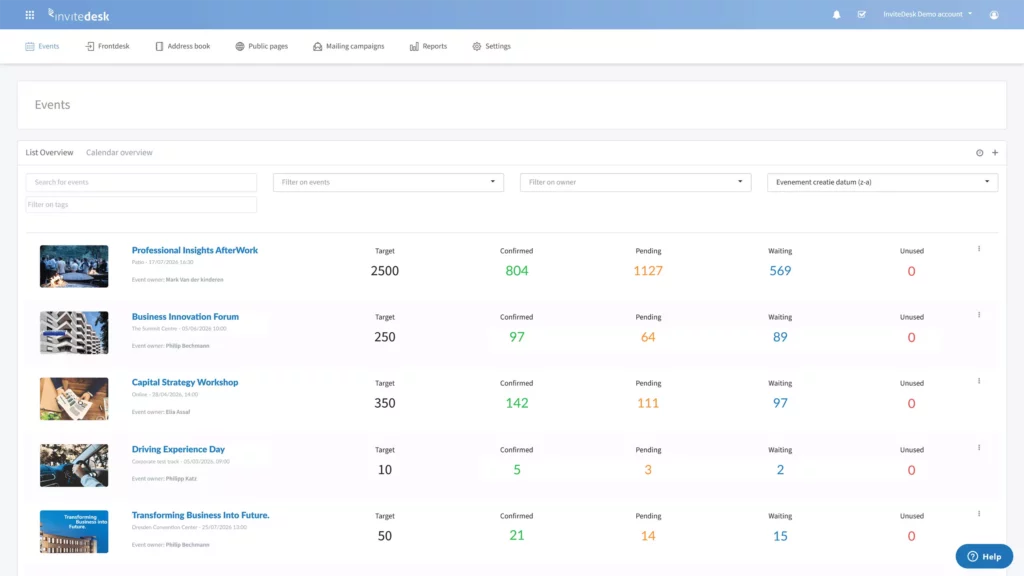
InviteDesk gives marketing and sales their own view of the same live guest data, so nobody chases names in email threads the week before the event.
Shared guest coordination
Marketing builds the guest list from Excel, the address book, or a CRM sync, and assigns each guest to their relationship owner. Sales reps can add guests and see invitation and RSVP status for their own contacts in real time. In one case study, Steven Peetermans, Sales & Marketing Director at Tectum Group, explains what changed after 30 events: “The sales team can invite all the right people and keep track of everyone who registers in the app.” He adds, “It saves us a lot of emails and phone calls”. Marketing stops compiling status reports, and reps stop asking for them.
Sales participation before and during the event
Seats at a client dinner or in a hospitality box are limited. With the ticket-holder function, marketing gives each rep a ticket quota for their accounts, and reps decide which clients get those seats. When a guest declines, InviteDesk invites the next guest on the waitlist, so priority seats don’t sit empty.
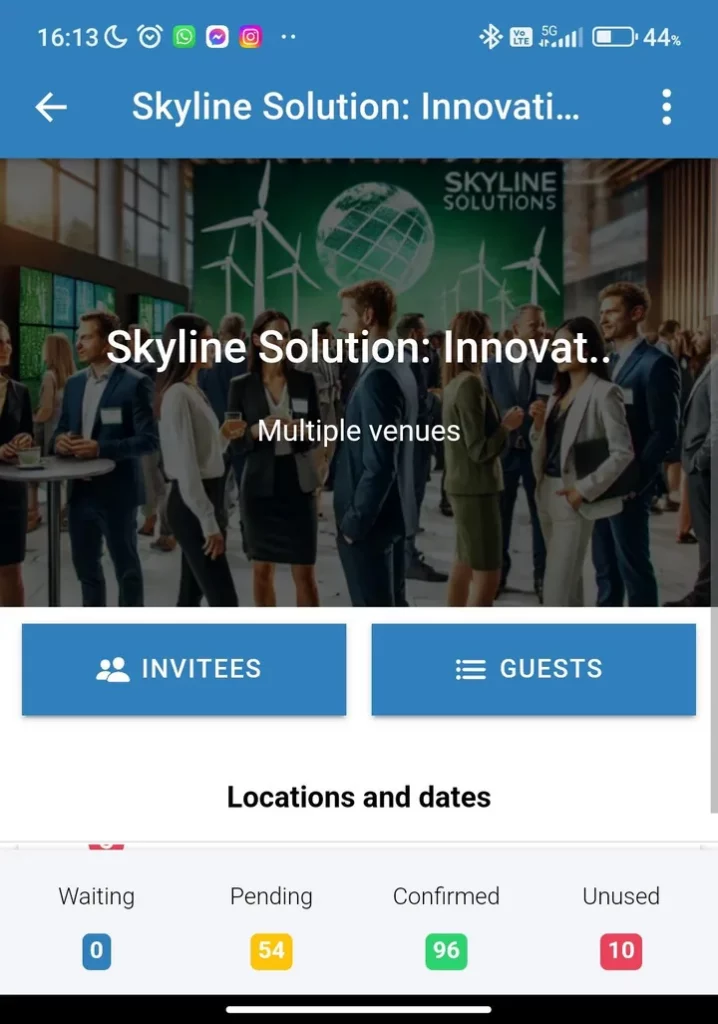
On the day, staff check guests in by QR code in ScanApp, and the account manager gets a push notification the moment their client arrives. The rep can walk over and say hello while the guest still has a drink in hand.
Personal communication within a coordinated campaign
A senior client opens an invitation from the account manager they know faster than one from events@company.com. InviteDesk’s “on behalf of” workflow lets marketing send invitations that appear to come from each guest’s salesperson or account manager.
Marketing still controls the branding, timing, and automated flow of save-the-dates, reminders and thank-you emails. Sales gets the personal touch without writing a single email.
Want to see how your account managers would use it? We’ll walk you through the guest list, quotas and arrival alerts with your own event in mind.
Coordinated follow-up and recurring events
InviteDesk keeps attendance history at contact level across every event. Your team sees which accounts keep showing up and which contacts register but never attend, so the next invitation list starts from data. Post-event surveys go out from the same platform. At Bank Nagelmackers, ROI calculations and NPS scores from events “have become a must for the C-level.” For the next edition, teams clone a successful event and reuse its templates instead of starting from scratch.
CRM integration. Follow-up works when the data reaches the system your sales team lives in. InviteDesk offers plug-and-play CRM connectors for HubSpot, Salesforce, Microsoft Dynamics 365 and Marketo, and setup needs no programming. You choose which fields sync, so attendance and follow-up data flow into your CRM while event-only data, such as dietary requirements, stays out and expires under your retention policy.
Marketing can build a guest list from a HubSpot or Marketo list, and InviteDesk writes registration and attendance records back to the contact. The morning after the event, a rep opens the CRM and sees which clients attended, without waiting for a spreadsheet. For other systems, InviteDesk provides an Open API. CRM integrations, webhooks, and the API are optional add-ons on the pricing page, so you pay for them only if you need them.
A simplified illustration of how it works. See the real platform in a demo.
Key features
- Shared, real-time guest list for marketing and sales
- Mobile app for adding guests and tracking RSVPs
- Ticket quota allocation per rep (ticket-holder function)
- Guest prioritisation and automatic waitlist invitations
- “On behalf of” invitations from account managers
- Automated event communication flows
- No-code branded event websites and registration forms
- QR check-in with ScanApp and sales arrival alerts
- Attendance history across events
- CRM connectors for HubSpot, Salesforce, Microsoft Dynamics 365 and Marketo
Pros
- One list for sales and marketing. Reps track their own guests in the app, which saves Tectum Group “a lot of emails and phone calls.”
- The right guests fill limited seats. Rep quotas and waitlists stop high-value seats going to whoever replies first.
- Personal invitations at scale. Guests receive event communication from a name they recognise, while marketing controls brand and timing.
- Account managers greet their clients. Arrival alerts tell reps the moment a client checks in.
- Fast adoption by non-technical colleagues. Nele Cloots of Select: “Even employees that aren’t proficient at IT, can easily use the tool.”
- Recurring programmes stay manageable. Bank Nagelmackers runs more than 200 events a year on InviteDesk.
- Fewer procurement hurdles. ISO/IEC 27001:2022 certification, GDPR compliance and EU hosting help pass IT and legal review.
Cons
- No 3D virtual venues. InviteDesk doesn’t build virtual exhibitor halls, booths or 3D lobbies. If that’s your core event, vFairs, Swapcard or Stova fit better.
- Not designed for large public conferences. Mass public ticketing and multi-track congresses with thousands of attendees sit outside its focus.
- No abstract or call-for-papers management. Associations that review speaker submissions should look at Whova, Stova or PheedLoop.
Pricing
InviteDesk prices by events and users, never per registrant (pricing, checked 15 October 2026):
- Plus: from €232/month, billed annually. Event communication, event website, registration forms, real-time data.
- Premium: from €286/month. Adds advanced website and forms, plus scanning with attendance tracking.
- Platinum: from €424/month. Adds pre-registration with wishlist, paid events and guest list segmentation.
- Single Event: €1,320 per event, billed up front, 5 seats.
Annual plans start at 10 events and 1 seat; add events and users any time. CRM integrations, SMS and custom domains are optional add-ons, and a one-time setup fee may apply.
What users love
“InviteDesk is a high-performance tool that automates the entire process from the invitations, registration, and confirmation to and including the satisfaction survey.”
Pieter De Scheper, Head of Customer Experience, Bank Nagelmackers (case study)
“Without much of an effort, we can now organize a fully personalized and professional event.”
Nele Cloots, Director Customer Experience, Select Group (case study)
“Sales can see at any moment whether or not a customer will be attending.”
Steven Peetermans, Sales & Marketing Director, Tectum Group (case study)
“Thanks to InviteDesk, our events are much more professionalised and our internal collaboration runs more smoothly.”
Anoek Brekelmans, Senior Partnership & Event Manager, ABN AMRO Private Banking (case study)
Why teams choose it: B2B teams choose InviteDesk when recurring customer, prospect or partner events depend on marketing and relationship managers sharing one guest list, from the personal invitation to the arrival alert and the follow-up.
Ready to fill your next client event with the right guests? See how marketing and your account managers can run it together in InviteDesk.
2. Eventtia: Best for global enterprise brands needing deep customisation and API access
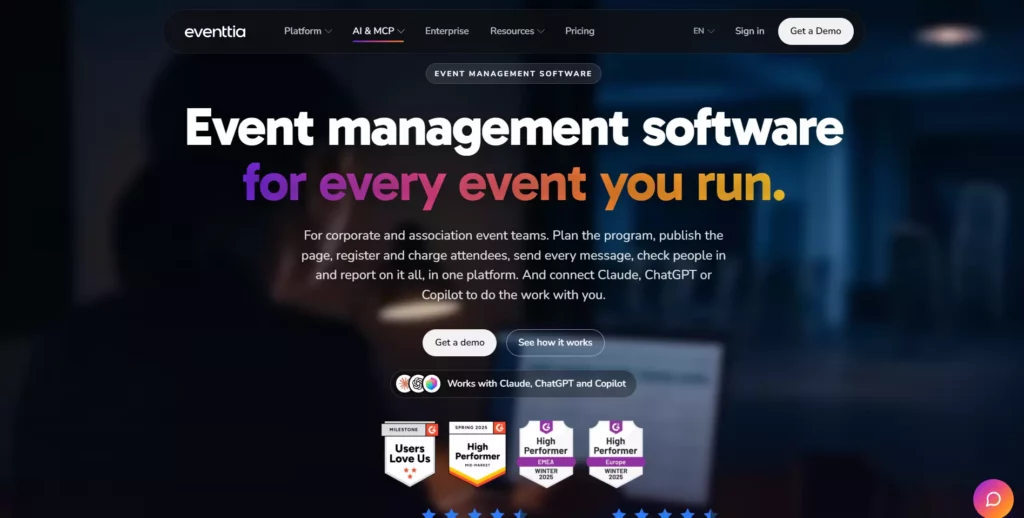
Eventtia is an event management platform for brands that run event programmes across many markets. It covers registration, payments, email marketing, check-in, branded apps, virtual stages and attendee matchmaking.
Its Enterprise plan adds white labelling, single sign-on and unlimited API calls, so IT teams can connect event data to their own systems. Eventtia reports supporting more than 35,000 events and 12 million attendees, with clients such as Dior, Toyota and BMW. Typical users are global marketing and brand-experience teams.
Why Eventtia is a great vFairs alternative
vFairs gives you branded virtual venues and apps. Eventtia goes further by making the platform disappear behind your brand. With white labelling, custom URLs and email domains, guests never see the vendor’s name, which matters for luxury brands with strict guidelines. Unlimited API calls on Enterprise, plus data warehouse and CRM integration, let enterprise IT pull registration data into their own reporting (Eventtia pricing).
The trade-off sits in packaging. SSO, white label, and custom domains are Enterprise features or paid add-ons, so the entry price doesn’t reflect what a global brand will pay. Capterra reviewers praise support but describe the website composer as hard to use on a first attempt, and some say the virtual platform trails competitors (Capterra). Eventtia suits enterprise brands that need deep customisation and have IT resources to use the API.
Key features
- White label and custom domains
- Single sign-on (SSO) and role-based access
- Unlimited API calls (Enterprise)
- Branded mobile app
- Virtual stage with live streaming
- Attendee matchmaking and 1:1 meeting scheduling
Pros
- Brands can run every event page under their own name and domain, which keeps the guest experience consistent across markets.
- Enterprise IT can connect event data to internal systems through unlimited API calls.
- Attendee-credit pricing with unlimited events makes high event volumes predictable to budget.
- Reviewers on Capterra rate customer service at 4.6 out of 5 (Capterra).
Cons
- Key enterprise features such as SSO and white label cost extra or require the Enterprise plan, which raises the real cost for brand-scale use.
- Capterra reviewers describe the website composer as difficult at first and the web editor as separate from the main tool, which slows page building.
- Eventtia focuses on brand-scale event programmes, so it has no built-in workflow for account managers to own and invite their part of a guest list.
Pricing
Eventtia prices by attendee credits (one credit equals one registration, valid for 12 months) with unlimited events, billed yearly in USD, EUR or GBP (Eventtia pricing, checked 15 October 2026). Essential costs $1,650/year, Premium $2,500/year, and Networking $3,500/year, each starting at 250 attendees. Enterprise is custom, usually above $12,000/year. Add-ons such as SSO, white label, SMS, and premium support are extra.
Why teams choose it: Global brands choose Eventtia when every event must carry their own branding and domain, and their IT team needs API access to event data.
3. Cvent: Best for large-scale enterprise conferences and complex logistics
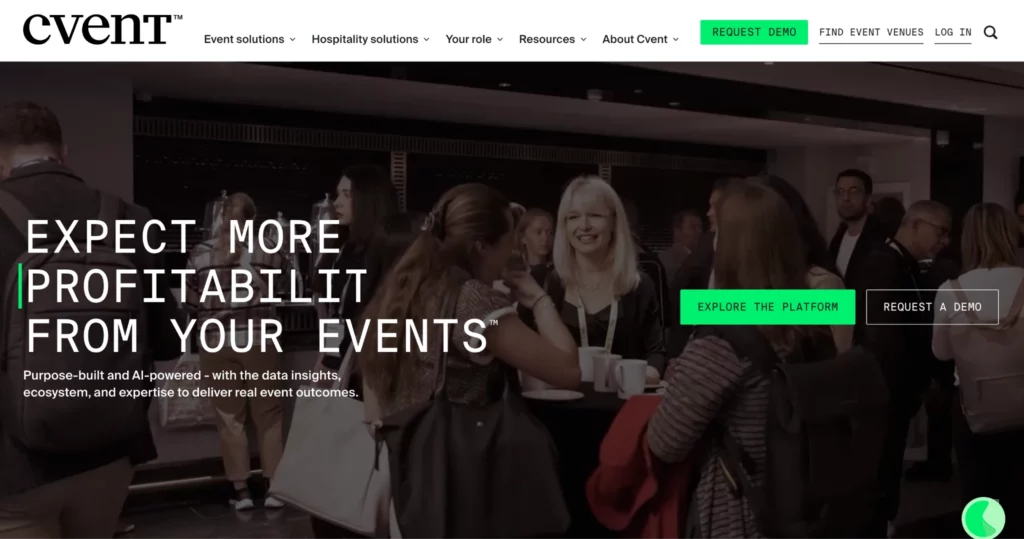
Cvent is one of the largest enterprise event platforms, covering venue sourcing, registration, budgets, onsite operations and attendee apps for conferences of any size. Its Cvent Supplier Network helps planners find and book venues, and approval and budgeting workflows keep spend under control across large programmes.
Why Cvent is a great vFairs alternative
vFairs and Cvent overlap on registration, mobile apps, check-in, and virtual delivery. Cvent pulls ahead on the logistics that happen before anyone registers. Planners can source venues through the Supplier Network, route spend through approval and budgeting workflows, and run registration and onsite operations from the same system. For a company running hundreds of meetings and a flagship conference each year, that depth keeps planning and spend in one place.
The cost of that depth is complexity. G2 reviewers describe a steep learning curve for new users managing complex events and recommend more onboarding guidance. Pricing is quote-based, with contracts sized to registrations and events. Cvent suits large enterprises with dedicated event operations staff who will use its full range. If you’re weighing it against lighter tools, our guide to Cvent alternatives for event planners compares the options.
Key features
- Cvent Supplier Network (venue sourcing)
- Approvals and budgeting
- Event registration
- OnArrival onsite solutions
- Attendee Hub
- Event reporting
Pros
- Planners source venues and manage event registration in one system, which reduces tool switching on large programmes.
- Approval and budgeting workflows help finance and procurement keep event spend visible.
- OnArrival covers check-in and badging for large, multi-entrance conferences.
- Cvent’s wide adoption among large enterprises (89% of the Fortune 100, per Cvent) means many planners already know the platform.
Cons
- G2 reviewers report a steep learning curve, so new team members need training before they work on their own.
- Quote-based, multi-year contracts make total cost hard to forecast without a sales process.
- Smaller teams may pay for modules they don’t use if their events are curated client gatherings.
Pricing
Contact for pricing. Cvent doesn’t publish list prices and quotes contracts based on expected registrations and events. Vendr reports a median annual contract of $19,550, based on tracked purchases (Vendr, checked 15 October 2026). Budget for implementation and any modules beyond core registration.
Why teams choose it: Enterprises choose Cvent when large conferences need venue sourcing, budget approvals, and on-site logistics managed in one system.
4. Stova: Best for end-to-end delivery across virtual, hybrid, and in-person formats

Stova is an event technology platform that handles registration, virtual and hybrid delivery, mobile apps and onsite operations. The company launched in October 2022 after Aventri and MeetingPlay merged and acquired the registration platform eventcore (Stova). Each plan bundles reporting, abstracts, a virtual platform and API access, with higher tiers adding a broadcast studio, branded apps and SSO. Venue sourcing and onsite solutions are available as add-ons. Typical users are corporate and association event teams running a mix of formats.
Why Stova is a great vFairs alternative
vFairs and Stova both cover virtual, hybrid and in-person events. Stova’s edge lies in its event-tech heritage on both sides: MeetingPlay’s virtual and app experience and Aventri’s registration and meetings management. Even the Core plan includes a virtual platform, abstracts, Event Intelligence dashboards and DIY lead retrieval, so one team can run a call for papers, a hybrid broadcast and onsite check-in without stitching tools together (Stova pricing).
The trade-off is cost and learning effort. Every plan adds a per-registration fee on top of the flat fee, so large events cost more as attendance grows. Capterra reviewers note that “because the platform comes with such a large set of features, there’s also a lot to learn at the beginning,” and some find design options for registration pages and the app restricted (Capterra). Stova suits teams running a varied programme that need one platform for every format.
Key features
- Event registration
- Virtual platform and broadcast studio
- Branded mobile app
- Abstract management
- Event Intelligence dashboards
- Onsite Solutions (add-on)
Pros
- One platform covers virtual, hybrid and in-person delivery, so teams don’t rebuild attendee data per format.
- Abstract management and lead retrieval come in the Core plan, which helps associations and conferences with speaker programmes.
- Published pricing lets buyers estimate costs before a sales call.
- Capterra reviewers rate customer service at 4.5 out of 5 and describe the team as responsive.
Cons
- Per-registration fees on every plan make large events more expensive as attendance grows.
- Reviewers describe a lot to learn at the start because of the large feature set, which lengthens onboarding.
- Some reviewers find design options for registration pages and the mobile app limited.
Pricing
Stova publishes three plans, each with a flat fee plus a per-registration rate (Stova pricing, checked 15 October 2026): Core at $1,995 plus from $3.00 per registration, Pro at $5,995 plus from $4.50, and Enterprise at $12,995 plus from $5.60. Onsite Solutions, Stova BI and Venue Sourcing are add-ons priced on request.
Why teams choose it: Teams choose Stova when one platform must deliver virtual, hybrid and in-person events with registration and abstracts included.
5. Whova: Best for mobile-first attendee engagement at conferences and associations

Whova is an event management platform built around its attendee app, which gives conference guests personalised schedules, live updates and networking tools. Organisers also get registration and ticketing, an event website builder with 20+ templates, abstract management, name badges, check-in, surveys and exhibitor tools (Whova). Its focus is on what attendees do once they arrive: find sessions, connect with peers and stay informed. Typical users are associations, academic and business conferences, and trade shows.
Why Whova is a great vFairs alternative
vFairs is strongest when the event environment itself is the product, such as a virtual expo hall. Whova puts the attendee’s phone at the centre. Attendees build their own agendas, message each other and receive live updates, which helps a busy conference feel organised. Organisers can run abstracts, badges and exhibitor lead retrieval from the same platform, and MicroEvents tools let associations reuse settings for smaller events. For associations, that combination covers the annual conference and the regional meetings in between.
The trade-offs show up in reviews. G2 reviewers list excessive notifications as a top complaint and mention navigation friction for newcomers and Android users (G2). Whova suits conferences and associations where attendee engagement on mobile is the main goal. For other options, see our list of Whova alternatives.
Key features
- Event app with personalised agendas
- Attendee networking
- Registration and ticketing
- Abstract management
- Name badges and check-in
- Exhibitor and sponsor management with lead retrieval
Pros
- Attendees manage their own schedule and connections on their phone, which reduces questions at the help desk.
- Networking features get strong praise from reviewers on G2 and Capterra.
- Abstract management and badges in the same platform help association teams run speaker programmes.
- MicroEvents tools let organisers reuse settings for smaller recurring events.
Cons
- G2 reviewers cite excessive notifications, which can bury important updates for attendees.
- Some reviewers find navigation hard for first-time users, which can affect app adoption.
- Pricing isn’t published, so buyers need a quote to compare costs.
Pricing
Contact for pricing. Whova’s pricing page offers a quote form that asks about format, event length, expected attendance and events per year (Whova pricing, checked 15 October 2026). No public tiers or prices are listed.
Why teams choose it: Conferences and associations choose Whova when attendees need a strong mobile app for agendas, networking and live updates.
6. Bizzabo: Best for B2B conferences at enterprise scale
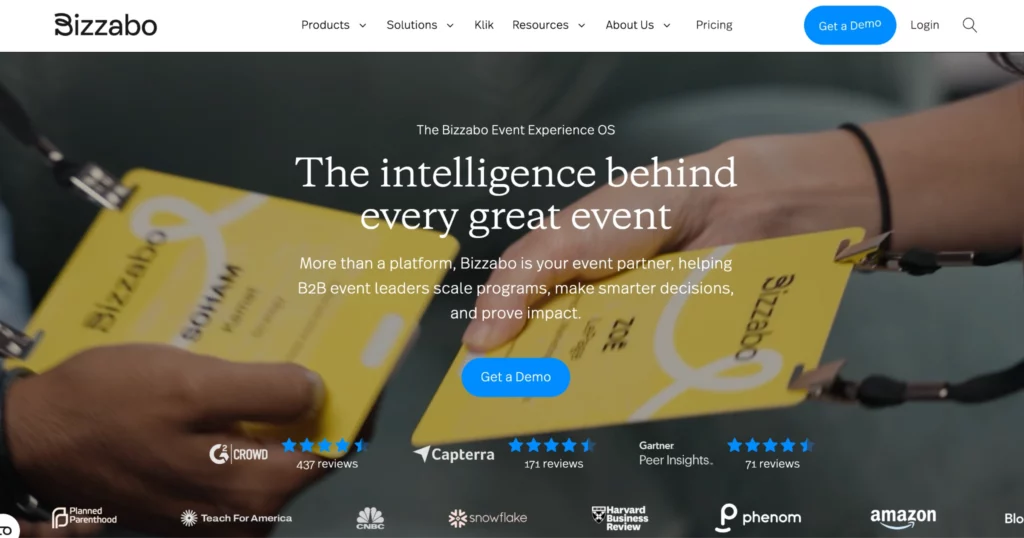
Bizzabo is an event experience platform for B2B conferences and enterprise event portfolios. Its core Event Experience OS includes unlimited events and registrations, contact management, ticketing, email campaigns, a website builder, a mobile app and reporting (Bizzabo pricing). Klik SmartBadge adds wearable badges for networking, lead capture and attendee tracking onsite. Typical users are B2B marketing and event teams that run flagship conferences and a calendar of field events.
Why Bizzabo is a great vFairs alternative
vFairs started in virtual events and grew into in-person. Bizzabo built its reputation on in-person B2B conferences and the data they produce. Smart badges let attendees swap contacts with a tap and give organisers live insight into session traffic, which helps sponsors prove value. Unlimited events and registrations in the core licence mean a team running a flagship conference plus dozens of smaller events pays the same platform fee. Premium add-ons cover virtual events, advanced onsite, sponsor and speaker portals, networking, API access and organiser SSO.
The trade-offs are entry cost and packaging. The core licence requires an annual subscription with a three-user minimum, and single events can’t be bought on their own. Several G2 reviewers report a steep learning curve for less technical users (G2). Bizzabo suits enterprise B2B teams with a conference programme large enough to justify the licence. See our Bizzabo alternatives for comparisons.
Key features
- Event Experience OS
- Registration and ticketing
- Website builder
- Event mobile app
- Klik SmartBadge
- Sponsor and speaker portals (add-ons)
Pros
- Unlimited events and registrations in the core licence make large event calendars predictable to budget.
- Smart badges capture networking and session data that sponsors and sales teams can use.
- Published per-user pricing gives buyers a clear starting figure.
- Reviewers on G2 praise user-friendly navigation once teams are set up.
Cons
- The $17,999 minimum annual commitment and lack of single-event pricing put it out of reach for smaller programmes.
- Virtual, networking, API and SSO are priced add-ons, so total cost depends on how many you need.
- Some G2 reviewers describe a steep learning curve for non-technical users.
Pricing
Bizzabo’s core Event Experience OS costs $499 per user per month, billed annually, with a three-user minimum, which starts at $17,999 per year (Bizzabo pricing, checked 15 October 2026). Klik SmartBadge, premium add-ons and professional services are quote-based. An annual subscription is required.
Why teams choose it: B2B organisations choose Bizzabo when an enterprise conference programme needs registration, apps and onsite data in one licence.
7. Swapcard: Best for networking and matchmaking at trade shows
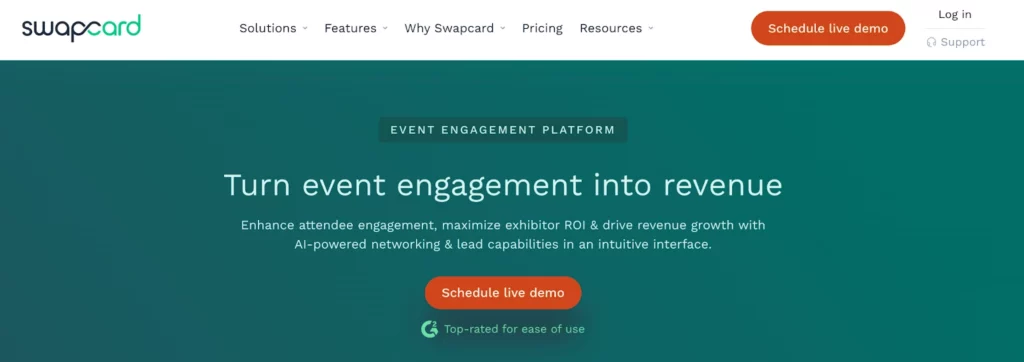
Swapcard is an event platform built for networking at trade shows, conferences and expos. Its matchmaking engine analyses attendee and exhibitor profiles to recommend the most relevant people to meet, and attendees can book meetings in the app (Skift Meetings). Exhibitors get virtual booths, meeting tools, lead dashboards and lead capture. Typical users are trade show organisers and associations whose events depend on attendees and exhibitors finding each other.
Why Swapcard is a great vFairs alternative
vFairs and Swapcard both give exhibitors a home in virtual and hybrid events. Swapcard focuses on who meets whom. AI recommendations surface relevant attendees and exhibitors, and hosted buyer and smart meeting tools help organisers schedule large numbers of meetings. For readers comparing virtual networking platforms or a virtual lounge platform, that matchmaking depth is the reason to shortlist it. Exhibitors can track and export leads on higher tiers, which helps them justify their stand.
This event job differs from sales and marketing alignment around a curated B2B guest list. Swapcard helps strangers with shared interests meet at scale. It doesn’t focus on account managers choosing and inviting their own clients. Reviewers also note that deeper configuration takes effort and that customisation stays within a packaged platform (Skift Meetings; G2). Swapcard suits trade shows where networking value drives attendance.
Key features
- AI recommended leads
- Exhibitor meetings
- Virtual booth
- Hosted buyer and smart meetings
- Lead capture and qualification
- Interactive floor plan
Pros
- AI recommendations help attendees find relevant contacts in a large crowd, which raises the number of useful meetings.
- Exhibitors can capture and export leads, which helps organisers sell stands and sponsorships.
- Unlimited organiser seats on every plan let large teams work in the platform together (Swapcard pricing).
- Swapcard lists SOC 2 Type 2, ISO 27001 and GDPR compliance on every plan.
Cons
- Lead capture, lead qualification and a branded app sit in the Enterprise tier or cost extra, which raises the price for exhibitor-heavy events.
- Reviewers report that deeper configuration takes effort, so complex setups need planning time.
- Swapcard offers an off-the-shelf platform without bespoke app development, per Skift.
Pricing
Contact for pricing. Swapcard’s packages combine a licence fee with per-user rates for attendees and exhibitors, across Starter (up to 1,000 attendees a year), Professional (up to 10,000) and Enterprise (unlimited) (Swapcard pricing, checked 15 October 2026). Add-ons such as a branded app, AI Smart Meeting Generator and exhibitor lead capture raise the base price.
Why teams choose it: Trade show organisers choose Swapcard when attendee and exhibitor matchmaking is the main reason people attend.
8. PheedLoop: Best for modular event management for SMBs and associations
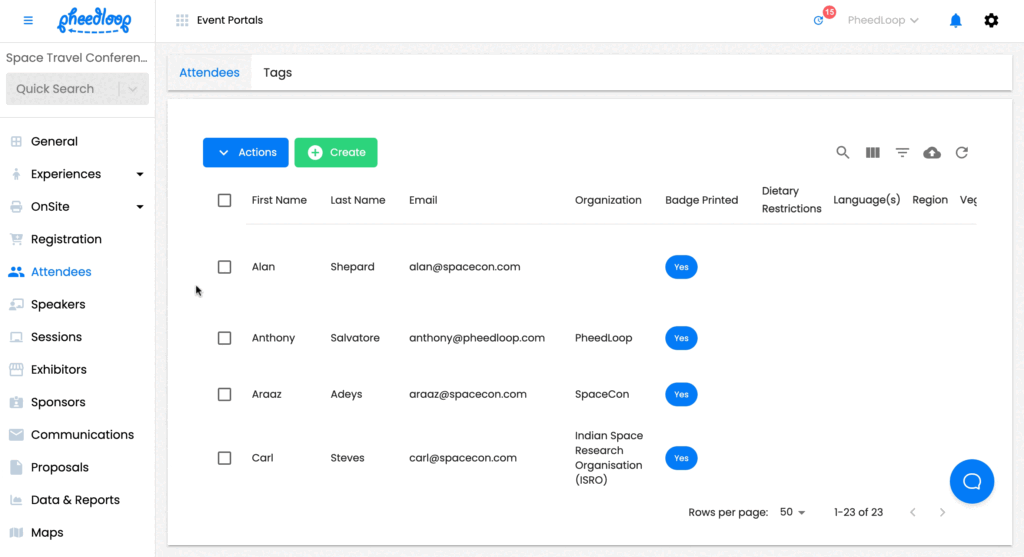
PheedLoop is an event management platform that lets organisers start with a core platform and add the modules each event needs. Modules cover registration and ticketing, event websites, payments, housing, exhibitor, sponsor and speaker management, abstract submissions, lead retrieval, mobile apps, CE credit tracking, and onsite check-in with badge printing (PheedLoop pricing). The core licence includes unlimited events. Typical users are small and mid-sized organisations and associations that run conferences with speakers, exhibitors and continuing-education requirements.
Why PheedLoop is a great vFairs alternative
vFairs sells event packages with add-ons for extra sessions, booths and attendees. PheedLoop takes a modular approach: a core platform fee, then modules priced by attendee, so a small association pays only for what each event uses. Call for proposals, speaker portals and attendee registration sit together in one site, which reviewers value (G2). CE credit tracking is a practical extra for professional associations that certify attendance.
The trade-offs appear as programmes grow. The most common review complaint is a learning curve at the start, and one non-profit reviewer noted that add-ons have become more expensive over time (G2). PheedLoop suits SMBs and associations that want conference features without an enterprise contract.
Key features
- Registration and ticketing
- Abstract submissions
- Exhibitor, sponsor and speaker management
- Mobile app
- CE credit tracking
- Check-in and badge printing
Pros
- Modular pricing lets small teams pay for the features each event needs.
- Unlimited events on the core licence suit associations with many small meetings.
- Speaker, abstract and registration workflows sit in one place, which reduces admin for conference teams.
- G2 reviewers praise responsive support and ease of use for attendees.
Cons
- Reviewers report a learning curve before organisers feel confident, so first events take longer.
- Add-on costs can climb as you add modules, per a non-profit reviewer on G2.
- Some reviewers find reporting challenging, which can slow post-event analysis.
Pricing
PheedLoop’s core event management platform starts at $950 per year, billed annually, with unlimited events. Additional modules start from $1 per attendee, and onsite check-in bundles start at $600 for two kiosks and a printer, with badges from $1.50 each (PheedLoop pricing, checked 15 October 2026). Exact pricing depends on modules, attendee count and event type.
Why teams choose it: SMBs and associations choose PheedLoop when they want conference modules such as abstracts and CE credits on a budget that scales with each event.
Key considerations for choosing the right vFairs alternatives
Start with what you must keep. Write down the vFairs capabilities your events use today, such as the 3D lobby, exhibitor booths, facial-recognition check-in or the branded app, and mark which ones your next platform must match. Then decide which requirement leads.
Virtual-event delivery. If your main event is a virtual conference with sessions and exhibitor experiences, look for a strong virtual platform and exhibitor tools. vFairs remains a solid choice here. Among the alternatives, Swapcard leads on matchmaking, Stova includes a virtual platform in every plan, and Eventtia adds a virtual stage from its Premium plan. Test how attendees find sessions and connect, because virtual engagement platforms differ most in navigation and networking.
Conference operations and attendee experience. If the event lives onsite, focus on registration, check-in, agendas and networking. Cvent and Bizzabo handle enterprise scale and complex logistics. Whova and PheedLoop give associations strong attendee apps and speaker workflows at lower entry points. If you’re also considering Eventbrite, see our guide to Eventbrite alternatives for corporate and B2B events.
Sales and marketing alignment. If you run recurring customer, prospect or partner events, the questions change. Who decides which accounts get invited? Can account managers see their own guests’ status without asking marketing? Will a rep know when their client arrives? Does attendance reach the CRM? InviteDesk is built for this scenario, with shared guest lists, rep quotas, “on behalf of” invitations, arrival alerts and CRM connectors. If you’re also weighing marketing operations and follow up tools, compare our Swoogo alternatives.
Organiser control and vendor involvement. vFairs includes a dedicated project manager on every plan, which helps on a first large event. For recurring events, check how much your own team can change without the vendor: editing pages, cloning events and updating guest lists. Ask each vendor to show a routine change live during the demo.
Integrations and follow-up data. Confirm which CRM you use and what must sync back: registrations, attendance, survey answers. A native connector with field-level control saves weeks of exports.
Pricing dependencies. Compare like for like. Some tools charge per registration (Stova), per attendee credit (Eventtia), per user seat (Bizzabo) or per event and user seat (InviteDesk). Model your real event calendar, including add-ons such as SSO, apps and onsite hardware, before comparing totals. Switching also costs time: plan for data migration, template rebuilding and staff training.
Three scenarios make this concrete. A virtual conference that needs sessions and exhibitor booths should shortlist Swapcard, Stova or Eventtia. A large conference that prioritises onsite operations and engagement should look at Cvent, Bizzabo or Whova. A bank, manufacturer or professional services firm running recurring client events with account managers should start with InviteDesk.
Running client events where account managers matter? See how InviteDesk keeps marketing and sales on the same guest list.
Frequently asked questions
What does vFairs cost?
vFairs doesn’t publish prices. Its pricing page describes annual licences that you can pay in any currency, pre-set plans with add-ons for extra sessions, booths, attendees, and managed services, and custom packages. vFairs offers no free plan but gives discounts to non-profits, and every plan includes a dedicated project manager (vFairs pricing). To get vFairs pricing for your event, request a pricing guide or book a demo.
What is the vFairs app?
The vFairs app is a branded mobile event app with agendas, exhibitor pages, networking, and notifications. Onsite, it supports check-in by QR code, facial recognition or name search, with badges printed at check-in (vFairs).
Is Cvent a replacement for vFairs?
For large in-person conferences, Cvent can replace vFairs and adds venue sourcing, budget approvals and on-site logistics. For immersive virtual fairs with 3D environments, vFairs is the more specialised option. Compare the formats you run most often before switching.
What are some alternatives to Cvent for event marketing?
Bizzabo, Stova and Swoogo serve conference and event marketing teams, while InviteDesk fits B2B teams where marketing and sales run client events together. See our full guide to Cvent alternatives for event planners.
If vFairs serves your virtual fairs well but your client events need account managers in the loop, the right alternative depends on that job. InviteDesk was built for that gap: marketing runs the event, sales fills the right seats, and both teams see the same guest list from invitation to follow-up.
Ready to run tighter, more accountable B2B events? We’ll show you how InviteDesk helps your sales and marketing teams work together on every guest list.