If you’re comparing CRMs for event management, you’re probably tired of piecing together guest lists, emails, and conversation notes. You’re also likely looking for a tool that shows you who needs a reply or follow-up, based on the context of what you’ve discussed.
Getting that information into your CRM is still a challenge. In ICE’s 2025 benchmark, only 24% of corporate event teams had fully connected their event technology with marketing and sales systems. Without that connection, sales may need to manage spreadsheets to see who attended your events.
The best CRM depends on the work you do. If you run customer events, you need guest activity connected to the relationships sales manages. If clients hire you to organise events, you need to track enquiries, proposals, contracts and deposits.
To help you choose, we compare eight CRMs around these needs, including what each can handle and where you’ll need separate software for invitations, registration and check-in.
What Makes a Great CRM for Event Management?
Event management CRMs are either purpose-built or for general use. A purpose-built event CRM connects registration and attendance data with customer records, helping your team decide who to invite and how to follow up. A general CRM may need add-ons or integrations to make those connections. Either approach should meet these five requirements.
- Connect event data with sales and marketing: Check which records sync between your CRM, event software, and marketing automation tools to avoid reconciling lists manually. Only 24% of respondents to ICE’s 2025 benchmark reported this sort of full integration.
- Segment guests by role and relationship: You should be able to separate customers from prospects and sponsors from attendees, so you can tailor invitations and follow-up to each group.
- Give sales visibility into RSVPs: Account managers should see who has accepted, declined, or hasn’t replied, so they can follow up without having to ask the marketing team for guest lists every time.
- Automate follow-up using relevant context: Tailor messages to attendance and stated interests, and assign follow-up tasks to the right salesperson.
- Support your data compliance requirements: Look for consent records, access controls, and retention settings to manage who uses guest information and how long you keep it.
Read more: GDPR compliance for corporate events.
These criteria are important because being able to store attendee profiles does not automatically make a platform a CRM.
Event software usually maintains the information needed to deliver a particular event, while a CRM preserves the customer or client relationship across events. The CRM also connects that history to accounts, sales activity, marketing, follow-up, and commercial outcomes.
The table below describes the key strengths and differences between a CRM and an event software:
| A CRM is usually great at | Event software is usually great at |
|---|---|
| Keeping contacts, accounts, and relationship history | Creating invitations, RSVPs and registration logic |
| Segmentation and customer context | Managing capacity, sessions, tickets and waitlists |
| Sales activity and opportunity management | Helping with check-in, badges and on-site workflows |
| Nurture, follow-up and attribution | Helping with event-specific communication and attendance status |
Our review of event management software with CRM integration explains how software like Invitedesk and Bizzabo connects the two functions, bringing event updates into ongoing customer conversations.
Already have a CRM you want to keep?
InviteDesk manages the invitation-to-attendance workflow while keeping relevant guest statuses connected to your CRM. Marketing controls the event process, and sales can stay involved in the customer relationship without working from separate spreadsheets.
The Best CRMs for Event Management at a Glance
Here’s an overview of the tools and what they’re great at:
| CRM | Best for | Price | Notable limitation or differentiator |
|---|---|---|---|
| Salesforce | Enterprise events tied to sales opportunities | Starter $25/user/month monthly or annually; Core $195 annually | Links events to deals; needs separate event tools. |
| HubSpot | Event-driven nurture and campaign follow-up | Marketing Pro from $800/month; 2,000 marketing contacts; $3,000 setup | Advanced nurture requires a higher-tier marketing plan. |
| Zoho CRM | Budget-conscious teams wanting CRM and event tools | Standard $14/user/month; Backstage extra | The Backstage tier connects registration and check-in with CRM records. |
| Pipedrive | Event enquiries, proposals and bookings | Lite $14; Premium $59/user/month | Premium adds proposals and e-signatures to booking pipelines. |
| ActiveCampaign | Segmented post-event follow-up | Starter from $15/month, 1,000 contacts; CRM extra | Sales pipelines require a paid CRM add-on. |
| Keap | Small event businesses automating sales and payments | From $249/month, two users; setup extra | Connects follow-up with payments; contact growth raises costs. |
| HoneyBook | Independent planners managing client bookings | Starter $29; Essentials $49/month | Handles contracts and payments; automation requires an upgrade. |
| Dubsado | Custom client-booking workflows | Starter $335; Premier $525/year | Automated workflows and scheduling require Premier. |
I used the scorecard below to rate each CRM using the five criteria. Here’s how they perform based on what you might need.
Evaluation scorecard for the best CRMs for event management
| CRM | Relationships | Event workflows | Sales and follow-up | Reporting |
|---|---|---|---|---|
| Salesforce | 5/5Links accounts and deals. | 2/5Needs integrated event management tools. | 5/5Automates complex sales processes. | 5/5Links campaigns to opportunities. |
| HubSpot | 4/5Links contacts and companies. | 3/5Tracks event participation. | 5/5Automates segmented nurture. | 4/5Attribution varies by plan. |
| Zoho CRM | 4/5Links accounts and deals. | 4/5Backstage adds event execution. | 4/5Automates sales and marketing. | 3/5Cross-product reports need configuration. |
| Pipedrive | 3/5Centres relationships on deals. | 2/5Tracks bookings, not guests. | 4/5Automates deal follow-up. | 2/5Focuses on sales performance. |
| ActiveCampaign | 3/5Sales CRM costs extra. | 1/5Needs external event tools. | 5/5Personalises behaviour-based nurture. | 3/5Attribution requires higher plans. |
| Keap | 3/5Connects contacts and payments. | 1/5Needs separate guest management. | 4/5Automates enquiry follow-up. | 2/5Emphasises sales and marketing. |
| HoneyBook | 3/5Organises relationships around projects. | 2/5Handles contracts and payments. | 3/5Automates client booking steps. | 2/5Focuses on booking performance. |
| Dubsado | 3/5Connects clients and projects. | 2/5Manages bookings, not conferences. | 3/5Automates custom client workflows. | 1/5Tracks finances and sources. |
8 best CRMs for event management: features, pros, and cons
1. Salesforce: best for enterprise event programme
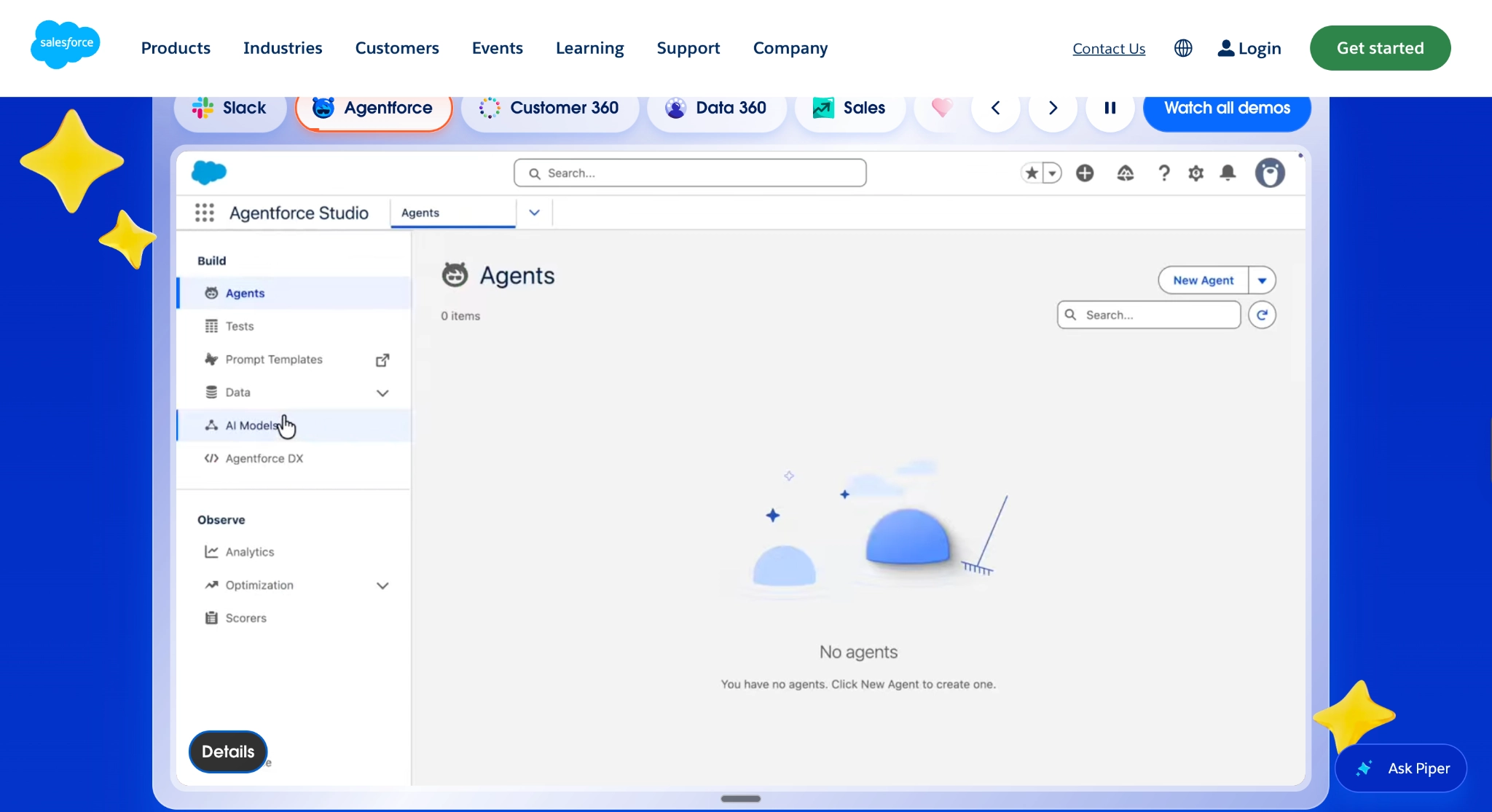
Salesforce is a CRM that connects event guests with the accounts and sales opportunities your team already manages. It allows you to create a campaign for each event, then use imports or a connected event tool to record registrations and attendance. Sales can use this context for their follow-ups, reducing manual handoff between teams.
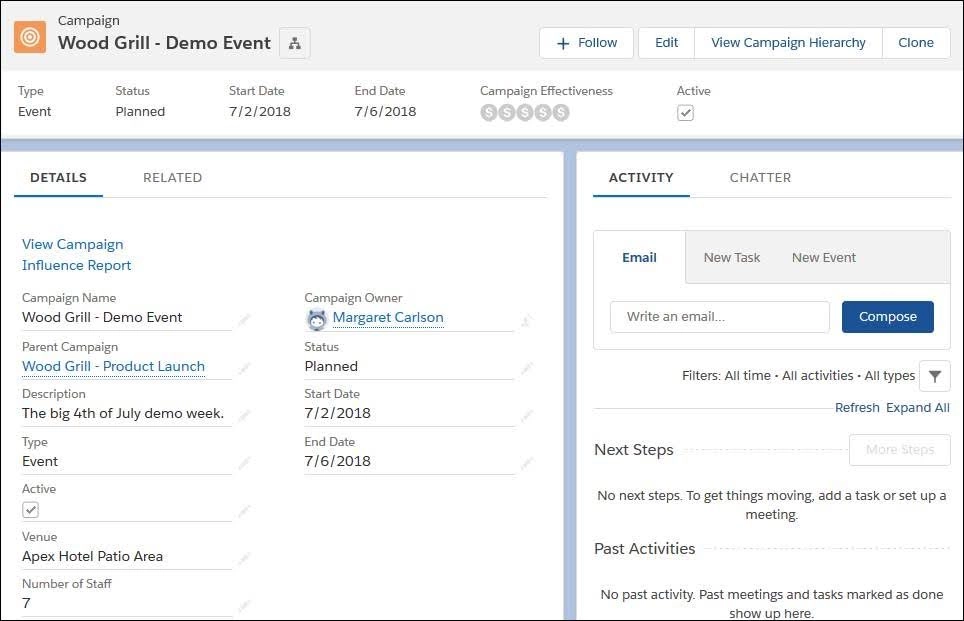
You can also use campaign hierarchies to group related events, allowing you to compare individual results with the programme’s overall performance, as shown in the image below. Campaign Influence also connects campaigns with sales opportunities, helping you see which events were associated with potential or won business. The attribution depends on your configured model and correctly linked contact records.
Key Features
- Guest registration and attendance statuses
- Customer account and contact history
- Grouped event campaign reporting
- Guest-to-opportunity relationships
- Campaign revenue attribution
- Event audience filters
What users say
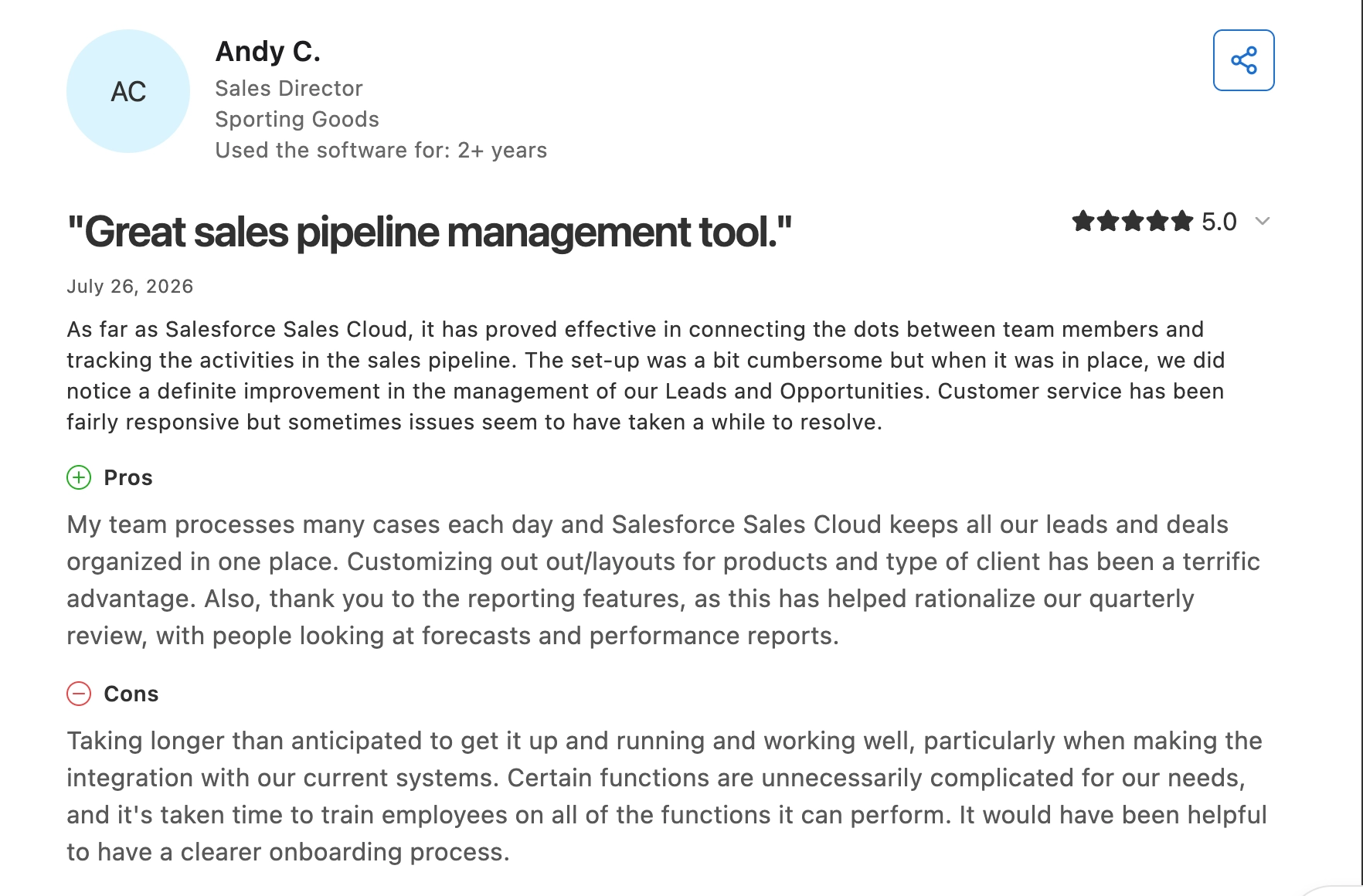
Andy C., a sales director, likes having leads, deals, and reports organised in one place, which is useful when tracking event activity alongside a larger sales pipeline.
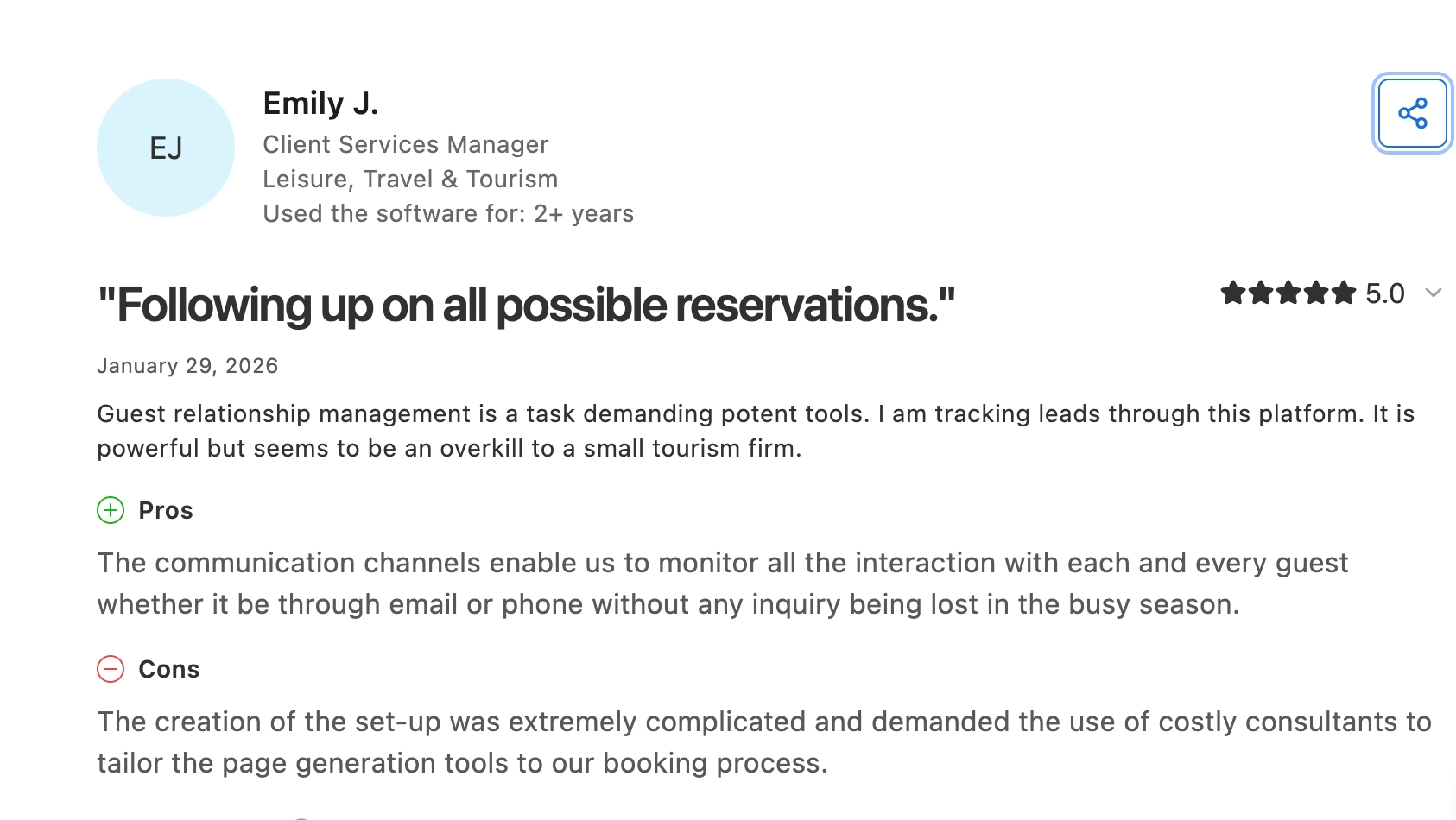
Emily J., a client services manager, could track guest interactions, but needed consultants to adapt Salesforce to her booking process, so expect more setup if your event workflow is highly customised.
Pros
- Sales sees event activity alongside customer history.
- Parent campaigns combine results across related events, helping you assess the whole programme.
- Campaign reports can show open opportunities or closed deals, separating potential revenue from won business.
Cons
- RSVP statuses need to be imported or automated; creating them manually doesn’t keep attendance records up to date.
- Guests must be linked to opportunities as contact roles, or influence reports can miss their events.
- Default attribution credits one primary campaign, so splitting credit across events requires another model.
Pricing
- Starter: $25/user/month, billed monthly or annually.
- Other annual plans: Pro $100, Core $195, Advanced $395, Max $550 per user/month.
- Extra costs: Pro API access costs $25/user/month. Event software and implementation may incur additional costs.
Why teams choose it: Event participation stays connected to the accounts and opportunities sales already works on.
2. HubSpot: best for marketing-led events
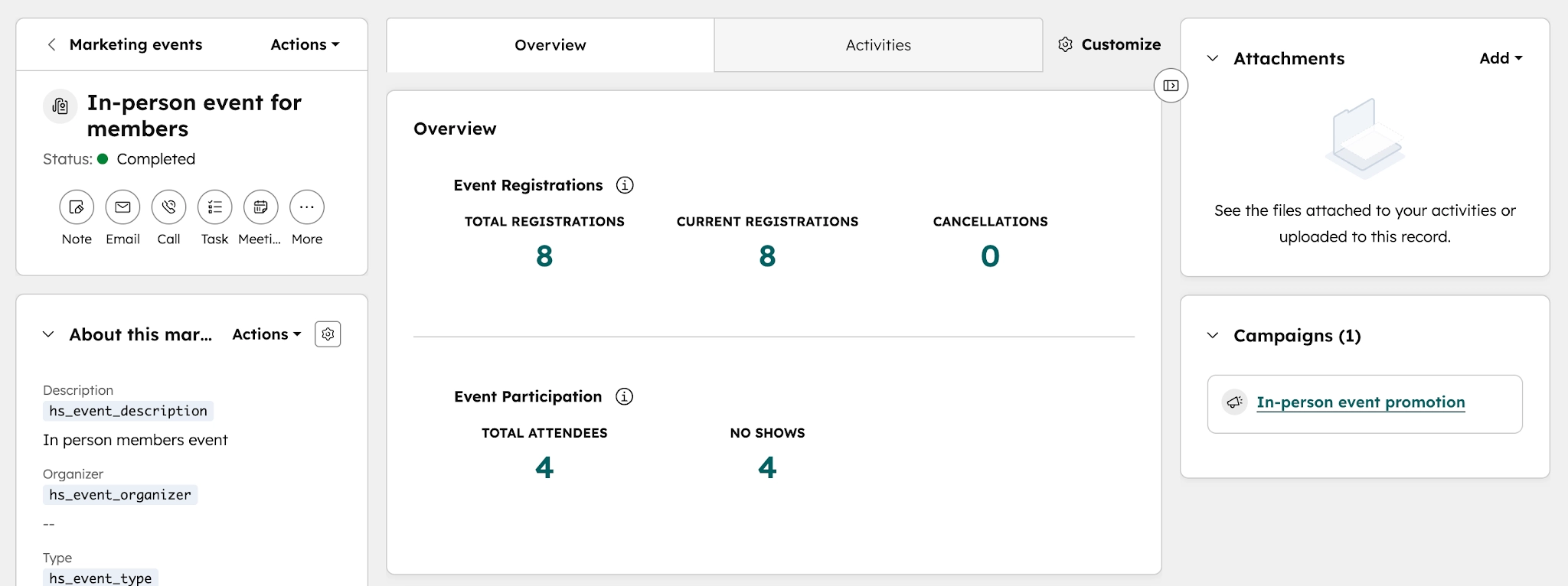
HubSpot combines CRM with marketing automation for event follow-up, and you can use its marketing event records feature to track registrations, cancellations and attendance through connected apps or imports, as seen below.
With its Marketing Hub Professional, you can create automated, yet personalised emails to send relevant resources to attendees and the event’s recording to no-shows. You can also link the event to your wider marketing campaign to analyse performance associate them with your broader marketing initiative.
Key Features
- Event registration and attendance records
- Attendance-based audience segments
- Registration forms
- Automated post-event emails
- Customer interaction history
- Event revenue attribution on Enterprise
What users say
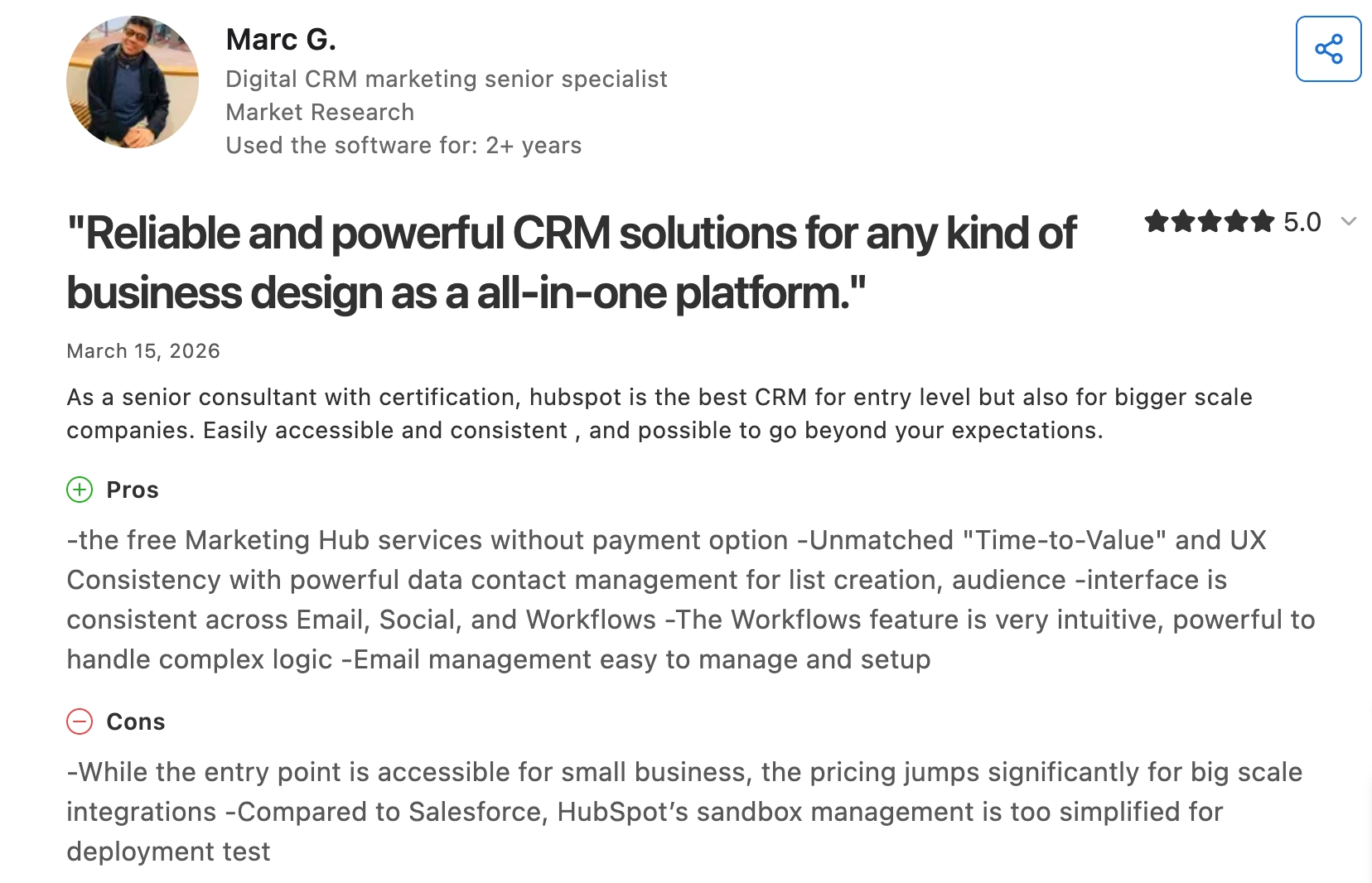
Marc G., a senior CRM marketing specialist, likes having contact lists, email, and workflows together, which supports the segmented follow-up HubSpot is strongest at here. He mentions that HubSpot gets significantly more expensive when larger teams need more advanced integrations.
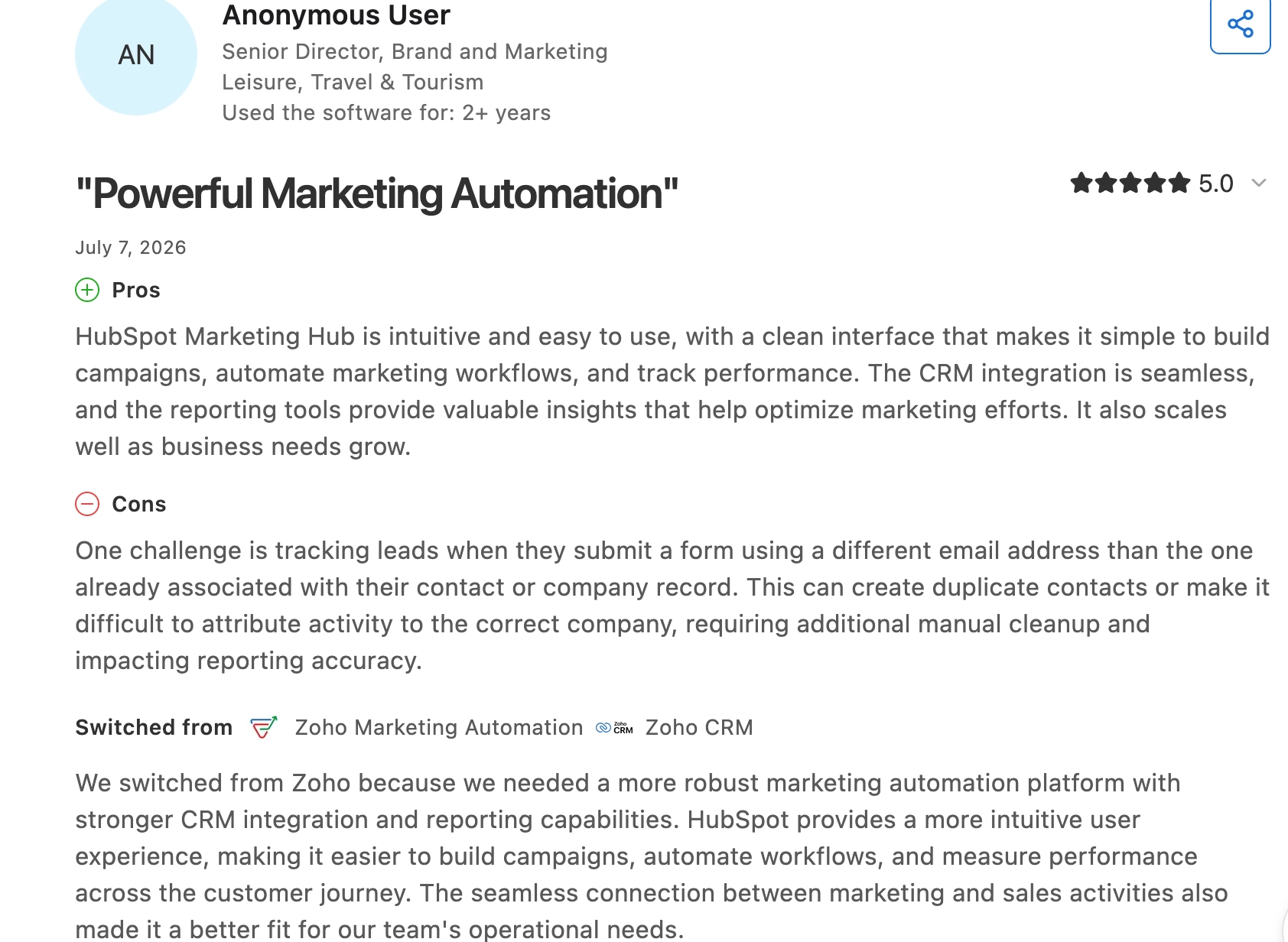
An anonymous travel and tourism reviewer also considers HubSpot a powerful marketing automation tool but warns that different email addresses can create duplicate contacts or misattribute activity, so you may need to clean your registration data before you rely on it for reporting.
Pros
- Forms can register contacts for HubSpot-created events, reducing manual updates.
- Attendance-based segments support different messages for attendees and no-shows.
- Attendee in-event activity can stay connected to existing contacts, giving sales context beyond a standalone guest list.
Cons
- Event revenue attribution requires Marketing Hub Enterprise, which can increase your subscription.
- The participant-update workflow action cannot modify integration-synced events, so those updates must come through the connected system.
- In-person event data may still require a separate system: HubSpot can track registrations and attendance, but participant data often needs to come from a connected event platform or an import.
Pricing
- Free CRM: Excludes the automated nurture workflow described above.
- Starter: $20/seat/month, with 1,000 marketing contacts; promotions vary.
- Professional: From $800/month billed annually, with three Core Seats and 2,000 marketing contacts, plus $3,000 onboarding.
- Enterprise: From $3,600/month billed annually, with five Core Seats and 10,000 marketing contacts, plus $7,000 onboarding.
Why teams choose it: Attendance can trigger relevant follow-up using existing customer records.
3. Zoho CRM: best for value-conscious teams wanting CRM and event tools in one ecosystem
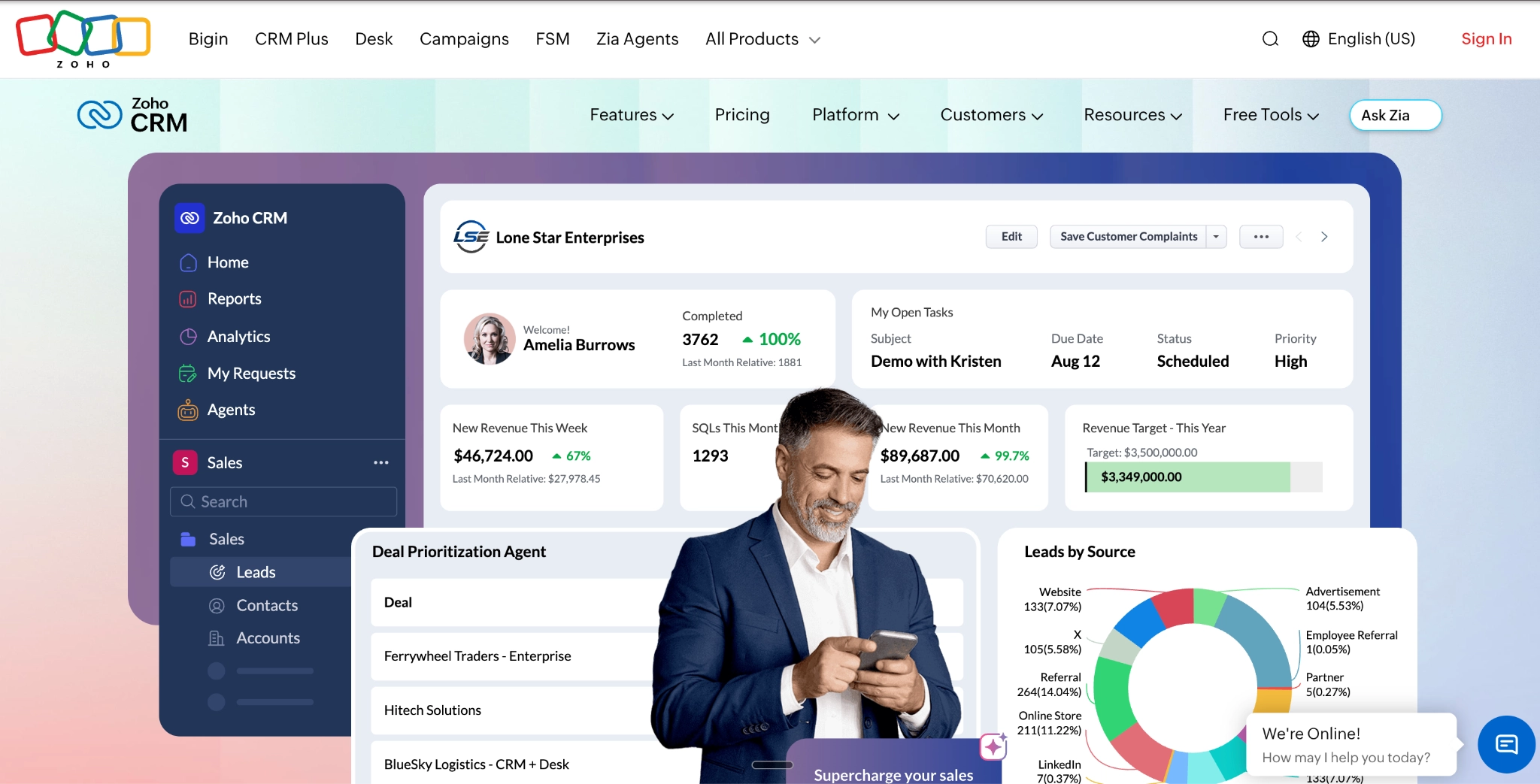
Zoho CRM is a sales CRM that helps you track prospects, customers, and deals. Its Standard plan includes contact management and workflow automation, so you can organise enquiries and automate follow-up.
For events, it connects with Zoho Backstage, which handles registration and check-in, as seen in the image below. You can also send ticket and attendance details to the CRM, so your sales team can see who attended before contacting them.
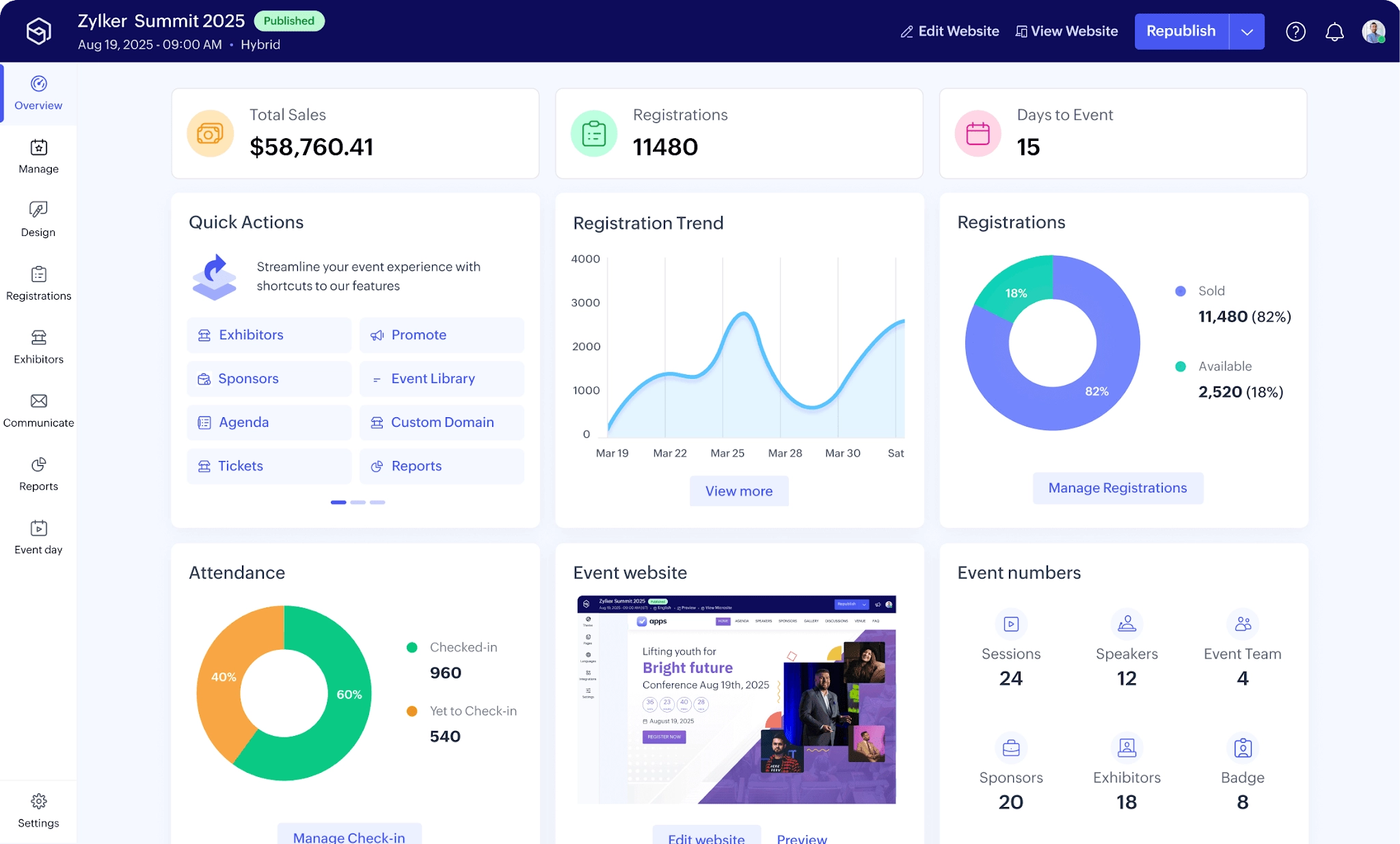
For a workshop registration, the integration can match an existing customer or create a new lead. This way, sales can follow up while keeping earlier conversations and purchases in view.
Key Features
- Lead, contact and account management
- Automated follow-up workflows
- Backstage registration and check-in sync
- Existing-contact matching rules
- Ticket sales records in CRM
- Custom registration-field mapping
What users say
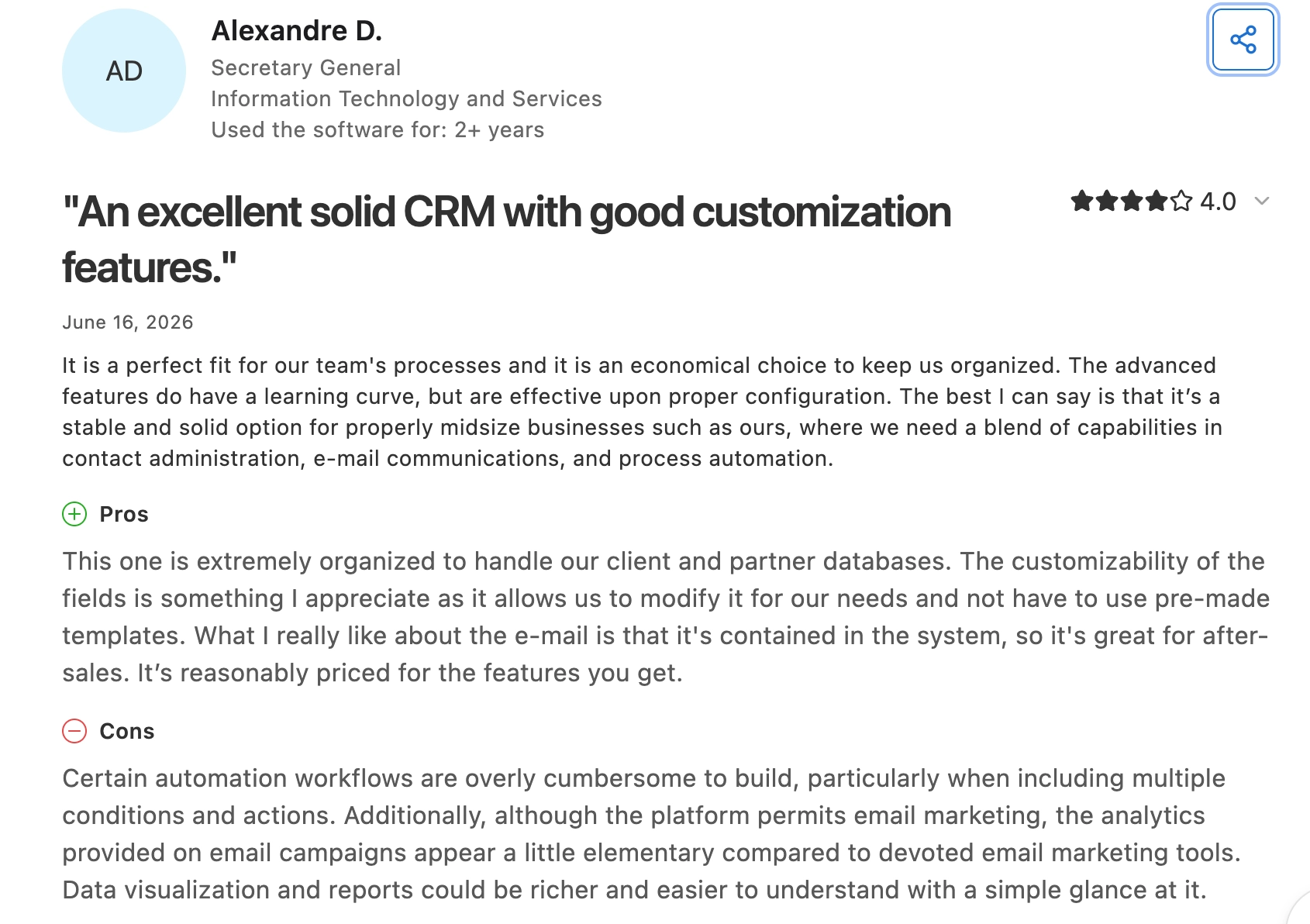
Alexandre D., a secretary general, likes using custom fields, email and automation to keep client and partner records together, which supports Zoho’s appeal as one connected ecosystem.
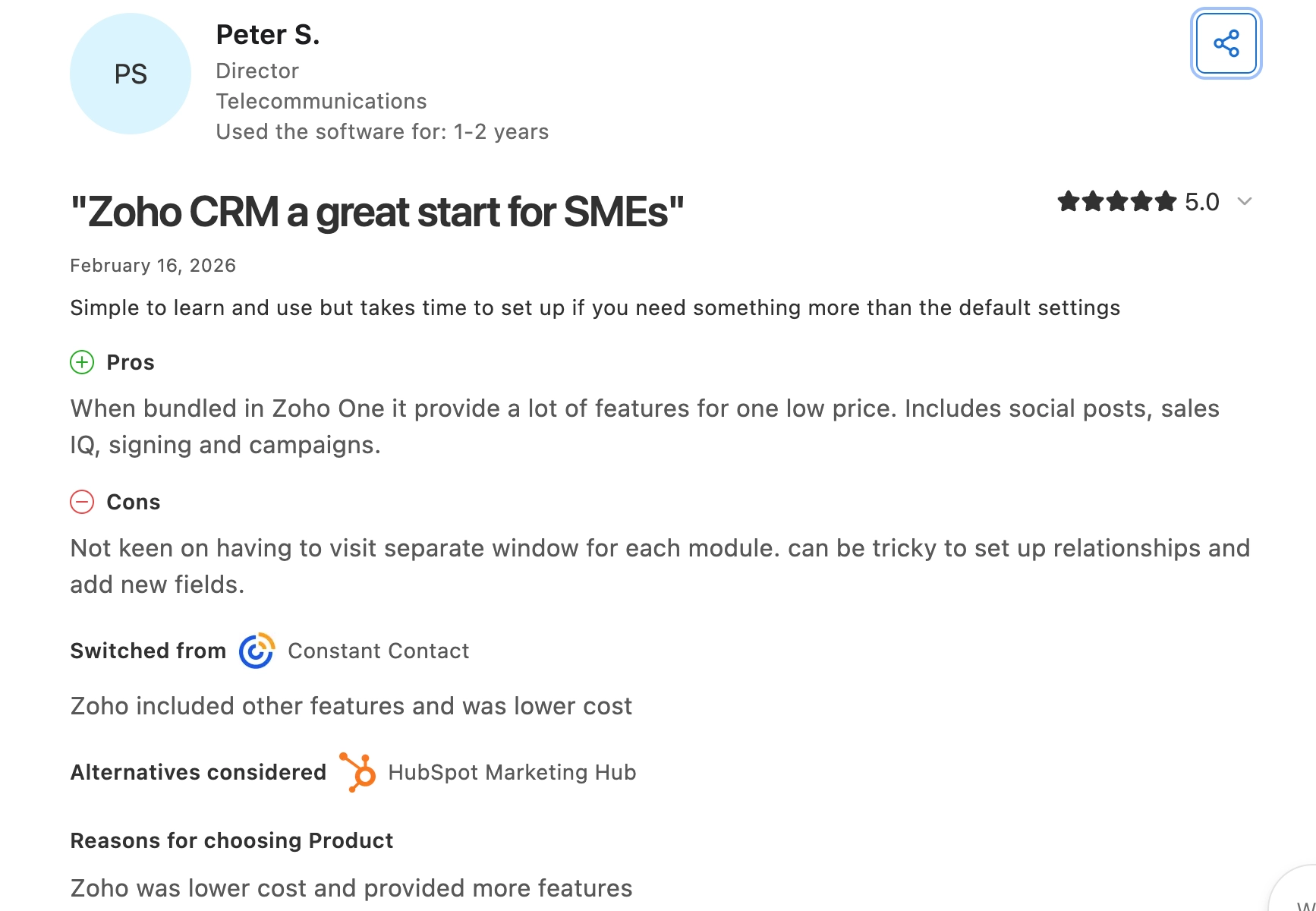
However, Peter S., a director in a telecommunications company, says it’s a great CRM for SMEs, but setting up record relationships and new fields takes work, with separate windows for different modules. This can equal to more setup time than you might typically want.
Pros
- Registrations can match existing customers rather than creating new leads for each registration.
- Sales can see ticket and attendance details without requesting spreadsheets.
- You can choose which events and activities sync to the CRM to avoid bloat.
Cons
- Backstage Premium or Ultimate is required; the CRM plan doesn’t connect registration and attendance.
- When several records match, the integration can link all of them, update the most recently edited one, or skip them. It doesn’t resolve duplicates for you.
- Custom registration fields require manual setup: If you collect extra information during registration, you need matching CRM fields and must map them before that data can sync correctly.
Pricing
- Free CRM: Supports three users.
- Paid CRM plans: Standard $14; Professional $23; Enterprise $40; Ultimate $52 per user/month, billed annually.
- Backstage Premium: $208/month billed annually or $599/event, with 1,000 attendees per event.
- Backstage Ultimate: $416/month billed annually or $1,499/event, with 5,000 attendees per event. Both Backstage plans cost extra with CRM.
Why teams choose it: Zoho connects event attendance to customer records while keeping CRM and event delivery within a single vendor’s ecosystem.
4. Pipedrive: best for event businesses managing enquiries, proposals and bookings
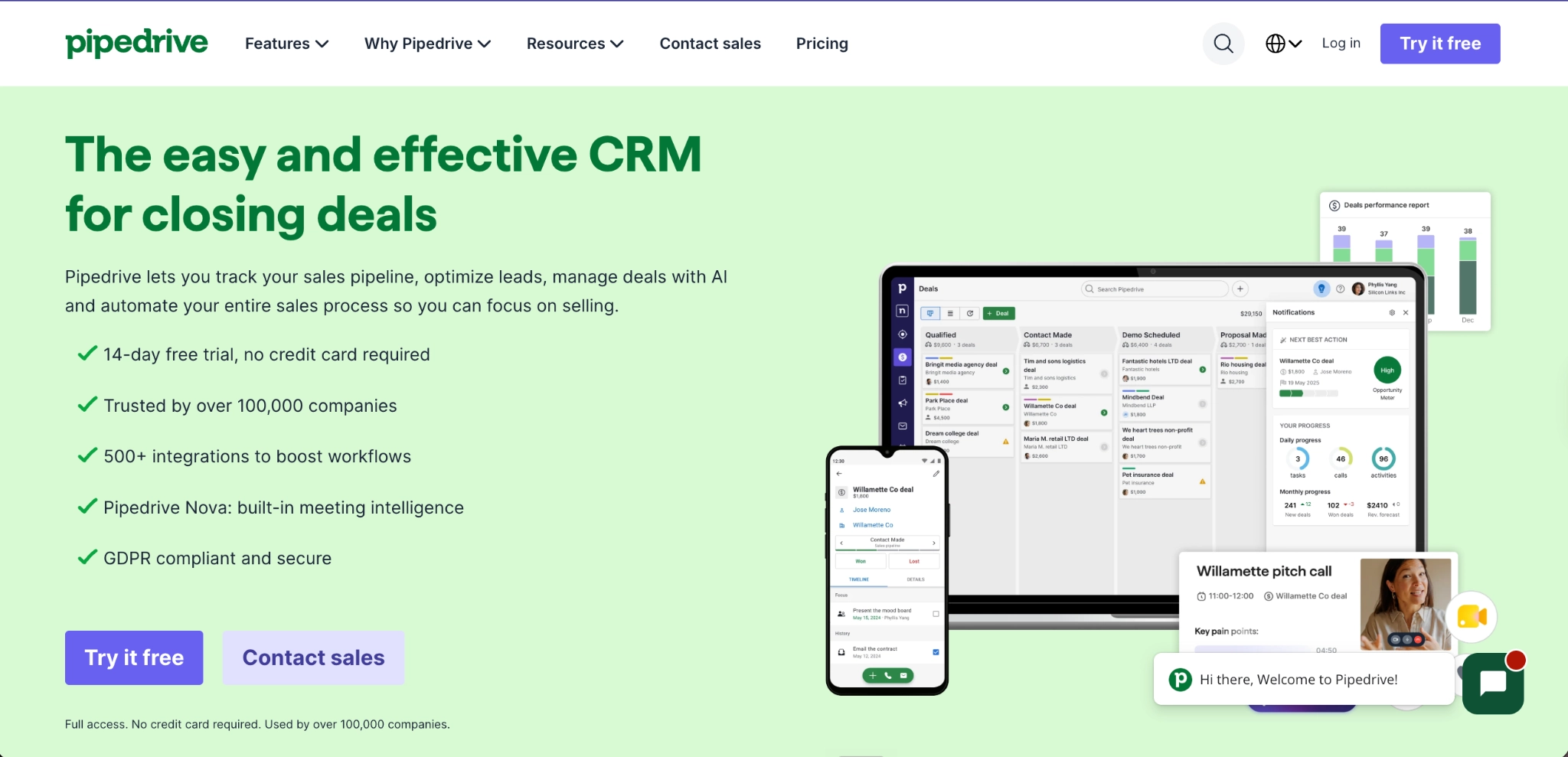
Pipedrive is a sales CRM that helps event planners and venue businesses track enquiries through proposal and contract stages. Its visual pipeline shows which clients are waiting for a proposal and which still need to sign a contract.
You can create stages such as “Enquiry received,” “Proposal sent”, and “Contract signed.” You can also use its web forms to send website enquiries into Pipedrive as leads or deals, reducing manual entry. On their Growth tier and above, you can use automations to create follow-up tasks as those deals progress.
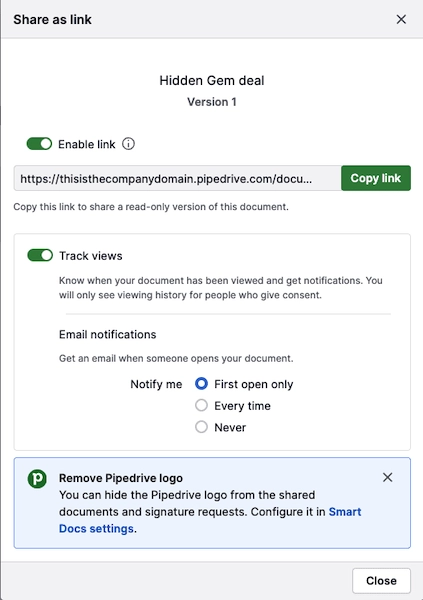
For example, if a company enquires about hiring your venue for a conference, Smart Docs can fill your proposal template with the client details and pricing saved in Pipedrive, as shown in the image below. You can then send a contract for electronic signature, keeping the agreement alongside the conversations that led to the booking.
Key Features
- Custom booking pipelines
- Website enquiry forms
- Automated follow-up tasks
- Proposal and contract templates
- Document-open tracking and e-signatures
- Linked project delivery tasks
What users say
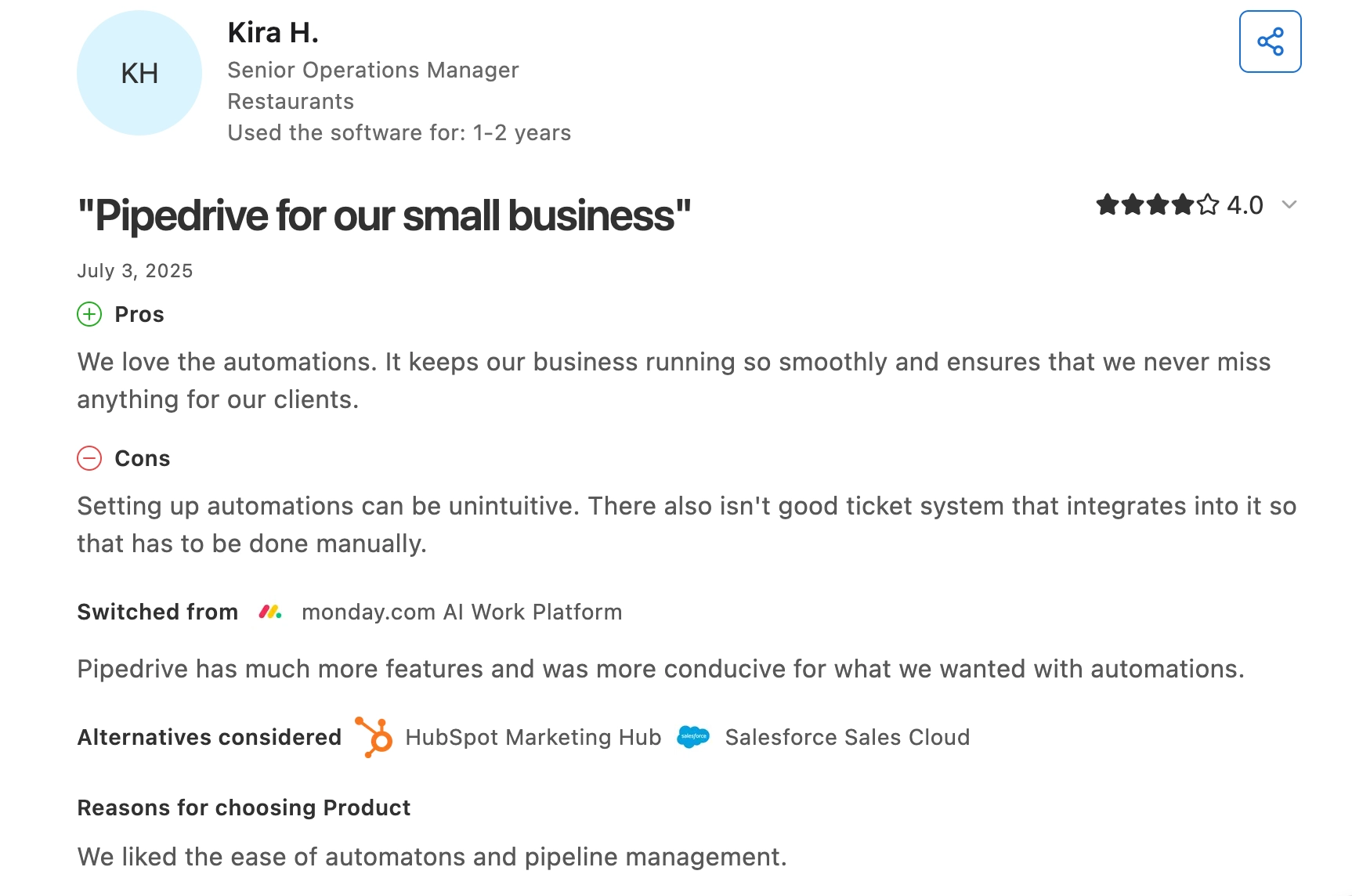
Kira H., a senior operations manager, says automations help her team follow up with clients when they should, which cna help you move enquiries through proposals and bookings quickly. However, setting them up is less intuitive, making the configuration process difficult.
Gavin A., a director in a small business, likes the visual pipeline but says adding another email account requires an upgrade, so check plan limits if several people or inboxes handle client communication.
Pros
- Pipeline stages show which enquiries need proposals or signed contracts.
- Document-open notifications tell you when a client views your proposal, giving you a timely reason to follow up.
- Projects connect delivery tasks with the won deal, so the event team can access the sales notes and agreed documents.
Cons
- LeadBooster forms and Smart Docs cost extra on the Lite and Growth plans; Premium includes both.
- Billing clients requires an invoicing integration.
- Campaigns cost extra on every plan for bulk marketing emails.
Pricing
Prices are per seat/month, billed annually.
- Lite: $14. Contact, calendar and pipeline management.
- Growth: $39. Adds email sync, automation and meeting scheduling.
- Premium: $59. Includes LeadBooster, Smart Docs and Projects.
- Ultimate: $79. Adds security controls and sandbox testing.
Why teams choose it: Your team can see what’s holding up each booking and follow up accordingly.
5. ActiveCampaign: best for automated post-event nurture and segmentation
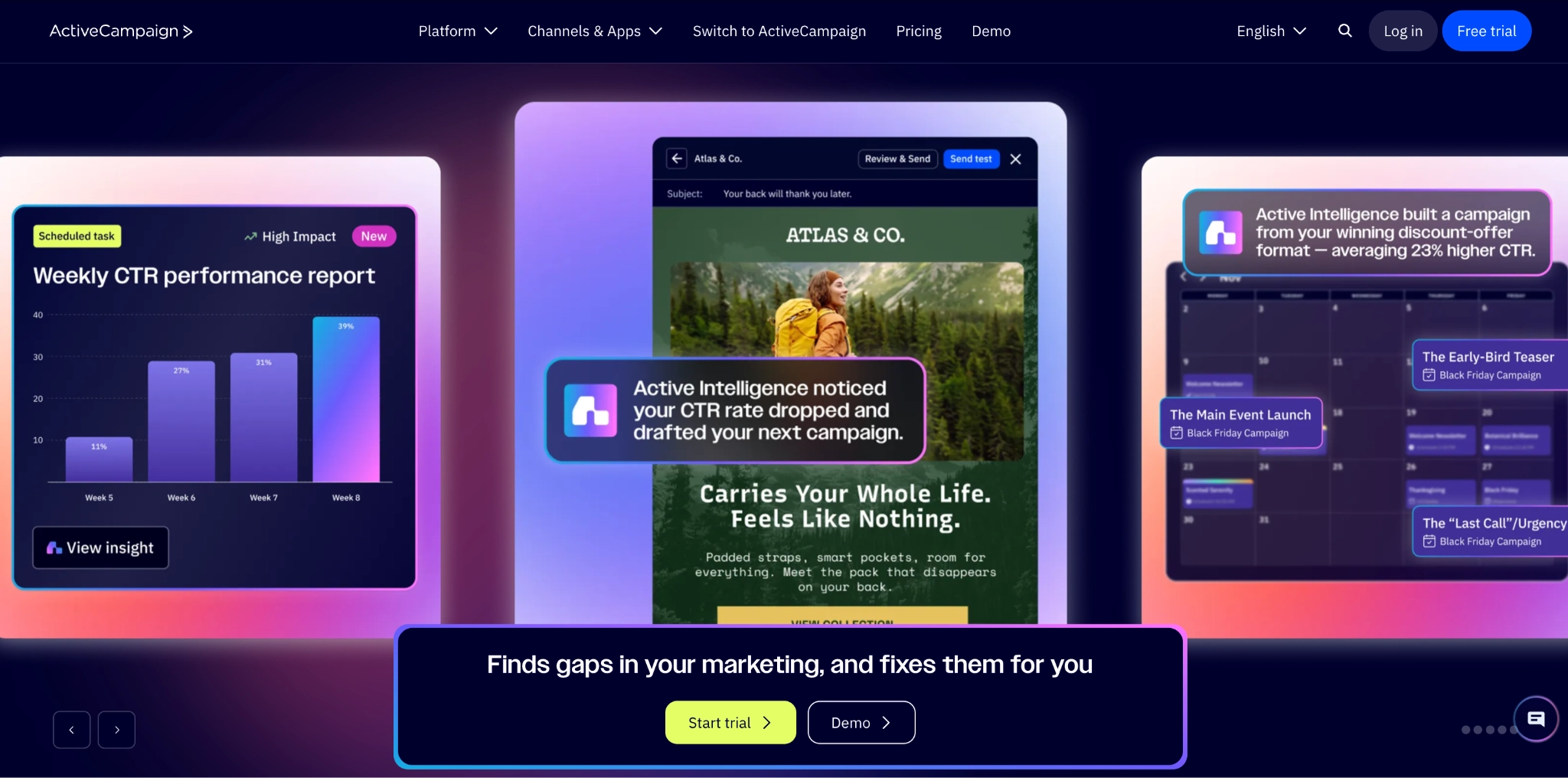
ActiveCampaign is a marketing automation platform with contact management and optional sales CRM tools. After importing or syncing event data, you can group contacts by interest level using tags and custom fields.
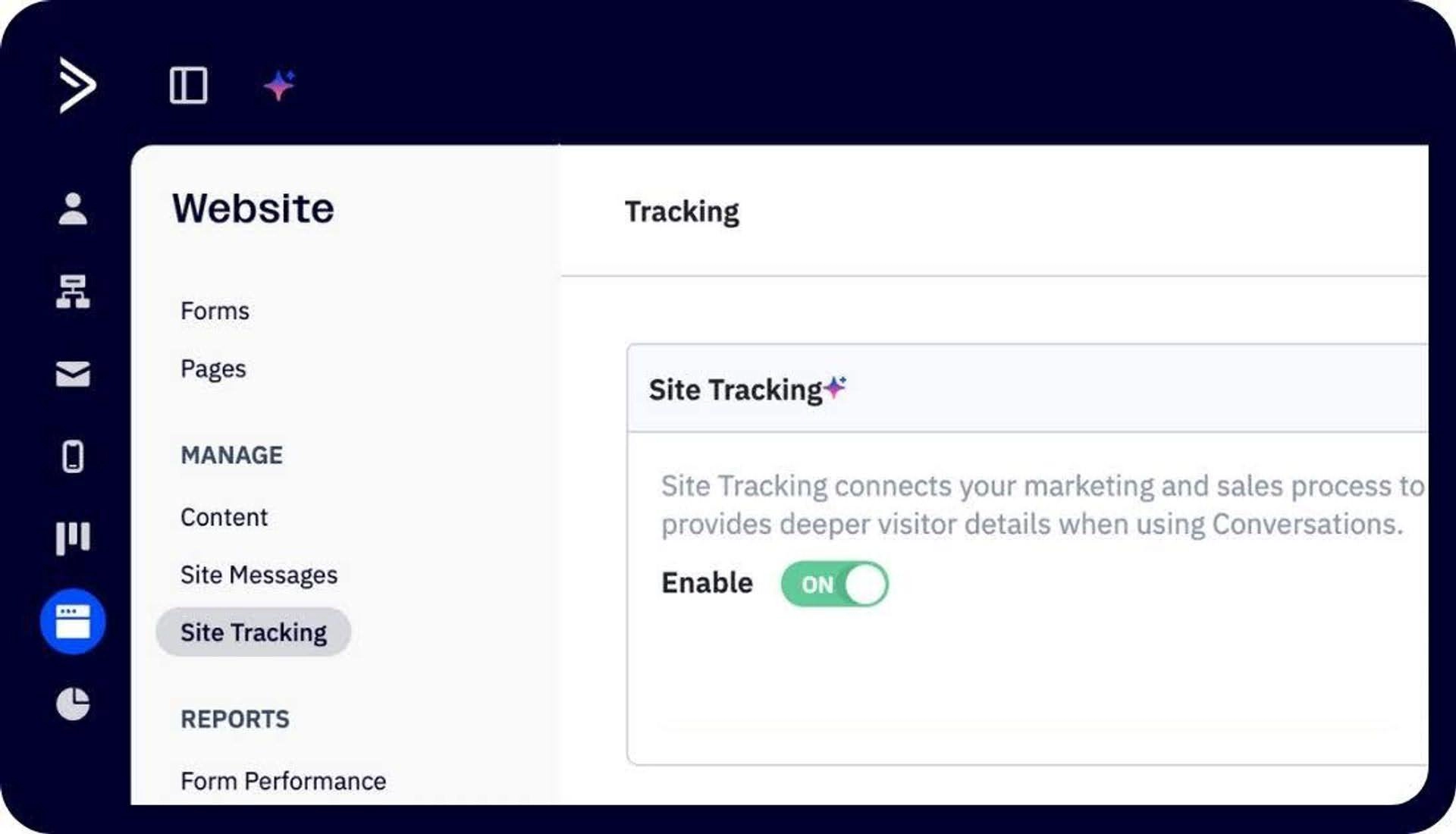
You can also configure website tracking to record pages visited by identified contacts and decide which actions should trigger which message, as shown in the image below. This way, your follow-ups respond to recorded behaviour rather than assuming every guest is ready for a sales conversation.
Key Features
- Contact tags and custom fields
- Interest-based audience segments
- Automated follow-up email sequences
- Email-click and website-visit triggers
- Personalised email content
- Sales pipelines through CRM add-ons
What users say
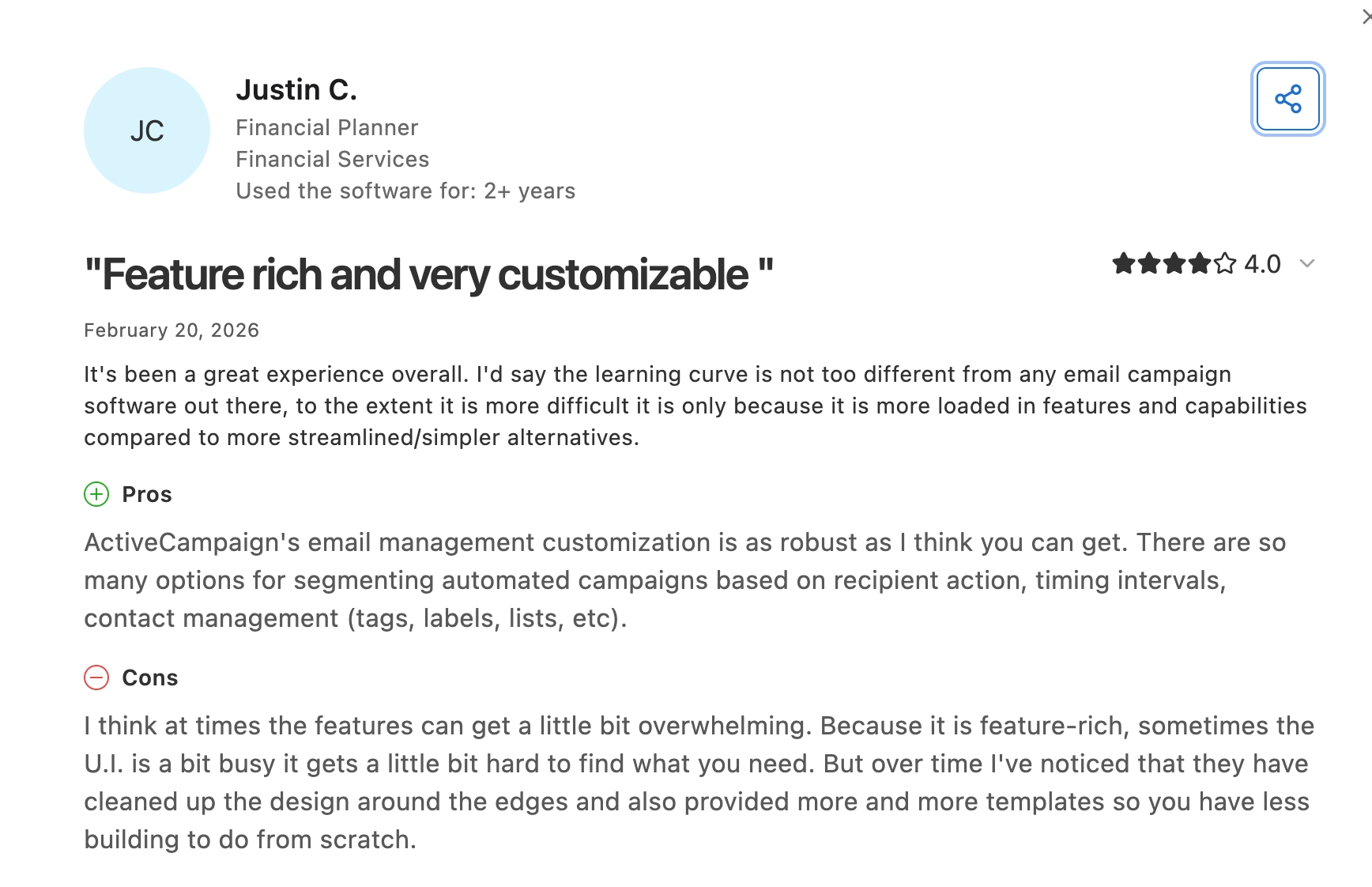
Justin C., a financial planner, says he likes to segment automated emails by actions, timing and tags, which is exactly what you need for different post-event follow-up paths.
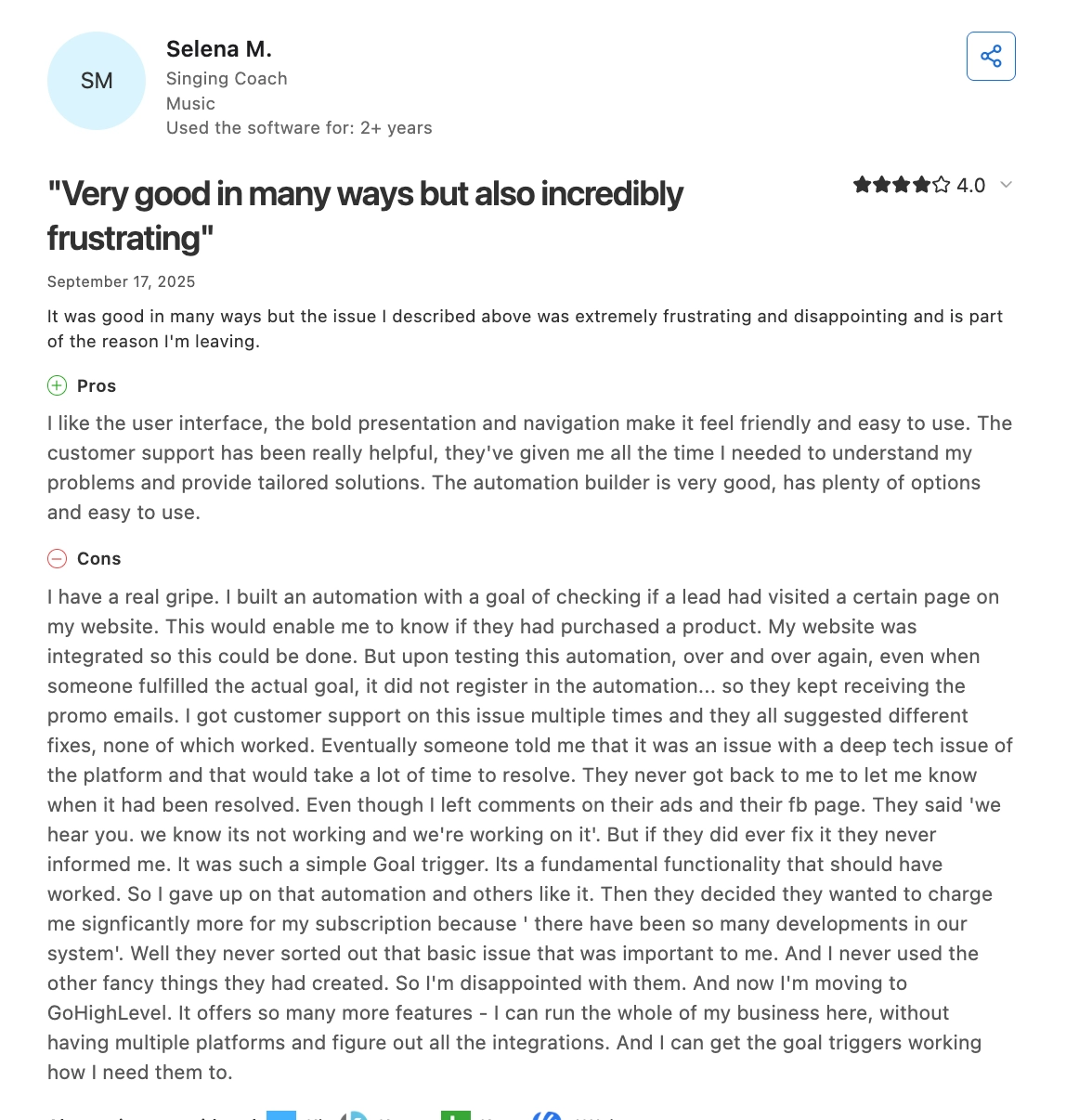
Selena M., a singing coach, likes the automation builder and found the support team helpful, but ran into problems with an automation designed to detect when a contact had made a purchase. The goal failed to register in her case, so customers who had already converted continued receiving promotional emails. You need to test these important triggers carefully before using them to decide what guests receive next.
Pros
- You can group guests by the interests recorded during registration or conversations, then send information relevant to each group.
- Behaviour-based triggers respond to email clicks and website visits.
- Custom fields personalise emails, reducing the need for manual editing across campaigns.
Cons
- Sales pipelines cost extra. Tracking event leads through deals requires an enhanced CRM add-on.
- Starter limits each automation to five actions. Longer follow-up sequences need Plus or above.
- Third-party registration forms don’t identify contacts for Site Tracking: If guests register elsewhere, you may need a tracked ActiveCampaign email click before subsequent website visits are linked to their contact record.
- Costs increase with contact count: More event contacts can push you into a higher pricing tier.
Pricing
For 1,000 contacts, email plans start at these monthly rates, billed annually.
- Starter: $15. Basic segmentation and five actions per automation.
- Plus: $49. Unlimited automation actions and landing pages.
- Pro: $79. Adds advanced segmentation and attribution.
- Enterprise: $145. Adds custom objects and administrative controls.
- CRM add-ons: Priced separately; confirm the cost of the sales capabilities you need.
6. Keap: best for small event businesses combining sales automation and payments
Keap combines CRM, automated follow-up and payments for small event businesses. This connects the steps between receiving an enquiry and collecting a client’s deposit.
For example, through a website inquiry, you can set an automation to send a reply with a consultation link, then send appointment reminders before you meet.
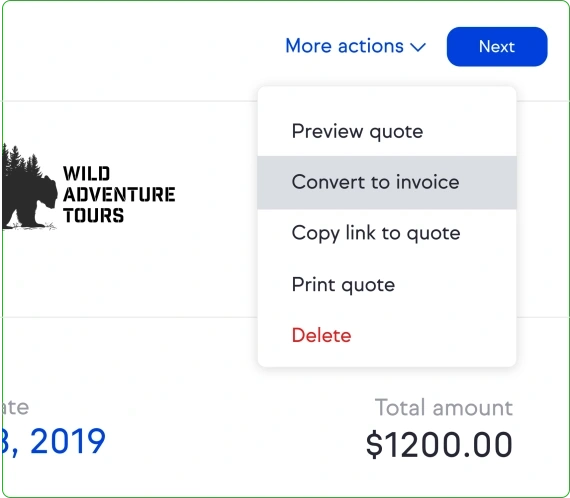
After discussing their requirements, you can send a quote for your services. Once the client accepts, Keap lets you convert the quote into an invoice and request a deposit, as seen in the image below. You can also configure payment reminders, reducing the emails your team needs to send while preparing for the event.
Key Features
- Website enquiry forms
- Automated enquiry follow-up
- Consultation scheduling and reminders
- Sales pipelines
- Quotes converted into invoices
- Deposit collection and payment reminders
What users say
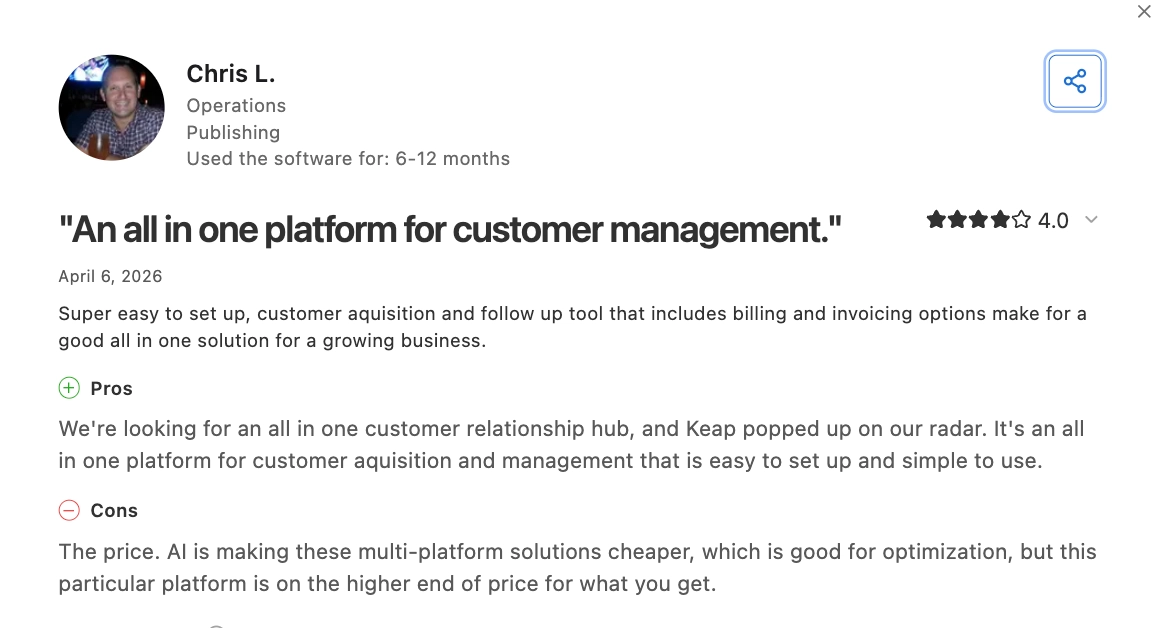
Chris L. found Keap easy to set up and likes having customer acquisition, follow-up, billing and invoicing in one place. His main concern is cost, which he considers high for what the platform provides.
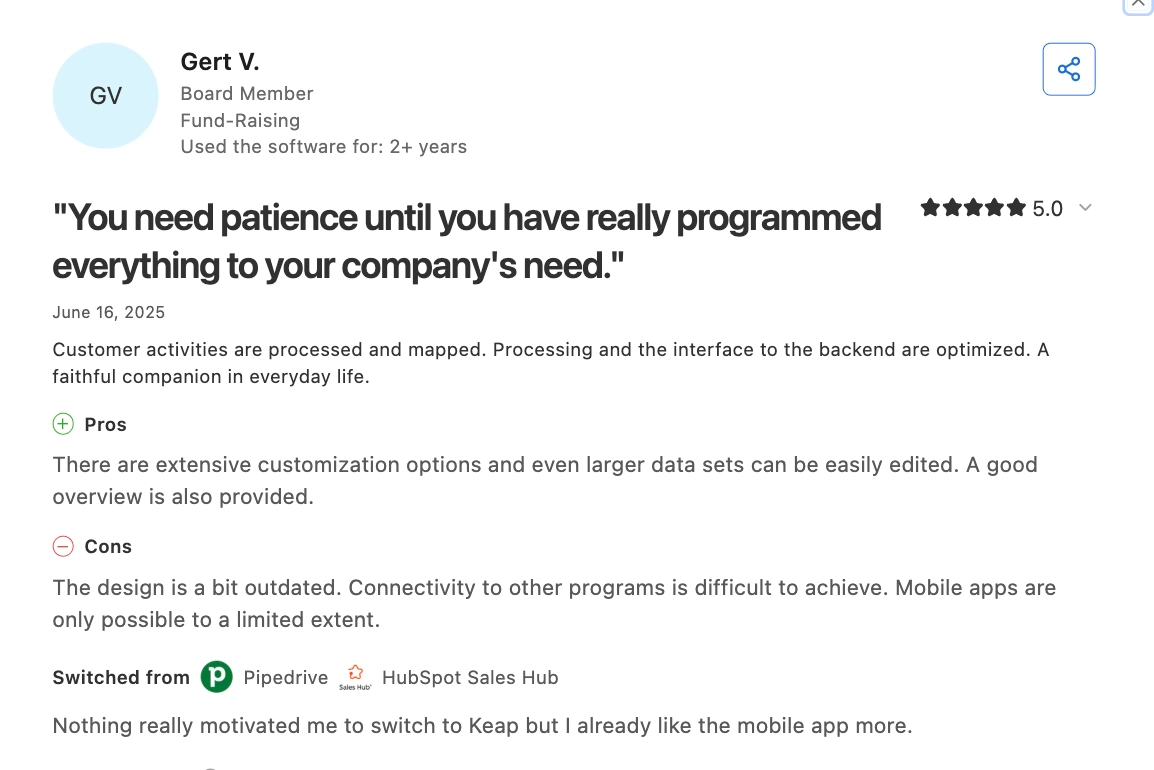
Gert V. likes the customisation but found integrations and mobile use limiting, which matters if your team relies on several tools or needs to work on the go.
Pros
- Form submissions can trigger an immediate reply, so every enquiry is acknowledged ASAP.
- Accepted quotes become invoices, reducing the need to create invoices manually.
- Appointment and invoice reminder templates help you automate routine client communication without building every sequence from scratch.
Cons
- A paid implementation package is required with the subscription.
- Each quote converts into one invoice: If you bill separate project milestones through separate invoices, you’ll need to create those additional invoices yourself.
- Extra users cost more: Keap includes two user licences; each additional user costs $39/month.
Pricing
- Annual billing: From $2,988/year ($249/month), with two users.
- Monthly billing: From $299/month, with two users.
- Extra costs: Additional users cost $39/user/month. Higher contact tiers, required implementation and payment-processing fees add to the bill.
Why teams choose it: Keap connects client follow-up with quotes and payments, reducing the admin work between an enquiry and a paid booking.
7. HoneyBook: best for independent event planners managing the full client journey
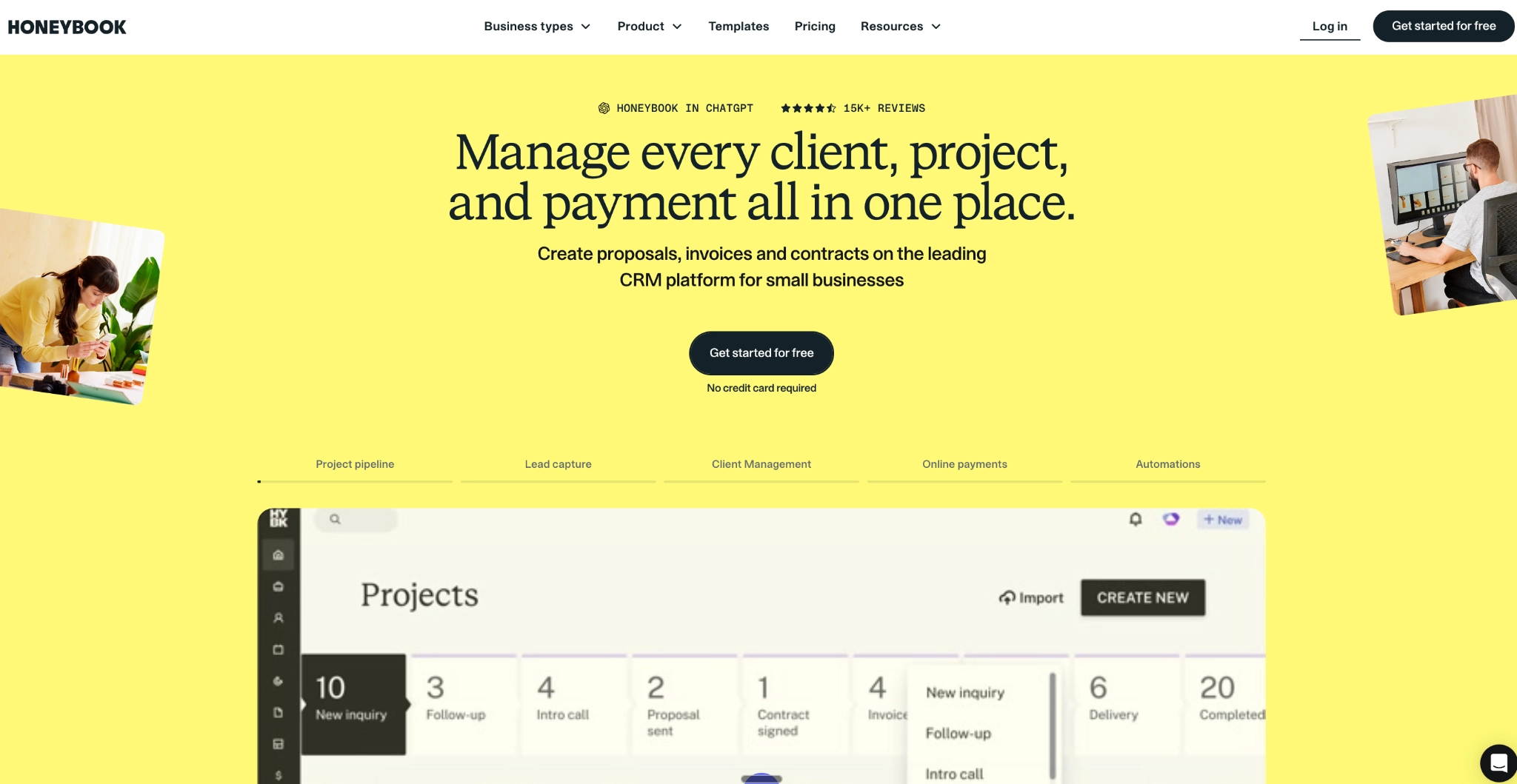
HoneyBook is a client management CRM that helps independent event planners handle enquiries, agreements, and payments. Its smart files let clients choose services, sign a contract, and pay, all in one document.
For example, after discussing a couple’s wedding, you can send a proposal with your planning packages, like the one below. They can select a package, review the contract and make their first payment without waiting for you to send each item separately.
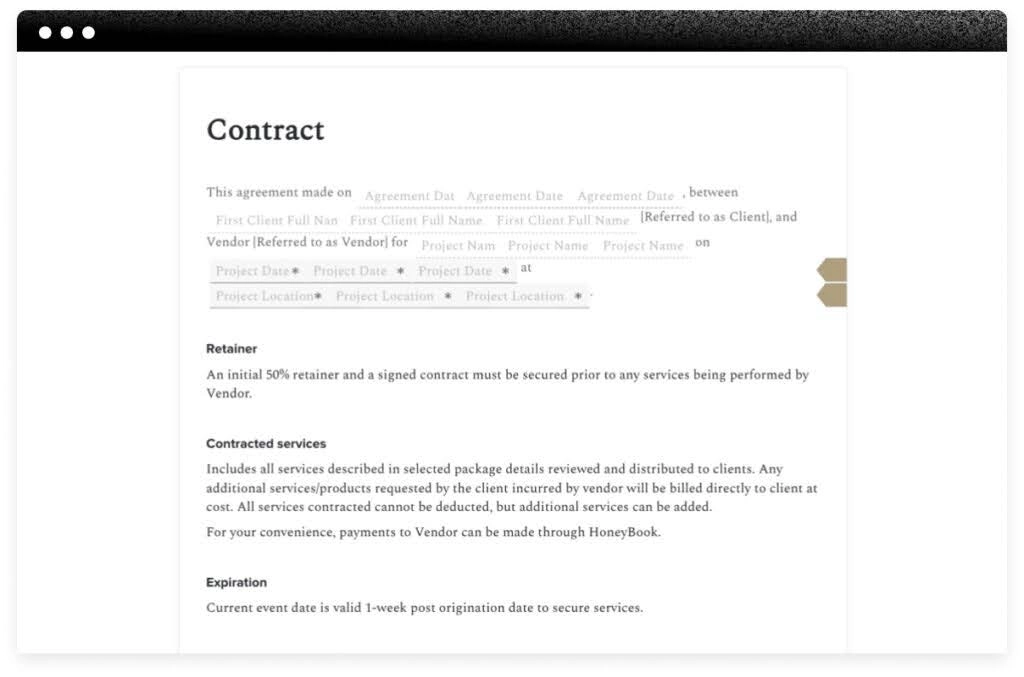
Their client portal also keeps shared files, messages, and payments in one place, so they can find the agreement or check what they owe. On Essentials and above, you can also automate follow-up steps, such as sending a planning questionnaire after booking.
Key Features
- Client enquiry forms
- Package selection in proposals
- Contracts and electronic signatures
- Invoices and payment schedules
- Client portal
- Automated questionnaires and follow-up
- Consultation scheduling
What users say
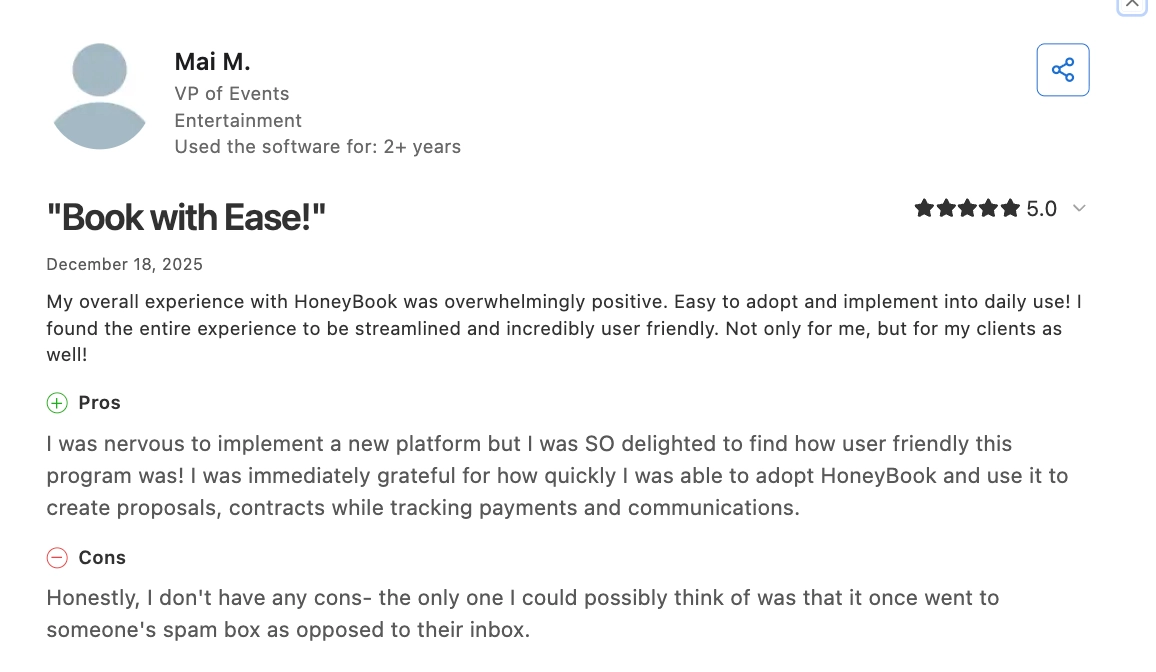
Mai M., a VP of Events, found proposals, contracts, payments and client communication easy to manage together, reinforcing HoneyBook’s strength across the planner-client journey.
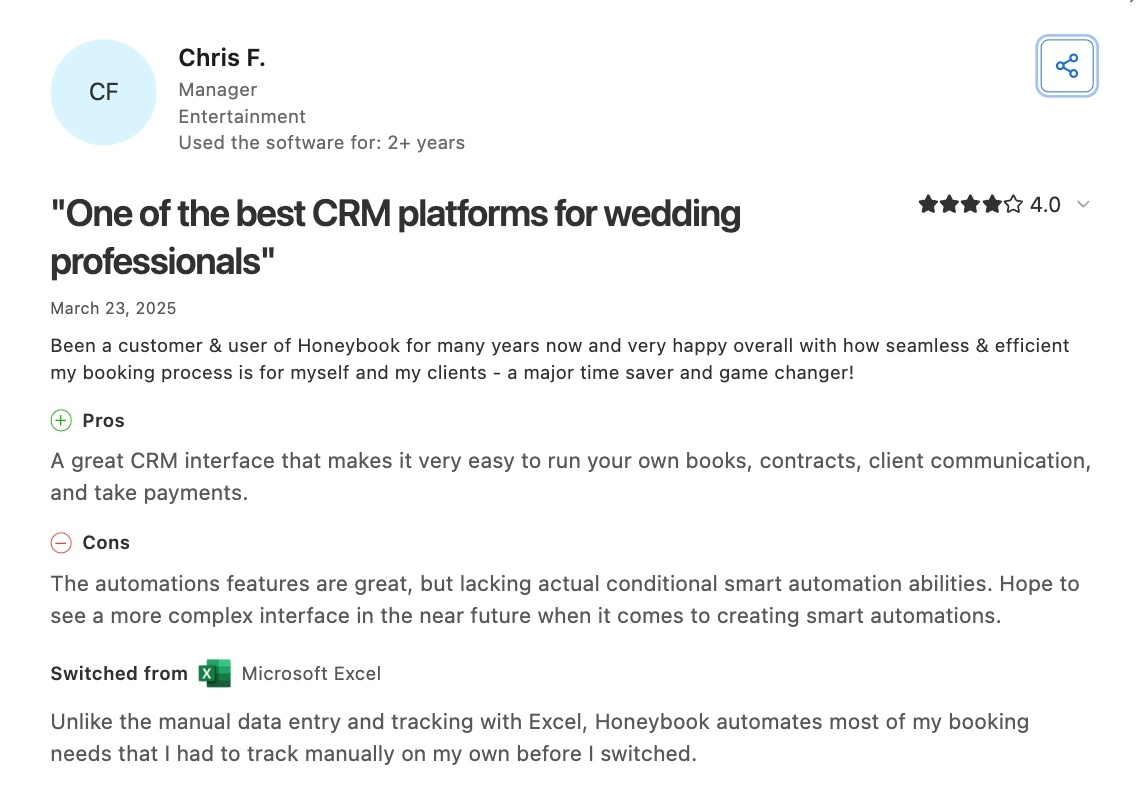
Chris F., a wedding professional, says he likes the booking process but finds that the automation lacks complex conditional workflows, which may be a dealbreaker if your workflows aren’t easy to run by HoneyBook’s automation.
Pros
- Clients can select services, sign, and pay in a single document, reducing the back-and-forth required to confirm a booking.
- The client portal gives clients access to shared documents and payment information without asking you to resend them.
- Reusable templates keep bookings consistent while adjusting the services for each event.
Cons
- Automation and scheduling require Essentials or above.
- Payments through HoneyBook are processed by its processor, while other payments are recorded manually.
- Starter allows only two live lead forms: Separate enquiry forms for weddings, corporate events, and private parties require a higher plan.
Pricing
Prices are per month, billed annually.
- Starter: $29. Unlimited clients and projects, proposals, contracts, payments and a client portal.
- Essentials: $49. Adds automation, scheduling and up to 10 live lead forms.
- Premium: $109. Adds unlimited team members, multiple companies and advanced reports.
Why teams choose it: Clients can choose a package, sign and pay without juggling separate documents.
8. Dubsado: best for customisable event-planning client workflows
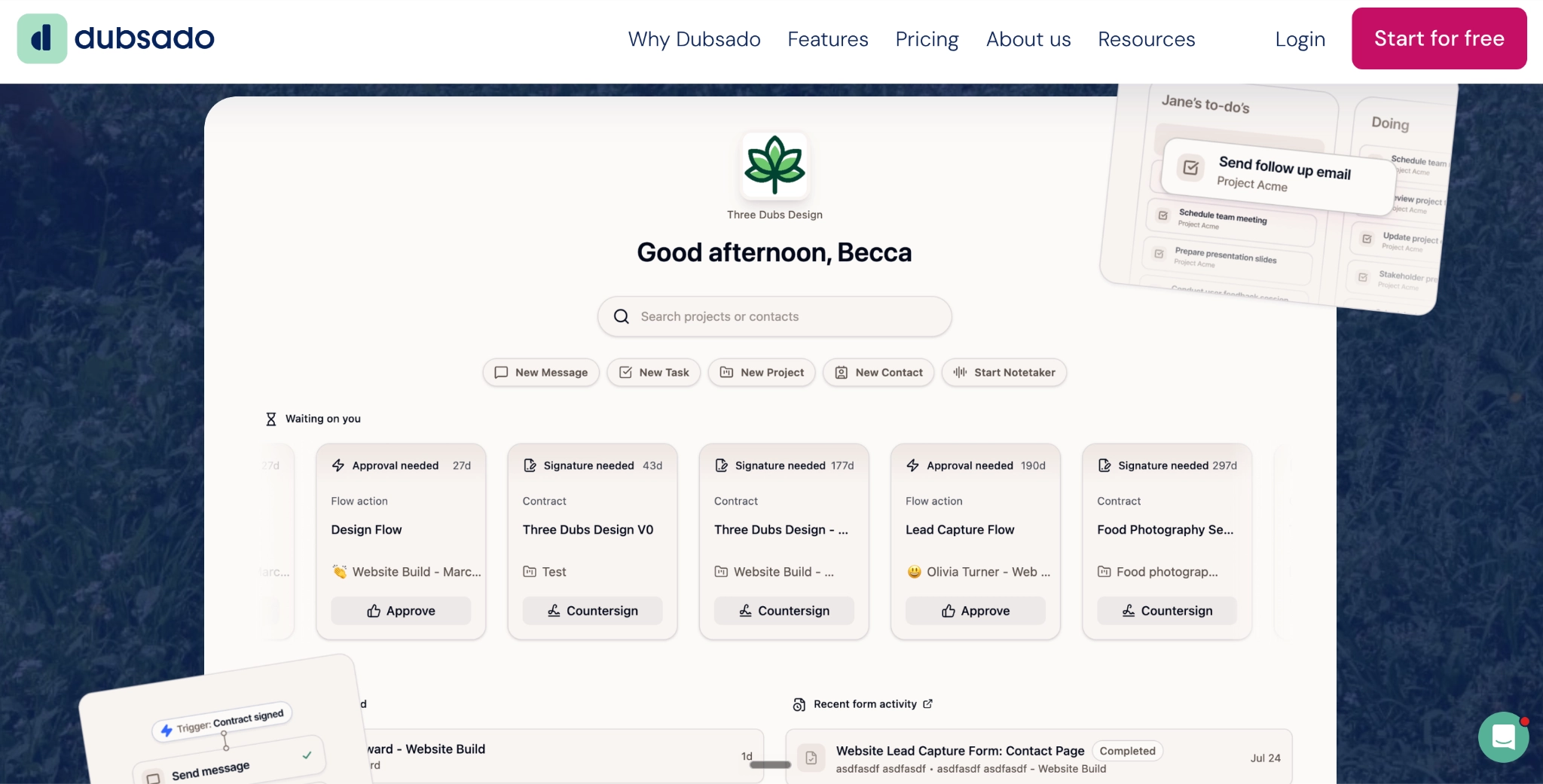
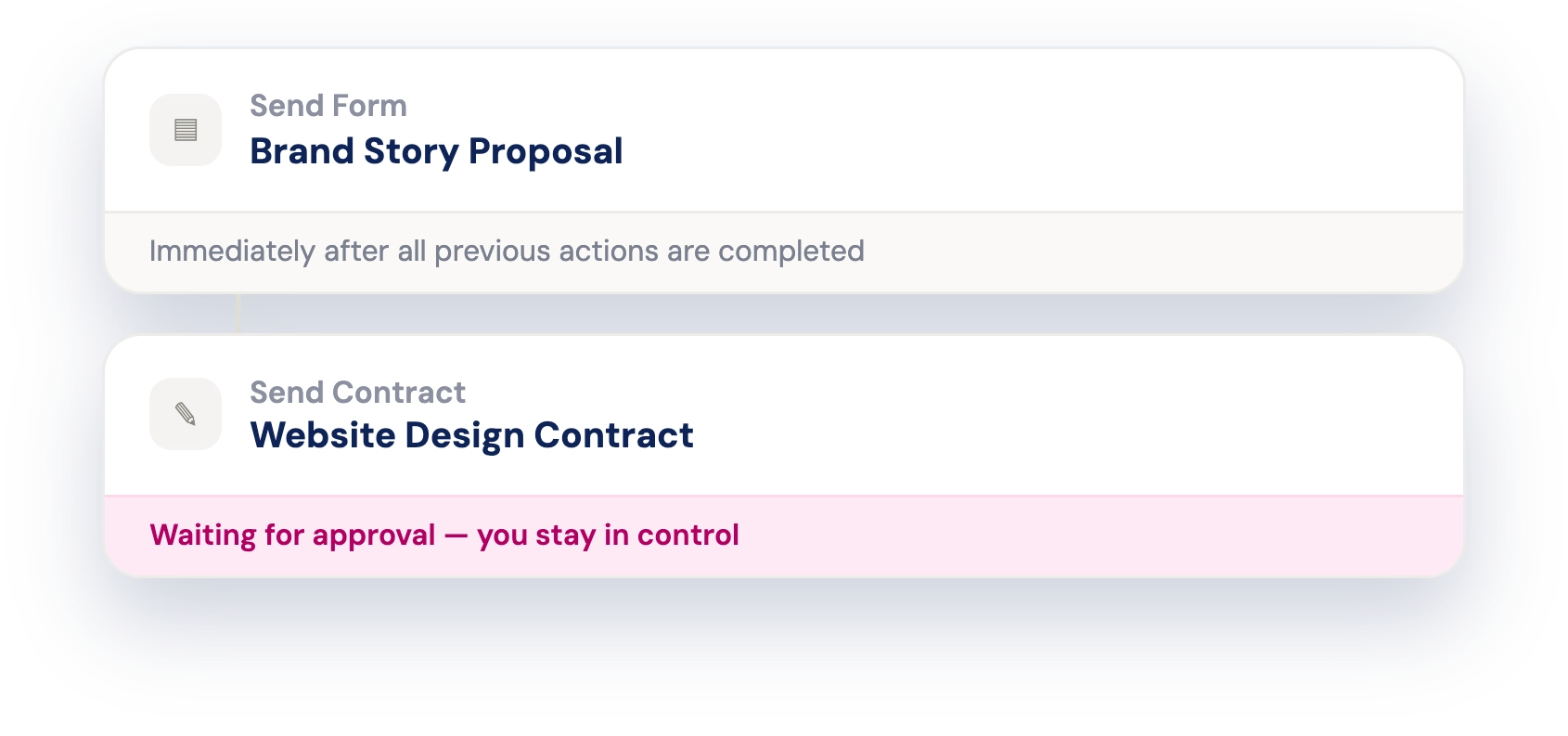
Dubsado is a client management CRM that helps event planners organise enquiries, contracts, and payments. Its main strength is controlling when each step happens, based on the event date or something the client has completed, using an automated sequence through Flows.
For example, you can send a welcome email after a client pays their deposit, then send a planning questionnaire weeks/days before their event, depending on when you often do. If they haven’t submitted the questionnaire after a set number of days, it triggers another action to remind them.
You can also require approval before sending proposals, contracts or emails, keeping client-specific details under your control.
Key Features
- Custom enquiry forms and questionnaires
- Proposals with selectable service packages
- Contracts and electronic signatures
- Instalment plans and payment reminders
- Automations timed around event dates
- Client-action triggers and approval steps
- Client portals
What users say
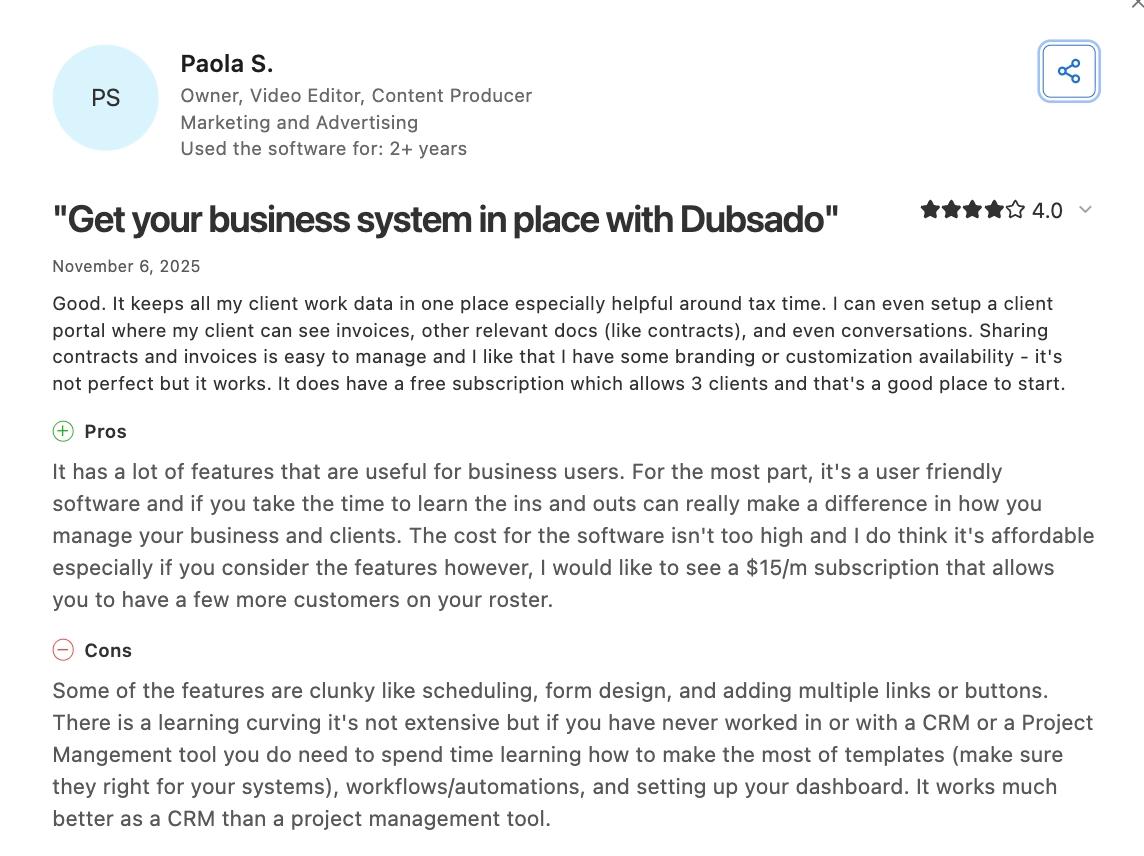
Paola S., a video editor and content producer, likes keeping invoices, contracts, and client conversations in one portal, which makes it easier to give clients one place for the booking process. However, some features, including scheduling and form design, can feel clunky and take time to learn.
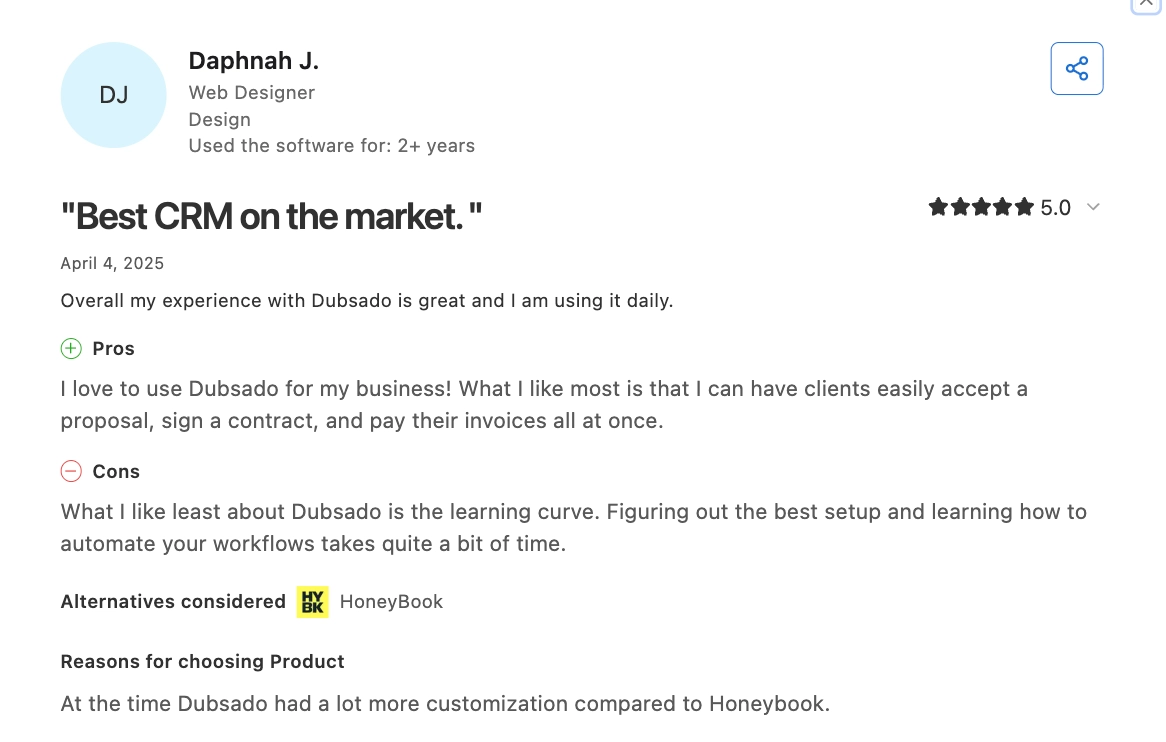
Daphnah J., a web designer, also likes the proposal-to-contract-to-payment flow but says workflows take time to configure, so the extra flexibility comes with more setup.
Pros
- Event-date triggers let you schedule preparation emails for each booking without having to calculate every send date yourself.
- Payment triggers can hold the next step until a deposit or specified instalment is paid.
- Approval steps let you review personalised documents before an automated workflow sends them.
- Both plans include three additional team members, so a small planning team can collaborate without paying for extra seats.
Cons
- Starter includes payment reminders, but Flows and scheduling require Premier.
- If a scheduled date has passed when you apply a Flow, that step is paused until you adjust or run it manually.
- Starter allows one active enquiry form: Separate forms for weddings and corporate events require Premier.
Pricing
Dubsado’s plans are priced in USD.
- Starter: $335/year or $35/month. Includes unlimited clients and projects, contracts, invoicing and client portals.
- Premier: $525/year or $55/month. Adds Flows, scheduling, public proposals and unlimited active lead-capture forms.
- Team access: three additional users included. Larger teams pay extra; payment-processing fees apply separately.
Why teams choose it: You control when clients receive documents and reminders, with manual approval where needed.
How to Choose the Right CRM for Your Event Workflow
The right CRM depends on which relationships you manage and where your current process breaks down. To decide what to choose:
1. Match the CRM to the work you do
For customer events, prioritise guest segmentation, account ownership and attendance-linked follow-up. If clients hire you to organise events, focus on enquiries, proposals, contracts, deposits and booking calendars.
2. Build around the customer records you already use
If another system already holds customer details and marketing permissions, prioritise reliable integration. Decide which system controls updates to prevent registrations from creating duplicates or overwriting unsubscribe preferences.
3. Consider who chooses your guests
If account managers nominate customers while marketing manages invitations, both teams need the same guest information. Phone confirmations, partner lists and public registrations should also reach that record to prevent missed or duplicate invitations.
4. Give sales access to the answers they need
Sales should be able to see who replied and who attended without having to ask marketing for another list. Invitations from the account manager and arrival alerts may also matter when personal relationships drive attendance.
5. Choose reporting around your next decision
Use attendance history to improve guest selection, interests and survey responses to personalise follow-up, and opportunity or booking data to assess commercial results. The more context, the better.
6. Account for guests your CRM doesn’t recognise
Walk-ins, partner referrals, and customers using different email addresses need clear matching and review options. Otherwise, one person’s history can split across records or different guests can be combined.
7. Compare what you’ll actually spend
Include the CRM plan, event software, marketing tools, connectors and implementation, plus contact growth and ongoing administration. A cheaper subscription may save little if you still have to manually reconcile guest lists after every event.
When Should You Connect CRM to a Dedicated Event Management System?
Your CRM holds customer history and sales context while event software handles invitations, registration, ticket allocation, reminders and check-in. Consider connecting the two when your team still has to:
- Move guest data between systems
- Update event statuses manually to reliably distinguish invited, registered, attended, and no-show, which can make follow-up difficult
- Coordinate invitations outside the workflow.
- When registrations create unreliable contact records because existing customers appear as new leads, separating attendance from their history.
- Account managers have to manually send follow-up.
- Check-in data stays with the event team, so Sales knows who registered but cannot see who attended.
- When basic event workflows require extensive CRM development, managing guest limits, reminders, and attendance becomes tedious.
In these cases, event-management software with CRM integration can manage the event workflow while customer relationships stay in your CRM.
How InviteDesk connects the two
With InviteDesk integrated to your CRM, contacts, accounts and sales history stay in the CRM. InviteDesk helps you manage invitations, guest lists, ticket allocation, registration and reminders, while our ScanApp feature helps record check-ins. Relevant invitation, RSVP, and attendance data can then sync back to your CRM.
Our “On Behalf Of” communication also helps when sales owns the customer relationship, but the marketing team manages the event. Marketing controls the invitation design, timing and reminders, while messages appear to come from the guest’s account manager.
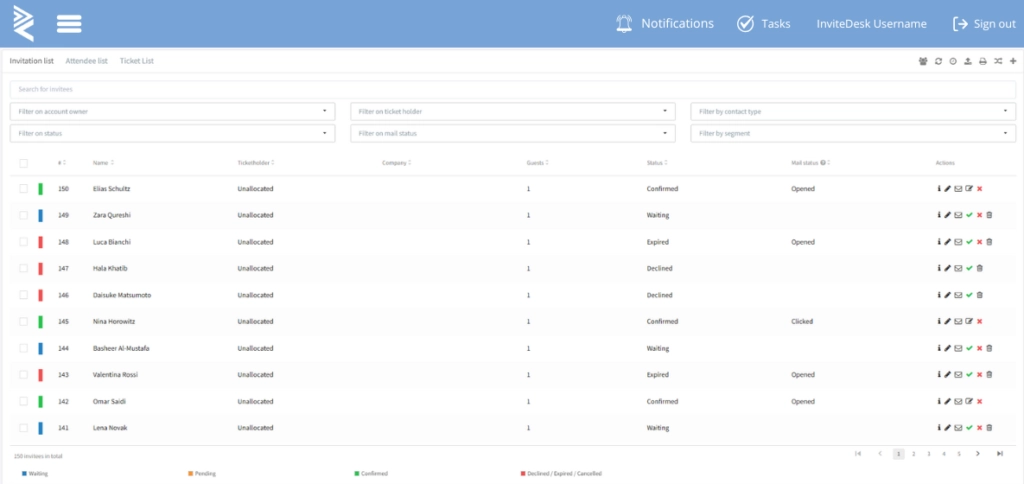
When event attendance is synced to the CRM, sales can use it alongside previous conversations to decide how to follow up or who to invite to another event. This way, Marketing gets a consistent event process, and sales can continue the relationship using the CRM they’re used to.
InviteDesk offers connectors for Salesforce, HubSpot, Microsoft Dynamics 365 and Marketo, plus an open API and webhooks for custom connections so you can easily sync data to any system.
To see how we help simplify event management and connect your CRM with the invitation-to-attendance process.
Keep Event Activity Connected to Your CRM
You can keep contacts, account history, and sales context in your CRM while InviteDesk manages invitations, registration, and attendance. Marketing controls the event process, while sales gets the RSVP and attendance data it needs for follow-up.
See how InviteDesk can work alongside your CRM.
Book a Demo to see how it works and ask about the CRM connector
Frequently Asked Questions
What is the best CRM for event management?
It depends on what you need the CRM to manage. Salesforce is a good choice for teams connecting events to accounts and opportunities, while HubSpot is stronger for marketing-led follow-up. HoneyBook and Dubsado are better suited to event planners managing client bookings.
What is the difference between a CRM and event-management software?
A CRM keeps customer history, sales activity and opportunities in one place. Event-management software handles event-specific tasks such as invitations, registration, ticketing and check-in. Connecting the two lets sales use event activity alongside existing customer records without manually transferring guest lists.
Can a CRM handle event registration and check-in?
Some CRMs offer forms or companion event tools, while others need separate software for registration, capacity, tickets and check-in. Check what’s included and whether attendance data returns to the CRM.
What event data should be stored in a CRM?
Keep the information your team needs for follow-up and reporting, such as the event name, invitation and attendance status, account owner, relevant interests and next actions. Link resulting opportunities or bookings, but leave purely operational event data in the event platform.