Key takeaways
- Choose by event type first: conference badging, customer-event guest recognition, training attendance, and public ticketing all require different check-in workflows.
- Choose Cvent for multi-track conferences, InviteDesk for customer and partner events where account managers need to recognise their guests, and Eventleaf for training attendance and time tracking.
- Before buying, confirm the required plan, hardware supplies, and what still works without an internet connection.
Have you ever struggled to keep check-in moving because your staff couldn’t quickly find or verify a guest’s details? Often, the problem isn’t scanning the ticket itself. Guest information is scattered across spreadsheets, inboxes, and separate tools, forcing staff to search for answers while a queue forms at the entrance.
The right event check-in software can reduce that manual work by giving staff one place to verify guests, record arrivals, correct details, and handle last-minute registrations. But choosing the right software is not simply a matter of finding the product with the most features.
Budget, team size and integrations all matter, but your event type determines much of what the tool must do onsite: a multi-track conference may prioritise badge printing and session check-in, while a customer dinner needs guest recognition, plus-one handling and visibility of each guest’s account manager.
To help you choose, we assessed nine event check-in apps and grouped them by the events they fit best. For each option, we’ll explain where it fits, how its important features work, and which limitations could affect your choice.
Our Summary of the Best Event Check-in Apps Based on Your Event Type
How we evaluated these apps (and why you can trust this review)
This guide is published by InviteDesk, which makes one of the products included. We haven’t named one app the best overall; instead, we assessed each product by the event type and onsite workflow it supports best. We considered its check-in process, access and session controls, badging requirements, connectivity, attendance data, and pricing.
Our findings are based on current product pages, help centres, pricing pages, and attributable reviews from G2, Capterra, and app stores. We checked product details and prices in September 2026. All of these are reflected in the scorecard and the analysis below.
Event check-in app evaluation scorecard
The scorecard rates each app’s documented support for core onsite requirements. A high score doesn’t make a product the best fit for every event.
Before you make up your mind on the app for your use case, read further to see how they differ.
Best event check-in app for customer and partner events
For customer or partner events, you need to check in guests and keep attendance visible to relationship owners. InviteDesk and Swoogo Go Onsite can both help. InviteDesk alerts guests when their guests check in, while Swoogo gives recurring event teams offline scanning and event and session check-in. Let’s look at how they work.
1. InviteDesk ScanApp
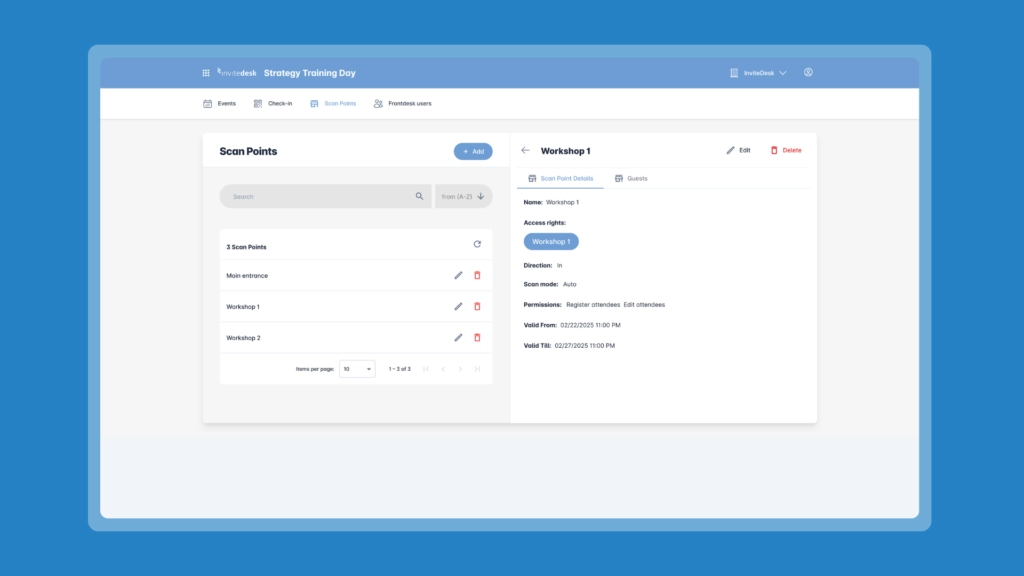
If you’re running customer or partner events, you’re likely to need more than a record of guests who walked through the door. Your staff needs to recognise the people your team invited, know which account manager is responsible for them, and handle any guests they’ve brought along.
That becomes difficult when your check-in list is separate from the guest information your Marketing and Sales teams use. You might know someone has arrived, but still need to look elsewhere to find out who invited them. After the event, someone has to match those lists before account managers know which guests showed up and who to follow up with.
That’s where InviteDesk ScanApp comes in. It handles check-in using the guest records already in InviteDesk, so your team doesn’t have to piece that information together afterward. Your door staff can check guests in, handle groups and walk-ins, and apply the access rights attached to their tickets. Account managers can then see who attended, and you can sync the attendance data to your CRM for follow-up.
Let’s take a look at the key features.
To see how your team can check guests in, keep account managers informed, and follow up using actual attendance.
Key features
1. Configure check-in for different entrances, sessions, and access areas
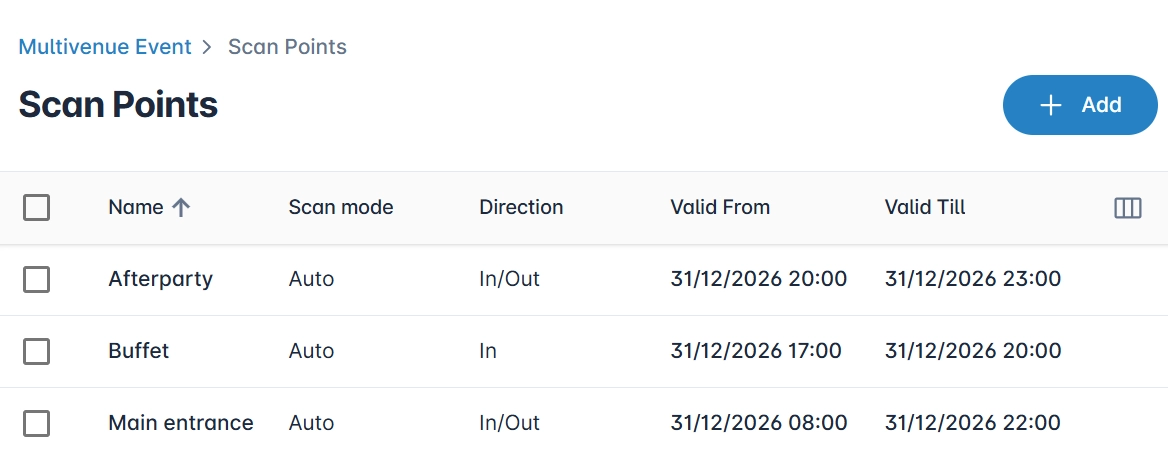
You don’t have to use the same check-in rule everywhere at your event. InviteDesk’s ScanApp lets you create separate scan points for the main entrance, sessions, restricted areas, catering checkpoints, and other locations. Each scan point can check guests in, check them out, or support both. You can also decide whether a valid scan should process automatically or require staff approval first. In the image above, you can see separate scan points for the main entrance, buffet, and afterparty.
That gives you more control when different guests have different access levels. You can attach access rights to tickets and use them for workshops, afterparties, buffet or menu entitlements, and restricted areas. You can also configure them for one-time or unlimited use.
For example, a guest can be checked into the main event and still have their ticket validated separately before entering a private session. The access rule stays attached to the attendee, so the team doesn’t need to maintain another list at the second entrance.
2. Handle groups, walk-ins, and guests without their ticket
If a main guest already has additional guests linked to their registration, ScanApp brings up the group so staff can check them in or out together. But if someone doesn’t have their QR code, your staff can search for them manually and update their status — see image below for what that looks like:
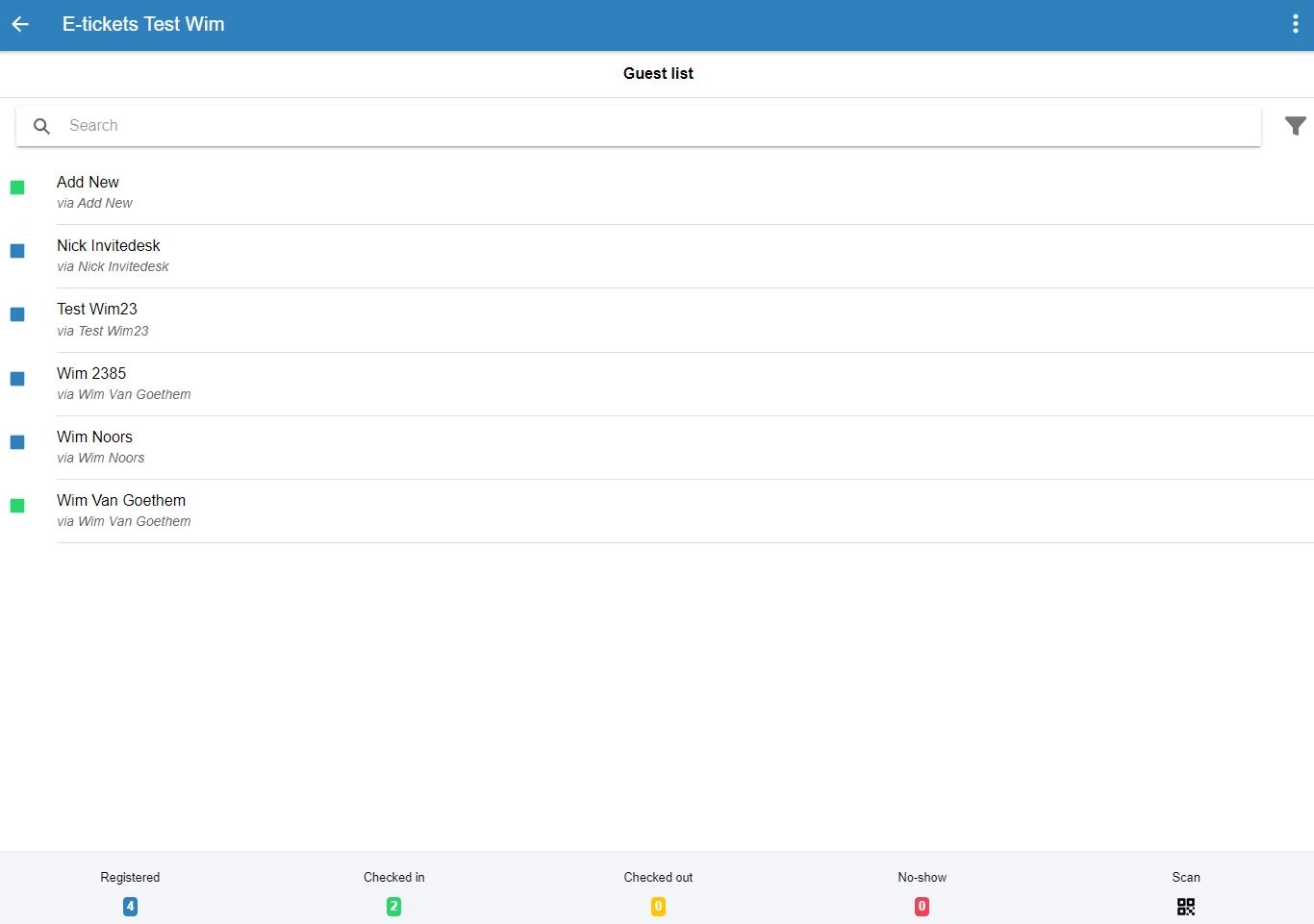
For unregistered guests, an authorised user can add the person as a walk-in and check them in even after the public registration page has closed. This way, you account for every eligible guest who walks through the door, and you can see who attended without manually reconciling another list after the event.
3. Give temporary check-in staff only the access they need
Hiring temporary hosts is common at events where your in-house team can’t handle all the arrivals. These people don’t need access to your complete customer database just because they’re helping at the entrance. InviteDesk lets you create access for external scanners without giving each person a permanent account. As you can see in the form below, you can choose which scan points they can use and how long their access lasts.
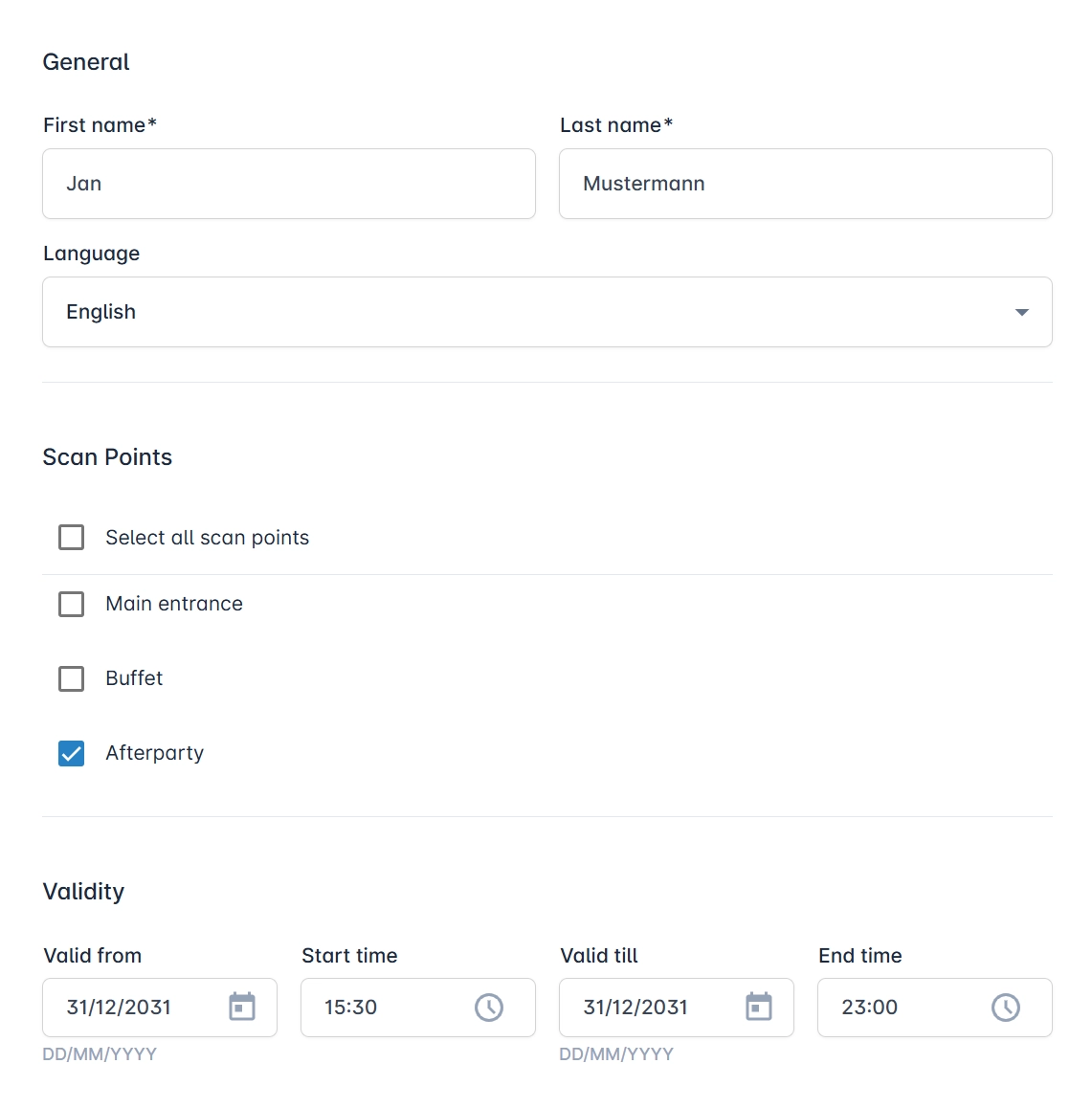
This way, restricted external users can’t create scan points, add other users or view the complete guest list. However, you can decide whether they can edit attendee information or add a new guest, using the permissions shown above. That gives them enough access to help your guests without giving them control of the whole event.
4. Print badges as guests check in
InviteDesk can also connect check-in with badge printing. You can design badges with configurable dimensions, multiple languages, and QR codes or barcodes, then assign the appropriate badge to the attendee before the event. When a guest is scanned at a scan point configured for printing, their assigned badge is printed on-site. You can configure this as seen below:
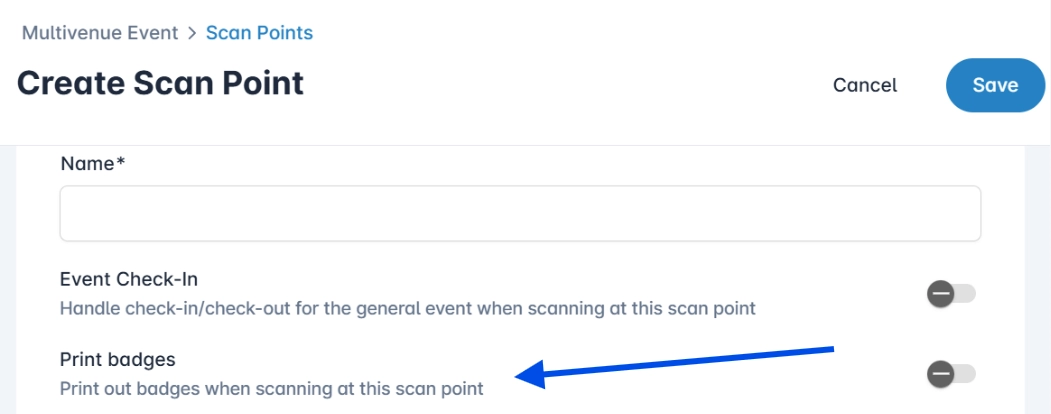
Staff can then scan the QR code on that badge at other access points, such as workshops or restricted areas, using the access rights already tied to the guest’s ticket. Automatic printing works from a computer rather than a smartphone, so you’ll also need a connected printer, browser pop-ups enabled, and a supported browser such as Chrome or Edge.
5. Keep attendance available for follow-up
Registration tells you who planned to attend, while ScanApp gives you the record of guests who showed up. You can review each guest’s scan history, see their arrival and departure times, and export attendance reports. With InviteDesk Connector, you can also sync that attendance data to a supported CRM. That way, Sales or account managers can check whether their guests attended before they follow up, instead of treating a no-show the same way as someone who was in the room.
This shared view is useful before the event, too. HR company Select, for example, describes running around 50 events a year, from football hospitality for 12 customers to a 200-person staff event. With colleagues organising invitations across different offices, InviteDesk lets them see registration status in one place instead of relying on information held by individual sales representatives. Here’s what that workflow looks like:

Read more: how to personalise your guest’s event journey by using guest data before, during and after your event.
InviteDesk pros
- Check-in remains connected to the wider guest workflow: Invitations, registration, and attendance are synced with the same attendee instead of becoming separate event-day records.
- You can control access beyond the main entrance: Scan points and ticket-linked access rights support sessions, restricted areas, and other checkpoints.
- Temporary staff doesn’t need unrestricted guest-list access: External scanners can be limited by scan point, permissions, and access period.
- It handles common exceptions at the door: Group check-in, manual attendee lookup, and walk-in registration reduce the need for separate fallback lists.
- You don’t need dedicated scanners for ordinary check-in: Staff can use a smartphone, tablet or computer camera.
- Sync attendance into your existing data workflow: Check-in and check-out records can be reported and used through InviteDesk’s wider CRM integration setup.
InviteDesk cons
- Offline check-in is not documented in the current ScanApp help material: Confirm the required connection and fallback with InviteDesk before relying on it at a venue with unreliable internet.
- Automatic badge printing needs additional equipment: You need a computer, supported browser, and connected printer, even though ordinary scanning doesn’t require dedicated hardware.
- Complex trade-show logistics may need a broader onsite platform: Compare hardware fleets, exhibitor lead retrieval and session-management requirements rather than ruling a tool out by attendee count alone.
InviteDesk pricing
- Plus: from €232/month, billed annually. Includes a basic version of the check-in app.
- Premium: from €286/month, billed annually. Includes scanning and attendance tracking, plus the fuller check-in app.
- Platinum: from €424/month, billed annually, with additional event-management capabilities.
- Single Event: from €1,320, billed upfront.
Why teams choose it: InviteDesk keeps guest ownership, invitations, arrival, and attendance connected in one B2B event workflow, making it easy for you to see which guests attended and help your account managers personalise follow-ups without piecing together separate guest lists.
To see how your team can welcome the right guests, control their access, and follow up with an accurate attendance record.
2. Swoogo Go Onsite

Swoogo is an event management platform for teams that run recurring in-person events. Go Onsite is its check-in app, included with every Swoogo plan, and lets staff manage event, session, and package check-in from the same platform used for registrations.
Staff can add walk-ins, update attendee details, and continue checking people in when the internet drops; stored check-ins sync once there’s an internet connection. The badge designer, as seen below, lets you arrange attendee fields and a QR code on the printed badge, although Swoogo’s current compatible printers still require Wi-Fi.
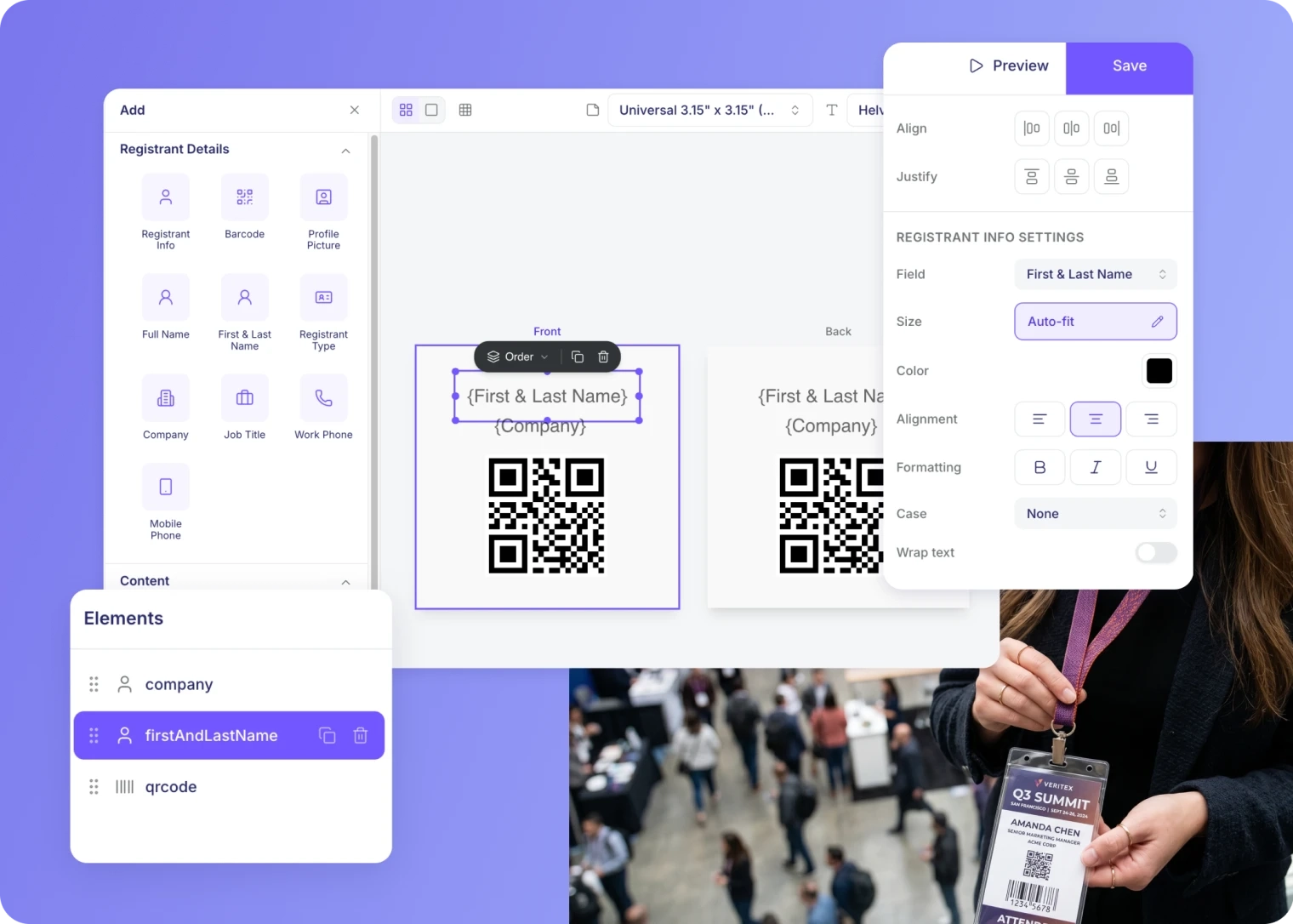
What I particularly like is how much standard Go Onsite covers before you need an upgrade. With Go Onsite Pro, you get self-service kiosks, onsite payments, custom check-in questions, and planner alerts, so check if you need those extras while making your choice.
Key features
- Event, session and package check-in
- Offline check-in
- Walk-in and group check-in
- On-demand badge printing
- Unlimited onsite user logins
- Self-service kiosk mode with Go Onsite Pro
- Planner alerts and custom check-in questions with Go Onsite Pro
What Swoogo users say
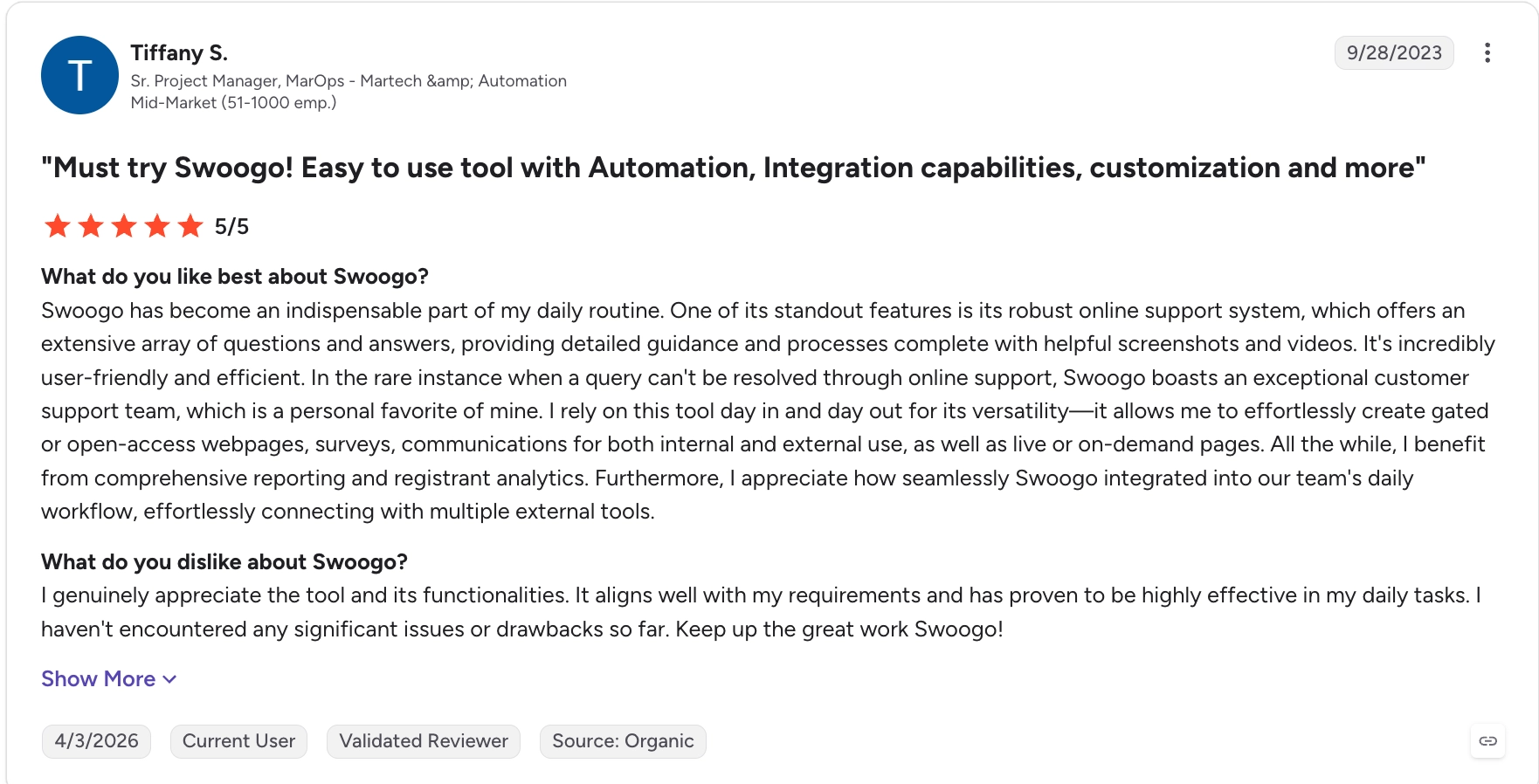
The two reviews below give you a sense of what it’s like to set up and manage events with Swoogo. Tiffany S. particularly likes its customer support, reporting, and registrant analytics. She also mentions getting help through screenshots, videos, and live support when she needs to work something out.
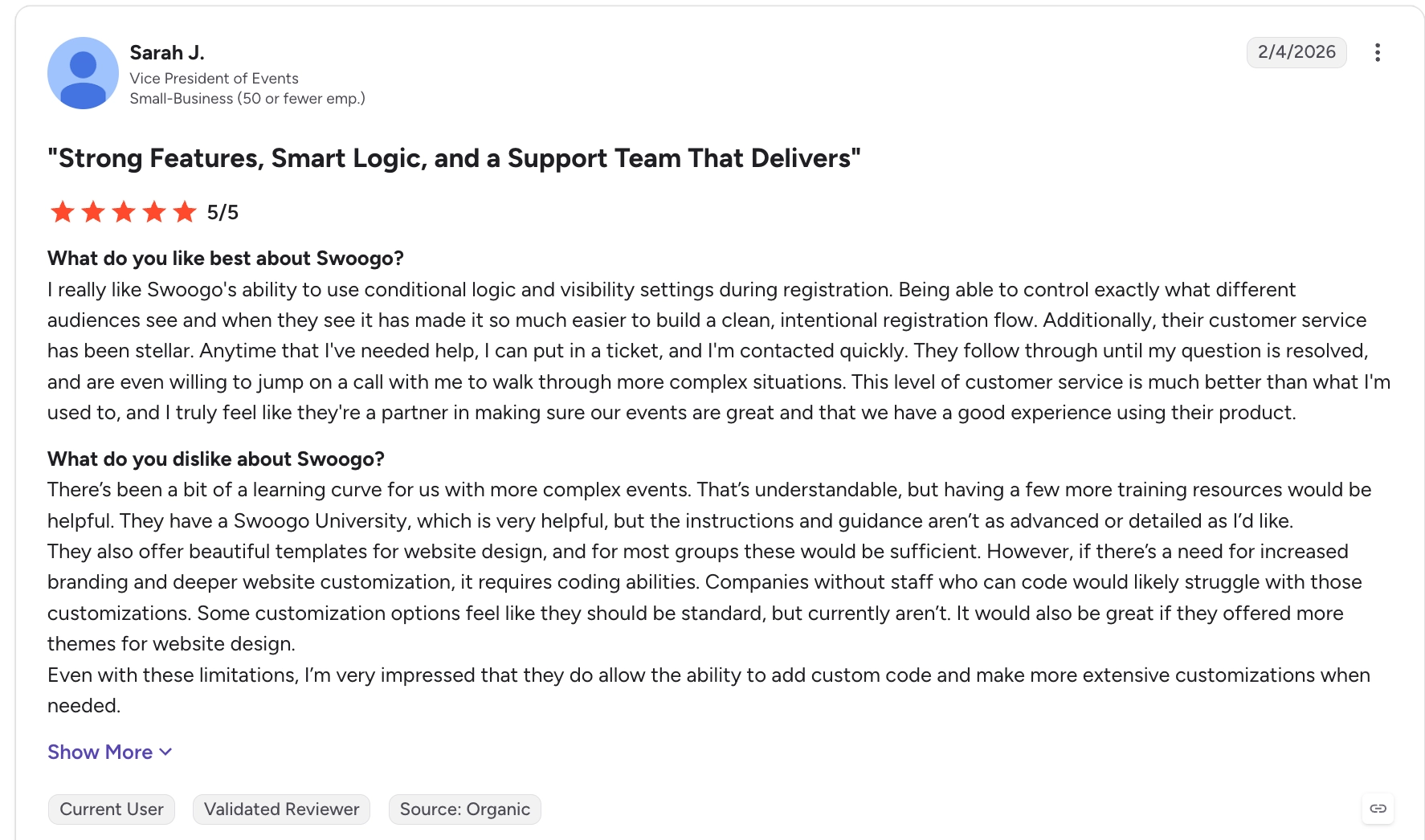
Sarah J. also likes being able to control what different audiences see during registration. However, she says there’s a learning curve when you want to do more with the platform, and deeper website branding can require coding. That’s something you’ll spend more time on if your event needs more than the standard templates.
Swoogo pros
- The standard check-in app covers a broad onsite workflow: Event, session and package check-in, offline mode, walk-ins and badge printing are included without upgrading to Go Onsite Pro.
- Check-in keeps working when connectivity drops: Records are stored locally and synchronised once the device reconnects.
- Badge-printing options are flexible: Current support includes Epson, Zebra and PrintNode alongside AirPrint-compatible setups.
- It suits recurring event programmes: Professional includes unlimited events and registrations rather than charging separately for each event.
Swoogo cons
- High annual commitment: $11,800/year is a big hurdle if you run only a few events.
- Badge printing still depends on Wi-Fi: check-in can continue offline, but the printing workflow can’t.
- Some useful onsite workflows require Go Onsite Pro: self-service kiosks and planner alerts aren’t part of standard Go Onsite.
Swoogo pricing
- Professional: starts at $11,800/year for one full user and one reporting user. Includes unlimited events, unlimited registrations, the Go Onsite check-in app and 30+ integrations.
- Enterprise: custom pricing. Adds advanced personalisation, additional security and compliance features, scalable API access and enterprise support.
- Go Onsite Pro: available as an optional paid upgrade on top of the standard Go Onsite app.
Why teams choose it: Swoogo brings check-in, session tracking and badge printing into one platform, making it easier to run recurring events without setting up a separate check-in system each time.
If Swoogo’s annual commitment is difficult to justify for your event programme, compare these Swoogo alternatives for B2B teams.
Best event check-in app for conferences, congresses and trade shows
If you’re running a conference, congress or trade show, you may need to check guests in at several entrances, print their badges and control access to individual sessions. Cvent OnArrival, Bizzabo and Whova are useful options here. Cvent and Bizzabo offer more extensive onsite equipment and support options, while Whova also lets attendees check into sessions using their own phones. Here’s what each one offers.
3. Cvent OnArrival
Cvent OnArrival is Cvent’s onsite check-in and attendance product for in-person events. It handles both event and session check-in, which makes it well suited to conferences where attendees move through several access points during the day.
Staff can scan barcodes or search attendees by name or email, update attendee details, and register walk-ins. Basic check-in can also continue offline once the event data has been downloaded to the device.
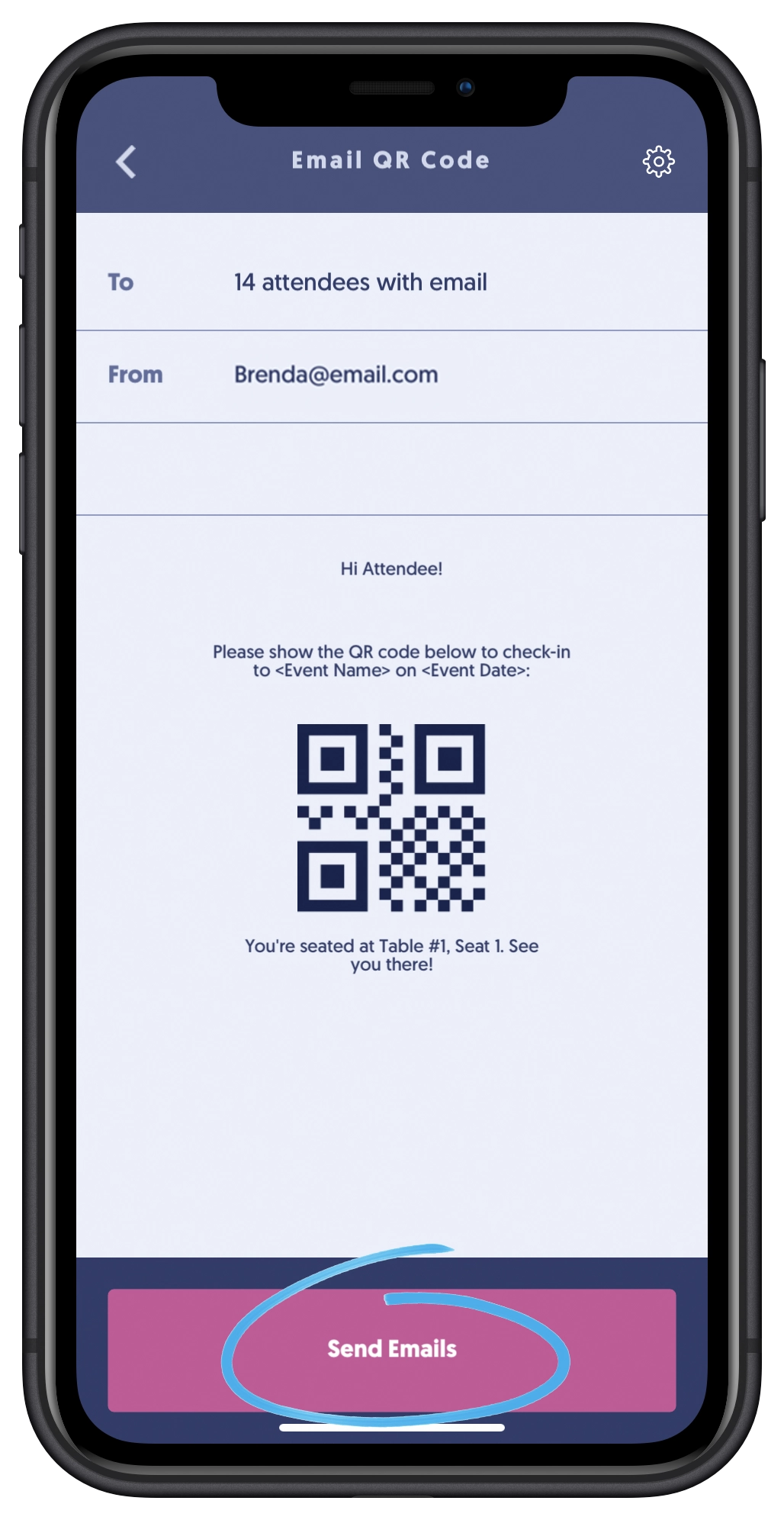
What stands out to me is the choice between running the setup yourself and getting onsite support. OnArrival Premium adds kiosk mode, badge printing, and session tracking, and you can use its Event-in-a-Box service to rent hardware like badge stock and printers. Here’s what sending QR codes to attendees can look like, which is another way to prepare people for scanning at the entrance.
Key features
- QR/barcode and manual attendee check-in
- Offline attendee check-in
- Walk-in registration
- Self-service kiosk mode with OnArrival Premium
- On-demand badge printing with OnArrival Premium
- Session check-in and capacity control with OnArrival Premium
- Real-time attendance dashboards
What Cvent users say
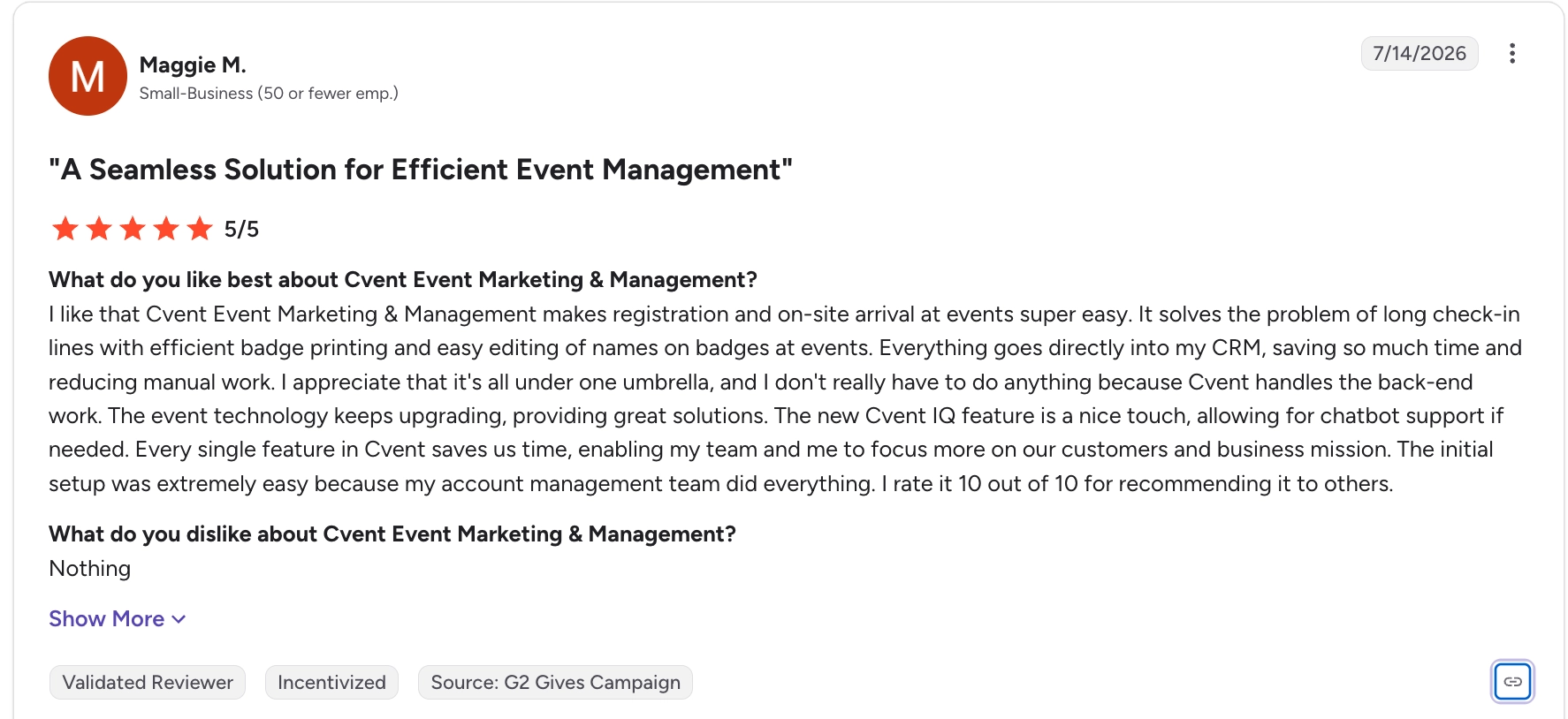
The reviews below highlight how much Cvent can help with registration and on-site arrival, but also how much there is to learn. For instance, Maggie M. likes being able to print badges and edit the names on them, which is useful when your staff needs to correct a guest’s details at check-in.
However, Gina R. says the number of features can make Cvent difficult to learn if you don’t use it often. She also wanted better onboarding guidance, more flexibility when designing pages, and better tools for working with other organisers. Bottom line: you’ll need to give your team time to learn the parts they’ll use before event day. 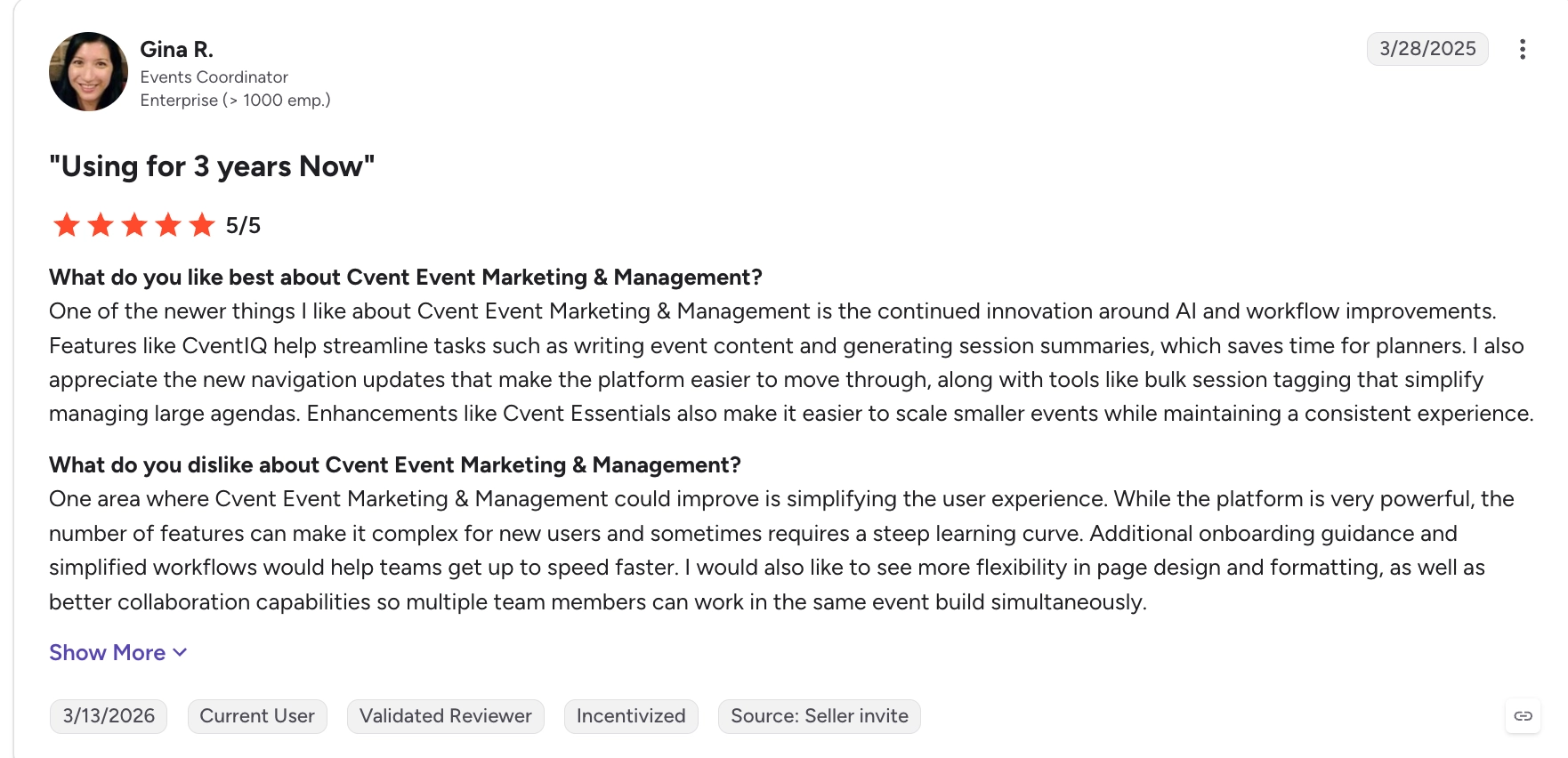
Considering Cvent? Read our in-depth Cvent review for a closer look at its features, pricing, usability and limitations.
Cvent pros
- Check-in continues without reliable Wi-Fi: attendee check-in, record edits and supported local badge printing can work offline once the event data has been downloaded.
- It handles complex session access: OnArrival Premium supports session check-in, attendance tracking, and capacity control.
- You can choose self-service or staffed arrival: kiosks and mobile scanning let teams configure the entrance around the size and complexity of the event.
- Cvent can supply the on-site equipment: Event in a Box can include printers, scanners, badge stock, and iPads rather than requiring your team to source each component separately.
Cvent cons
- Several important conference features require OnArrival Premium: standard OnArrival handles core check-in, but you need the Premium tier for kiosk mode, badge printing, and session tracking.
- Some offline workflows remain limited: you must reconnect to register walk-ins, accept payments, sync changes with Cvent, or use Remote Print.
- The wider platform can take time to learn: Gina R.’s review highlights a learning curve for occasional users, so include training time when planning your rollout.
Cvent pricing
- Custom pricing for all its plans
- Other add-ons include OnArrival Premium / OnArrival 360 and Event in a Box (for rented hardware package).
Why teams choose it: Cvent brings check-in, badge printing, and session access into one workflow, making it easier to manage arrivals across a large conference and track which sessions guests attended.
Want to consider other options? Compare the best Cvent alternatives for event planners, including platforms suited to less complex event programmes.
4. Bizzabo
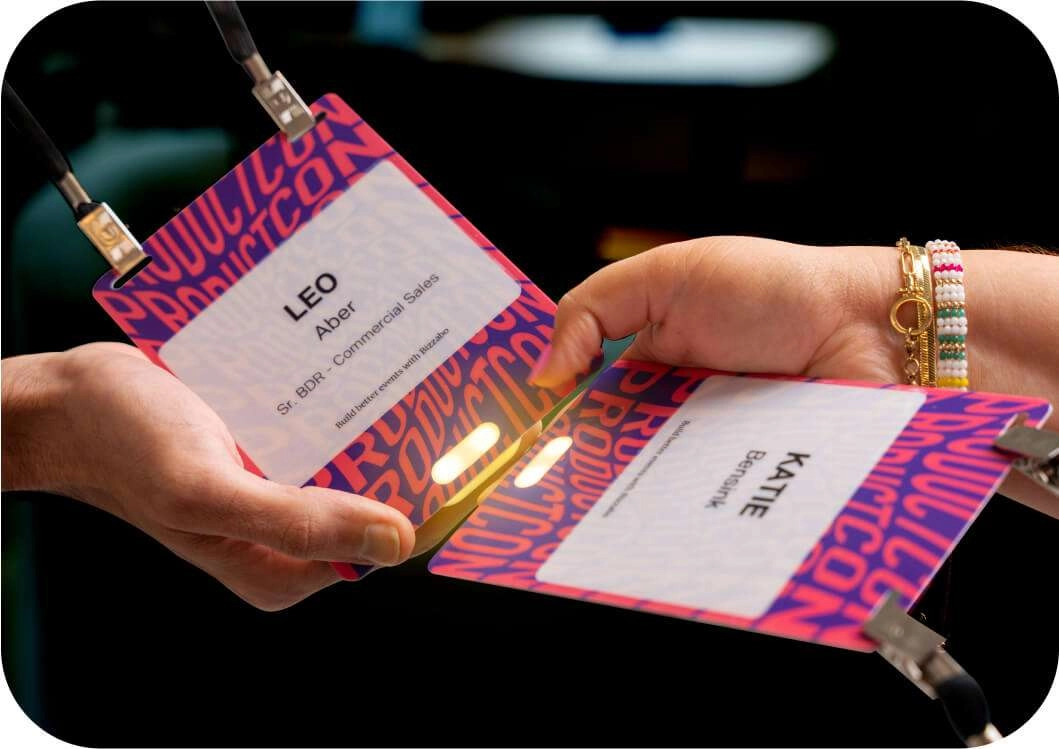
Bizzabo is an event management platform for teams running larger in-person and hybrid events. Its onsite tools cover check-in, badging, and session access, and its Klik SmartBadge is what makes the product more distinctive for conferences.
The SmartBadges pictured below can be used beyond the entrance, including session tracking and contact exchange. For this comparison, I find the session link more useful than the networking extras: it can help your team follow attendance across rooms using the badge issued at check-in.
Bizzabo also offers DIY check-in and badge-printing equipment through Bizzabox, with separately priced SmartBadge options and onsite services. That is useful when you want one supplier to help coordinate the software, printers, and staff support. You need to ask for a quote that includes all these, though, because they’re only available as add-ons.
Key features
- Staffed and self-service check-in
- QR-code and walk-in check-in
- Custom on-demand badge printing
- Session check-in and access
- Klik SmartBadge contact exchange
- Passive attendee tracking and live analytics
What Bizzabo users say
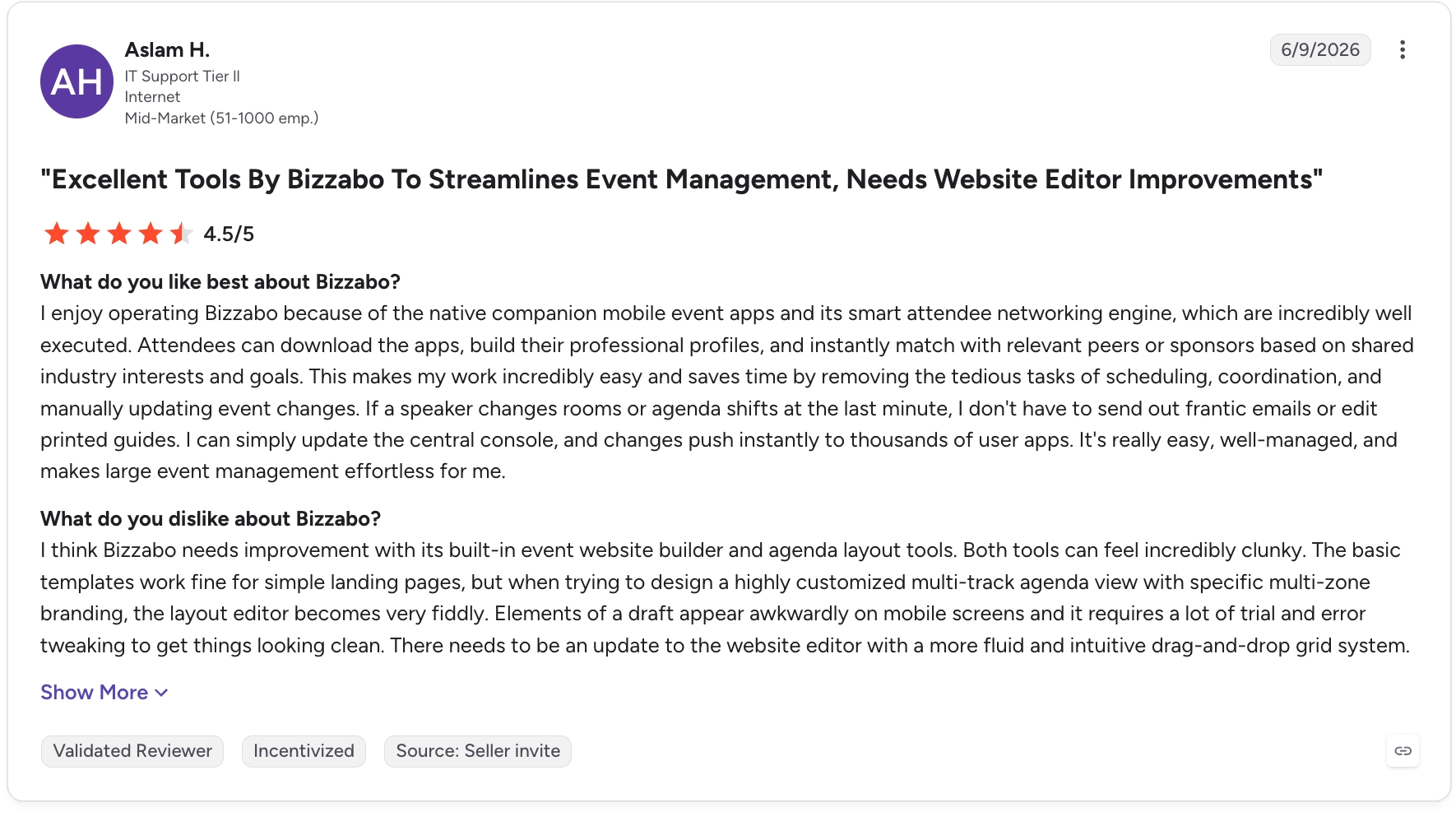
The reviews below show what organisers like about managing events with Bizzabo, as well as where setup can take more work. Micheal S. particularly likes the registration dashboard because he can keep track of ticket sales and revenue without pulling the information together himself.

Aslam H. also likes the attendee app and networking features. However, she found that getting website and agenda layouts right could take some trial and error, especially on mobile. If you want a highly customised event site alongside your check-in tools, you’d have to spare time to work through that setup.
Bizzabo pros
- SmartBadges do more than identify attendees: Klik lets attendees exchange contact details by tapping badges, while organisers can also use them for session scans and sponsor lead capture.
- It supports both event and session check-in: the Onsite Command App can use an attendee’s name or QR code at the main entrance or individual sessions.
- You can measure more of the onsite experience: Klik supports passive attendee tracking, live analytics, and engagement touchpoints instead of stopping at check-in data.
- Badge printing is integrated with registration data: attendees can receive updated badges onsite rather than relying only on badges printed before the event.
- You can rent a complete check-in kit: Bizzabox includes core hardware such as iPads, stands, badge printers, and a router.
Bizzabo cons
- Klik costs extra: SmartBadge pricing is separate from the Event Experience OS and depends on the event size and scope.
- There’s an annual commitment for the core platform: Bizzabo doesn’t sell Event Experience OS for a single event, so you have to commit to the annual plan.
- The full onsite cost isn’t visible upfront: Bizzabox rentals and onsite technical services require a separate quote, which makes the full conference check-in cost harder to calculate upfront.
Bizzabo pricing
- Event Experience OS: starts at $17,999/year, billed annually, with a three-user minimum.
- Bizzabo Advanced Onsite: premium add-on; custom pricing.
- Other add-ons with custom pricing include Bizzabox and onsite technicians.
Why teams choose it: Bizzabo combines check-in software with hardware and onsite support, making it easier to run your conference without coordinating separate suppliers for each.
Not sure whether Bizzabo’s annual commitment and separately priced onsite services are right for you? Explore these Bizzabo alternatives for B2B events.
5. Whova

Whova is an event management platform with check-in tools for the main event, individual days, and separate sessions. It’s particularly useful for multi-track conferences because organisers can spread check-in across staff, self-service kiosks, and attendees’ own phones instead of staffing every entrance.
Staff or volunteers can search for an attendee or scan their QR code from a phone, while attendees can also check themselves in. For concurrent sessions, organisers can display a unique session QR code that attendees scan with their phone camera or the Whova app. 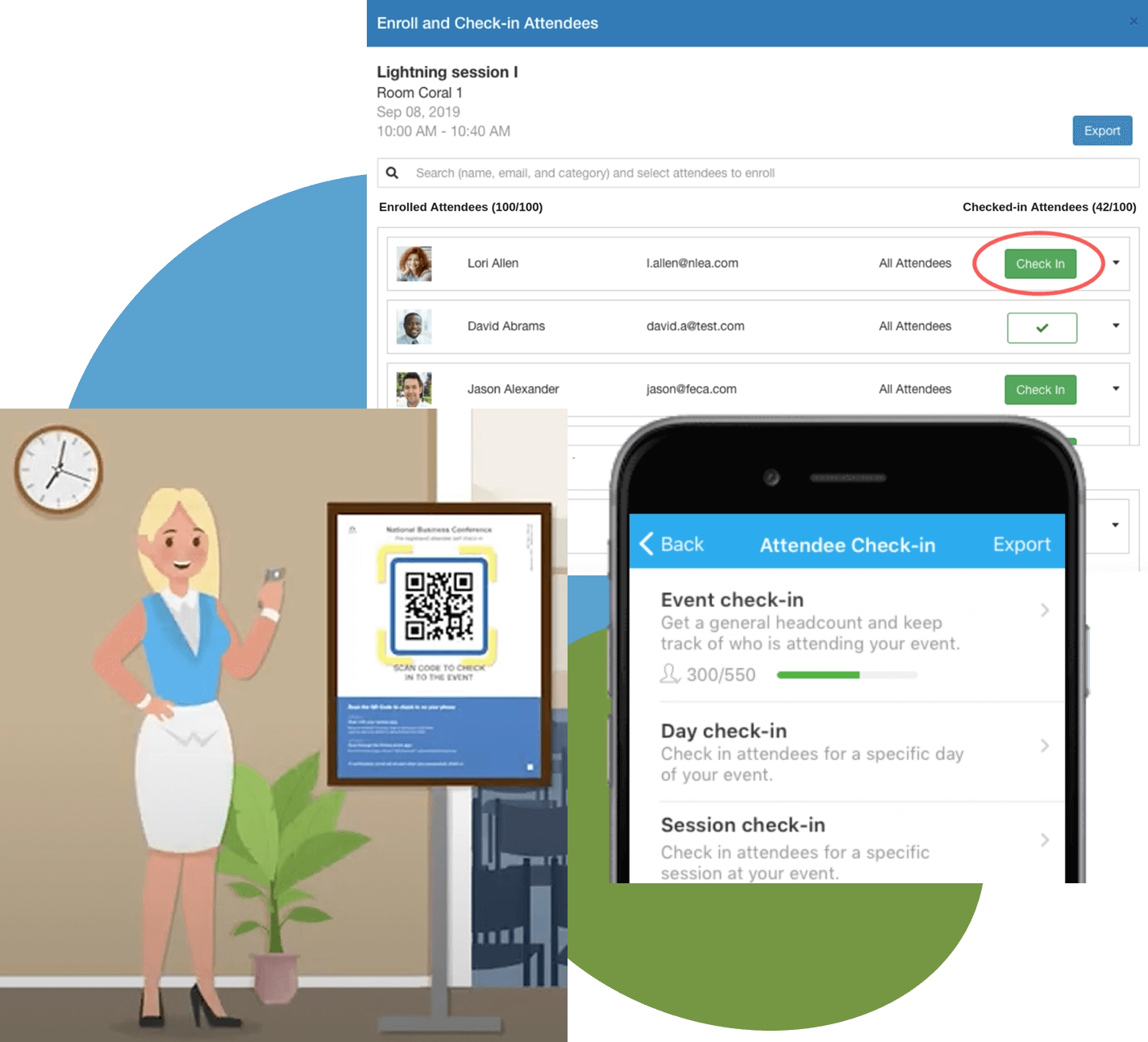
What I find useful is the attendee-led option shown above: a session QR code lets guests register their own attendance while staff can monitor the session list. It can reduce the number of people you station at room entrances. Whova also offers a separate kiosk setup for self-service event check-in and badge printing.
If Whova’s conference features are more extensive than your team needs, compare these Whova alternatives for B2B event teams.
Key features
- QR and manual attendee check-in
- Staff and attendee self check-in
- Event, day and session check-in
- Session self check-in from attendees’ own phones
- On-demand physical badge printing
- Self-service check-in kiosks
- Real-time attendance tracking and export
What Whova users say
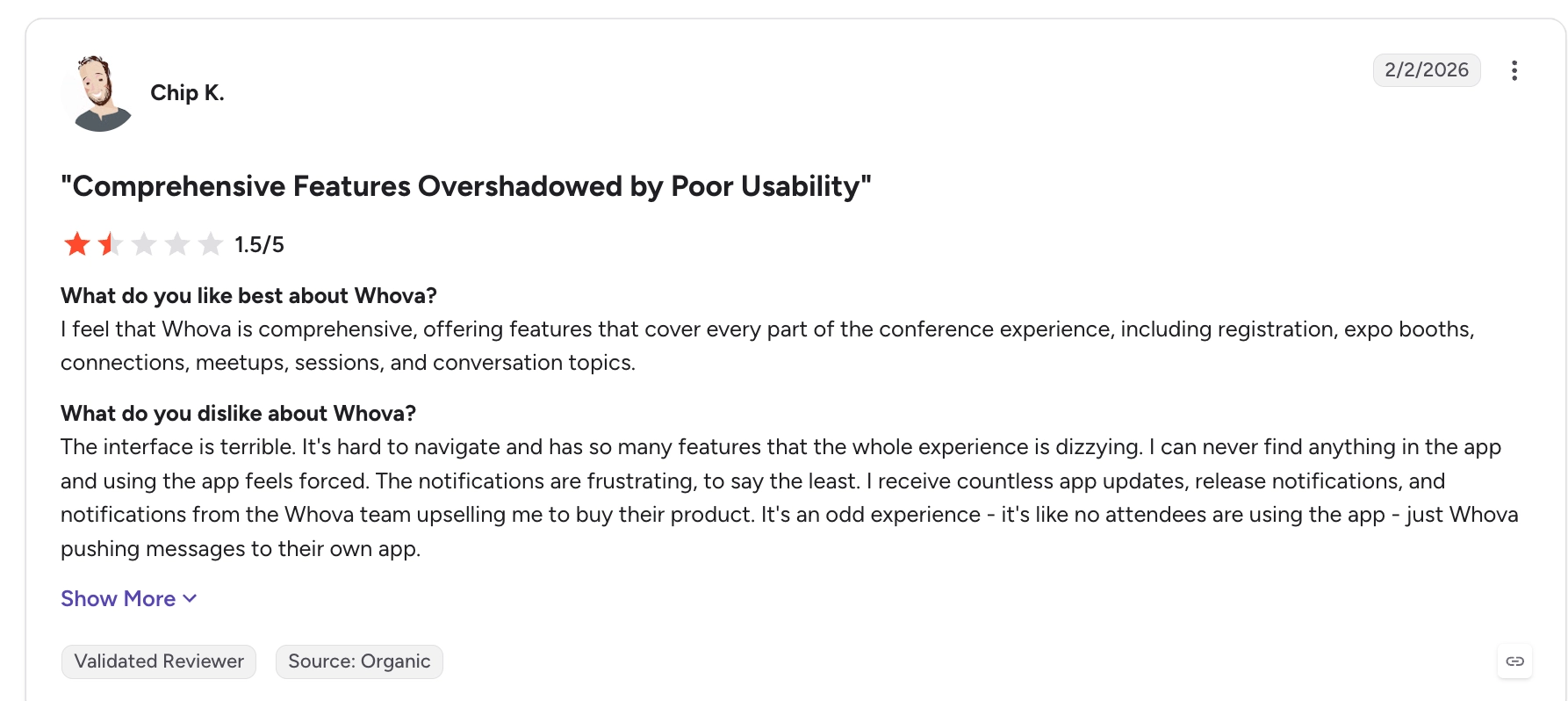
If you want guests to use Whova throughout your conference, it’s also worth looking at how they find the attendee app. Michelle M. likes having the agenda and maps in one place, and being able to scan a QR code to save someone’s contact details. The review below gives you a sense of how those features help once people are inside the event.

However, Chip K. found the number of features difficult to navigate and the notifications frustrating. If you’ll be asking attendees to use the app themselves, make sure they know where to find the features they need before the event starts.
Whova pros
- Attendees can check themselves into individual sessions: organisers can display a session QR code for attendees to scan from their own phones, reducing the staff and scanning hardware needed across concurrent sessions.
- Staff can check guests in from their phones: volunteers can search attendees or scan QR codes without needing dedicated handheld scanners.
- Physical badges can print automatically after check-in: Whova sends checked-in attendees to a preconfigured print queue and supports professional and standard office printers.
- Kiosks reduce the need for staffed desks: attendees can identify themselves, confirm their registration, and receive a printed badge without a staff member processing each arrival.
Whova cons
- Kiosk check-in depends on reliable Wi-Fi: Whova specifically recommends a strong and reliable connection when setting up its kiosk devices.
- Kiosk check-in requires iPads: Whova’s dedicated Check-In Kiosk app is designed to run on iPads, so teams using other tablet hardware would need a different check-in setup.
- On-demand staff-operated badge printing needs a dedicated computer: the Badge Printing Portal must remain open on a computer connected to the printer while other devices send check-ins to the print queue.
Whova pricing
- Event platform: custom quote based on event size and the services selected.
- Check-in and badge-printing options: pricing isn’t publicly listed.
- Onsite Kiosk: offered as an add-on; contact Whova for pricing.
Why teams choose it: Whova lets guests check themselves into sessions from their phones, making it easier to track attendance across conference rooms without stationing staff and scanners at every door.
Still deciding between the leading conference platforms? Read our detailed comparisons of Bizzabo versus Cvent and Whova versus Cvent, including their differences in check-in, pricing and wider event management.
Best event check-in app for training courses and workshops
If you’re running training courses or workshops, Eventleaf and OneTap can help you keep track of who attended and how long they stayed. Eventleaf is the more useful option when you need to turn that attendance into credits or certificates. OneTap is worth considering for recurring classes where you want to reuse the same participant list and see each person’s attendance history.
6. Eventleaf
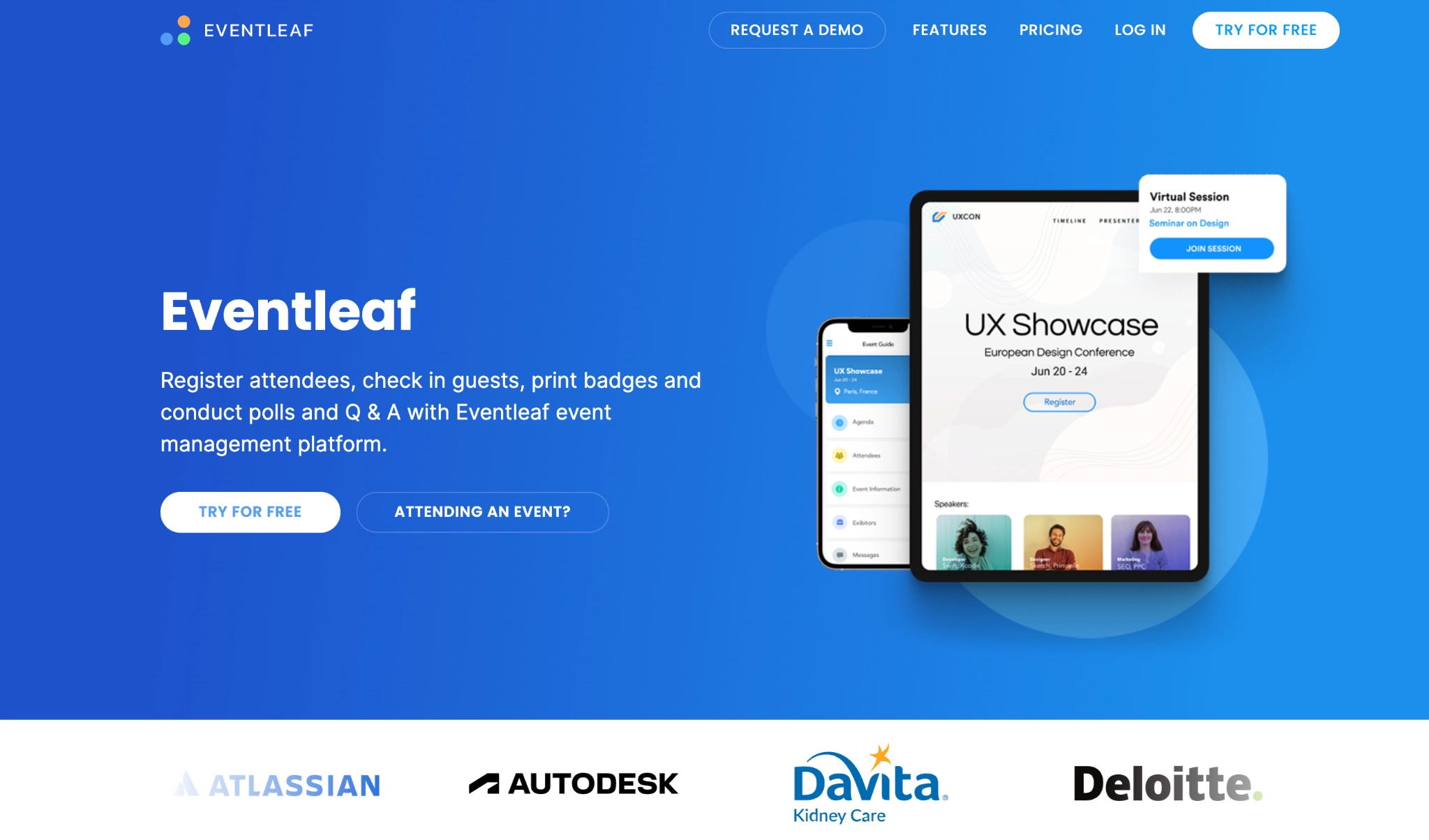
Eventleaf is an event management platform with a Check-In App that records attendance at both the overall event and individual workshops or sessions. Staff can scan an attendee’s QR code or search by name, then check them in and out to record how long they spend in each session.
What I find useful for training teams is the next step: Eventleaf can use session duration to calculate configured CE or PDH credits and issue attendance certificates. Check-in becomes evidence of time spent in training. You still need to set the attendance rules for your programme.
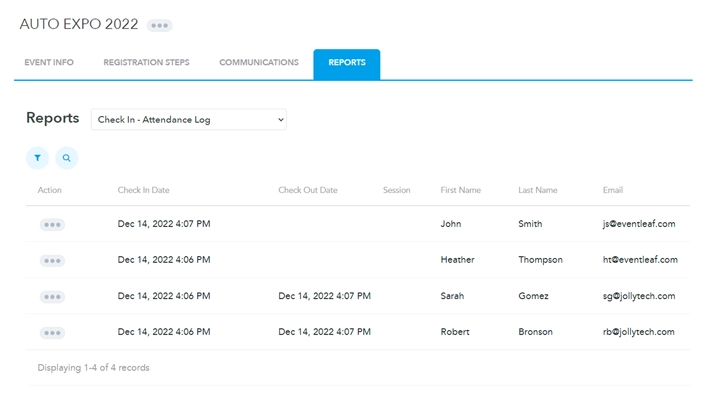
The attendance log above shows check-in and checkout times against individual attendees. Eventleaf can cache registration data before the event, record check-ins and checkouts offline, and sync when the connection returns. That helps preserve the attendance record if the venue connection drops.
Key features
- Event and session check-in
- QR-code and name-based check-in
- Check-in and checkout timestamps
- Session-duration tracking
- CE and PDH credit tracking
- Attendance certificates
- Session entry control
- Offline check-in
- On-demand badge printing
What Eventleaf users say
The reviews below show why it can be useful to keep registration, check-in and badge printing in the same system. For example, Zeeshan S. likes how Eventleaf replaces patchwork of forms and spreadsheets. 
Another verified reviewer says the same – they like being able to track registrations and print name tags on demand, rather than preparing all the name tags before the event.
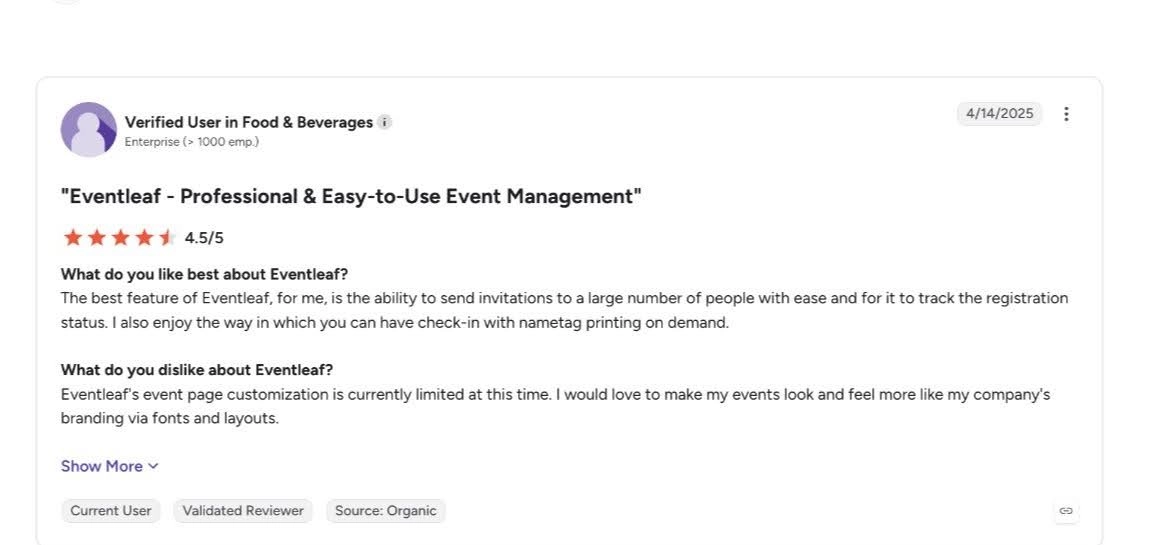
However, the same reviewer wanted more control over the event page’s branding, fonts and layout. That’s worth checking if you need the registration page to look a particular way alongside the check-in features.
Eventleaf pros
- It tracks how long someone attended: check-in and checkout records can calculate time spent in individual sessions rather than recording attendance as a simple yes/no status.
- You can connect attendance to credits and certificates: Eventleaf can use session duration to calculate CE or PDH credits and issue personalised attendance certificates.
- Session access can be controlled at the door: the Check-In App verifies whether someone is registered and eligible before admitting them to a restricted or paid workshop.
- Check-in continues without internet: registration data can be cached on the device before the event and synchronised once connectivity returns.
Eventleaf cons
- The full Check-In App requires Professional or Ultimate: Starter and Basic include registration and badge-design features, but event/session check-in, time tracking and offline mode start on Professional.
- Professional has a 1,000-attendee annual minimum: at $2 per attendee, that creates a $2,000 minimum annual fee even if your training programme serves fewer people.
Eventleaf pricing
- Starter: free for up to 100 attendees per year. It doesn’t include the full Check-In App.
- Basic: $1/attendee, with a minimum of 500 attendees/$500 per year. It still doesn’t include the full Check-In App.
- Professional: $2/attendee, with a minimum of 1,000 attendees/$2,000 per year. Includes event and session check-in, time tracking, credits, certificates, offline mode, and on-site badge printing.
- Ultimate: custom pricing. Adds features such as lead retrieval, SSO, and deeper integrations.
Why teams choose it: Eventleaf records when guests enter and leave each session, making it easier to confirm who attended long enough to earn credits or a certificate.
7. OneTap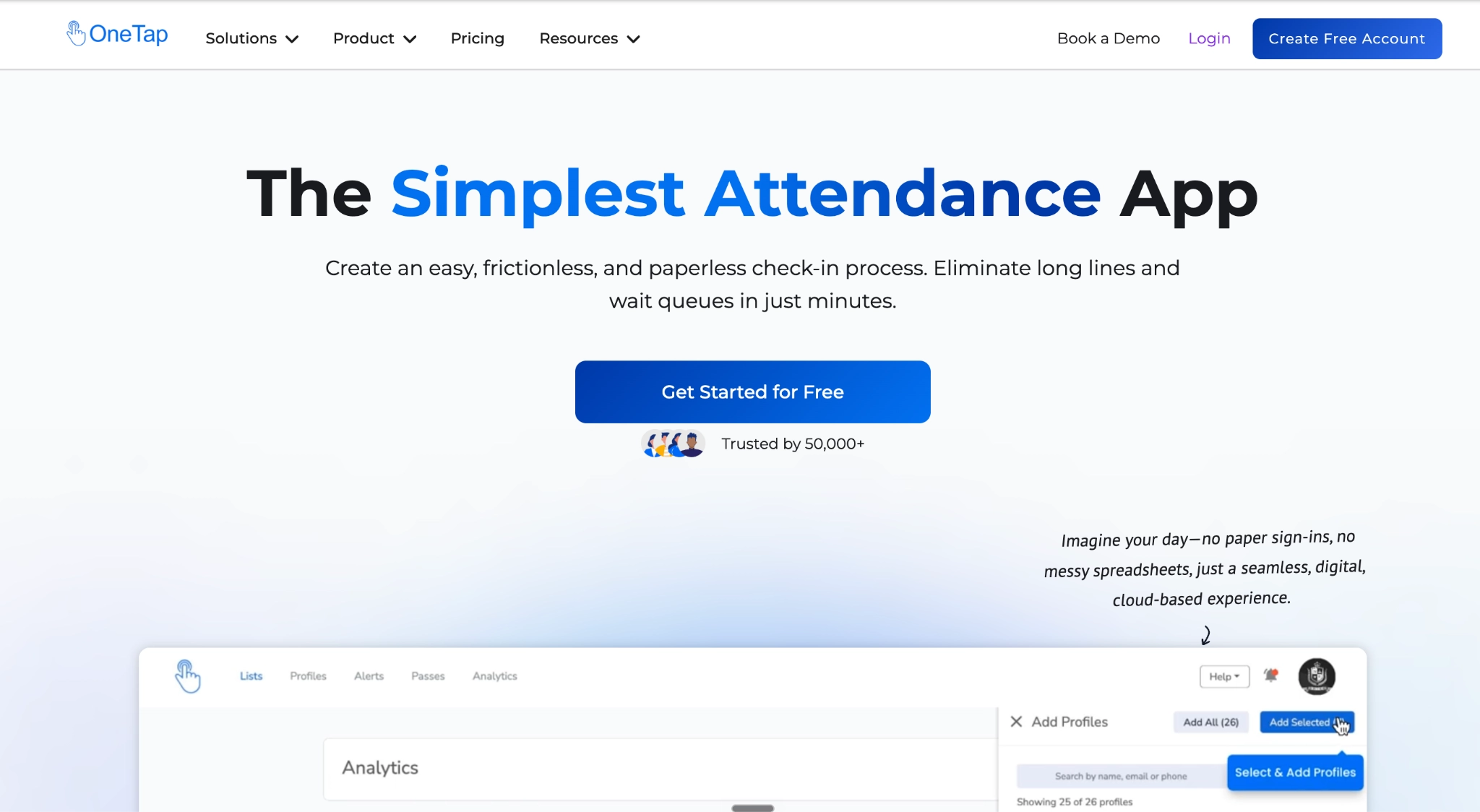
OneTap focuses on attendance rather than the wider event-management workflow. You create or import participant profiles, organise them into lists, and record check-ins and checkouts from an admin device, shared link, or self-service kiosk.
For recurring employee training or internal programmes, those profiles can be reused across sessions instead of rebuilding an attendee list each time. OneTap records check-in and check-out times, visit duration, and attendance history, so teams can see who attended and how often.
I find the reusable profiles particularly useful for recurring training: you can check attendance across sessions without recreating the same people each time. If an LMS or HR system already holds your participant records, check the available import or integration route; OneTap doesn’t replace course delivery, though.
Key features
- Admin and self check-in
- Public and individual QR passes
- iPad kiosk mode
- Check-in and checkout timestamps
- Visit-duration tracking
- Reusable attendee profiles and lists
- Excel import and export
- Location and time restrictions
- Attendance reports
- Zapier, n8n, Jotform and API integrations
What OneTap users say
The reviews below show how organisers have used OneTap to keep track of people attending more than one activity. One reviewer used it for over 400 track-and-field participants, with separate QR codes for each activity and both check-in and checkout. That gives you an idea of how the same participant records can work across repeated sessions. 
A second reviewer also liked how quickly they could check people in over several days. However, they pointed out that the app needs Wi-Fi or cellular service for check-in. 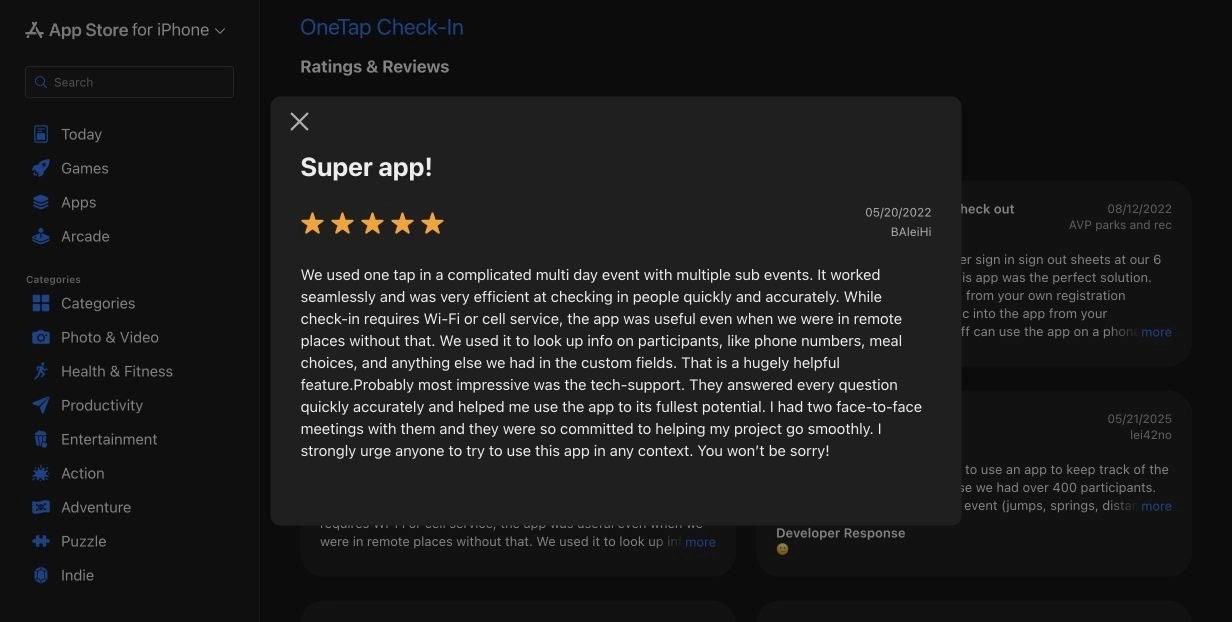
OneTap pros
- Recurring participants don’t need to be rebuilt for every training session: profiles can be reused across different lists and attendance periods.
- It records attendance duration: check-in and checkout timestamps show how long each person stayed, with the data available in reports.
- Participants have several ways to check themselves in: you can share a public link, issue individual QR passes, or turn an iPad into a kiosk.
- It can work alongside systems you already use: Excel imports and integrations through Zapier, n8n, Jotform, and the API reduce the need to replace an existing LMS or registration workflow.
OneTap cons
- Check-in requires internet access: OneTap currently doesn’t support offline check-in, so unreliable venue Wi-Fi or mobile coverage can stop attendance recording.
- Its native admin app is iOS-only: OneTap supports iPhones and iPads for the mobile admin app and says Android isn’t currently supported.
- It isn’t designed for detailed course or session management: OneTap records who attended, but your LMS or another system still handles course content and the wider training programme.
OneTap pricing
- Individual: free for up to 20 profiles and three collaborators.
- Basic: $49.99/month billed yearly for up to 250 profiles and five collaborators.
- Standard: $69.99/month billed yearly for up to 500 profiles.
- Pro: $99.99/month billed yearly for up to 1,000 profiles.
- Custom: from $200/month billed yearly for more than 1,000 profiles.
- One-time event: from $24.99 with 14 days of access; the profile allowance depends on the event package selected.
Why teams choose it: OneTap lets you reuse participant profiles across classes, making it easier to track who attended and how long they stayed without collecting paper attendance sheets.
Best event check-in apps for company galas and awards dinners
If you’re running a company gala or awards dinner, you need to welcome guests, check them in, and help them find their seats. RSVPify does that; here’s how it works.
8. RSVPify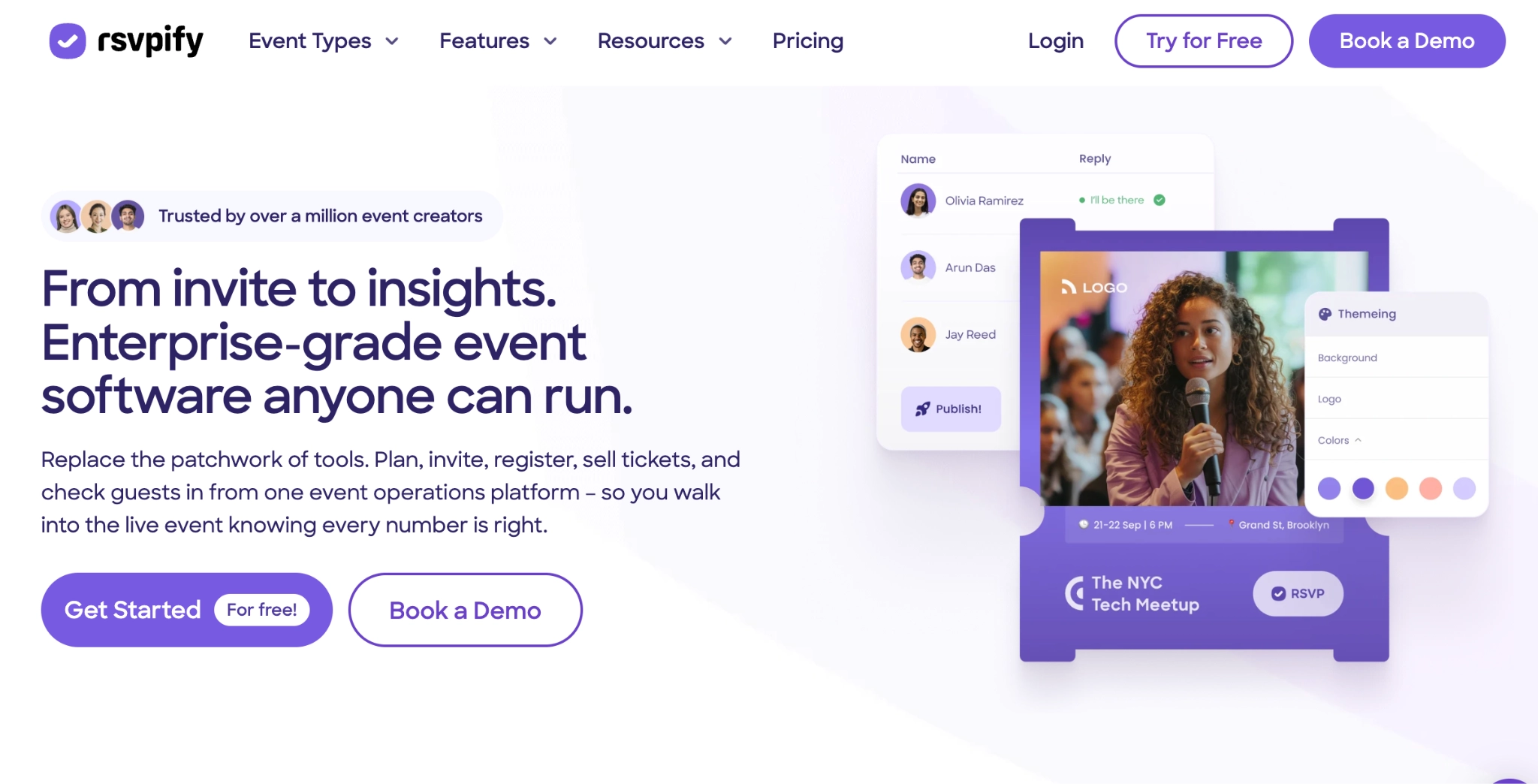
RSVPify is an event registration and guest management platform with check-in tools designed around the information collected before an event. Staff can scan a guest’s QR code or search by name, email, or confirmation number, then see details such as their group, ticket type, table assignment, meal preference, tags, and custom registration responses.
What I like for private events is having the table assignment available during check-in, alongside the guest’s group. Staff can check linked guests in together and direct them to their seats without consulting a separate seating list.
Staff can also add unregistered walk-ins at the door and assign them to an available table without leaving the check-in process.
Key features
- QR-code and search-based check-in
- Group check-in
- Walk-in registration
- Table and seat information at check-in
- Meal choices and custom guest details
- Check-in and checkout
- On-demand and pre-event badge printing
- Self-service kiosk mode on Enterprise
What RSVPify users say
Ashok S.’s review below gives you a useful view of both the setup and its limitations. He finds RSVPify straightforward to use for registration and guest management, and says it saves him time compared with handling RSVPs manually.
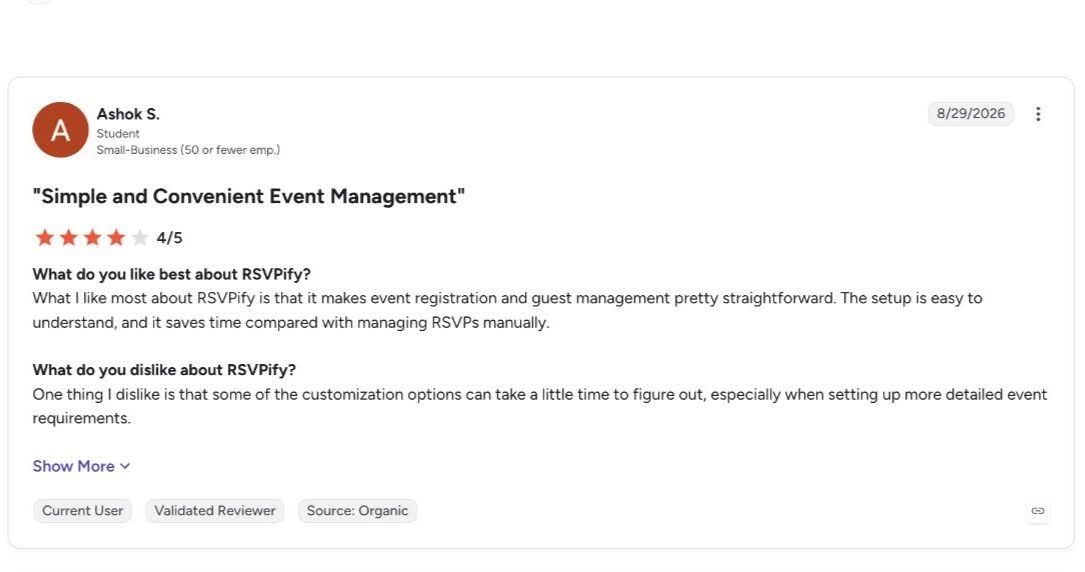
However, he also says customisation can take longer to figure out when an event has more detailed requirements. This means you need to give yourself time to set up and check the guest information your staff will need at the door.
RSVPify pros
- Staff can see seating information without leaving check-in: table and seat assignments appear in the guest list and immediately after scanning a QR code.
- Groups can be processed together: linked guests are displayed as a party and can be checked in at group level instead of one at a time.
- Walk-ins can be seated immediately: staff can capture a new guest’s details, assign an available table, and complete check-in from the same workflow.
- You have several badge options: RSVPify supports pre-event badge exports, on-site adhesive-label printing, and third-party full-colour badge services.
RSVPify cons
- Offline check-in isn’t available: Check-in requires a reliable internet connection as guest information is retrieved in real time.
- Check-in isn’t included on the cheaper Starter plan: the Check-In Suite starts with Plus.
- Native on-demand badge printing has hardware and colour limitations: it requires the RSVPify Desktop App and a supported Brother QL printer, and direct printing is limited to black, with red available on compatible media.
RSVPify pricing
- Starter: $39/month, or $288/year. Supports 150 registrations per month but doesn’t include event check-in.
- Plus: $125/month, or $1,068/year. Includes the Check-In Suite and up to 500 registrations per month.
- Professional: $409/month, or $3,588/year, with up to 1,500 monthly registrations and additional integrations and branding controls.
- Enterprise: custom pricing.
Why teams choose it: RSVPify shows staff each guest’s group and table assignment at check-in, making it easier to welcome their party and direct them to their seats without consulting separate lists.
If you need more than RSVP and private-event guest management, explore these RSVPify alternatives for B2B event teams.
Best event check-in app for public ticketed seminars and community events
If you’re running public seminars and already use Eventbrite for tickets, use it to handle check-in from the same system. Your staff can scan guests’ tickets, search for anyone who can’t find theirs, and sell tickets at the door. It’s worth considering when you need straightforward admission rather than detailed session access.
9. Eventbrite Organizer
Eventbrite is a ticketing and event-discovery platform, while its Organizer app handles the event-day workflow. The same ticket someone buys or receives through Eventbrite becomes their credential at the door, so staff can scan the QR code or search for the attendee manually without moving the guest list into another check-in system.
For recurring or timed-entry events, staff can select the relevant dates and time slots before they begin scanning. Devices can also be limited to particular ticket types or configured to check attendees in, check them out, or validate a ticket without changing its attendance status.
What I really liked is how your team can still sell tickets at the door while you scan other tickets with other devices. You don’t have to move new buyers into a separate check-in system; you keep everything in one place without losing control of the entry process.
Key features
- Mobile QR ticket scanning
- Manual attendee search
- Check-in and checkout
- Ticket validation
- Ticket-type filters
- Timed-entry and multi-slot check-in
- At-the-door ticket sales
- Dedicated check-in staff permissions
- Live check-in counts
What Eventbrite users say
The G2 review below highlights Eventbrite’s straightforward setup and easy-to-use ticketing interface. The reviewer also likes being able to reach potential attendees through its marketing tools, which can be useful when you’re selling tickets to a public event. 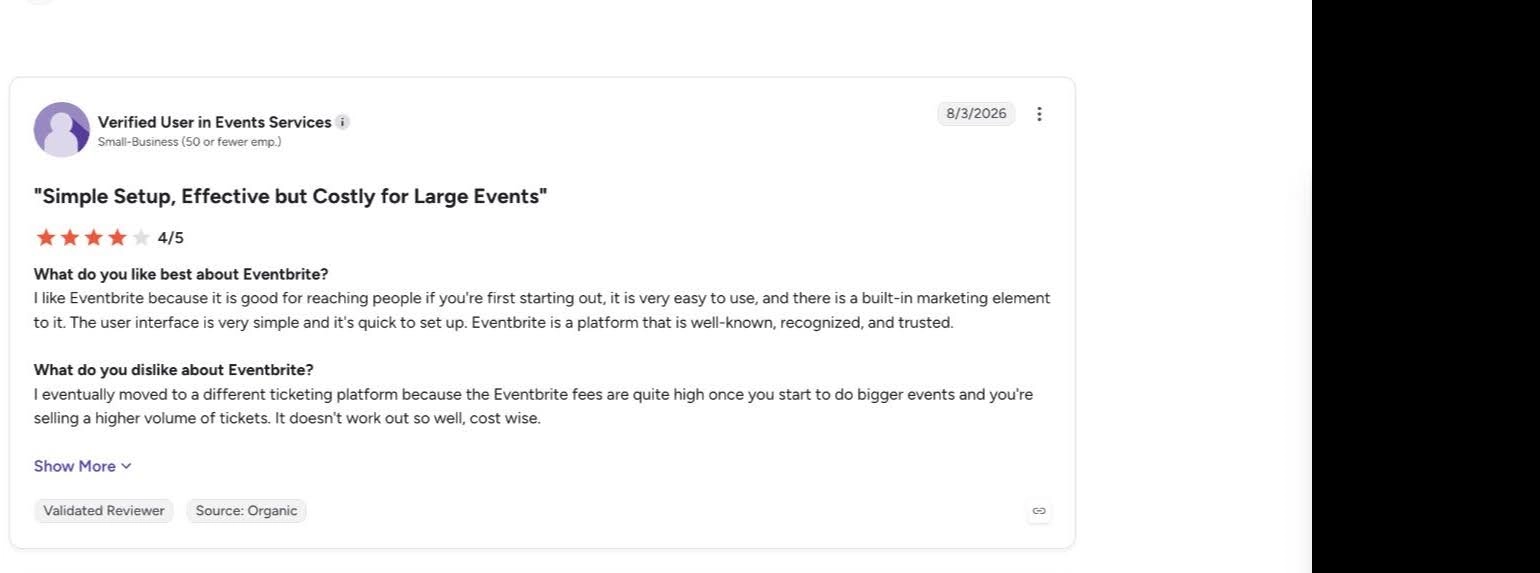
However, the fees became expensive as their events grew, and they eventually moved to another ticketing platform. Before choosing Eventbrite, work out what the fees would be at your expected ticket price and sales volume, and whether you or your attendees will be able to pay them.
Eventbrite pros
- There’s no separate check-in system to configure if you already use Eventbrite: the Organizer app scans the QR codes attached to attendees’ existing Eventbrite tickets.
- Staff can recover when someone can’t find their ticket: attendees can be located and checked in manually by searching their record.
- You can control how each scanning device behaves: a device can check in selected ticket types, check attendees out, or validate tickets without changing attendance status.
- It also handles door sales: staff can sell tickets through Organizer using supported payment methods. Check country, currency, and connection requirements before relying on on-site payments.
Eventbrite cons
- Paid-ticket fees can be expensive: in the US, Eventbrite charges a 3.7% + $1.79 service fee per paid ticket, plus a 2.9% payment-processing fee per order. Buyers pay these fees by default, unless you choose to absorb them.
- It offers less depth for session or area access: the Organizer app can filter and validate ticket types, but Eventbrite’s current check-in documentation doesn’t describe the same session-level access workflow available in conference-focused tools.
- Onsite badge printing isn’t part of the core check-in workflow: Eventbrite can export attendee name badges and connect printers for physical tickets, but its current Organizer documentation doesn’t describe integrated on-demand attendee badge printing.
Eventbrite pricing
- Free events: no Eventbrite ticketing fees
- Paid events in the US: 3.7% + $1.79 per paid ticket, plus 2.9% payment processing per order. Fees vary by country.
- Large or complex events: custom sales partnerships available
Why teams choose it: Eventbrite connects ticket sales with check-in, making it easier to admit existing ticket holders and sell tickets at the door without moving guest details into another system.
Concerned about Eventbrite’s fees, branding controls, or support options? See our review of the best Eventbrite alternatives.
How to choose the best check-in app for your event
Before choosing an app, check how it handles the things your event needs: finding guests, managing session access, printing badges, and recording attendance. Confirm which features work offline and whether the plan includes the equipment and reporting features you’ll need.
If you’re running customer or partner events, InviteDesk connects check-in with the guest records your Marketing and Sales teams already use. That makes it easier to welcome the people you invited and help account managers follow up with those who attended.
Book an InviteDesk demo to see how it would work for your event.
Frequently asked questions
Can I use my phone as an event check-in scanner?
Yes. Many event check-in apps use the camera on an iPhone or Android device to scan attendee QR codes, so you don’t necessarily need dedicated scanners. Check the product requirements first, especially if you also need badge printing or self-service kiosks.
Do event check-in apps work offline?
Some do, but offline support varies. Cvent OnArrival, Swoogo, Eventleaf and Eventbrite support offline check-in in some form, while InviteDesk ScanApp, OneTap and RSVPify don’t. Also check what doesn’t work offline: an app may keep scanning guests but still require the internet to print badges or register walk-ins.
How much does event check-in software cost?
Pricing ranges from free or pay-per-ticket options to annual platforms costing thousands of dollars. The more useful figure is the price of the plan that includes the workflow you need, including any paid onsite add-ons, printers, kiosks, or hardware rentals.
What’s the best event check-in app for B2B events?
It depends on the event. InviteDesk is great for customer and partner events where account managers need attendance connected to their guest records. Cvent, Bizzabo and Whova offer deeper onsite infrastructure for complex, multi-track events, while Eventleaf is great for training events where the specific check-in and check-out time matter.
Related content
Give your team a clear view of who attended
With InviteDesk and ScanApp, your check-in team can record arrivals against existing guest records, and your account managers can use attendance to plan their follow-up.
Book an InviteDesk demo to see the guest welcome and attendance workflow